Die Auswahl des richtigen WordPress-Marketing-Themas ist eine der wichtigsten Aufgaben beim Einrichten einer Website.
A marketing site needs a theme that helps you win leads and sales, not just one that looks nice. Start with the features that matter.
These are the main things to check.
Wichtige Erkenntnisse
- Probiere Bevor du kaufst: Testen Sie Demos und erkunden Sie Funktionen, um die Übereinstimmung mit Ihrer Vision und Ihrem technischen Kenntnisstand zu bestätigen.
- Verstehen Sie die Ziele Ihrer WebsiteWählen Sie ein Design, das zum Zweck Ihrer Website passt, z. B. ob es sich um eine Landingpage, einen Online-Shop oder einen Blog handelt.
- Priorisieren Sie die mobile OptimierungStellen Sie sicher, dass sich Ihr Theme nahtlos an mobile Geräte anpasst, um eine bessere Nutzerbindung zu erreichen.
- Evaluieren Sie die Integration von MarketingtoolsAchten Sie auf integrierte Funktionen wie Social-Media-Unterstützung und E-Mail-Anmeldung, um Ihre Strategie zu optimieren.
- Testgeschwindigkeit und SEO-LeistungSchnell ladende, gut programmierte Themes sind für die Kundenbindung und das Suchmaschinenranking unerlässlich.
- Stellen Sie die Plugin-Kompatibilität sicherPrüfen Sie, ob wichtige Plugins wie WooCommerce oder Elementor die Funktionalität unterstützen.
Benutzerzentriertes Design
Many themes pile on features. Choose one that does what you need in the simplest way.
It should be easy to use, through a clear dashboard or a drag-and-drop builder.
Reaktionsfähigkeit und mobile Optimierung
Reaktionsfähigkeit ist nicht mehr selektiv.
The site has to work well on phones, with navigation that’s quick to use.
Most web traffic now comes from mobile devices, so a theme that adapts to every screen is essential.
Integration von Marketingtools
Social sharing, email opt-ins and analytics are basic tools for an online business.
They help you bring in traffic and turn visitors into leads.
Themes with these integrations built in save you setup time.
Geschwindigkeit und SEO-Optimierung
Page speed matters for visitors and for rankings.
Heavy JavaScript and unoptimized images slow pages down, but the theme’s code quality matters too.
Kompatibilität mit Plugins
Some plugins you’ll need from day one, such as Yoast SEO, WooCommerce or Elementor.
Make sure the theme supports them so you don’t run into conflicts later.
Modernes und professionelles Design
Speed and responsiveness come first, but design still matters.
Pick a theme that looks good out of the box, so you don’t spend hours fixing CSS.
Die 6 besten WordPress-Marketing-Themes
Here are six themes that do well on design, features and speed.
Divi: Ideal für Marketingagenturen

Divi suits marketing agencies that want full control over their Website design.
Its visual drag-and-drop builder works for businesses of any size.
It has built-in split testing and conversion tracking, plus many landing page templates.
Divi kostet 89 US-Dollar pro Jahr oder 249 US-Dollar für lebenslangen Zugriff.
Support is good and the feature set is broad, but beginners may find it complex, and using too many features can slow pages down.
Astra: Budgetfreundlich und dennoch leistungsstark

Astra is a lightweight, fast theme at a low price.
Marketers who care about load times like it for that reason.
It has prebuilt marketing templates and works with Elementor and other page builders.
There’s a free version, and the Astra Pro add-on costs $69 a year.
Headers and layouts are flexible, though the free version is limited.
Besuchen Sie die offizielle Website, um mehr zu erfahren.
OceanWP: Am besten für Marktplatz-Websites
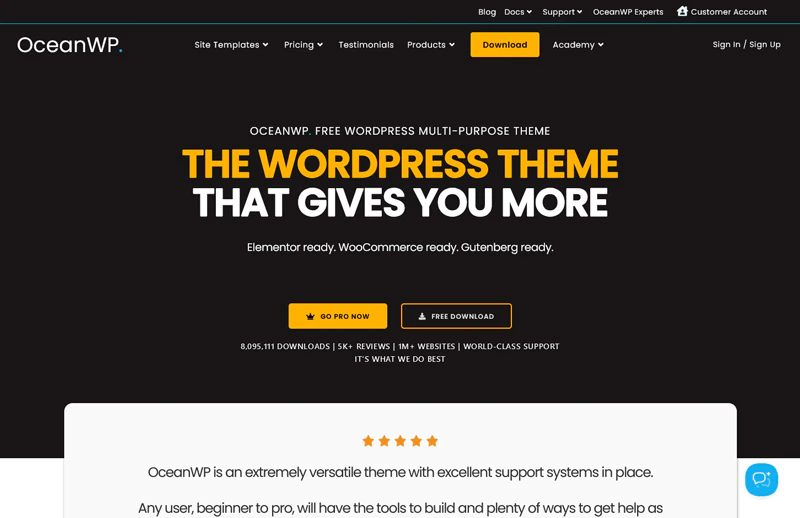
OceanWP is a flexible theme for online stores, used by small businesses and larger companies alike.
It adds product quick view, a floating add-to-cart bar and WooCommerce widgets, which makes it a good choice for stores.
OceanWP has a free version, and premium extension bundles start at $43 a year.
Some features, such as sticky headers and popup login forms, need premium extensions, which can make it cost more than Astra.
Hestia Pro: Erweiterter Marktplatz und WordPress-Themes für digitale Marketingagenturen

Hestia Pro is a one-page theme for clean, professional landing pages.
It’s WooCommerce ready, responsive and easy to set up, so beginners can use it.
If you run a digital Marketing-Agentur, Hestia is a good fit for your own site.
Pricing starts at $69 a year. It can feel limiting for larger multi-page sites.
Neve: Vielseitiges WordPress-Theme für digitales Marketing

Schnee is a fast, lightweight theme from ThemeIsle that suits beginners and experienced users.
It’s made for clean, minimal sites, and it’s AMP ready and SEO friendly.
It works with Elementor and Beaver Builder, so you can build landing pages and call-to-action sections easily.
Its modular structure scales from small to large projects.
Neve has a free version, and premium plans start at $69 a year.
GeneratePress: Perfekt für Affiliate-Marketing-Sites

GeneratePress is our pick for affiliate sites because it’s light, fast and flexible.
Speed matters a lot on affiliate sites, and GeneratePress has clean code and very little overhead.
Its modules let you switch on only the features you need.
It works with all the major page builders and keeps the design simple.
The theme is free, and GP Premium costs $99 a year, with frequent discounts.
The free version has limited design options.
So wählen Sie das richtige Marketingthema für Ihre Anforderungen
The right theme depends on your goals, your budget and your technical skills.
Benötigt Ihre Website Funktionen, die über das hinausgehen, was ein WordPress-Theme bieten kann, kann Ihnen ein Entwicklungsteam wie TeknoFlair helfen.
Sie entwickeln maßgeschneiderte Funktionen, Integrationen von Drittanbietern und skalierbare Lösungen, die auf Ihre Geschäftsanforderungen zugeschnitten sind.
Mit individueller WordPress-Entwicklung können Sie auch eine Website erstellen, die Ihre langfristigen Ziele besser unterstützt.
Nun zurück zum Hauptthema.
Any of the themes above can work. These questions help you pick one.
First, what kind of site are you building?
A one-page landing site for a product, or a multi-page site with a shop?
Hestia Pro is good for one-page designs, and OceanWP is better for full online stores.
Next, think about your audience.
If most visitors come from phones, Astra and Neve are strong mobile choices.
If speed is the priority, look at GeneratePress or Astra.
Then be honest about your skills and resources.
Beginners without coding skills will find Divi or Astra easier, thanks to their visual builders.
If you have developers, GeneratePress gives you a clean base to build on.
Try the demo before you commit. Most themes have a live preview where you can check layouts and settings.
Check plugin compatibility too.
The theme should support WooCommerce if you sell online, Elementor if you build pages with it, and your SEO plugin.
Schließlich ist das Budget ein entscheidender Gesichtspunkt.
Free themes are tempting, but a premium license usually brings better support, regular updates and more features.
Fazit
The right theme makes your site faster, easier to use and better at turning visitors into leads.
Focus on responsiveness, speed, plugin support and marketing tools, and check that the theme fits your audience.
Divi gives you the most design control, Astra is the fastest all-rounder, and Neve is the simplest to set up.
Denken Sie daran: Experimentieren ist der Schlüssel.
Use the demos and test each theme with the plugins you plan to use.
Finally, choose a theme that gets regular updates from a reliable developer.
Wir würden gerne Ihre Meinung hören!
If another theme has worked well for your marketing site, tell us in the comments.
1. Warum ist die Wahl des richtigen WordPress-Marketing-Themas so wichtig?
Das Design bestimmt Aussehen, Funktionalität und Benutzerfreundlichkeit Ihrer Website. Ein gut gewähltes Design unterstützt Ihre Ziele, zieht Besucher an und verbessert die Benutzerfreundlichkeit.
2. Welche Funktionen sollte ich bei der Auswahl eines Designs priorisieren?
Konzentrieren Sie sich auf benutzerzentriertes Design, Reaktionsfähigkeit, Integration von Marketingtools, Geschwindigkeit, SEO-Optimierung, Plugin-Kompatibilität und moderne Ästhetik.
3. Woher weiß ich, ob ein Design für Mobilgeräte geeignet ist?
Überprüfen Sie, ob das Design Responsiveness oder mobile Optimierung verspricht. Testen Sie die Demo auf verschiedenen Geräten, um eine reibungslose Navigation und Designanpassung zu gewährleisten.
4. Kann ich kostenlose Designs für Marketingzwecke verwenden?
Ja, aber Premium-Themes bieten oft erweiterte Funktionen, besseren Support und regelmäßige Updates, was die Leistung und Zuverlässigkeit Ihrer Website deutlich verbessern kann.
Wie kann ich ein Design vor dem Kauf testen?
Für die meisten Themes gibt es Live-Demos oder kostenlose Versionen. Nutzen Sie diese, um Anpassungsmöglichkeiten zu erkunden, die Leistung zu testen und die Kompatibilität mit Ihren Anforderungen zu prüfen.
So wählen Sie das richtige WordPress-Marketing-Theme aus!
Hier erfahren Sie, wie Sie in 7 einfachen Schritten ganz einfach das richtige WordPress-Marketing-Theme auswählen!
Definieren Sie Ihre Ziele
Ermitteln Sie den Zweck Ihrer Website (z. B. Landingpage, Blog, E-Commerce).
Kennen Sie Ihre Zielgruppe
Berücksichtigen Sie Benutzerpräferenzen, insbesondere mobile Nutzung und Designerwartungen.
Testdemos
Sehen Sie sich Live-Demos an, um Layout, Funktionen und Benutzerfreundlichkeit zu überprüfen.
Überprüfen Sie die Kompatibilität
Stellen Sie sicher, dass das Design wichtige Plugins wie WooCommerce oder Elementor unterstützt.
Bewertungsleistung
Achten Sie auf Geschwindigkeit, SEO-Optimierung und responsives Design.
Stellen Sie Ihr Budget ein
Entscheiden Sie sich je nach Ihren Ressourcen und Anforderungen zwischen kostenlosen oder Premium-Designs.
Experimentieren und entscheiden
Testen Sie Designs mit Ihren bevorzugten Plugins und Tools, um die perfekte Lösung zu finden.