


Waiting List
When a tour or workshop sells out, visitors join a waiting list and the next person in line is offered the place automatically.
View Waiting List
 Built for programs
An exhibition may run for months. A concert happens in one night. A workshop welcomes twelve people, each with a reason to be there.
Your website should make them easy to discover and give your team a practical way to manage what happens next. Webnus helps arts and cultural organizations publish their programs and handle bookings, tickets and attendance on WordPress.
Start with what you need, keep what already works and add capabilities as your organization grows.
$249/year instead of $365, with Kata Pro and ShopPress Pro included free.
Modern Events Calendar · Program calendar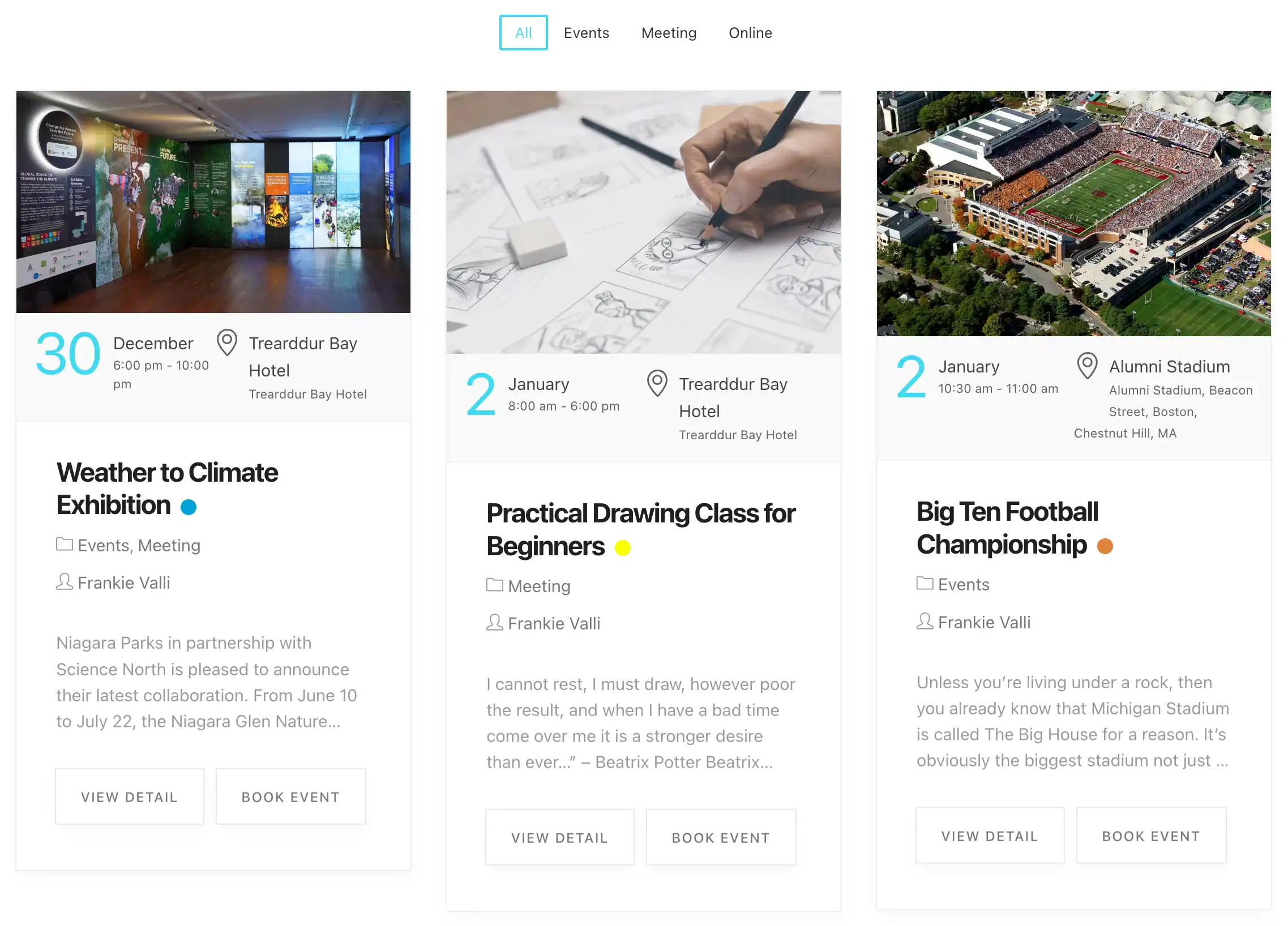
المتاحف والتراث
A museum website has to show what is on, explain how to visit and take the booking. Modern Events Calendar gives you a museum event calendar for your whole program: long-running exhibitions, weekly guided tours, talks, workshops and family days.
Visitors browse museum events by date, choose how many places they need and book. Your team sees every reservation in one list, and sites with several buildings can give each location its own page and map.
If you are planning museum website design from scratch or rebuilding an existing site, the calendar runs inside WordPress, so the rest of the site can follow your own design. With the WooCommerce add-on, visitors can buy a ticket and a shop product in the same cart.
MEC Booking · Visitor booking
When a tour or workshop sells out, visitors join a waiting list and the next person in line is offered the place automatically.
View Waiting ListEmail tickets and invoices, and check visitors in at the door with a QR code scanner.
View Ticket and InvoiceGive each building, gallery or heritage site a page of its own, with details and a map.
View Advanced Locationمعارض الفنون، المعارض الفنية
An art gallery website should step back and let the work lead. Modern Events Calendar publishes exhibitions with clear dates, keeps current and upcoming shows easy to find, and gives every opening or private view its own page.
Guests RSVP online, so the guest list builds itself. If an opening reaches capacity, a waiting list holds the next guests in line.
Whether you are choosing an art gallery website builder or reworking your art gallery website design, the calendar sits inside WordPress and works with Elementor, Divi و غوتبورغ, so exhibitions, artists and openings can be shown in your gallery's own visual language.
Modern Events Calendar · Exhibitions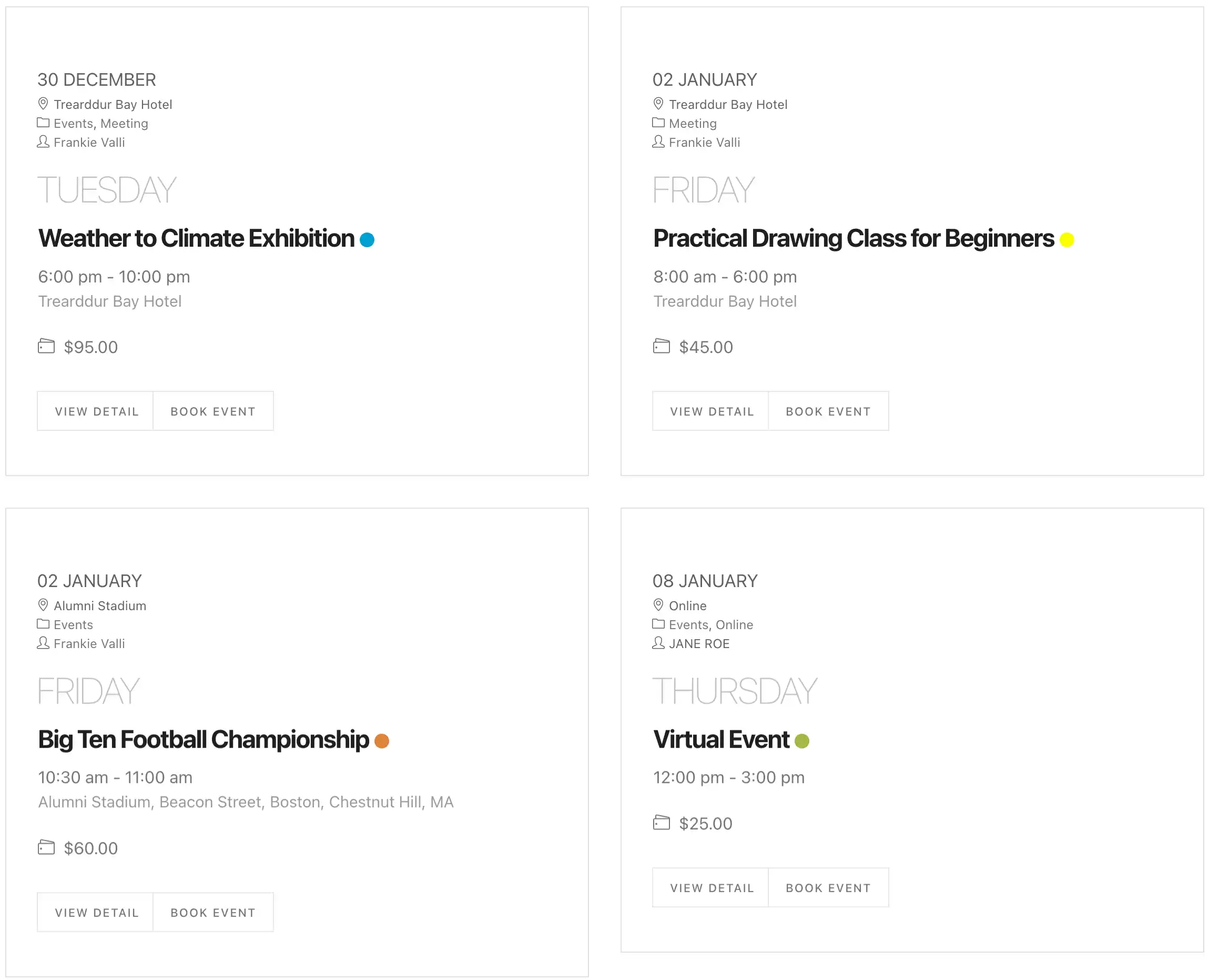
Guests RSVP to openings and private views, and you see who is coming.
View RSVP EventsWhen an opening is full, the next guest in line is offered a place as soon as one frees up.
View Waiting ListShare each new exhibition and opening to your social accounts automatically.
View Social Auto Posterالموسيقى الحية
A music venue website has one job on the day: get the right people in the room. Modern Events Calendar lists your live music events by date, genre or room, sells tickets by tier, and keeps the night's numbers in one place.
إذا كنت تريد concert management software that lives inside your own site, this is where it starts: listings, ticket types, guest lists, seat plans and door check-in, all connected to the calendar your audience already browses. Set up تذاكر الحفلات الموسيقية in tiers, such as general admission, balcony and VIP tables, and add a seat map when the room needs one.
Each artist can have a page of their own, so a headliner, a support act or a touring band is never just a name on a list.
Modern Events Calendar · Concert listings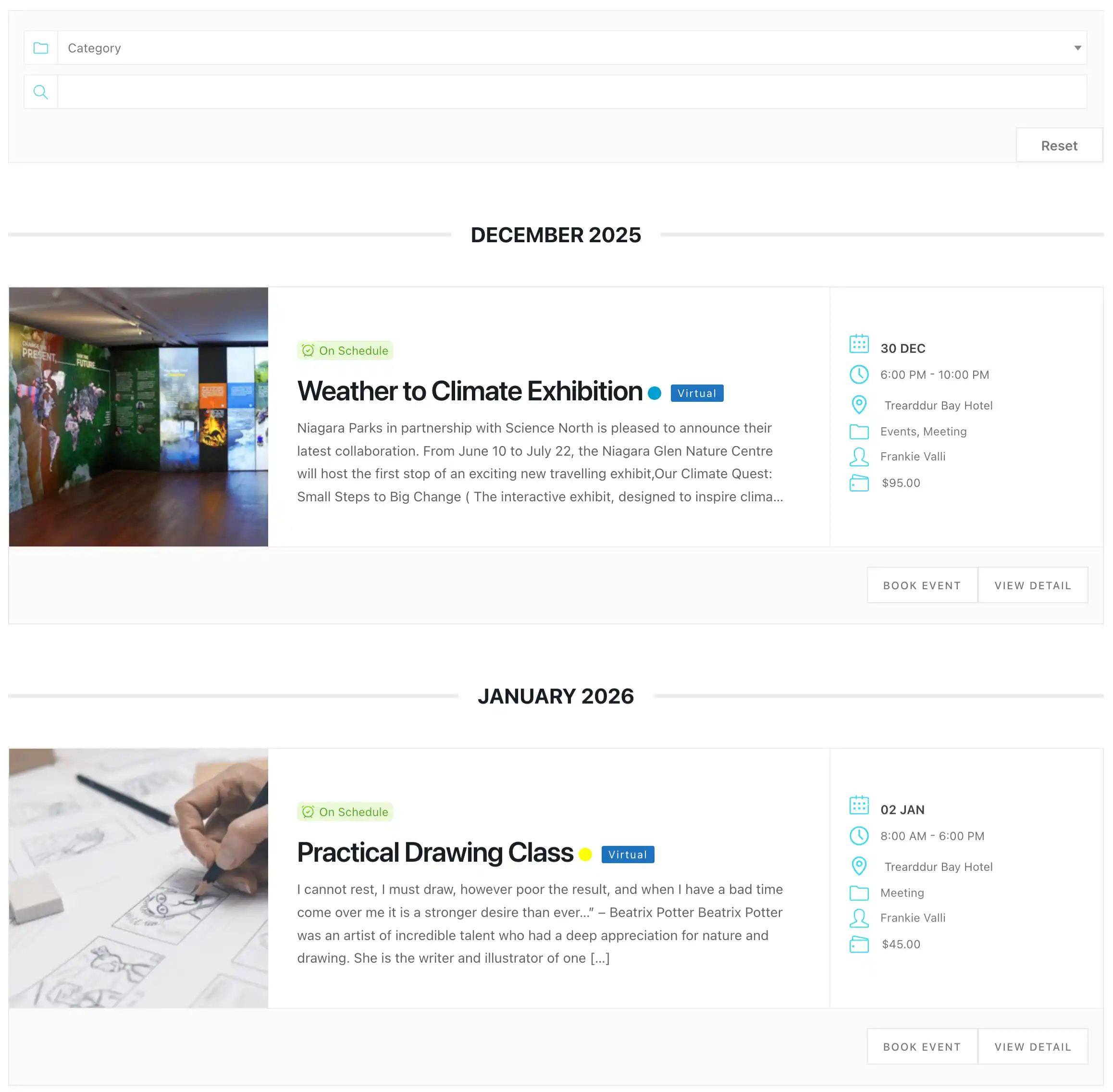
Build the seat map for your room, price each section, and let guests choose their own seats.
View SeatEmail tickets and scan QR codes at the door.
View Ticket and InvoiceGive each artist a page of their own, with a list or slider wherever you need it.
View Advanced Speakerالفنون المسرحية
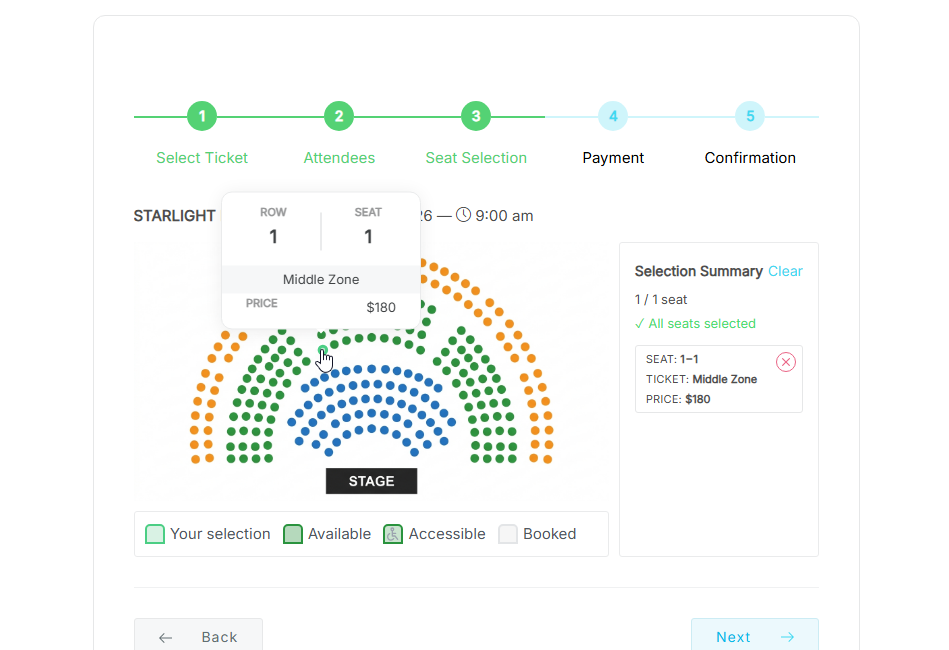
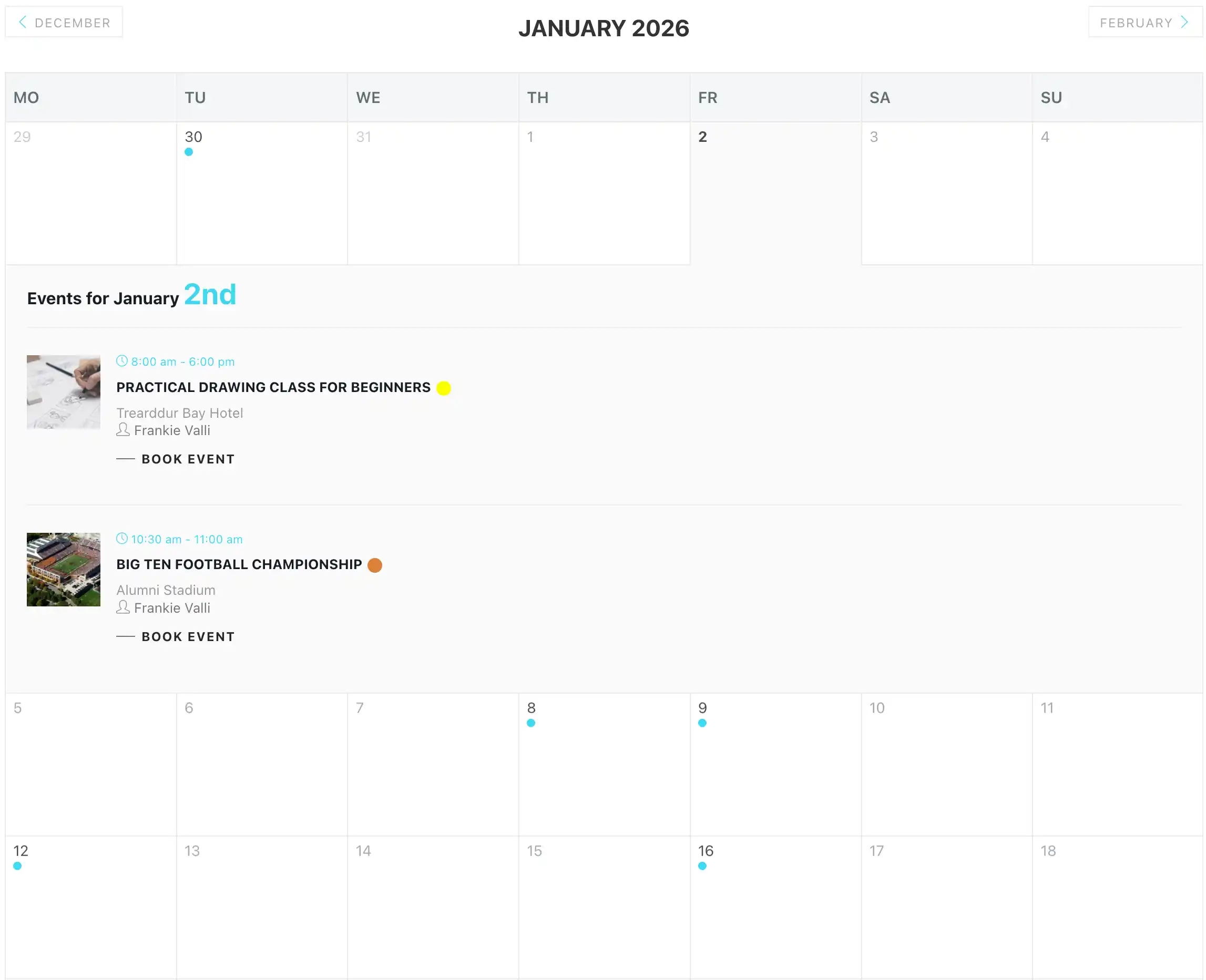
A performing arts website carries a whole season, not a single date. Modern Events Calendar handles a run of eight shows, a weekly matinee or a festival weekend, with recurring dates set once and managed in one place.
When seating matters, audiences choose their own. You draw the house as a seat map, price each section, mark accessible seats, and add the stage, aisles and labels so the plan reads like the room. Sold-out nights can offer a waiting list.
Whether you're commissioning theater website design from scratch or refreshing a site, the calendar and seating live inside WordPress, next to your company, your programs and your story.
Seat add-on · Theater seat map
Assign ticket types and prices to individual seats or whole tables, mark accessible seats, and let audiences pick their exact seats during booking.
View SeatKeep sold-out performances working for you: when a seat frees up, the next person in line is offered it.
View Waiting ListSee which performances are filling, with attendee reports you can filter by date, event, category, organizer or location.
View Advanced Reportsالمنظمات الثقافية
A cultural center rarely does one thing: morning classes, a lobby exhibition, a concert in the hall and a community evening in the courtyard. An arts and culture website should show it all at once, then narrow by room, program or date.
Modern Events Calendar organizes cultural events by category, location and organizer, so each program has its own listing in one calendar. Whether you run a cultural center website, a festival site or an arts organization website, every event gets a clear page and every booking lands in one list.
Modern Events Calendar · Daily program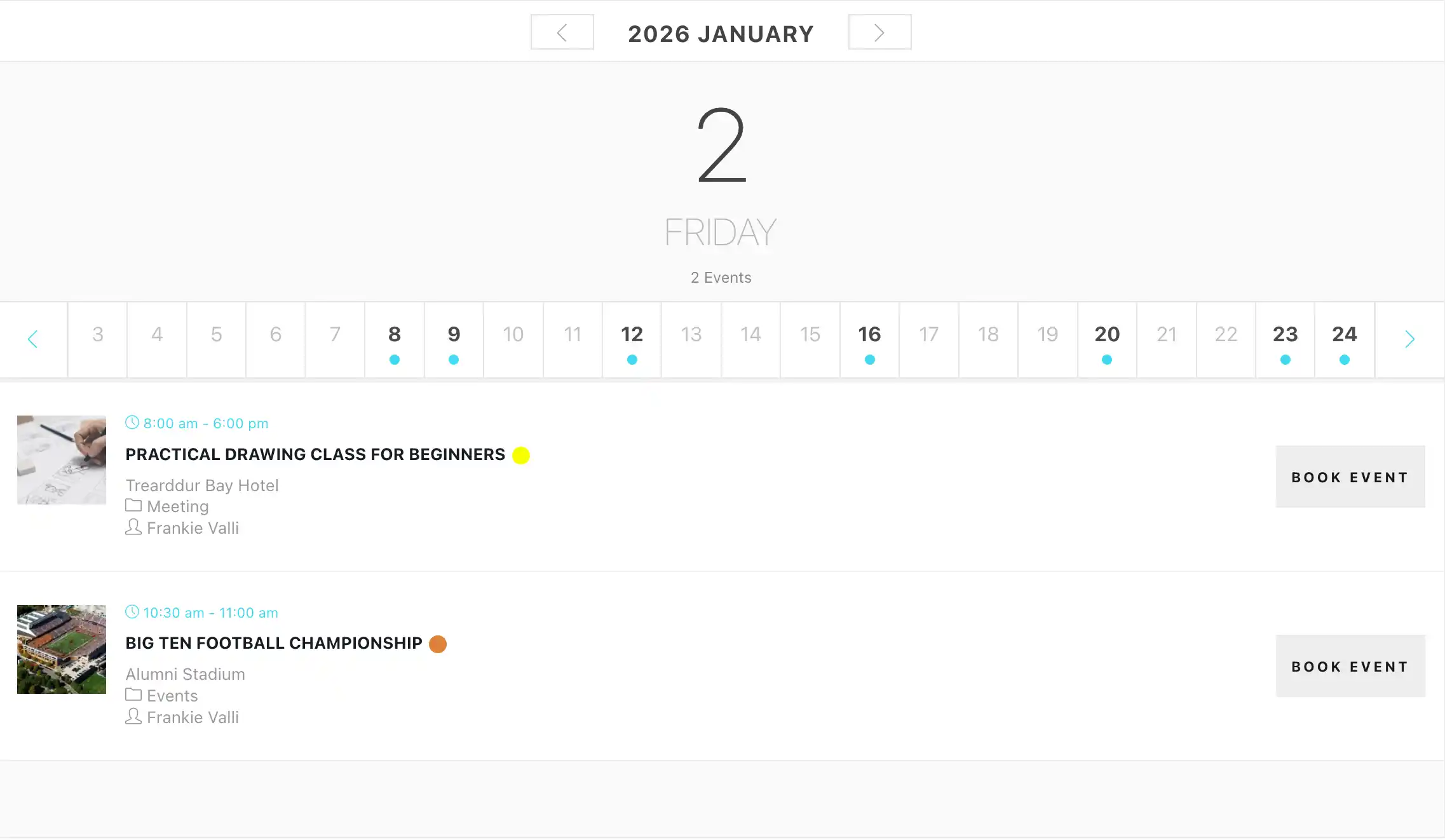
Give each program, partner or resident company a page of its own.
View Advanced OrganizerShow events on a filterable map, using OpenStreetMap instead of Google Maps.
View Advanced MapChoose from more than 20 calendar skins to match your identity.
View Fluent-view LayoutsDesign and shop
Arts audiences judge a website the way they judge a room: by how it feels when they walk in. Kata, the Webnus WordPress theme, gives you ready-made starter websites and a Styler tool to adjust the design until the site sounds like your institution. Modern Events Calendar fits inside it, and calendar skins and single-event builders carry the same look through every listing.
Run a museum shop, or sell prints, editions or merchandise? ShopPress lets you design your WooCommerce store pages with Elementor, in the same visual language as the rest of the site.
 Kata
Build or refresh the visual language of your institution with starter sites and detailed design controls.
Explore Kata demos
 ShopPress
Design the WooCommerce experience for museum shops, prints, merchandise and festival products.
Explore ShopPress
خطوتك التالية
Your next exhibition opening, concert, workshop or performance deserves a clear path from curiosity to participation, with practical tools for the people working behind the scenes.
With Webnus WordPress Solutions for Arts, Culture, Live Music & Museums, you don't have to replace what already works to make the next experience better.
دعم Webnus
Arts and cultural teams are often small, and launch weeks are busy. Webnus licenses include one year of updates and premium support, plus step-by-step documentation for every add-on. If you get stuck, you reach the people who build the products.
Support resources for building your WooCommerce experience.
Open ShopPress helpdesk