Which WordPress game plugins are best?
The best WordPress game plugins depend on the site you are building. Plays Games Widget can add playable HTML5 games, but its small install base makes it an early-stage option that needs careful staging tests. CyberPress is the more direct choice for esports teams, players, matches, and tournaments. SportsPress fits league-style standings and player statistics, while bbPress adds forums and StreamWeasels displays Twitch streams.
For design, Astra is a flexible general theme, Spiel suits game magazines, and PlayerX offers ready-made esports layouts. Kata is another flexible design option from Webnus. Start with one theme and one plugin that handles the site’s main job, and add community, streaming, or commerce features only when the project actually needs them.
The best fit for each gaming website
| What you are building | Best starting option | لماذا يناسب | التحذير الرئيسي |
|---|---|---|---|
| Playable HTML5 game portal | Plays Games Widget | Adds a game feed, selected score games, member progress, and leaderboards | Fewer than 10 active installations and no reviews at the time checked |
| Esports team or tournament site | CyberPress | Has teams, players, games, matches, and tournaments as native content types | Small review and installation base; test theme compatibility |
| League-style esports site | SportsPress | Handles fixtures, results, standings, profiles, and esports presets | Broader sports model may require more setup than a focused esports plugin |
| Gaming forum or clan community | bbPress | Adds forums, topics, replies, and moderation tools | The default presentation is plain and community management still takes work |
| Twitch hub | StreamWeasels Twitch Integration | Embeds individual or grouped Twitch streams | Group displays require a Twitch API connection |
| Game news or review publication | اللعبة | A block theme built around a dense game-magazine layout | Less suitable if you want a sparse corporate design |
| تصميم مرن حسب الطلب | ASTRA | Broad editor, builder, and commerce compatibility | You must build the gaming identity yourself |
| Ready-made premium esports design | لاعب اكس | Includes match layouts, stream boxes, team elements, and demos | Bundled builders and custom content can increase maintenance and migration work |
| Elementor-based custom design | Kata | Includes Elementor-oriented demos and site-building tools | It is a general theme, not a gaming-function plugin |
How this was checked: time-sensitive product details were checked against official directory or vendor pages on November 11, 2026. The assessment is based on desk research. We did not run a shared performance benchmark or a production-site test, so staging tests remain essential.
Gaming sites often go wrong at the first software decision. A publisher searches for WordPress game plugins and gaming themes, installs an ad manager or a general page builder, and still has no way to publish a match, show a live stream, or let visitors play a game.

The word “game” is doing too much work. A playable-game portal, an esports league, and a gaming magazine need different data, layouts, and moderation. The useful question isn’t “Which plugin is most popular?” It’s “Which job must WordPress do on this site?”
A useful comparison of WordPress gaming plugins starts with that job. The theme choice comes later, once the site’s content model and daily workflow are clear.
What does “WordPress game plugin” mean?
A WordPress game plugin usually belongs to one of three categories: playable games, gaming-site operations, or gamification. Confusing those categories leads to irrelevant recommendations and unnecessary plugins.
Some lists mix all three. This guide keeps them separate, so a tournament manager isn’t compared with a points-and-badges add-on.
Playable-game plugins
These plugins place games inside a WordPress page or connect the site to a game catalog. The important questions are where the games come from, what rights the publisher receives, which visitor data leaves the site, and whether the game feed depends on an outside service.
Plays Games Widget, for example, describes a mobile-first HTML5 game feed with Gutenberg and shortcode placement. It also supports selected score games, member progress, and leaderboards. That makes it a true playable-game option. It doesn’t automatically make it the safest choice for a large portal, because its WordPress.org listing showed fewer than 10 active installations and no reviews when checked.
Playable-game tools need the closest review of content rights and outside-service dependencies. The plugin can be free while the game feed still has terms that affect publication or monetization.
Gaming-site plugins
These tools manage content around games rather than running the games themselves. CyberPress creates structured records for teams, players, matches, and tournaments. StreamWeasels displays Twitch streams. bbPress handles discussions. They solve different parts of a gaming website.
They can work together when each owns a separate job. They get harder to manage when two products both create teams, matches, or member profiles.
This distinction matters when you pick plugins for a gaming website. A clan may need forums and a Twitch wall but no playable games. An esports organizer may need match records and standings but no forum at launch.
Gamification plugins
Gamification plugins add points, badges, levels, quests, or rewards to ordinary site activity. They can be useful for courses, stores, and membership communities, but they’re a separate buying decision. A points plugin doesn’t create an esports tournament system, and an esports plugin doesn’t reward a reader for completing lessons.
Gamification belongs in its own comparison unless points or rewards are central to the gaming community you’re building.
How were these WordPress game plugins selected?
This list favors a clear job, current maintenance evidence, understandable dependencies, and an honest limitation. Popularity helped us judge adoption, but it didn’t decide the list by itself.
The same checks apply to gaming WordPress themes. A polished demo matters less than current maintenance, portable content, and clean behavior when companion plugins are removed. A theme’s role is presentation, not hidden ownership of the site’s essential data.
We reviewed official WordPress.org pages and vendor listings on November 11, 2026. Each option was checked against six questions:
- Does it solve a genuine gaming-site task?
- Has its official listing been updated or tested against a recent WordPress version?
- Does it depend on an external API, feed, bundled plugin, or proprietary content type?
- Can a site owner understand the free and paid boundaries?
- What happens to content or layout if the product is removed?
- Is there enough adoption or documentation to reduce implementation risk?
This is a research comparison, not a lab test. We didn’t measure Core Web Vitals, database load, or simultaneous users on a common server. A product with current compatibility data may still conflict with your theme, caching setup, consent tools, or other plugins.
Repeat these checks on your own stack. Hosting limits, existing builders, and the number of live embeds can change the result.
This update drops the earlier Ad Content, AdSanity, and Affiliate Booster Blocks recommendations. Those tools address monetization; they don’t provide game, tournament, community, or streaming functions.
Which plugin is best for adding playable games to WordPress?
Plays Games Widget: best current directory option to test on a small portal
Plays Games Widget is the most direct match in this comparison for publishers who want visitors to launch HTML5 games inside WordPress. Its official listing describes a swipeable game feed, category filters, Gutenberg placement, the [pgames_widget] shortcode, lazy loading, selected score games, member progress, and leaderboards.
Of the plugins reviewed here, it’s the only one whose main job is delivering playable games. The others manage the people, media, or competition around games.
The data model is more interesting than a simple iframe. According to the plugin page, supported score and progression data can be stored in the publisher’s WordPress database for logged-in members. It also says aggregate publisher statistics don’t store visitor IP addresses, cookies, email addresses, or WordPress user IDs.
The limitation is adoption. Version 2.1.1 had fewer than 10 active installations and no submitted reviews when checked, so treat it as an early-stage option. Test game loading on mobile, consent behavior, account deletion and export, caching, ad placement, and what happens if the remote catalog is unavailable.
That caution is stronger than it would be for plugins with years of public adoption. A small install count isn’t proof of poor quality, but it leaves less public evidence to inspect.
أفضل لA publisher testing a playable-game section without building a game platform.
تخطاه عندماYou need a proven high-traffic arcade system, self-hosted game files, or contractually documented content rights that the public listing doesn’t establish.

Which WordPress gaming plugins work for esports teams and leagues?
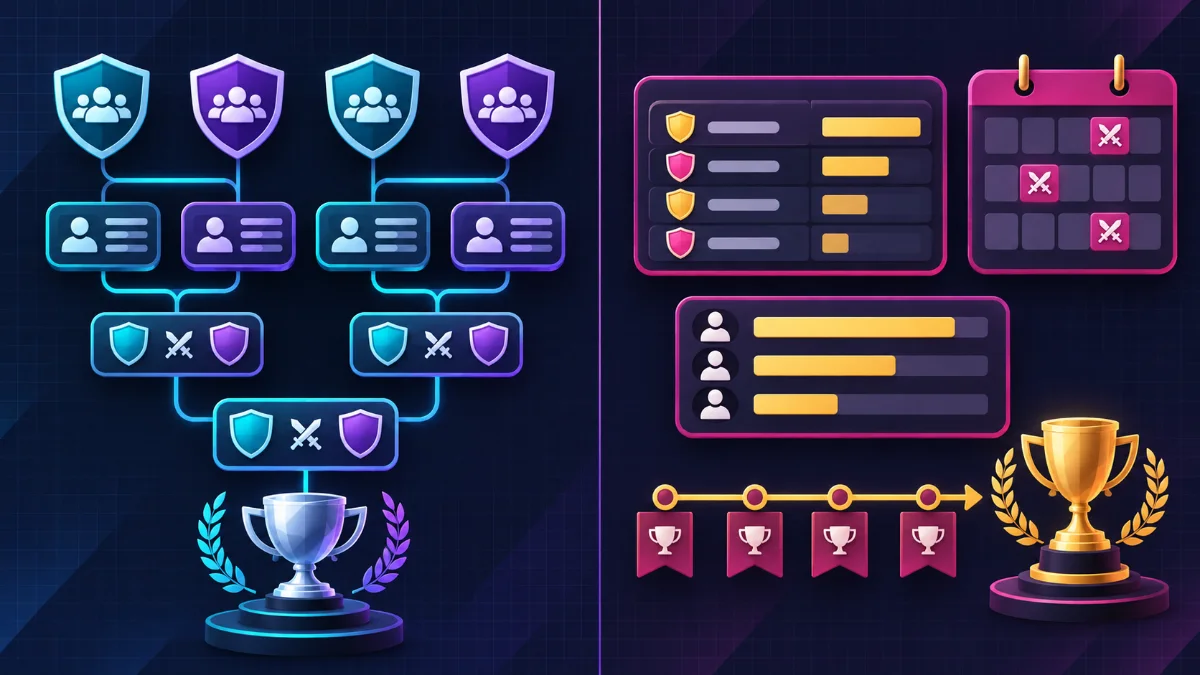
CyberPress and SportsPress both store structured competition data, but their center of gravity differs. CyberPress starts with esports content. SportsPress starts with clubs and leagues, then offers presets for several esports titles.
They answer related needs but shouldn’t automatically share a site. Their overlapping content models make the choice architectural, not cosmetic.
CyberPress: best for a focused esports structure
CyberPress is the cleaner starting point when the site revolves around teams, players, matches, games, and tournaments. The plugin provides blocks for those same five content types, which makes its model easy to understand before installation.
It earns its place here because its records match esports publishing directly. It doesn’t need a traditional sports metaphor to represent a match or tournament.
Its WordPress.org page listed version 2.5.10, 100+ active installations, testing through WordPress 7.1.3, and a recent update when checked. The changelog also records PHP 8 fixes, capability checks, and compatibility work. That’s useful maintenance evidence, though the adoption base is still small.
CyberPress fits an esports organization that needs profile and match pages without forcing its data into a traditional sports league. Test permalink behavior, template output, imports, and how the custom content appears if you later change themes.
SportsPress: best for standings, fixtures, and player statistics
SportsPress is the stronger fit when the site behaves like a league table. Its official listing includes fixtures, results, automated standings, club and player profiles, statistics, CSV imports, calendars, and player-versus-player mode. It also lists presets for Counter-Strike: Global Offensive, Dota 2, and League of Legends.
The plugin had 10,000+ active installations and was tested through WordPress 7.0.8 when checked. A Pro version adds commercial features, so confirm which reports, layouts, and integrations your project needs before building around the free edition.
SportsPress can be heavier conceptually because it offers a broad sports-management system. Use it when the league model is an advantage. If you only need a few match cards and team profiles, CyberPress may be easier to shape. In short, SportsPress has the deeper standings and statistics model, and CyberPress has the narrower esports vocabulary.
Don’t install both by default. Their team, player, match, and event models overlap. Pick one as the source of truth, then add a forum or streaming plugin only if those functions have a clear owner.
Which plugin is best for a gaming forum or clan community?
bbPress: best for a straightforward WordPress forum
bbPress is the safest starting point here when the main need is threaded discussion inside WordPress. It’s built by WordPress contributors and uses forums, topics, and replies rather than trying to become a full social network.
bbPress knows nothing about matches or playable games. That narrowness is useful when discussion is the only missing function. Its directory listing showed version 2.6.21, 100,000+ active installations, and testing through WordPress 7.1.4 when checked, a much deeper adoption history than the niche plugins in this list.
The tradeoff is visible immediately: bbPress is intentionally plain. A gaming community may need theme work, anti-spam controls, role rules, notification extensions, and a moderation plan. Those are real project tasks, not checkboxes that disappear after activation.
Use bbPress for build guides, recruitment posts, strategy discussions, and support threads. If the project needs activity feeds, friend relationships, private groups, or a Discord replacement, evaluate a broader community system instead of stretching bbPress past its job.
Community plugins also create an ongoing labor cost. Someone must handle reports, spam, account disputes, and inactive sections after launch.
Which WordPress gaming plugin is best for Twitch streams?
StreamWeasels Twitch Integration: best for single streams and curated Twitch hubs
StreamWeasels Twitch Integration is the focused choice for showing Twitch streams in WordPress. It supports Gutenberg blocks and shortcodes, single-channel embeds, grouped channel displays, teams, games, languages, and title tags.
A live-stream directory is a common gaming-site job, which is why StreamWeasels is here. It remains a media integration, not a community or tournament database.
The dependency changes with the layout. The official page says a single stream embed doesn’t require a Twitch API connection, while grouped stream displays do. Free layout add-ons include a wall, player, rail, status display, and VOD layout; some other layouts are sold as Pro products.
Version 1.9.6 had 1,000+ active installations and testing through WordPress 7.0.8 when checked. Before launch, test autoplay and mute behavior, mobile layout, chat display, cookie consent, API failure states, and the page weight created by multiple live players.
A stream wall is useful for a team or creator network. A gaming magazine usually needs fewer embeds. One featured stream on an article or category page is often easier to maintain than a homepage filled with live players.

Which gaming WordPress themes are worth considering?
Choose the theme for editorial layout, branding, and plugin compatibility. Don’t expect it to replace the site’s functional plugin. The four choices below cover a general foundation, a block-based game magazine, a premium esports package, and Webnus’s own Elementor-based option.
A good gaming theme makes plugin output readable without taking over the data, and it leaves you a practical exit if the design changes in two years.
Astra: best flexible starting point
ASTRA is the low-risk choice when you want to assemble the site yourself. Its WordPress.org listing showed version 4.14.2, an October 29, 2026 update, and more than one million active installations. It supports blog layouts, featured images, commerce, translation, RTL languages, and several page builders.
Astra is the generalist here. Its advantage is the mature base; its cost is the design work needed to make the site feel specific to a game, team, or publication. That maturity doesn’t give you an esports identity: you’ll need to design the navigation, cards, typography, dark or light palette, and plugin templates. Astra makes sense when long-term compatibility matters more than importing a dramatic gaming demo.
Spiel: best free theme for a game magazine
اللعبة is a block theme from Automattic described as a game-magazine theme. Version 1.0.10 was updated on September 15, 2026 and had 2,000+ active installations when checked. Its features include block patterns, grid and news layouts, featured images, a right sidebar, RTL support, and translation readiness.
Spiel has the clearest editorial identity of the themes in this guide. It’s meant to look like a busy publication rather than a neutral starter theme. The dense, old-school homepage is the point: it suits a publication with reviews, news, guides, and many recent stories. It’s a weaker fit for a minimal studio portfolio or a tournament operation whose match data matters more than articles. For other publication-style layouts, see these قوالب ووردبريس مجانية للأخبار.
PlayerX: best premium option for ready-made esports visuals
لاعب اكس comes with match content, match-list elements, a stream box, team components, portfolio layouts, WooCommerce support, Elementor compatibility, WPBakery, and Slider Revolution. The ThemeForest listing showed a $69 regular license and 3,053 sales when checked. Its last recorded update was October 13, 2025.
Compared with simpler themes, PlayerX gives you more prepared esports presentation. The tradeoff is a larger theme package and more product-specific content. It can shorten design work, but it carries more moving parts than a block theme. Confirm how matches and layouts depend on the PlayerX Core plugin, bundled builders, and custom shortcodes. Also replace the demo imagery: the vendor states that demo-image copyrights aren’t included for site use.
Kata: الأفضل Webnus option for Elementor-based custom design
Kata is a multipurpose WordPress theme with Elementor demos, header and footer builders, blog-building tools, responsive breakpoints, and free and Pro editions. The Kata page listed the one-site Pro plan at $59 with one year of support and updates when checked.
تنويه: Kata يتم تصنيعه وبيعه بواسطة Webnus, the publisher of this article.
Kata sits at the general-purpose end of the list. Its value is layout control for an Elementor user, not prebuilt esports data. It belongs here as a design foundation, not as a gaming plugin. It may suit a publisher or streamer who wants to build a distinct layout in Elementor. It won’t create tournaments, forums, stream directories, or playable-game feeds by itself.
If you need more general-purpose candidates, compare these responsive WordPress themes before choosing the design layer. If Elementor is your builder, our Elementor themes roundup يغطي المزيد من الخيارات.
What is the best theme-and-plugin stack for each site type?
A useful stack of gaming themes and plugins has one source of truth for each job. Two plugins shouldn’t both own matches, profiles, or event records unless an integration plan explains which one wins. Write that boundary down: the plugin owns structured function, and the theme presents it.
Gaming news and review site
- Start with Spiel for a ready-made magazine structure, or Astra for more design control.
- Add no specialist game plugin unless the editorial plan needs playable games, forums, or streams.
- Keep reviews, news, guides, and game pages in a stable taxonomy before adding custom post types.
This is the easiest stack to overbuild. A gaming publication can launch with a theme, the block editor, and the ordinary site-wide tools it already uses. Security, backups, SEO, and caching sit outside this gaming shortlist; use the general WordPress plugin guide to plan those needs separately.
Esports team or tournament site
- Use CyberPress for esports-first team, player, match, and tournament records.
- Choose SportsPress instead when standings, statistics, seasons, and league operations drive the project.
- Add StreamWeasels for live team channels and bbPress only if an on-site forum has an owner and moderation plan.
- Pair the stack with Astra for flexibility or PlayerX for its prepared esports presentation.
This covers competition, community, and streams without asking one product to own every record. Choose the primary competition plugin first.
Streamer or clan community
- Use StreamWeasels for live and grouped Twitch displays.
- Add bbPress for recruitment, guides, and member discussion.
- Choose Astra or Kata when the brand needs a custom landing page and channel directory.
- Keep Discord, Twitch, and WordPress responsibilities explicit so members know where each conversation belongs.
Remove bbPress if the community already lives entirely in Discord.
Playable-game portal
- Test Plays Games Widget on staging with real mobile devices and user accounts.
- Use Astra or Kata as the presentation layer.
- Verify game licensing, remote-service terms, consent behavior, data export and deletion, ad rules, and outage handling before launch.
- Avoid adding esports and forum systems until the playable catalog works reliably.
A playable-game feed carries the most direct content-rights question. Resolve that before investing in the surrounding theme design.

What should you check before installing a gaming plugin?
The plugin demo is the easy part. Maintenance, data, and failure behavior decide whether it belongs on a production site. Run this checklist before committing content to any of the plugins above. It also applies to themes that bundle builders, sliders, or custom post types.
Choose the site’s main job before choosing its tools
The strongest stack of WordPress game plugins is usually smaller than the first shopping list. Pick the theme for presentation. Pick one plugin to own the core job. Then prove the setup on staging with realistic content and failure tests.
For a playable-game experiment, that may be Plays Games Widget plus a flexible theme. For an esports operation, choose CyberPress or SportsPress, not both by reflex. A streamer community can start with StreamWeasels and add bbPress only when someone is ready to moderate it.
That decision is more useful than chasing a universal winner. Write down what the site must do in one sentence, choose the matching row from the comparison table, and test that stack before adding anything else.
الأسئلة المتكررة
Can WordPress host playable games?
Yes. A plugin can embed or connect WordPress to HTML5 games, and custom development can host game files directly. Check the game’s license, remote dependencies, mobile controls, data collection, and performance before publishing. Plays Games Widget is promising but still has a very small public adoption base, so start with a staging copy and a written content-rights check. A working demo isn’t enough.
Do I need a gaming-specific WordPress theme?
No. A maintained general theme such as Astra can support a gaming publication, community, or esports plugin if you’re willing to design the presentation. A gaming-specific theme saves layout work and may include match or stream components, but it can also create more dependence on bundled plugins and custom shortcodes. Check what survives when the theme and its companion plugin are deactivated.
Are WordPress game plugins free?
Several options in this comparison have free WordPress.org editions. Paid costs may appear through Pro extensions, premium layouts, support, or a commercial theme. Price is only one part of the budget: configuration, custom styling, moderation, API setup, performance work, and future migration can cost more than the license.
What is the difference between a gaming plugin and a gamification plugin?
A gaming plugin handles a game-related task such as playable games, teams, matches, tournaments, streams, or forums. A gamification plugin adds points, badges, levels, or rewards to ordinary site activity. Some products overlap, but the buying intent and data model are different.
How many plugins does a gaming website need?
Each plugin should own one clear job. Start with one functional plugin for the site’s main task, then add a second only when it owns a separate function such as Twitch display or forums. There’s no safe universal plugin count: code quality, database work, external requests, and feature overlap matter more than the raw number. Count responsibilities before you count plugins.