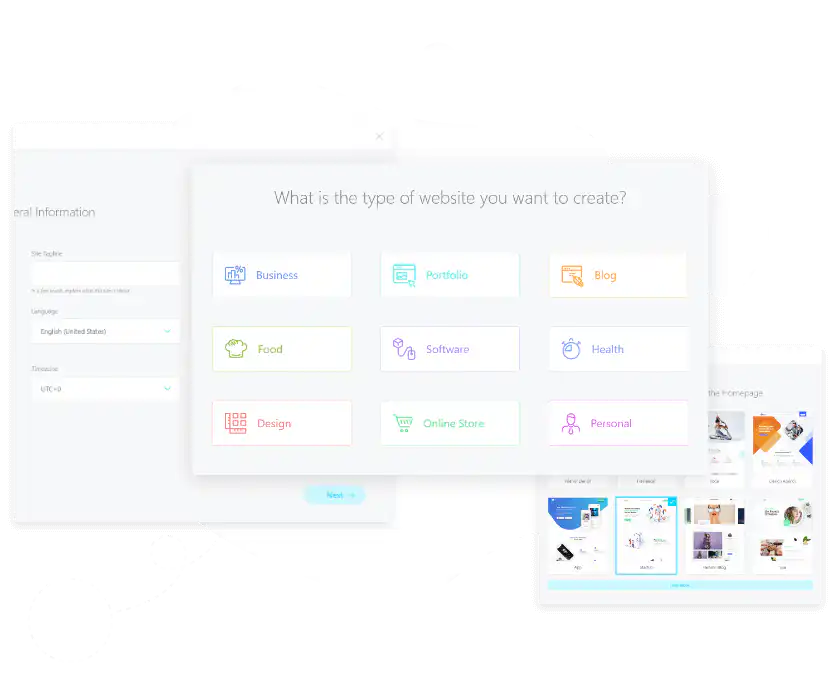
Fast Mode step by step
- Install WordPress, the Kata theme and its required plugins, including the free Kata Plus plugin.
- In your dashboard, go to Kata > Fast Mode and choose the type of website you want to build.
- Enter your site title, tagline, language, admin email and timezone.
- Upload your logo and favicon (512×512 px).
- Pick a ready-made demo, install the plugins it needs and import its content.
- Add your social links, address and phone number. Your website is ready to edit in Elementor.
Fast Mode FAQ
Is Fast Mode free?
Yes. The Fast Mode wizard is included in both Kata Free and Kata Pro. The ready-made websites you can import depend on your license: Kata Pro unlocks all 140+ demos.
Can I edit my website after using Fast Mode?
Yes. Fast Mode creates normal WordPress pages, headers and footers that you can change at any time with Elementor and the Styler.
How long does it take?
Most websites are ready in a few minutes. Import time depends on your server and the demo you choose.
What do I need to use Fast Mode?
WordPress 6.8 or newer, PHP 7.4 or newer (8.3 recommended), Elementor and the Kata Plus plugin. A PHP memory limit of 256 MB or more helps demo imports finish smoothly.