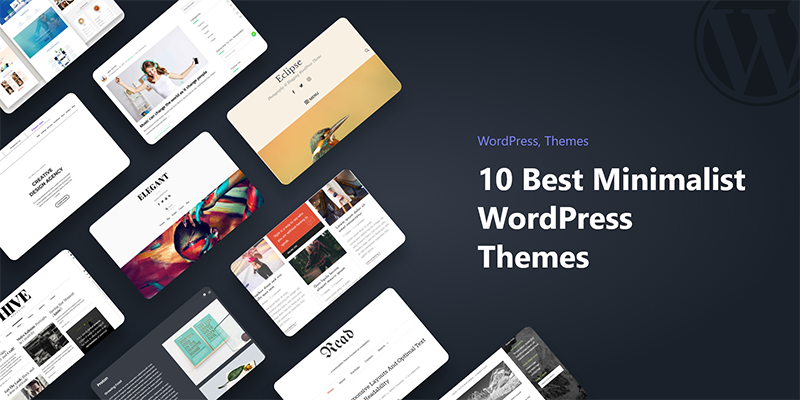
What are the Best Minimalist WordPress Themes for Writers?
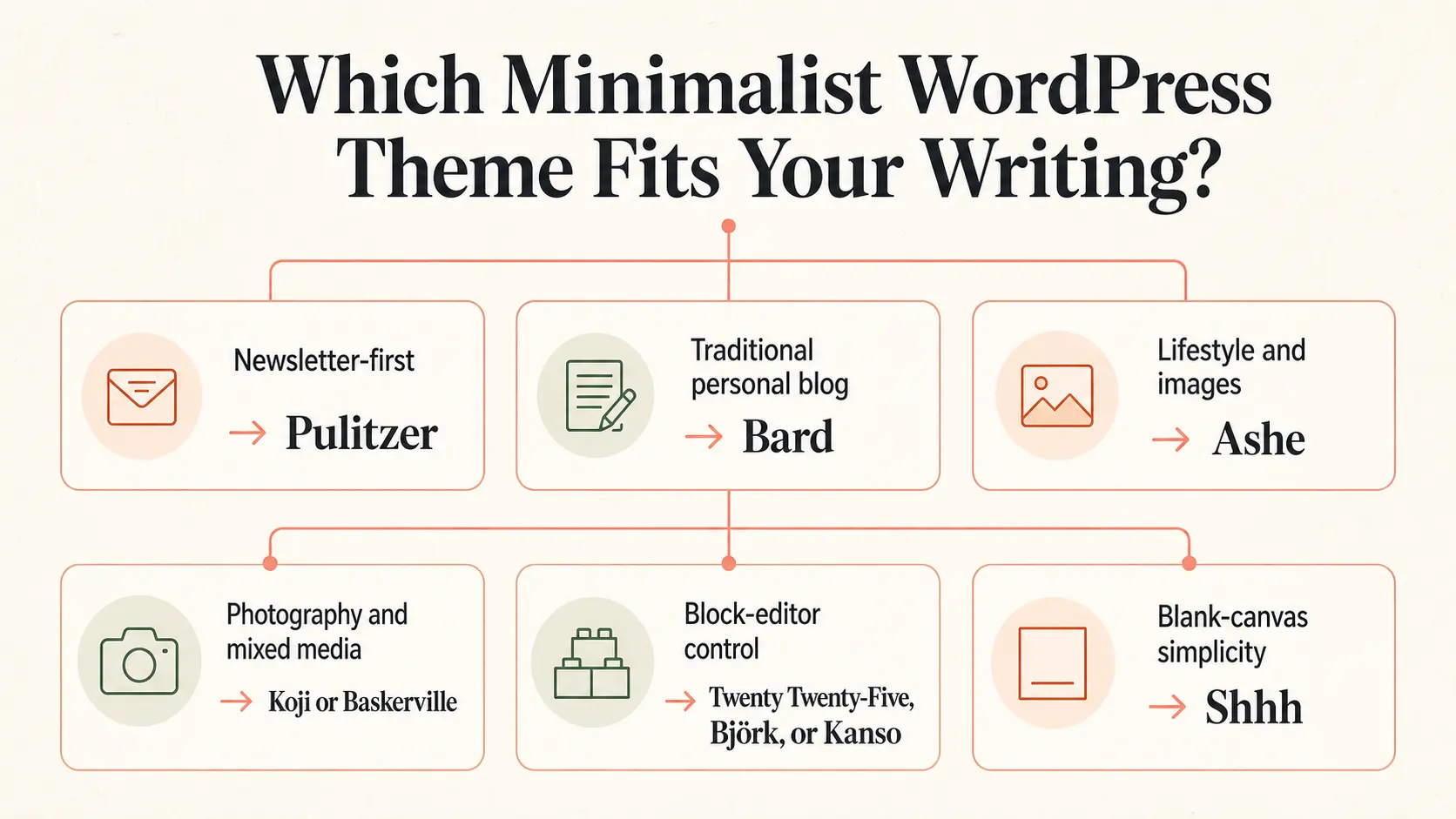
The short answer: Pulitzer is the best overall minimalist WordPress theme for a writer who publishes articles and builds an email audience.
Bard is easier to recognize as a traditional personal blog, while Ashe gives photos more room. Twenty Twenty-Five and Kanso suit writers who want to edit the whole site with WordPress blocks.
Björk, Koji, and Baskerville are strong choices when the archive should have its own visual character. Shhh is the barest option, but it asks you to build more of the site yourself.
If you are comparing the best minimalist WordPress themes for writers, choose by publishing style rather than by the length of the feature list.
A restrained theme can make the setup easier, though every WordPress site still needs some work before it is ready for readers.
If you are still choosing where to publish, start with our blogging platform comparison before narrowing your WordPress theme shortlist.
| Theme | Best for | Editor | Availability | Standout feature | Main caveat |
|---|---|---|---|---|---|
| Pulitzer | Newsletter-focused writers | Site Editor | Free | Reading time, newsletter patterns, four archive layouts | Subscriptions, likes, and sharing rely on Jetpack |
| Bard | Traditional personal blogs | Customizer | Free, with a paid upgrade | Familiar blog layout and featured slider | Optional extras can make the page feel busier |
| Ashe | Lifestyle and visual writing | Customizer | Free, with a paid upgrade | Image-led presentation and sidebar choices | Has more decorative options than a strict text-first theme |
| Twenty Twenty-Five | WordPress-native block editing | Site Editor | Free | Flexible patterns and global styles | The Site Editor takes time to learn |
| Björk | Personal writing websites | Site Editor | Free | Sticky desktop sidebar and 15+ patterns | Less suitable for a conventional publication layout |
| Koji | Writing mixed with photography | Block Editor and Customizer | Free | Masonry archives and three loading behaviors | Its grid is unnecessary for a text-only archive |
| Baskerville | Mixed-media or multi-author blogs | Block Editor and Customizer | Free | Post formats and a contributors template | The archive puts strong emphasis on featured media |
| Kanso | Distraction-free block editing | Site Editor | Free | Newsletter patterns and many style choices | Smaller user base and a quiet support forum |
| Minimalistique | Classic blogs that may add a shop | Customizer, with builder support | Free, with a paid upgrade | Widget areas and commerce compatibility | The free starting point is sparse |
| Shhh | Writers who want a blank canvas | Site Editor | Free | Extreme simplicity | Requires more page and template assembly |
How We Chose the Best Minimalist WordPress Themes for Writers
The selection combines hands-on setup notes with current WordPress.org listings, demos, release records, and support forums. We looked first at body type, line length, spacing, post metadata, and archive design.
We also checked mobile behavior, editor type, useful patterns, and setup effort. Features counted when they helped a writer publish, organize work, present an author site, or build a returning audience.
This is why the list includes both classic themes and block themes. It also explains why Kata appears later as a separate option. Kata can produce a minimal site, but it is a broader design system rather than a minimalist theme by default.
What Makes a Minimalist Theme Good for Writing?
The best minimalist WordPress themes for writers keep articles easy to read while leaving enough structure for navigation, archives, author information, and subscriptions.
A good writing theme keeps the article easy to read while leaving enough structure for navigation, archives, author information, and subscriptions. Minimal design is useful when it removes decisions from the reader.
It becomes a problem when important context disappears with the decoration.
Look at a theme’s single-post demo before its home page. Check the font at mobile width, link contrast, categories, dates, and image spacing. Then open an archive, a search result, and a long article. Those pages reveal more than a polished home-page screenshot.
The best option also matches your willingness to configure WordPress. A classic theme may provide a familiar Customizer screen and a ready blog layout.
A block theme gives you more control over headers, footers, templates, and global styles inside the Site Editor. Either route can stay minimal.
The 10 Best Minimalist WordPress Themes for Writers
1. Pulitzer: Best for Newsletter-focused Writers
Pulitzer feels designed around a writer’s publishing routine. Posts show an estimated reading time, and the theme includes four archive layouts plus patterns for a newsletter page, contact page, resume, and complete post archive.
Typography is calm, and the available styles include darker and paper-like treatments.
The footer subscription form, post likes, and sharing buttons require Jetpack with the relevant feature active. Author information is also less prominent than some multi-author publications need, so a team blog may have to adjust the post template.
Pulitzer is free and uses the Site Editor. It is one of the best minimalist WordPress themes for writers, especially solo essayists, journalists, and newsletter publishers who want a finished editorial shape without a page builder.
2. Bard: Best for a Traditional Personal Blog
Bard keeps the recognizable parts of a classic WordPress blog: a header, post feed, sidebar options, featured content, and straightforward navigation.
You can set a logo and menu, choose a sidebar, and begin publishing without first learning template editing.
It supports personal and multi-author blogs, featured sliders, promo boxes, WooCommerce, RTL languages, and common page builders. Activating too many extras works against the minimal look.
The supplied research found its video setup guide useful for beginners.
Bard has a free version and a commercial upgrade. It lacks some newer editorial touches found in Pulitzer, and its traditional structure is familiar rather than distinctive.
That makes Bard one of the best minimalist WordPress themes for writers who value predictable blog behavior.
3. Ashe: Best for Lifestyle and Visual Writers
Ashe gives featured images and lifestyle photography more attention while keeping the article column readable. It works well for food, travel, fashion, craft, and personal writing where the image often introduces the story.
Its sidebar layouts make room for a short bio, categories, or selected posts.
The theme supports multi-author publishing, WooCommerce, RTL languages, and major page builders. It comes in free and paid versions. Ashe still needs restraint. A large slider, busy sidebar, and several promotional areas can quickly consume its quiet space.
Ashe is one of the best minimalist WordPress themes for writers whose photographs carry part of the story.
4. Twenty Twenty-Five: Best WordPress-native Block Theme
Twenty Twenty-Five is the most adaptable block theme here. WordPress designed it for personal blogs, portfolios, magazines, and business sites, with patterns for text-led and image-heavy publishing.
You can edit its templates from header to footer without a separate builder.
The first setup can involve choosing patterns, editing navigation, adjusting template parts, and setting site-wide styles. Routine publishing then stays inside the block editor.
Twenty Twenty-Five is one of the best minimalist WordPress themes for writers who want to learn the current WordPress editing model and prefer a default theme with broad documentation and community support.
5. Björk: Best for a personal writing website
Björk is built around a sticky desktop sidebar. The writer’s introduction and navigation remain visible while posts occupy the main column. It suits a site that combines essays with an about page, projects, speaking information, or a small portfolio.
The theme uses the Site Editor and includes seven styles plus more than 15 block patterns. Those patterns help with page composition without turning the theme into a large template library.
Its clean post pages and strong navigation work especially well for one person whose name is the site’s main brand.
Björk is free. A conventional news publication may find the persistent sidebar too personal, and an online store would need more planning.
For an essayist, novelist, researcher, or independent professional who wants a compact home on the web, the layout is memorable without being loud.
6. Koji: Best for writers using text and photography
Koji uses a masonry archive for travel journals, photo essays, studio notes, and portfolios. Visitors can load more entries with a button, use automatic infinite scrolling, or follow standard pagination.
You can also control the post metadata shown on archives and single posts.
Koji uses the block editor for content while retaining the structure of a classic theme. A search overlay, social links, widget areas, and a desktop sidebar provide practical navigation without demanding a page builder.
Its current release record also shows that an older classic theme can continue receiving maintenance.
The theme is free. Its visual grid has less value for a writer whose archive is mostly headlines and excerpts, and the personal tone is a better match for an individual than a formal newsroom.
For writing supported by frequent original photography, Koji strikes a useful balance.
7. Baskerville: Best for mixed-media blogs
Baskerville is the busiest design here, but most of that visual activity stays in the archive. Its masonry grid can mix standard posts, images, galleries, video, quotes, and links. Single posts retain a cleaner reading area.
It supports WordPress post formats, a full-width header image, widget areas, and four page templates.
One of those is a contributors template, a rare practical feature in a small theme and a good reason to consider Baskerville for a collective blog. Optional likes depend on the separate ZillaLikes plugin.
Baskerville is free and works with the block editor, but its overall structure comes from a classic theme. Writers who publish one long essay every few weeks may find the grid excessive.
A publication with several contributors and a steady mix of media will make much better use of it.
8. Kanso: Best for distraction-free block editing
Kanso is a writing-focused block theme with a quieter personality than Twenty Twenty-Five. It includes newsletter patterns, section and text styles, 20 color variations, and serif, sans-serif, and monospace font directions.
Its appeal is strongest for writers who want the Site Editor but prefer a smaller set of design decisions. The single-column foundation also keeps attention on the article. Kanso is free.
Its WordPress.org forum is much quieter than those for widely used themes, and recent public topics have not always drawn quick answers. Test Kanso on staging and keep custom changes portable.
9. Minimalistique: Best for a classic blog with room to expand
Minimalistique suits writers who want sidebars, widget areas, advertising space, or a small shop beside the blog. It supports WooCommerce, Easy Digital Downloads, and several common editors and page builders.
The reading layout is clear, and a sidebar can hold an author introduction or useful navigation. The free starting point is sparse, while the commercial version offers more ready-made layouts.
That split makes Minimalistique less immediate than Bard, but it can suit someone who expects the site to grow beyond articles.
Its public support forum has seen little recent activity, so examine the documentation and test the plugins you plan to use before committing. This is the practical, inexpensive choice in the list, rather than the most refined writing theme.
10. Shhh: Best for the most stripped-back site
Shhh has a one-word official description: “Silence.” It is a one-column block theme with featured-image support, wide blocks, threaded comments, translation support, and very little visual instruction.
That blankness can suit a journal, poetry site, or experimental writing project. You will need the Site Editor to shape pages, navigation, template parts, and the details that more opinionated themes decide for you.
There are no special newsletter or author tools to fall back on.
Shhh is free and maintained by Automattic, but it has a small footprint and no visible support topics in its WordPress.org forum at the time of review. Choose it because you actively want to build a minimal system from blocks.
It is a poor shortcut for someone hoping to avoid setup.
What should you know before choosing a minimalist theme?
Every WordPress theme needs configuration
Even the best minimalist WordPress themes for writers need configuration after installation. A demo is a finished example, while a new installation contains empty menus, pages, widgets, and posts.
Simpler themes reduce design decisions. They do not remove WordPress administration. Use staging, import representative content, and test a long post before deciding.
Page builders and the Site Editor solve different problems
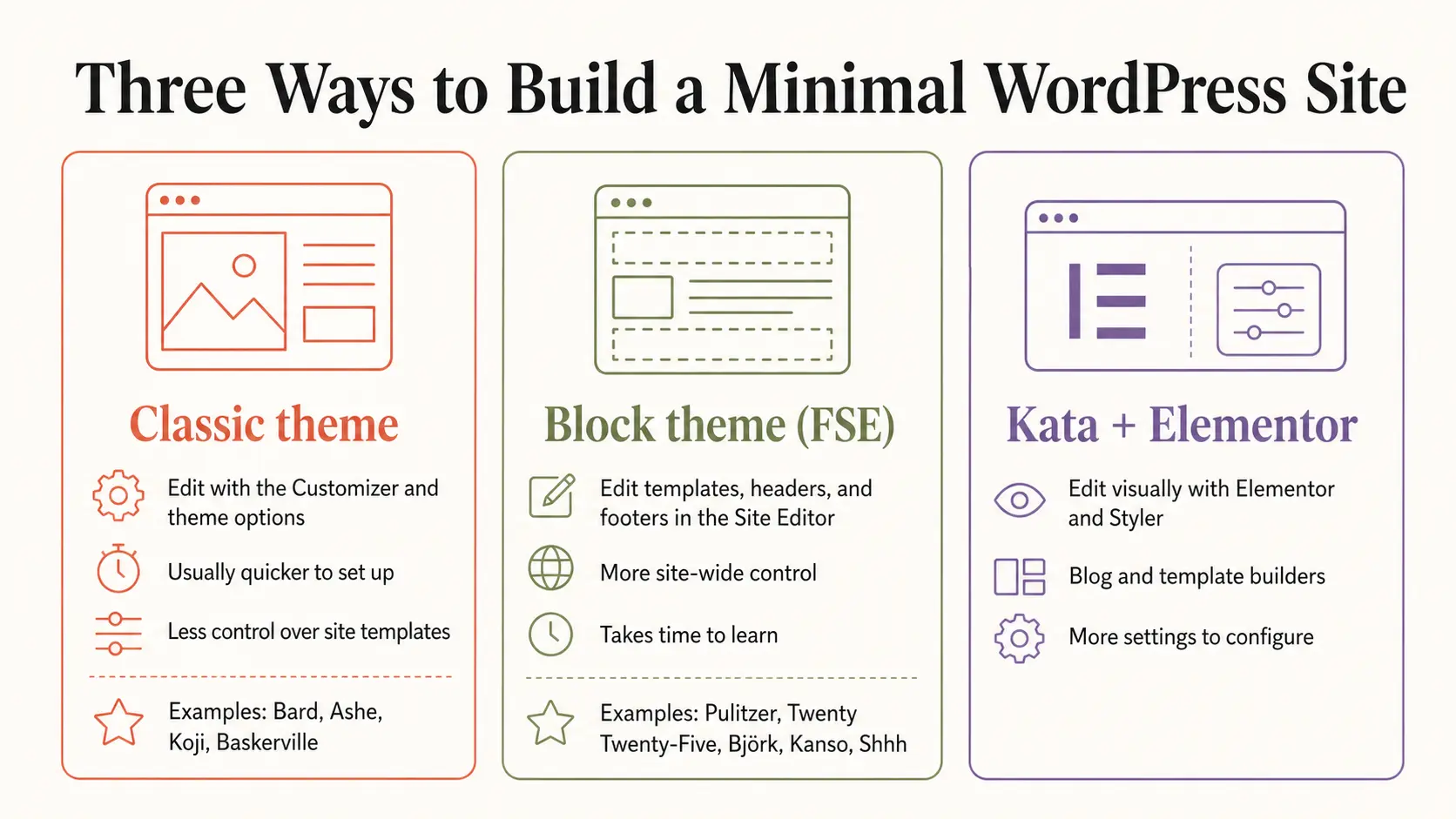
The best minimalist WordPress themes for writers include classic and block themes. Classic themes define most of the site’s structure through the Customizer, while block themes let you edit templates in the WordPress Site Editor.
Classic themes define most of the site’s structure and expose selected options through the Customizer. Block themes let you edit templates and template parts in the WordPress Site Editor. The older term “full-site editing,” or FSE, is still common.
A page builder adds visual controls and widgets. It makes sense for custom book, course, service, or product pages. A post-focused writer may prefer the smaller interface of a focused theme.
Why are several themes in this list by Anders Norén?
Pulitzer, Björk, Koji, and Baskerville were designed by Anders Norén. He has spent years releasing free themes centered on blogs, personal sites, typography, archives, and photography, so his work repeatedly appears for this brief.
Each solves a different problem: newsletters, persistent personal navigation, photo-led archives, or mixed media and contributors. The shared authorship explains the family resemblance, while the structures justify separate reviews.
Does an old update date mean a theme is abandoned?
When comparing the best minimalist WordPress themes for writers, treat the release date as one signal rather than a verdict. A stable theme may need few releases, so check compatibility and support activity too.
Check the support forum alongside the update log. In July 2026, Bard, Ashe, and Twenty Twenty-Five had recent activity and releases.
Pulitzer and Björk had older releases but support discussions within the previous year. Kanso, Koji, Minimalistique, and Shhh had quieter public forums.
Forum silence may mean few problems, or few active users and limited support. Smaller themes carry a higher chance of slow maintenance or abandonment. Keep backups and test major WordPress or PHP updates on staging.
When a Minimalist Theme Feels Too Limiting, Consider Kata
Some writer websites need more than an article archive.
A novelist may want separate launch pages for several books. A journalist may sell workshops. A publication may need custom author, category, search, and single-post templates.
In those cases, a multipurpose theme can still produce a minimal result while giving the site owner more control.
Kata is Webnus’s own theme, so this recommendation comes with a direct commercial connection.
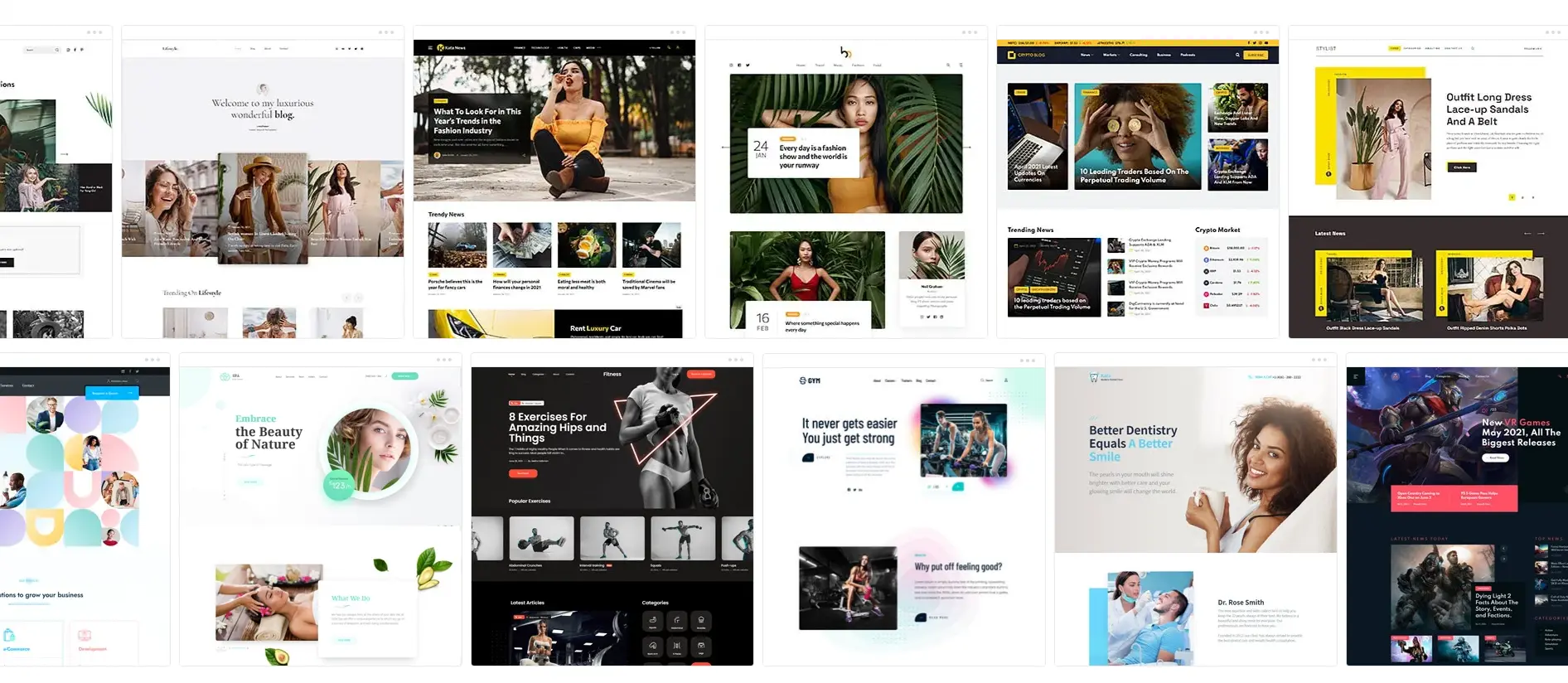
Kata uses Elementor and includes an Elementor-based Blog Builder, Header Builder, and Footer Builder. Kata Pro adds builders for single posts, archives, author pages, search results, and other templates.
Fast Mode provides a guided setup route.
The distinguishing tool is Styler, a visual CSS editor. The standard version is available in Kata Free, while Kata Pro adds the advanced version.
It lets you adjust typography, spacing, colors, borders, and responsive states visually, which is useful when a minimal design depends on precise details but you do not want to write CSS by hand.
Kata requires more configuration than Pulitzer or Bard because it exposes more choices and adds Elementor to the editing workflow. Consider it when those choices solve a real site requirement.
If a ready writing layout already covers your needs, the smaller theme will be easier to maintain. You can review the current Kata theme features and demos before deciding.
Final recommendations
Among the best minimalist WordPress themes for writers, choose Pulitzer if your site is mainly articles and newsletter growth.
Twenty Twenty-Five is the best WordPress-native choice for writers willing to learn the Site Editor. Shhh makes sense only when building the sparse layout is part of the appeal.
If you need custom book pages, service pages, or publication templates, review Kata after defining those requirements. A minimal site is easier to maintain when every extra control has a job.
/patt
1. Can I change WordPress themes without losing my posts?
Changing themes does not delete posts, pages, comments, or media stored in WordPress.
The presentation can change sharply, and theme-specific widgets, template settings, shortcodes, or custom post features may stop displaying as expected.
Back up the site and test the new theme on staging before activating it for readers.
2. Does a writer need an author box or author page?
A solo writer can place a short introduction on the home page, footer, or About page.
A multi-author publication benefits more from visible bylines, author archives, and contributor biographies.
Check these layouts in the demo, since several minimal themes keep author details deliberately quiet.
3. Should writers use a page builder?
Use a page builder when the site needs custom marketing pages or template designs that the theme and Site Editor cannot create efficiently.
A post-focused blog often works better with the native block editor and a focused theme. Fewer editing layers usually mean fewer settings to revisit later.
4. Are minimalist themes always faster?
No. Simple design often reduces front-end assets, but speed also depends on image sizes, fonts, plugins, hosting, caching, and the theme’s code.
Test a theme with your own representative content. A bare demo with compressed images does not predict the finished site’s performance.
5. How should I test a theme before using it on a live site?
Create a staging site with a long article, short post, featured image, gallery, categories, author profile, comments, and several archive pages.
Check desktop and mobile layouts, keyboard navigation, search, forms, and any required plugins. Then update WordPress and PHP in staging to catch compatibility problems.
6. Do minimalist WordPress blog themes work well for different types of writers, such as novelists, journalists, or poets?
Absolutely. Their clean, adaptable designs cater to all writing styles—whether you’re publishing long-form articles, serialized fiction, or poetry—keeping the focus on your unique voice and content.
7. How do minimalist themes handle updates and long-term maintenance for a writer’s website?
Minimalist themes often use streamlined code and fewer complex features, making updates simpler and reducing compatibility issues.
Regular developer support also ensures your site stays secure and modern.
7. What is the best minimalist WordPress theme for writers?
Of the best minimalist WordPress themes for writers, Pulitzer is our overall choice because its reading-time display, archive layouts, and newsletter patterns support article-led publishing.
Bard suits traditional personal blogs, while Ashe is better for image-led writing.