



Elementor Single Builder
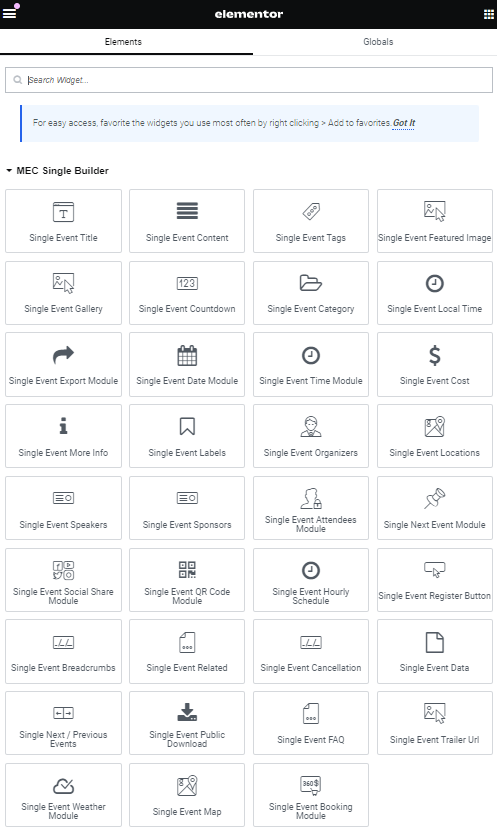
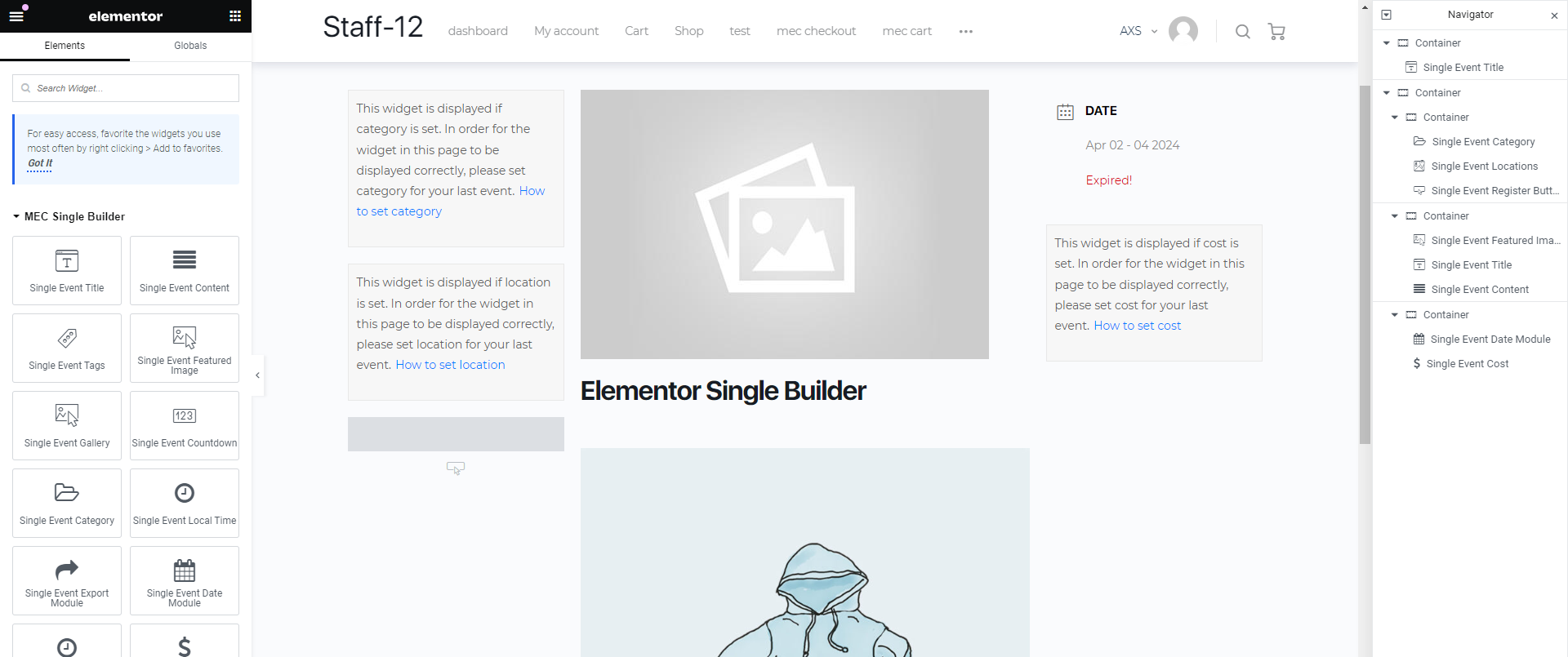
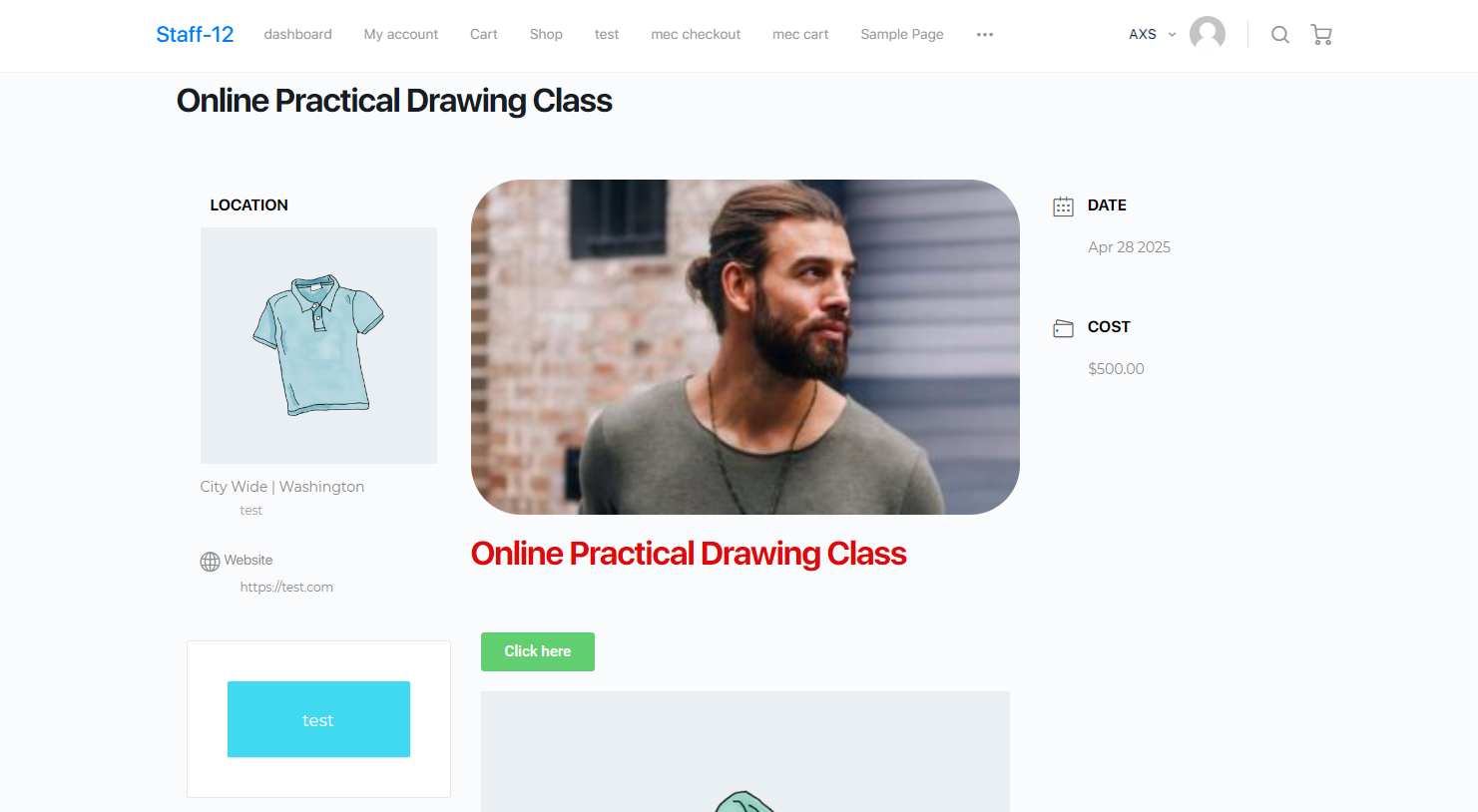
With the help of this add-on, you will be able to create a ready-made template for all your events, add styles that you like to your single events, and change the layout in Elementor with a single drag and drop. Also, if there is a widget that you do not like, you can delete it and use other widgets in the single event of your website. You can use all the widgets of the single event separately and create any section that you want with whatever size that you want. You can also set an animation for each widget.
Is Elementor Single Builder right for you?
Elementor Single Builder lets you design single event pages with Elementor’s drag and drop editor. It suits sites built with Elementor that want a custom event page layout.
Requirements
- MEC Lite or Pro, version 6.0 or higher
- Elementor 3.0 or higher
- PHP 7.4 or higher and WordPress 5.0 or higher
What to know
- You can create multiple templates and assign them globally, per event, or per category.
- It includes pre-made designs you can import into Elementor.
- It works only with Elementor, not Divi or other page builders.
- A widget preview shows a message if the sample event lacks that data.
Setup
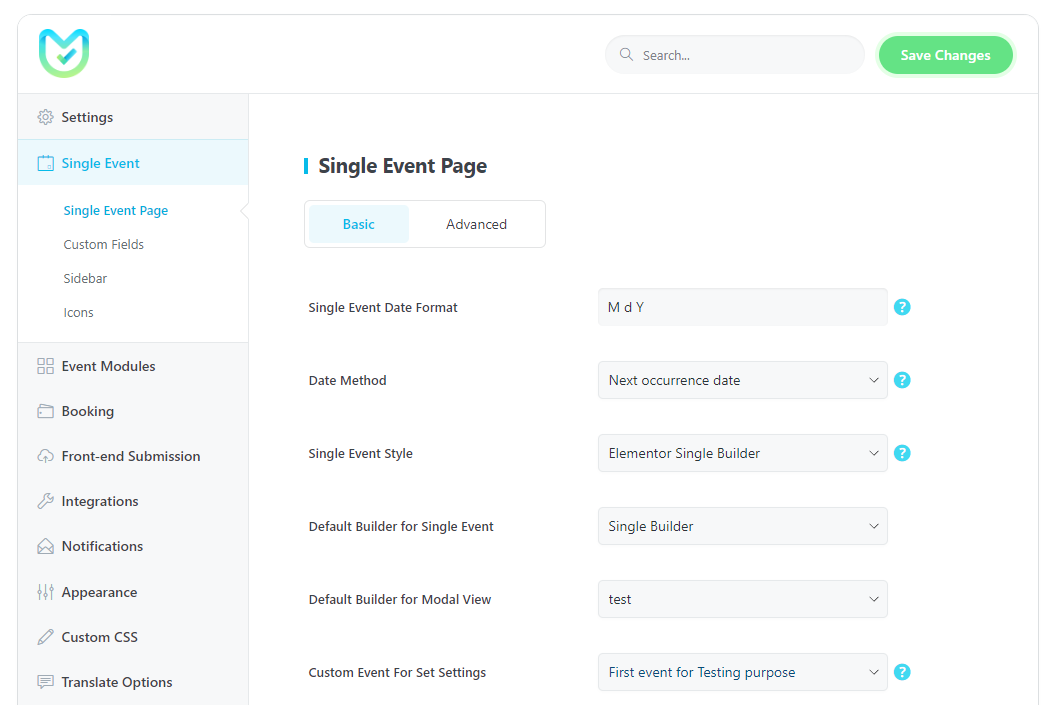
Enable Events Single Builder in Elementor > Settings > General, create templates in M.E. Calendar > Single Builder, and set the default in MEC Settings > Single Event. For the full walkthrough, see the Elementor Single Builder documentation.
Key Features
Creating Templates
Create a template with single event widgets for all events using Elementor.
Active Alongside Other Page Builders
You can use Elementor with other page builders such as VC, Divi Builder, and KC.
Unique Styling
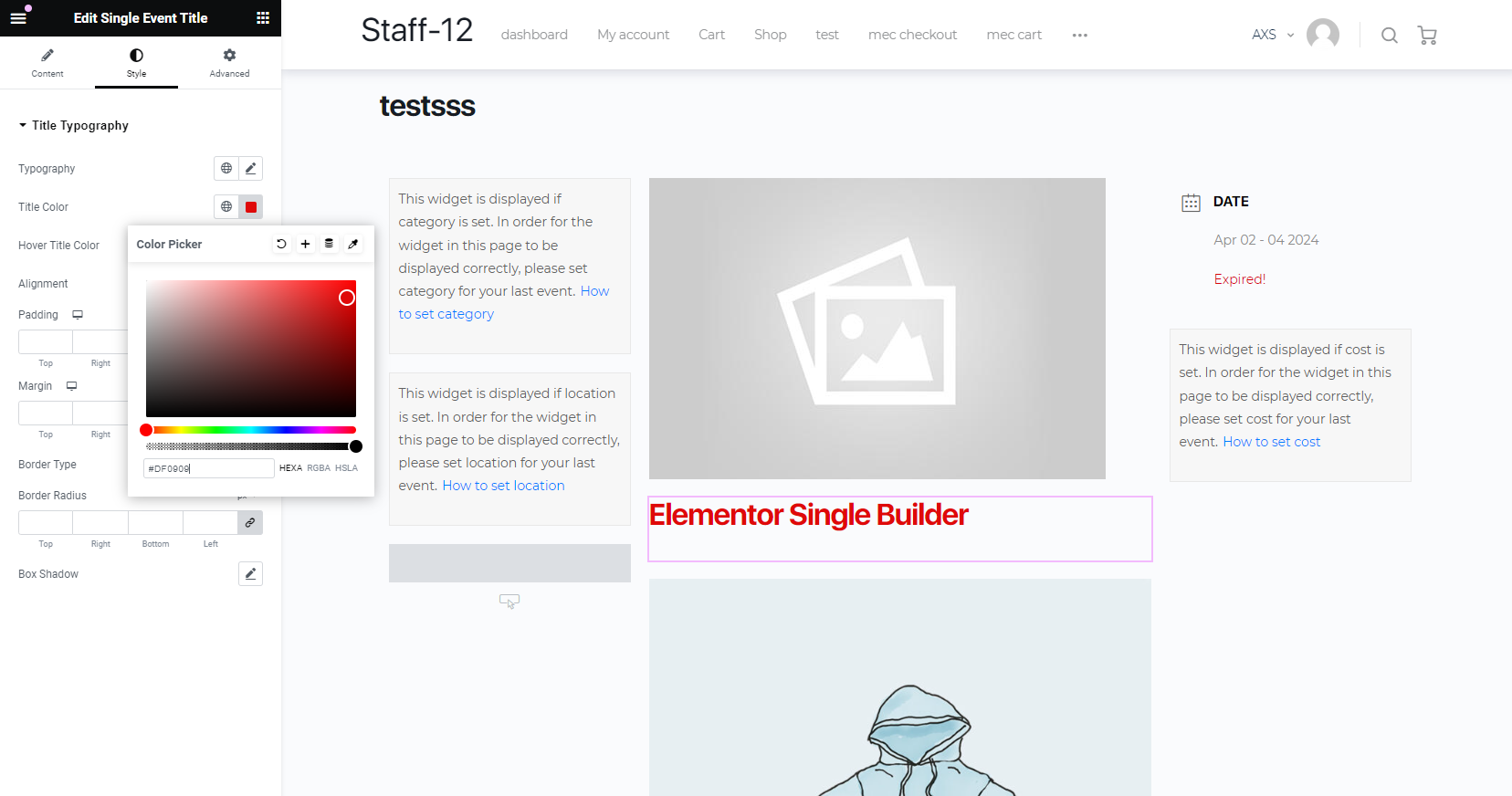
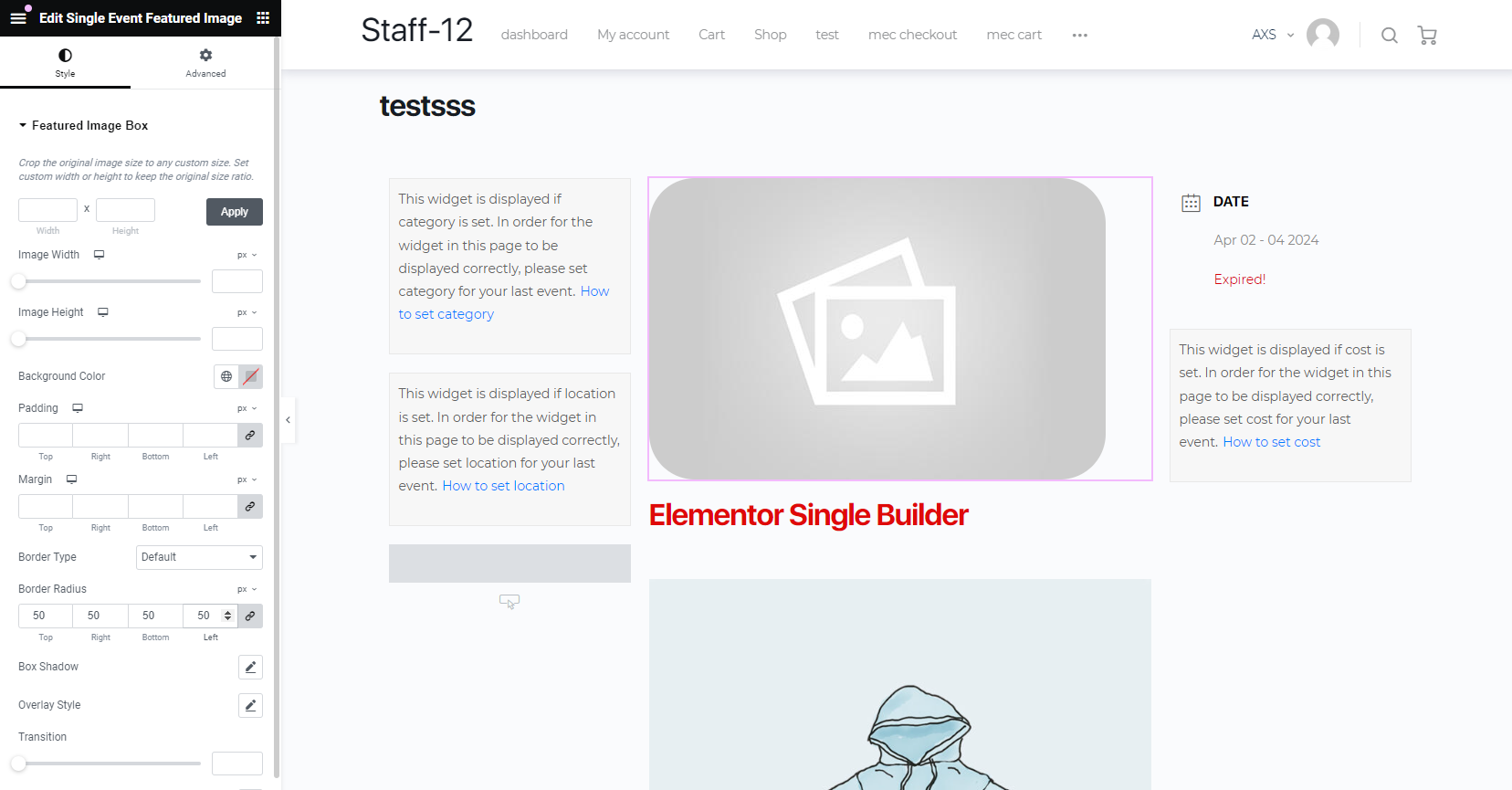
You can change the style of the widgets for single events and change the typographies.
Activate On MEC Lite
You can use the add-on on MEC Lite and MEC Pro without any restrictions.
Dedicated modal pop-up
set a template for the pop-up modals of your shortcodes.
Creating unlimited templates
You can set as many templates as you like for single event
Screenshots
Changelog
- Fixed: Duplicate control registration causing memory exhaustion and 500 errors while editing templates.
- Fixed: Several security issues.
- Improved: Styling options and fixed various minor UI issues.
- Fixed: Event price disappearing after navigating back to first step in booking process
- Fixed: Preview displaying incorrect event instead of the currently edited event
- Fixed: Some minor issues
- Fixed: Google Maps element functionality and rendering issues.
- Fixed: PHP notice and warning messages.
- Fixed: Several minor internal issues and bugs.
- Fixed: Banner widget not displaying event date
- Fixed: Some minor issues
- Fixed: Fatal error due to invalid date string format in EventDate widget.
- Improved: Messages and documentation links in Single Builder widgets.
- Fixed: Early translation loading causing _load_textdomain_just_in_time notice.
- Fixed: Fatal error when events had no tags due to WP_Error handling.
- Fixed: Single Event Tags widget not displaying tags with Independent Tags method enabled.
- Fixed: Issue saving Single Builder templates causing 500 error in certain cases.
- Updated: Replaced deprecated MarkerClusterer with recommended @googlemaps/markerclusterer.
- Fixed: Organizer widget
- Fixed: Some conflicts
- Fixed: Selector issues
- Fixed: Some UI issues
- Fixed: Some minor issues
- Fixed: The content, organizer and cost widgets
- Added: Event banner widget
- Added: Select single event style for category
- Fixed: Content and Organizer widget
- Fixed: Some minor issues
- Fixed: FAQ widget
- Fixed: Display content
- Fixed: Change icon size
- Fixed: Icon widget and style
- Fixed: Some minor issues in styling
- Added: Show/Hide icons in widgets
- Fixed: Popup style
- Fixed: Location widget
- Added: FAQ section
- Added: Trailer URL
- Added: Change html tag in some widgets
- Fixed: Next and Prev button style
- Fixed: Display more info links in evet occurences
- Fixed: Full-width and canvas container size
- Fixed: Custom booking form
- Fixed: Conflict with Translatepress plugin
- Added: Event gallery
- Fixed: Booking module styling
- Fixed: Direction button styling
- Fixed: Fonts
- Fixed: Price styling
- Fixed: More info box title
- Fixed: Some minor issues ni styling
- Added: Sponsor widget
- Fixed: Zoom addon information
- Fixed: Locations description
- Fixed: Canvas layout
- Fixed: Related events widget
- Fixed: Some minor issues
- Fixed: Activation section in backend
- Added: An option to set message for ongoing event on Countdown widget
- compatibility: Modern Events Calendar v6.5
- Improved: Price label in booking form "mec is changed"
- Added: EventPublicDownload "mec is changed"
- Fixed: An issue regarding the featured image crop size
- Fixed: An issue regarding the video links
- Fixed: Button style
- Fixed: Some minor issues
- Improved: Breakpoint sizes
- Improved: RSVP widget
- Fixed: Some minor issues
- Fixed: Countdown module
- Fixed: An issue regarding multi-day occurence
- Removed: Template limitation in MEC settings
- Removed: The unwanted backend message from frontend
- Fixed: Fatal error when MEC is deactivate
- Fixed: An issue regarding the date method
- Fixed: Responsive size for RSVP addon
- Fixed: Featured image advanced styles
- Added: RSVP Widget
- Added: Event custom data
- Added: An option to load a custom event into the single builder
- Fixed: Auto-Update Message
- Fixed: Modal Popup
- Fixed: Container size
- Fixed: FontAwesome Icons
- Fixed: Featured Image Size
- Fixed: An issue regarding the currency
- Fixed: Virtual event widget
- Fixed: A fatal error regarding loading addon
- Added: Alignment style for all widgets
- Added: Some styles to the booking widget
- Added: Norwegian translation (Thanks to Petter Berg)
- Changed: All widget name (added "Single" at first of all widgets)
- Fixed: Showing Google Map widget
- Fixed: Virtual event widget
- Fixed: Zoom event widget
- Fixed: Some minor issues
- Fixed: Zoom event details widget
- Added: Compatibility with Elementor theme builder
- Added: Description and website info option for locations
- Fixed: The option for setting social icon size
- Fixed: Speaker hover color
- Fixed: Background color for "Read more" and "Register" button
- Fixed: Countdown flip styling
- Fixed: All day message
- Fixed: Auto-update
- Added: Next / Previous Events Widget
- Added: Zoom Event Details Widget
- Fixed: Modal Popup Scrolling
- Fixed: Translation some strings
- Fixed: Cancellation reason
- Fixed: Single event limitation to show on dropdown menu
- Fixed: Fatal Error when deactivate Modern Events Calendar
- Fixed: An issue regarding featured image cropper
- Fixed: Modal Popup Template
- Added: Ability to create unlimited single event page styles
- Added: Ability to create single event style to set on Modal Popup
- Added: Ability to set custom single event page and modal popup for each event
- Added: Virtual event widget
- Added: Dutch (Netherlands) language. (Thanks to Elmar)
- Added: Custom Data Fields
- Improved: Countdown widget styles
- Improved: Booking widget styles
- Improved: Breadcrumbs widget styles
- Improved: Related events widget styles
- Removed: Preview links on Single Builder backend page
- Fixed: Some issue regarding UX of the plugin
- Fixed: Some minor issues
- Fixed: Link target for register button and more information
- Fixed: Divi and booking modal popup
- Fixed: Elementor designed content
- compatibility: With Modern Events Calendar Version 5.6.0
- Fixed: Related events
- Fixed: Schema
- Fixed: Search Result
- Fixed: Fatal Error when deactivate Elementor
- Compatibility: With user dashboard Addon
- Added: Cancellation reason widget.
- Fixed: License notice
- Added: An options for wrapper of the next occurrence widget
- Added: An options to manage booking form fields width
- Added: An options to manage Next Event module padding and margin
- Fixed: Wrong content in elementor edit mode
- Fixed: Some minor issues
- Added: Organizer Description
- Added: Other Organizer Description
- Fixed: content
- Fixed: Open speaker in modal
- Fixed: Content line break
- Fixed: Some minor issues
- Fixed: Activation Add-On
- Added: 2 CSS value for display property to widgets title (inline and inline-block)
- Added: Some styles to title and content
- Improved: Access to widgets with the Modern Events Calendar Lite
- Fixed: Documentation links
- Fixed: Style tab structure
- Fixed: Some minor issues
- Fixed: Language folder
- Fixed: Activation notice
- Added: Related events widget.
- Added: Changelog file.
- Fixed: Register button widget style and div issue.
- Fixed: Tag widget div issue.
- Fixed: Multiple date style on event date widget.
- Added: Available for both Pro and Lite versions.
- Initial Release
Get Elementor Single Builder
1 Site license for $39. Premium Features, 1 Year Auto Updates, 1 Year Premium Support.
