



Ticket & Invoice
You can easily sell your events on your website using the Ticket & Invoice add-on. this add-on allows you to manage your attendees' check-in, send out tickets and invoices in email format.
Is Ticket and Invoice right for you?
Ticket and Invoice generates PDF tickets and invoices for attendees and adds QR code check-in. It suits organizers who sell tickets and check attendees in at the door.
Requirements
- MEC Pro
- The MEC booking module enabled
- A PDF generation API key from html2pdf or Selectpdf
- A Pusher API account, only for live attendee tracking
- WordPress 5.0 or higher
What to know
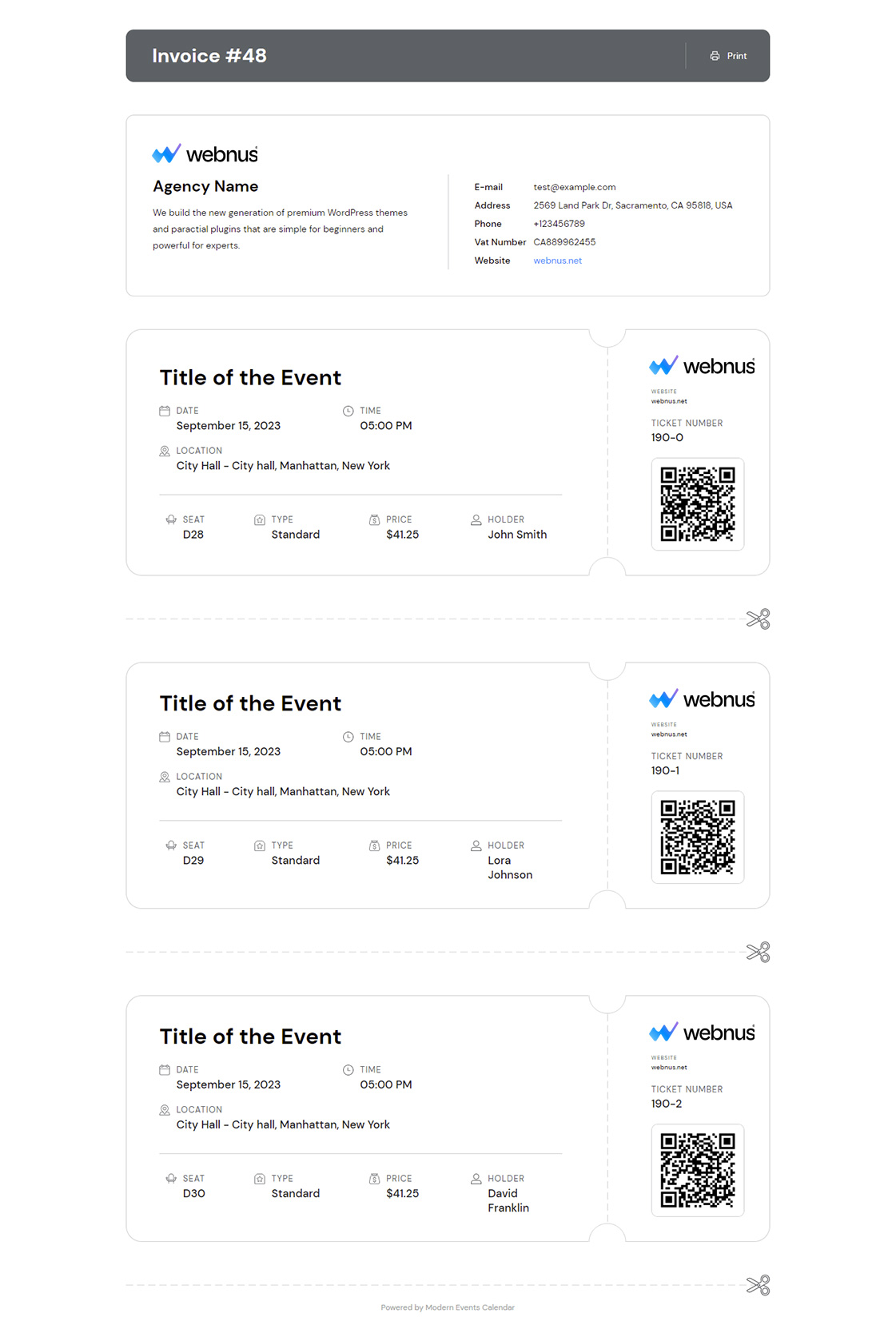
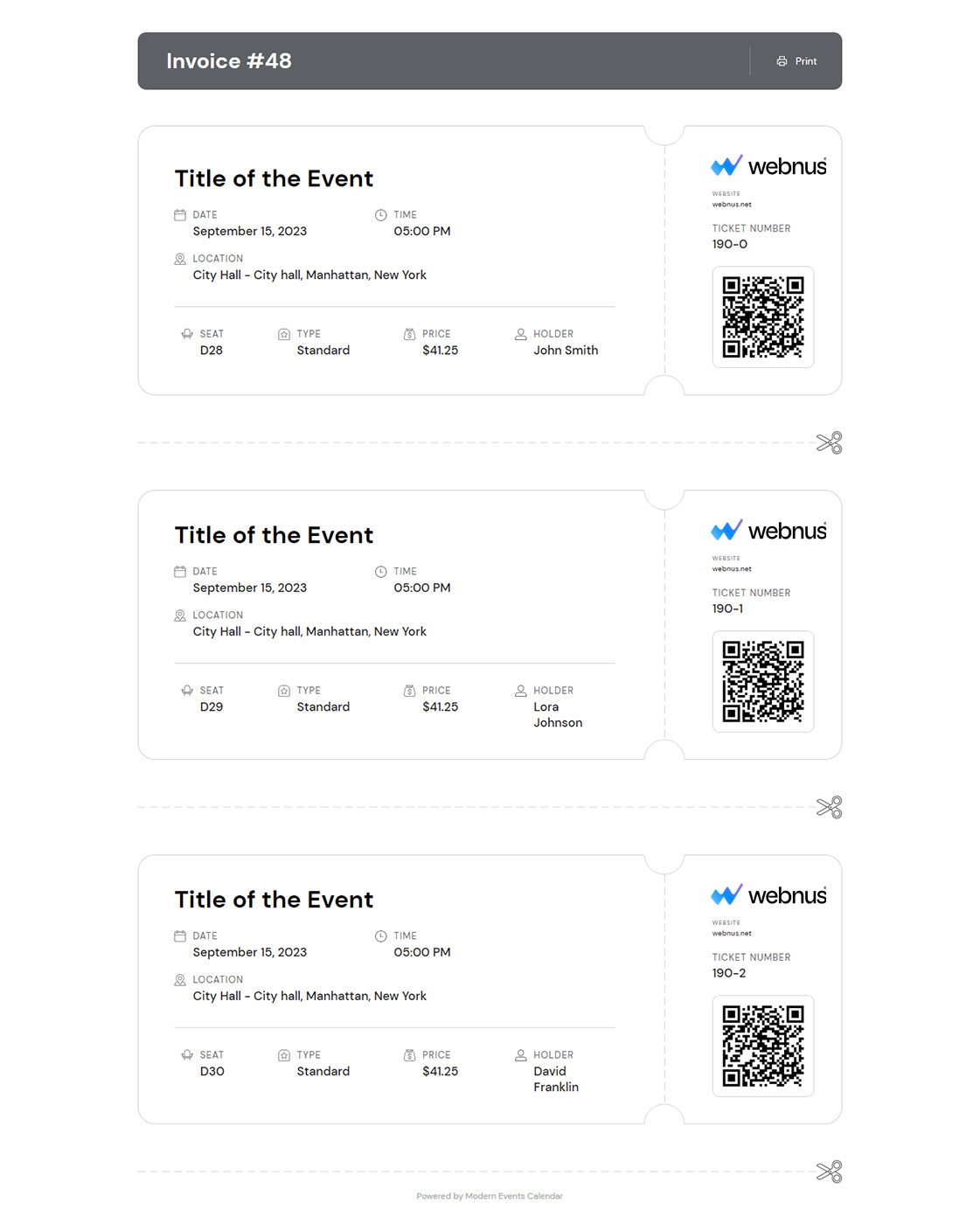
- It supports Apple Wallet passes and separate tickets per attendee.
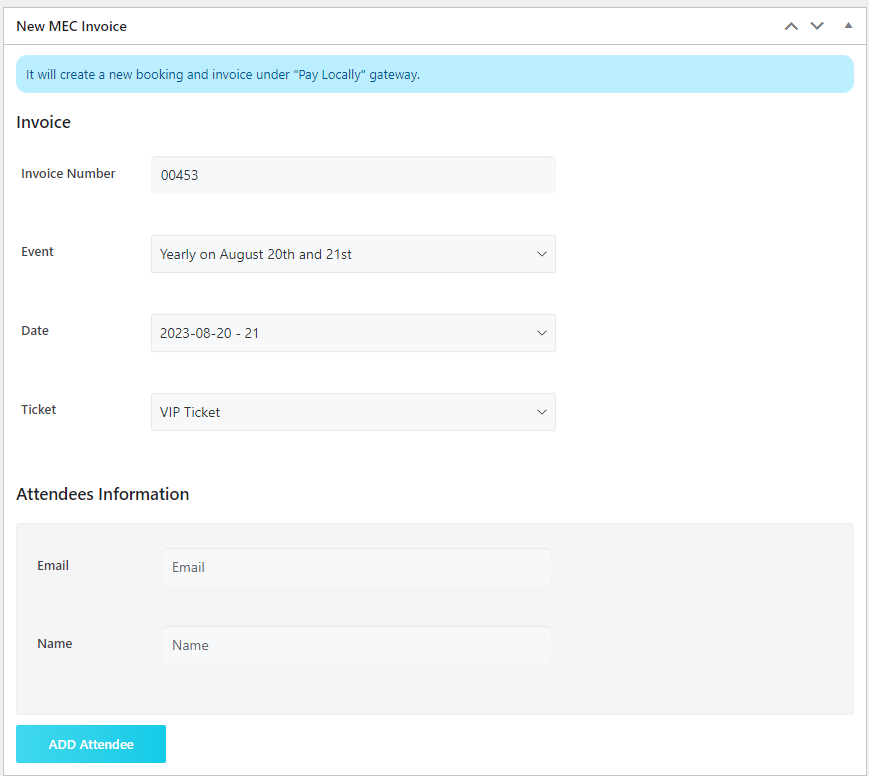
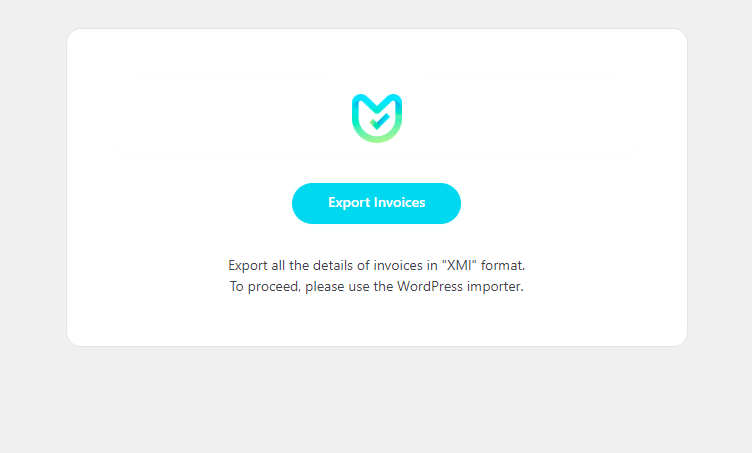
- You can create invoices manually and import invoices for earlier bookings.
- It isn’t suited to multi-step payments or multi-currency setups.
- Checking in through a phone browser requires logging in to the website.
Setup
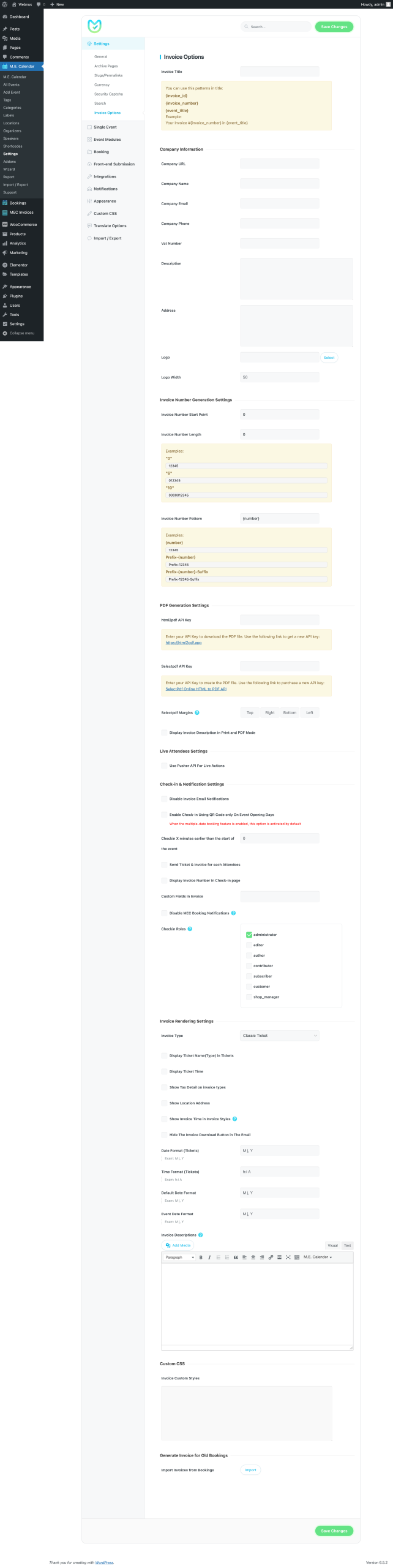
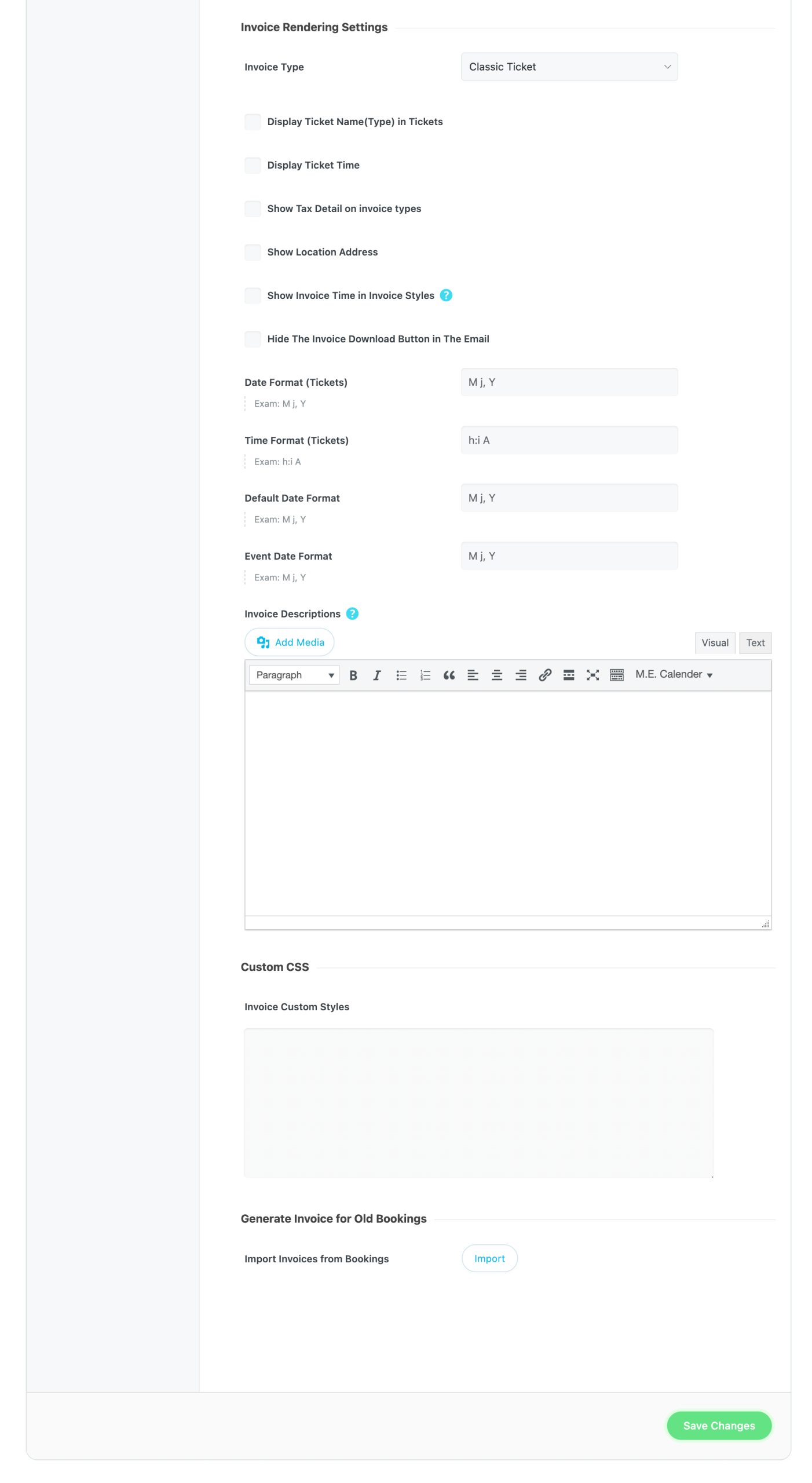
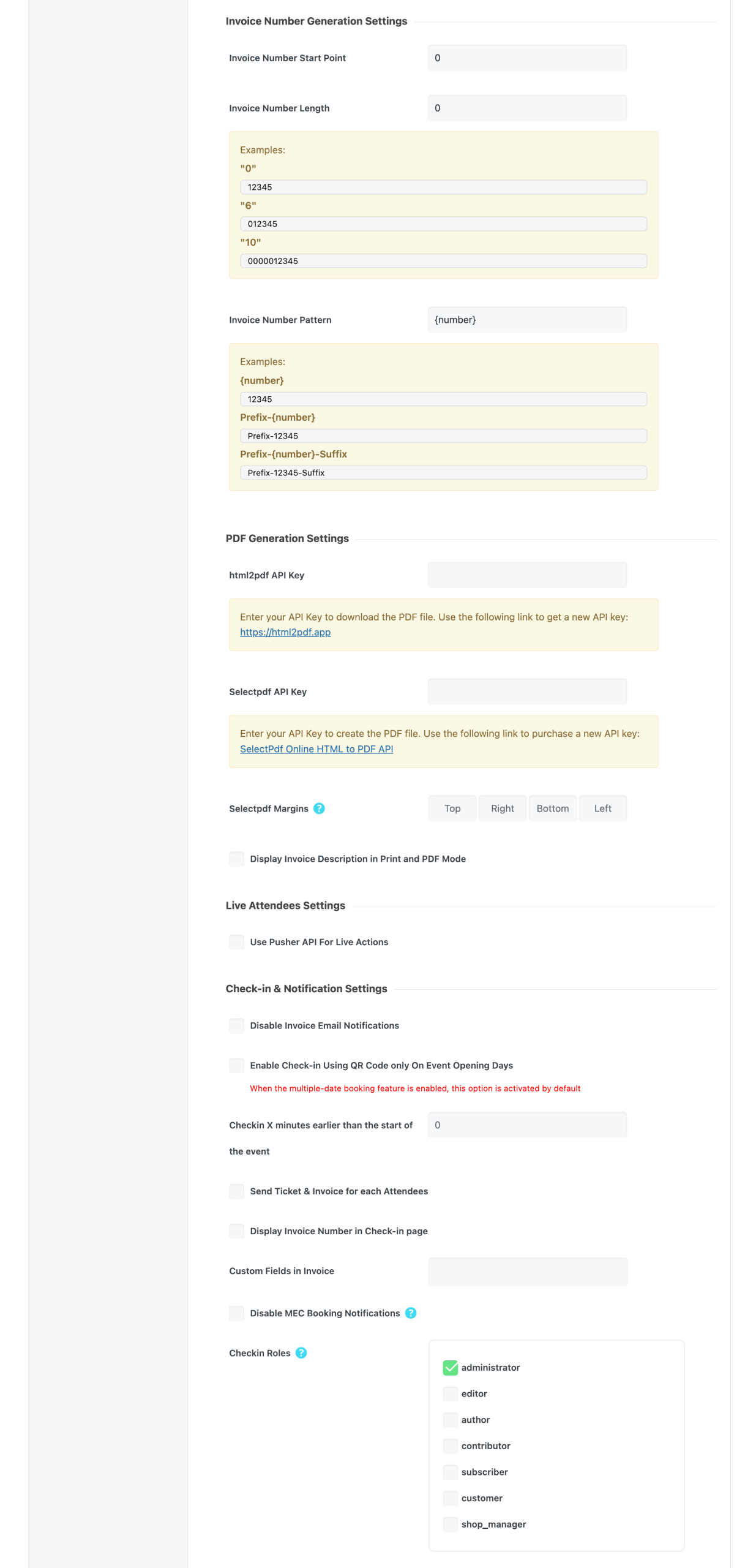
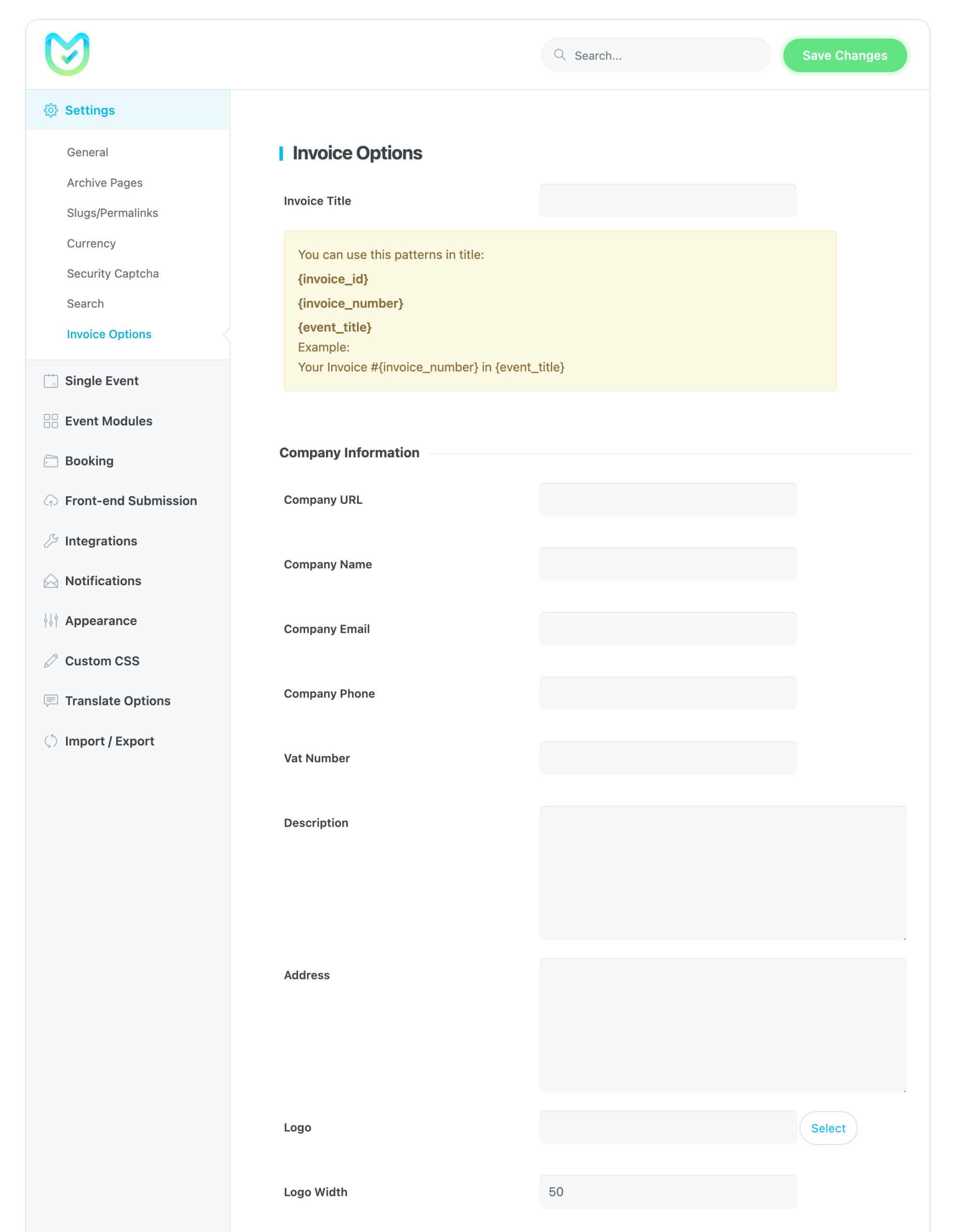
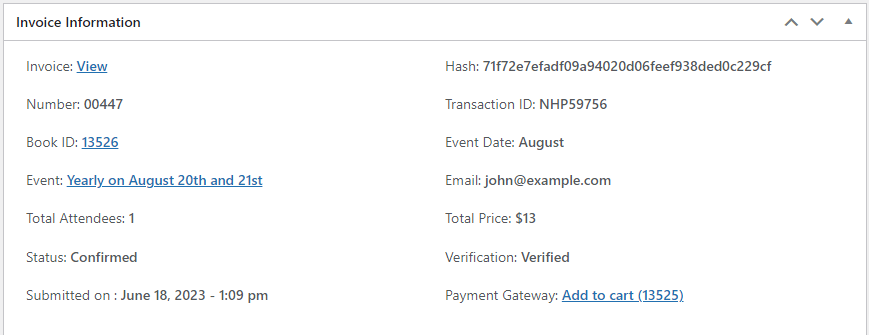
Add your PDF API key and check-in options in Invoice Options in the MEC sidebar. Find invoices in MEC Invoices > Invoices. For the full walkthrough, see the Ticket and Invoice documentation.
Key Features
Fast and Easy Check-in
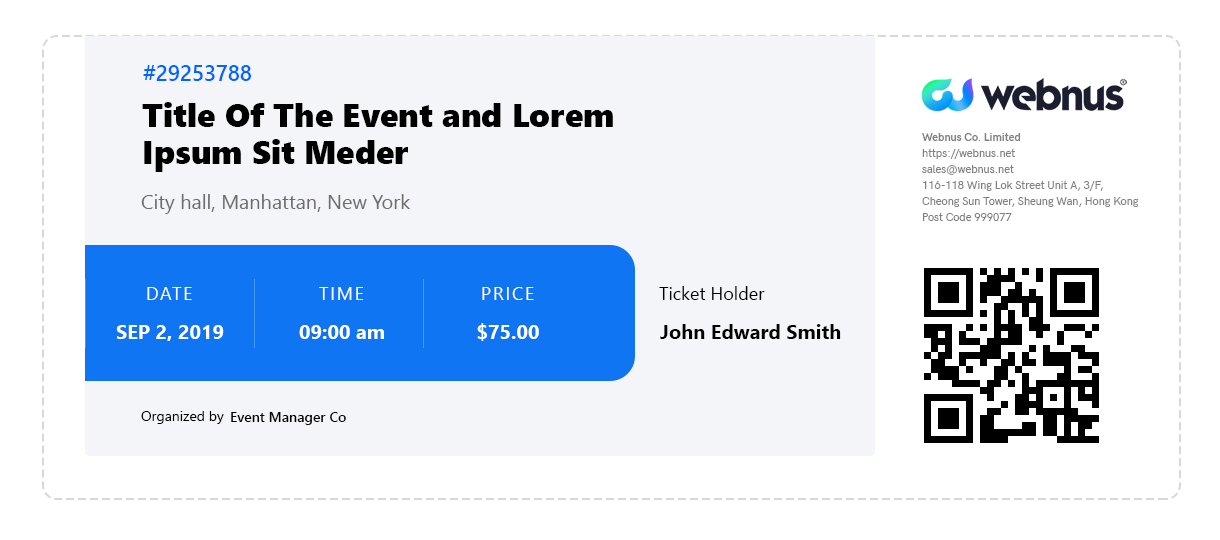
Fully functional QR code check-ins on smart phones along with a clean and nice design
Check the Tickets of One Booking
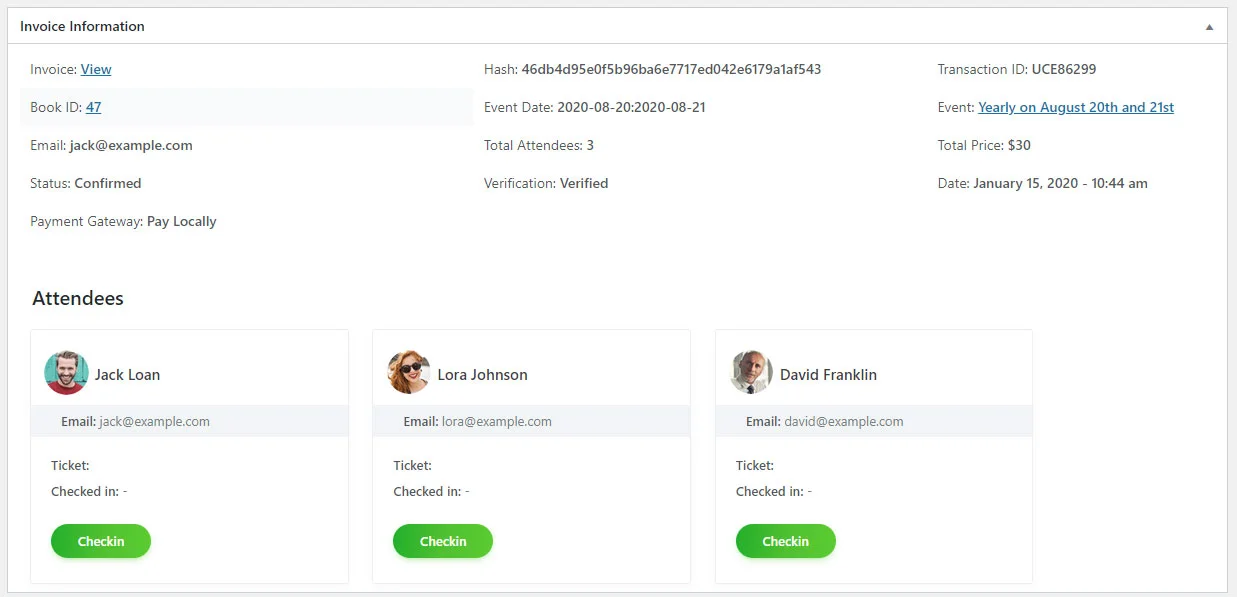
Easily check and verify all the tickets that have been issued for one booking
Check-in Role Management
You can define roles for people that you wish to put in charge of managing and checking the tickets
Company Information
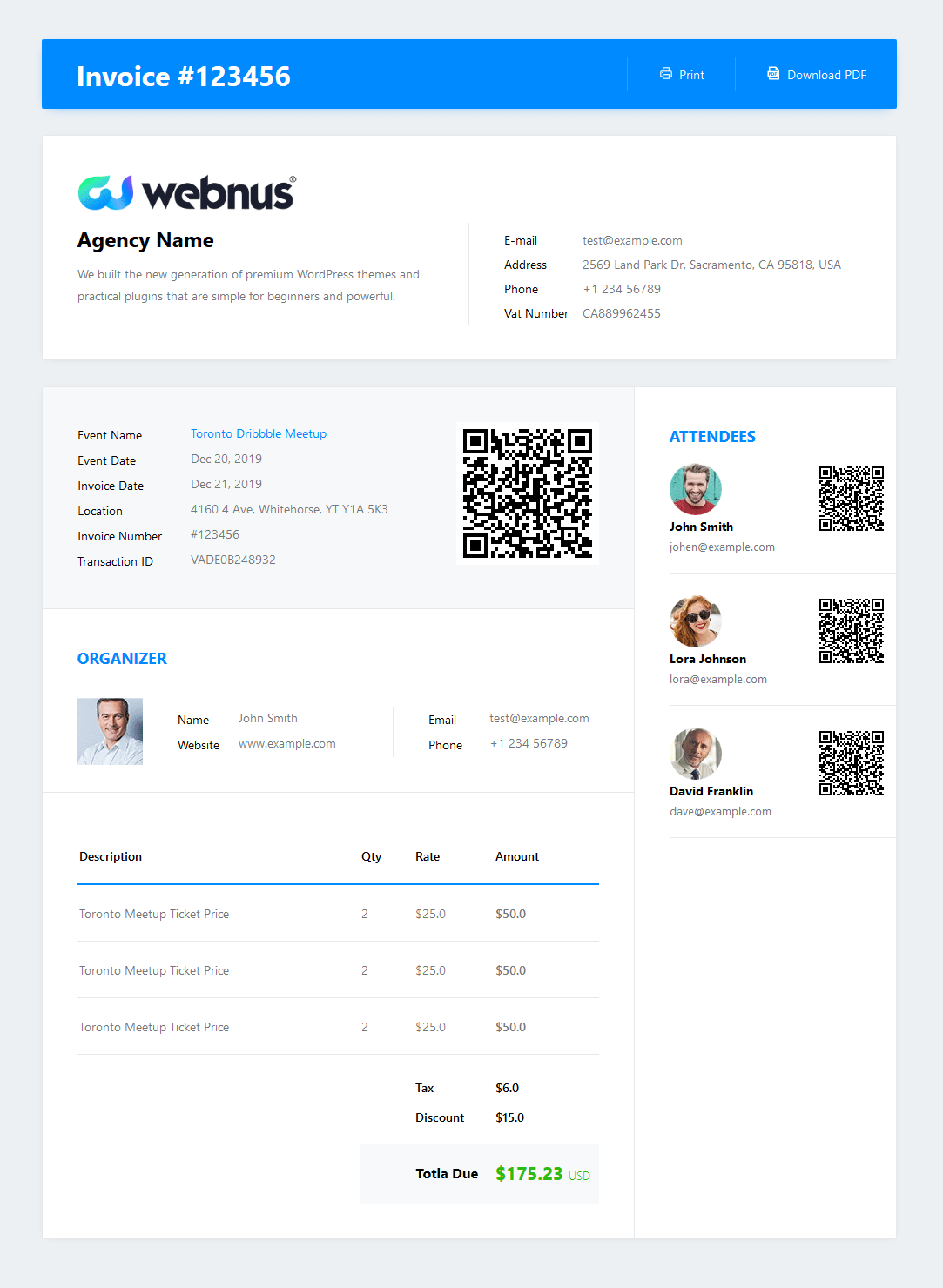
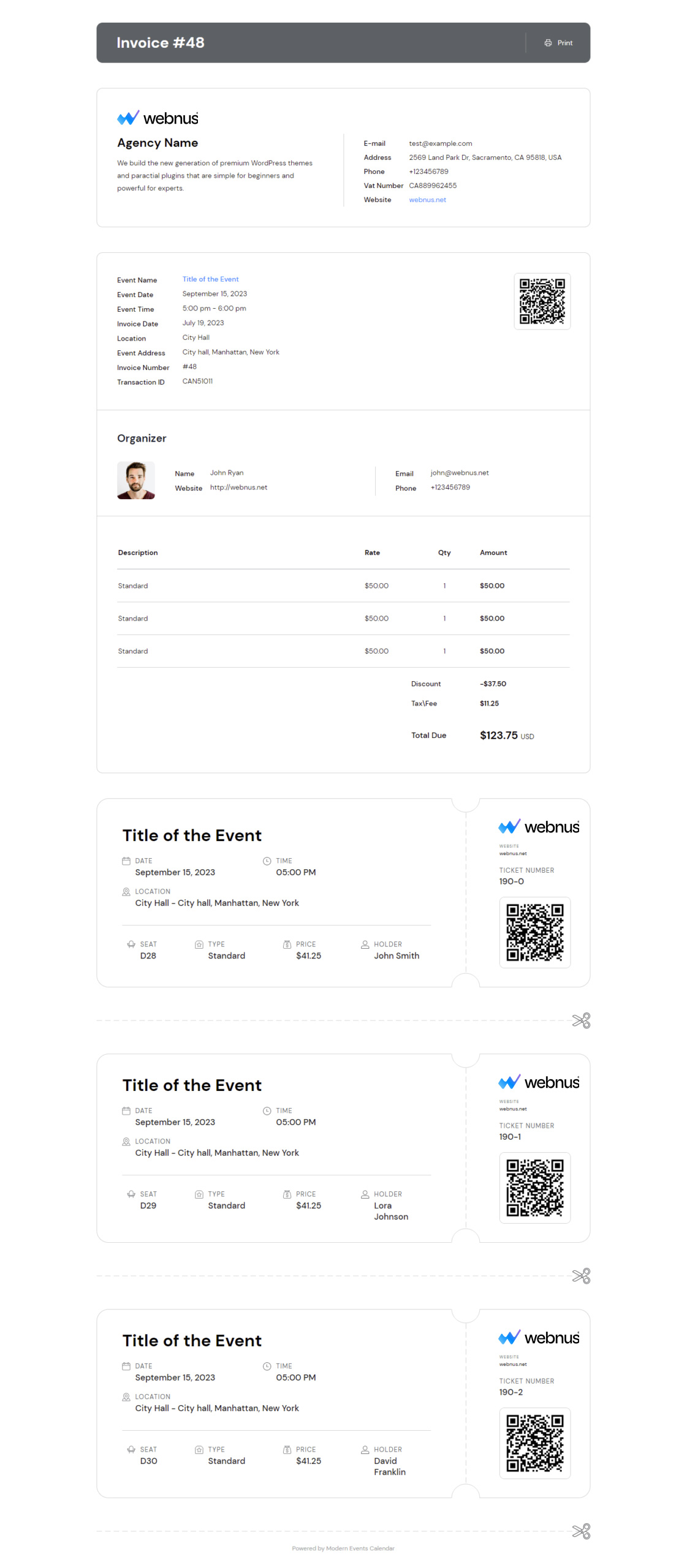
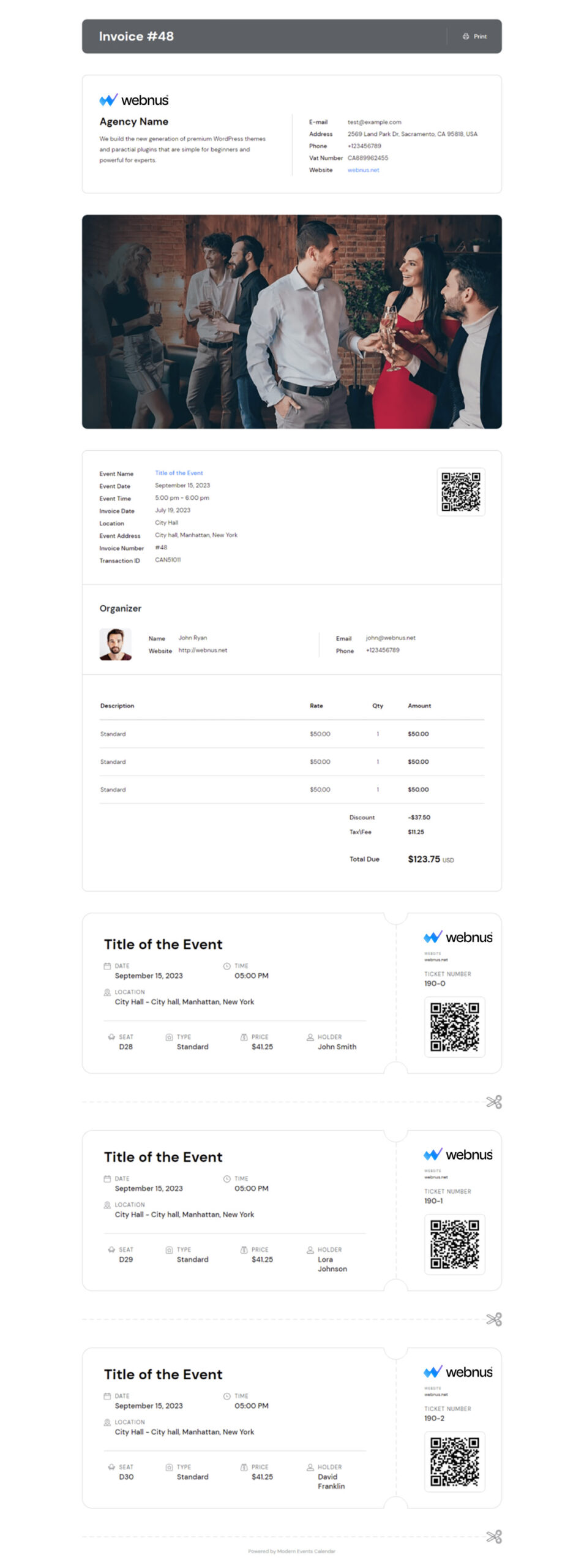
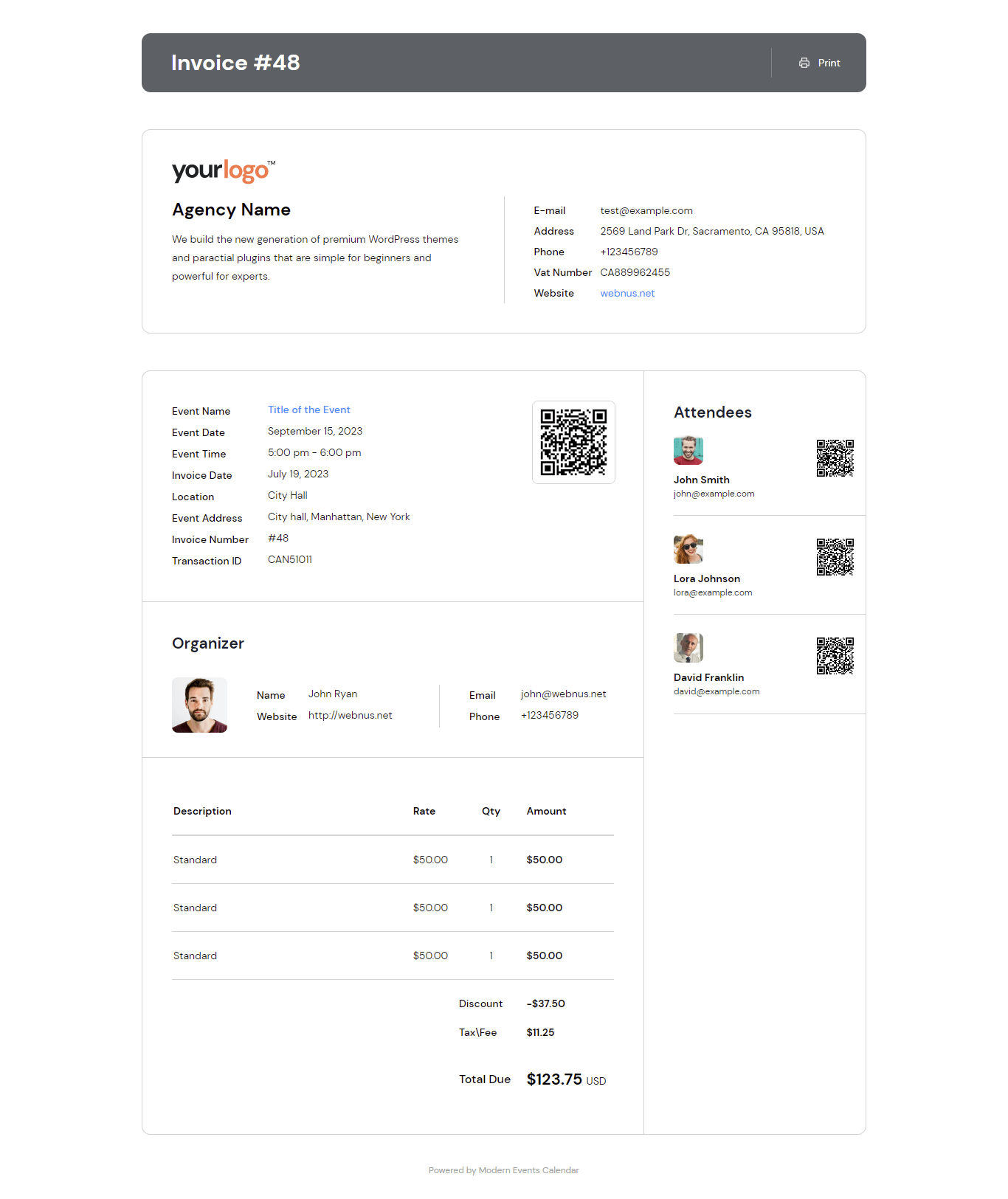
Provide your company information like VAT, Address, Logo, and more in invoice to your users in PDF.
Ticket and Invoice Templates
Now you can have an optimized and nice-looking template for tickets and invoices
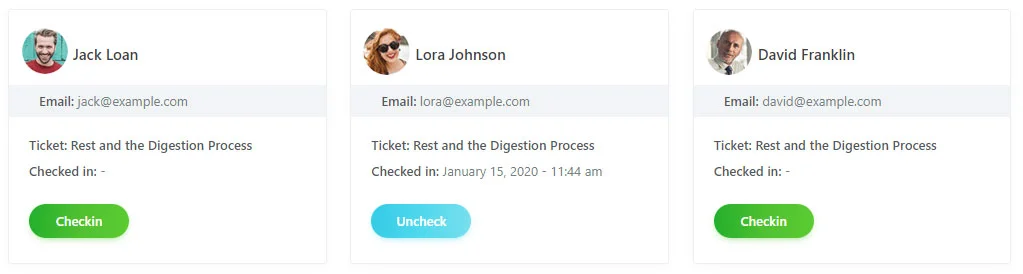
Unchecking Guests
you can easily check-in guests and uncheck them to check-in again should you need to
Importing Previous Bookings
Don't lose any data by importing previous bookings before purchasing the add-on
Attendees List
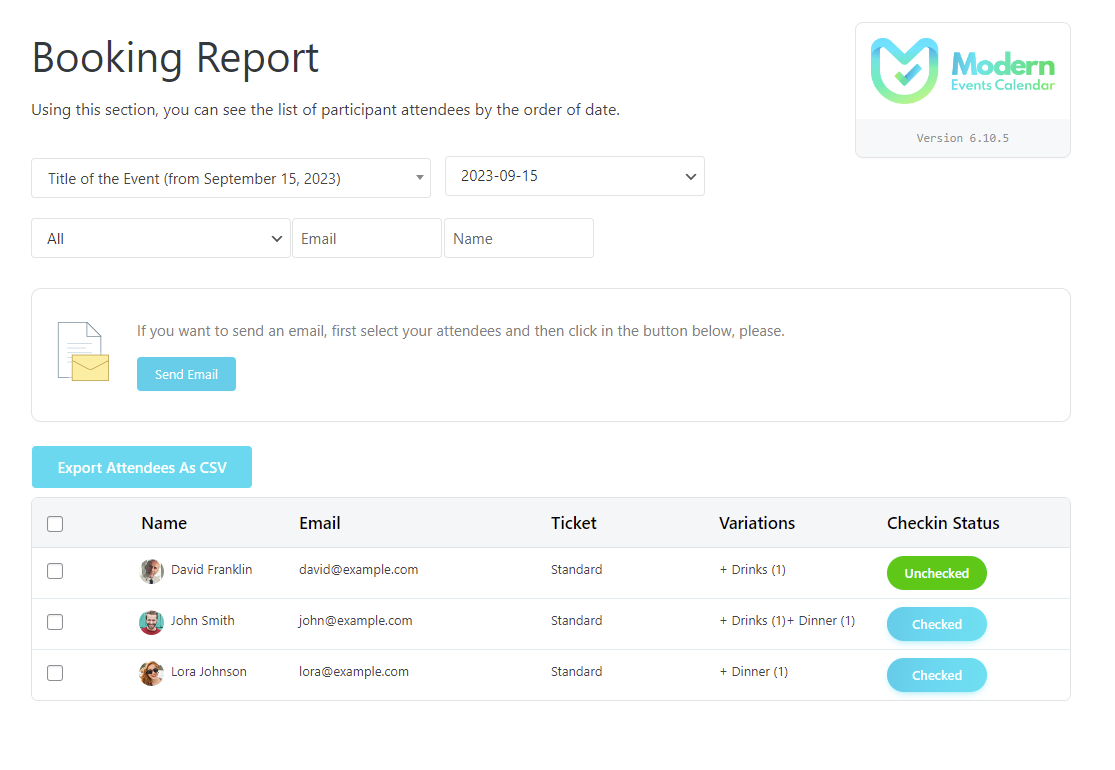
Column is added to the list of attendees that displays their check-in status
Invoice Management
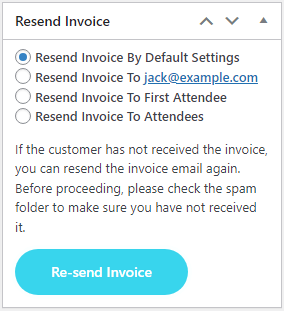
In addition to scanning QR codes, you can manage invoices through back-end as well
List of Checked Attendees
A page will be created for you to view the list of attendees and learn of their check-in status live.
Screenshots
Changelog
- Compatibility: Requires Modern Events Calendar 7.38.2 or newer
- Improved: Invoice settings page is now rendered through the MEC core settings shell with sidebar navigation and settings search
- Improved: Invoice settings page restyled on the MEC design system to match the redesigned MEC settings pages
- Improved: Dashboard widget strings are now translatable
- Improved: Language files regenerated and en_US / de_DE translations updated
- Fixed: Uppercase ticket template labels such as EVENT DATE are now translatable
- Fixed: Some minor issues
- Added: Per-attendee Apple Wallet passes with a dedicated download button for each attendee on the booking confirmation page and emails
- Added: Apple Wallet pass download button to invoice and ticket email templates
- Added: Ticket price breakdown (subtotal, fees and tax) below the price in ticket templates
- Added: Ticket ID and seat number to ticket templates
- Improved: Invoice preview is now fully responsive on mobile and tablet for all template types
- Improved: WooCommerce tax rows are now labeled as "included in price" or "added to total"
- Improved: Clarified price labels across all invoice and ticket templates
- Improved: Domain references updated from webnus.biz to webnus.net
- Fixed: Incorrect subtotal and tax calculation for partial-payment bookings paid via WooCommerce
- Fixed: MEC fee and tax totals in WooCommerce invoices and local invoices with partial payments
- Fixed: Tax display when "tax included" pricing is enabled in MEC or WooCommerce
- Fixed: Redundant tax breakdown shown on invoices when only a single fee exists
- Fixed: Seat and attendee count for bookings using family tickets or seat plan
- Fixed: Fatal error and incorrect attendees count on the invoice admin page
- Fixed: Duplicated Apple Wallet buttons and shortcode issues on the booking confirmation page
- Fixed: Price rendering issue in the invoice admin page
- Fixed: Security hardening: nonce and capability checks, encrypted sensitive settings, and improved CSV export sanitization
- Fixed: Styling issue in MEC Settings page and button styles
- Fixed: Some minor issues
- Added: Apple Wallet Pass support
- Improved: Standardized invoice structure to comply with international regulations, including Germany
- Fixed: Broken and inconsistent print layout for Ticket and Invoice templates
- Fixed: HTML tags like p and br not rendering correctly in invoice emails
- Fixed: Seat number mismatch between invoice and booking details
- Fixed: %%CartItems%% placeholder displaying only first two items and breaking email table layout
- Fixed: Incorrect tax calculation when using European number format with comma as decimal separator
- Fixed: Invoice emails not sent automatically after WooCommerce order confirmation
- Fixed: Custom CSS not applying correctly to email version of invoices
- Fixed: Duplicate invoice numbers generated in rare concurrent scenarios
- Fixed: Missing or incomplete data display in Modern and Classic ticket styles
- Fixed: Early translation loading notice for mec-invoice domain
- Added: Check-in status and date/time columns to booking export files from MEC > Import/Export
- Fixed: Invoice email not sent when using "WooCommerce as Payment System"
- Fixed: "Display Ticket Time" option not working
- Fixed: Check-in still possible after event has expired
- Fixed: "Resend Invoice" option not sending email when Invoice notification is disabled
- Fixed: PDF file name "invoice-xxx" is now translatable
- Fixed: Start time of ticket incorrectly displayed as event start time in some invoice styles
- Fixed: Only one attendee shown in PDF for multi-attendee bookings; layout issues with QR code also resolved
- Fixed: Invoice displays full discount despite maximum discount limit when using coupons
- Fixed: Invoice incorrectly marked as "Paid" when local payment method is used
- Fixed: Paragraph formatting issues in MEC Invoice notification emails
- Fixed: Tax calculation now supports "tax included" setting in invoices
- Fixed: Coupon amount now properly subtracted from total in invoice
- Fixed: Ticket Time now displayed correctly in all invoice types, not just Classic and Standard
- Fixed: Some minor issues
- Fixed: Display event start time
- Fixed: Some minor issues in android app (update app is required)
- Fixed: Styles
- Fixed: Language files
- Fixed: Search invoices in admin panel
- Fixed: Notifications
- Fixed: Save settings
- Fixed: Email templates and styles
- Fixed: Search invoice by name
- Fixed: Display placeholders
- Fixed: Calendar view
- Added: User defined fields in PDF
- Fixed: Styling issues in templates
- Fixed: Styling issues
- Fixed: Text format in email and templates
- Fixed: Check-in time
- Fixed: Invoice for bookings with different name and email
- Fixed: Responsive Templates
- Fixed: Event Excerpt
- Fixed: Display paid amount
- Fixed: Display custom fields
- Fixed: Display ticket time
- Fixed: Some minor issues
- Fixed: Error 404 in PDF format
- Fixed: Checked label
- Fixed: Sender email address
- Fixed: Notification placeholders
- Compatibility: Ticket App
- Added: Standard invoice template
- Added: Modern ticket type-1 invoice template
- Added: Modern ticket type-2 invoice template
- Added: Modern ticket type-3 invoice template
- Added: Modern ticket type-4 invoice template
- Changed: Modern invoice template name to Classic invoice
- Changed: Ticket template name to Classic Ticket
- Improved: Performance
- Fixed: Export attendees in CSV format
- Fixed: Issue in report page
- Fixed: Check-in status in bookin report page
- Fixed: Time and name in check-in page
- Fixed: Conflict with TheGem theme
- Fixed: Display Stripe and Woocommerce discount
- Fixed: Display time in invoice type
- Added: Checkin status column
- Fixed: Coupon based on user role
- Fixed: Ticket style in mobile
- Fixed: Ticket name in scan page
- Fixed: Display location address
- Fixed: Partial payment
- Fixed: Woocommerce errors
- Fixed: Report page
- Fixed: QRcode when user is removed from booking
- Fixed: Display price in ticket style
- Fixed: Display invoice in email
- Fixed: Display invoice when email is forwarded
- Fixed: Some minor issues
- Improved: Compatibility with MEC
- Fixed: Some minor issues
- Fixed: Render special character
- Fixed: Short links in invoice
- Fixed: Some minor issues
- Fixed: Invoice Number option
- Fixed: Edit invoice details
- Fixed: Emails
- Fixed: Check-in user
- Added: Two capabilities mec_invoice_cap , mec_invoice_cap_others to manage invoices for users
- Added: Invoice number in export bookings
- Added: Filter invoices with checkin status
- Added: Deactivate option for "PDF Download" button in the emails
- Improved: Download invoice button style
- Fixed: Sync booking and invoice status
- Fixed: Change users email in backend and send invoice to correct them
- Added: Option to display invoice id instead invoice number
- Fixed: Date format in ticket
- Fixed: Display invoice in mobile/table
- Fixed: Send 2 email when using WooCommerce Integration addon
- Fixed: Some minor issues
- compatibility: Modern Events Calendar v6.5
- Fixed: Translation strings
- Fixed: Some minor issues
- Fixed: An issue in the invoice modern style
- Fixed: Some minor issues
- compatibility: Modern Events Calendar v6.0.0
- Improved: Resend email notification
- Improved: Addons query for optimization in the backend
- Fixed: Auto-update message
- Fixed: Some minor issues
- compatibility: Modern Events Calendar v5.22.0
- compatibility: MEC WooCommerce Add-On v1.4.3
- Fixed: Duplicated email
- Fixed: Ticket counting
- Fixed: Ticket price in the invoice
- Fixed: Some minor issues
- Fixed: Manual invoice creation in the backend
- Fixed: An issue regarding the sending invoice email
- Fixed: PHP warnings
- Fixed: An issue regarding the user limitation
- Fixed: Some minor issues
- Added: An option to use booking form fields for each attendee
- Added: An option to manage the logo size in invoice
- Added: An option to manage invoice email title
- Added: German translation (Thanks to Sebastian Melzer)
- Compatibility: With Modern Events Calendar Version 5.17.5
- Improved: Invoice PDF file size
- Fixed: Translation issue
- Fixed: Some minor issues
- Added: An option to disable sending invoice email
- compatibility: WooCommerce add to cart on MEC
- Fixed: "Post type" on WordPress issue
- Fixed: "Logo" on invoice issue
- Fixed: Some minor issues
- Improved: Responsive invoice email on mobile and tablet
- Improved: An issue regarding the QR Code scan and page not found on special conditions
- Fixed: Invoice ID in email
- Fixed: Recurring event URL on invoice page
- Fixed: An issue regarding the sender name and email on MEC general settings
- Added: Ability to create unique sorting for invoices number (custom invoice number)
- Improved: WooCommerce Integration add-on bookings
- Removed: Ability to creating "Scheduled" invoice
- Fixed: Set confirmed and verified when you add booking manually
- Fixed: Booking time in the invoice preview page
- Fixed: Un-checked link when you scanned the QR Code
- Fixed: An issue regarding the "Enable Check-in Using QR Code only On Event Opening Days" option
- Fixed: Date format for the event date
- Fixed: Ticket variation
- Fixed: Some minor issues
- Fixed: Translation strings
- Fixed: Sell all occurrences by one booking
- Fixed: Event date on ticket type
- Fixed: Date formats
- compatibility: With Modern Events Calendar Version 5.6.0
- Fixed: Notification for all each of attendees
- Fixed: Checkin action for finished events
- Fixed: Some minor issues
- Added: An option to show invoice time in modern style
- Added: Translation string for invoice
- Added: Currency option compatibility
- Fixed: Coupon issue
- Fixed: Some minor issues
- Added: Live attendees (check any booking on the report menu live)
- Fixed: Already Checked
- Fixed: Specific character
- Fixed: PHP Notice
- Fixed: Some minor issues
- Fixed: Content charset meta
- Fixed: Event excerpt
- Fixed: Some minor issues
- Added: RTL Support
- Added: Custom CSS for invoices
- Added: Description for invoices
- Added: Specific character support
- Added: Event title to email subject
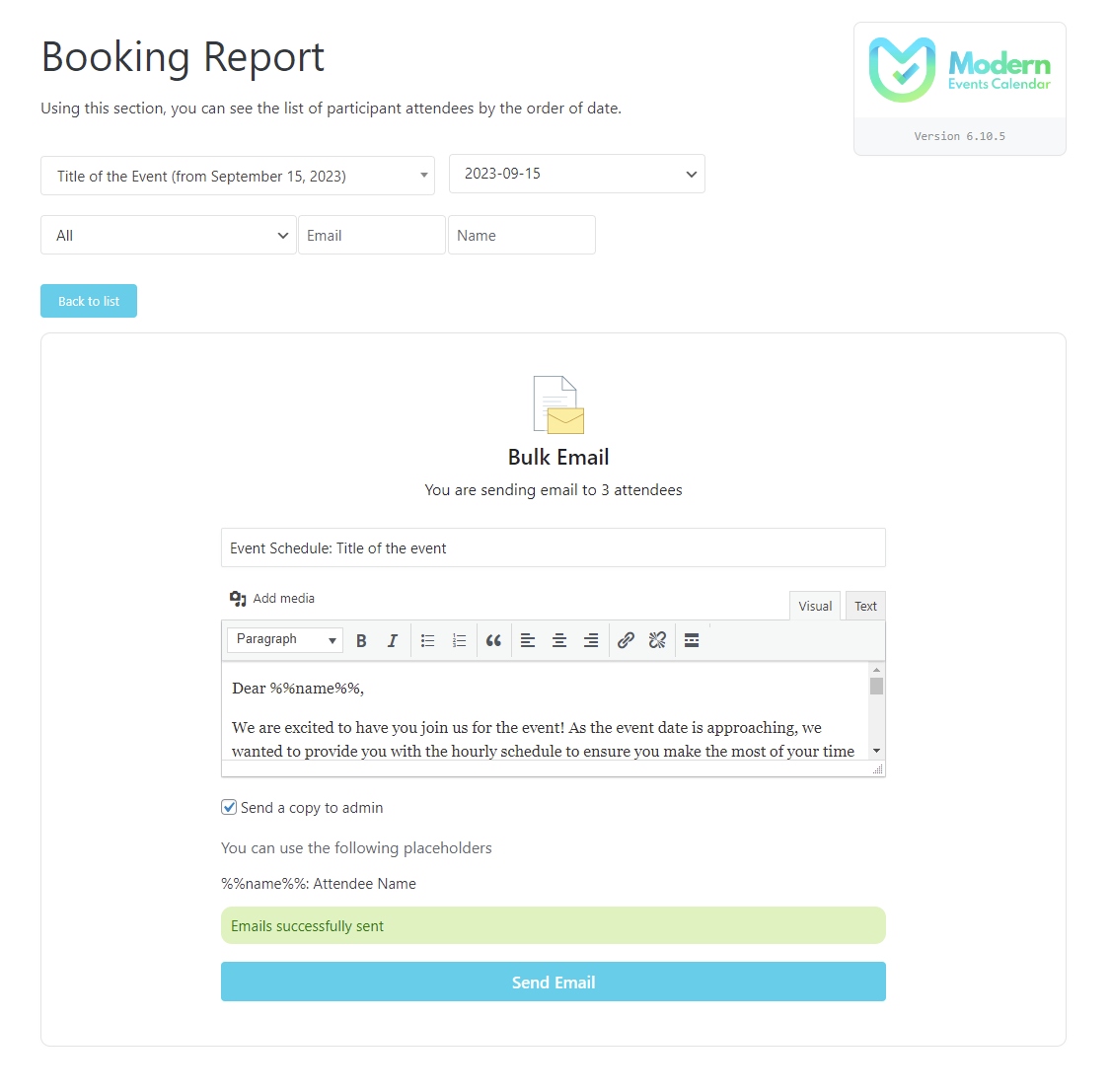
- Added: Send an email to all attendees
- Added: "Enable Check-in Using QR Code only On Event Opening Days" option
- Fixed: Price for each attendees in Ticket mode
- Fixed: Event Date Format
- Fixed: Disable MEC Email
- Fixed: Total Price
- Fixed: QR Code rendering
- Fixed: Total Price
- Removed: Copyright footer
- Fixed: Total Price
- Fixed: Some minor issues
- Fixed: Some minor issues
- Initial Release.
Get Ticket & Invoice
1 Site license for $119. Premium Features, 1 Year Auto Updates, 1 Year Premium Support.
