



Zoom Integration
Connect Modern Events Calendar to Zoom and manage everything from one place. Link multiple Zoom accounts via the secure OAuth proxy or Server-to-Server app, keep MEC and Zoom in sync in both directions, and auto-import meetings and webinars on an hourly or daily schedule. Show join links, passwords, and embedded rooms on your events, publicly or only to confirmed bookings, send them by email after reservation, track attendance, display recordings, and badge your Zoom events to make them stand out.
Is Zoom Integration right for you?
Zoom Integration connects your Zoom account to Modern Events Calendar so you can manage Zoom Meetings and Webinars from WordPress. It suits organizers who run online events on Zoom.
Requirements
- MEC Lite or Pro
- The Zoom Integration add-on, installed and activated
- A Zoom account (Basic is enough for Meetings; Webinars need additional Zoom licenses)
- WordPress 5.0 or higher
What to know
- It supports importing meetings and webinars, two-way sync, webhooks, and multiple Zoom accounts.
- Available meeting types and settings depend on your Zoom account and subscription.
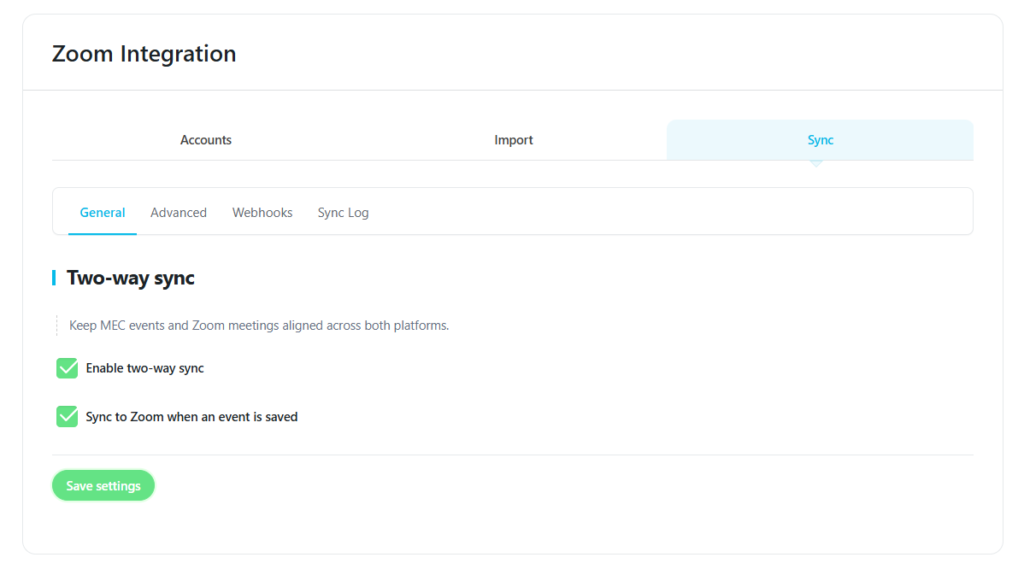
- Push to Zoom requires Two-Way Sync to be enabled.
- Webhooks are optional. Without them, sync relies on scheduled sync and manual updates.
Setup
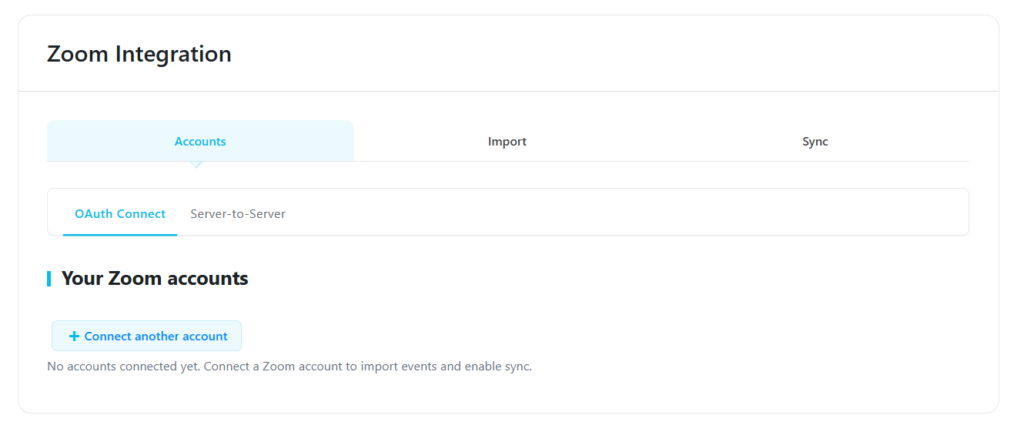
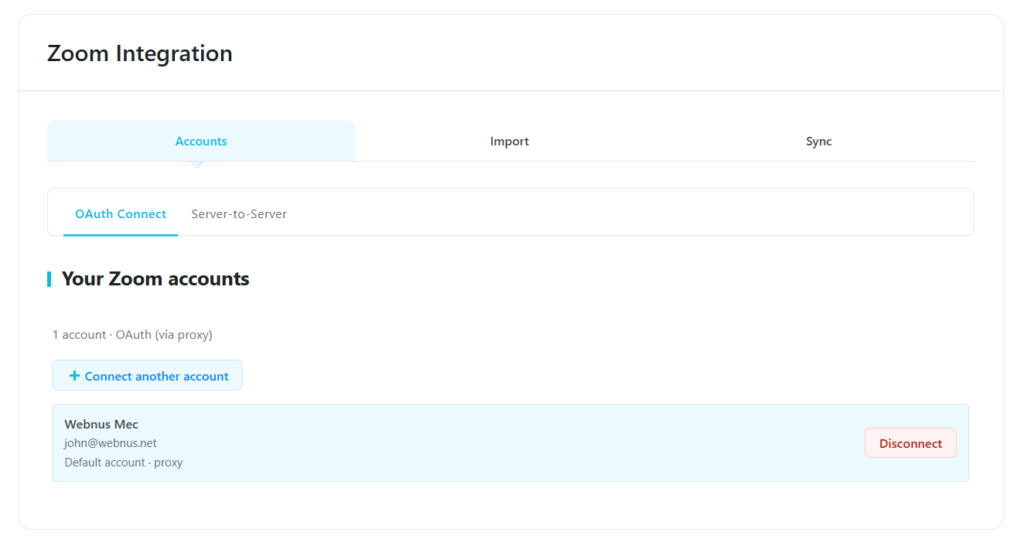
Connect your account in MEC > Zoom Integration > Accounts, then enable Zoom for each event in the event editor’s Zoom Information panel. For the full walkthrough, see the Zoom Integration documentation.
Key Features
Multi-Account Connection
Connect multiple Zoom accounts via OAuth proxy or Server-to-Server and set a default or per-event account
Two-Way Sync
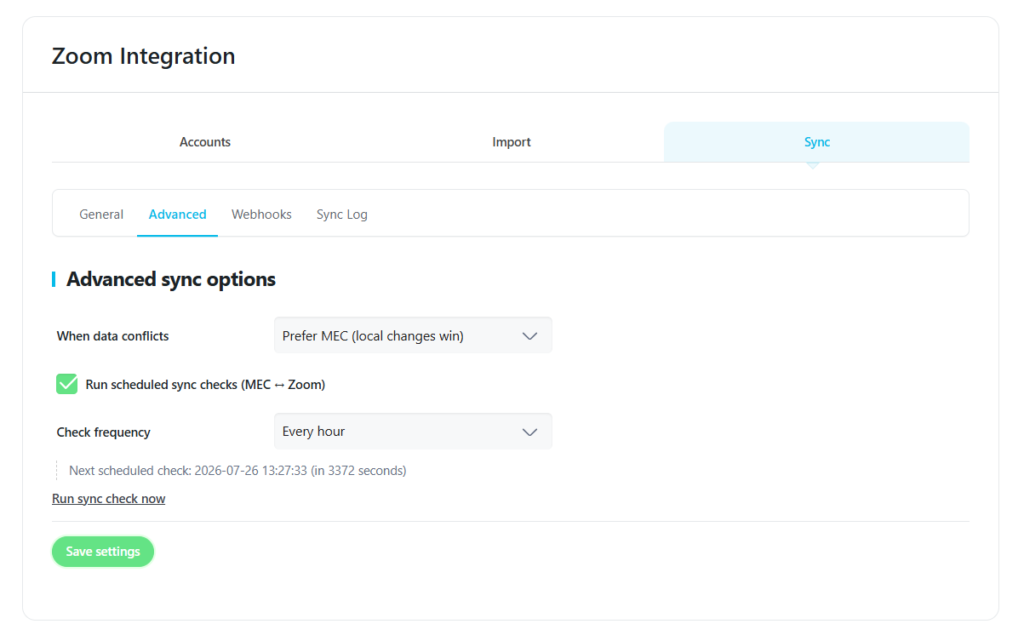
MEC ↔ Zoom sync powered by webhooks with conflict priority control
Auto Import from Zoom
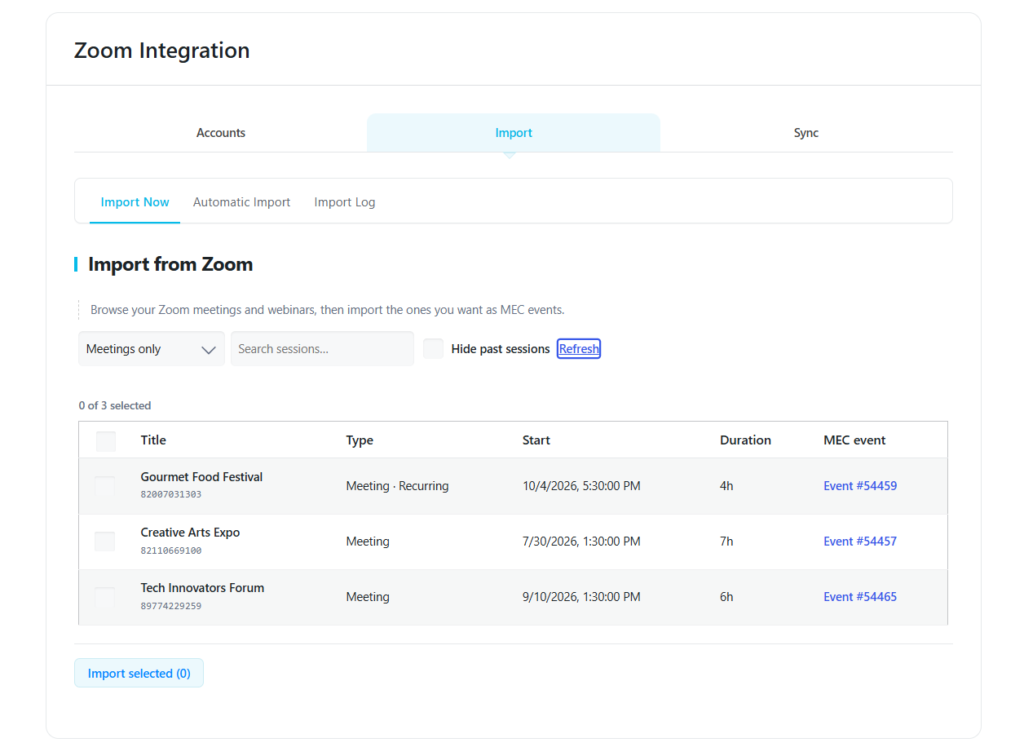
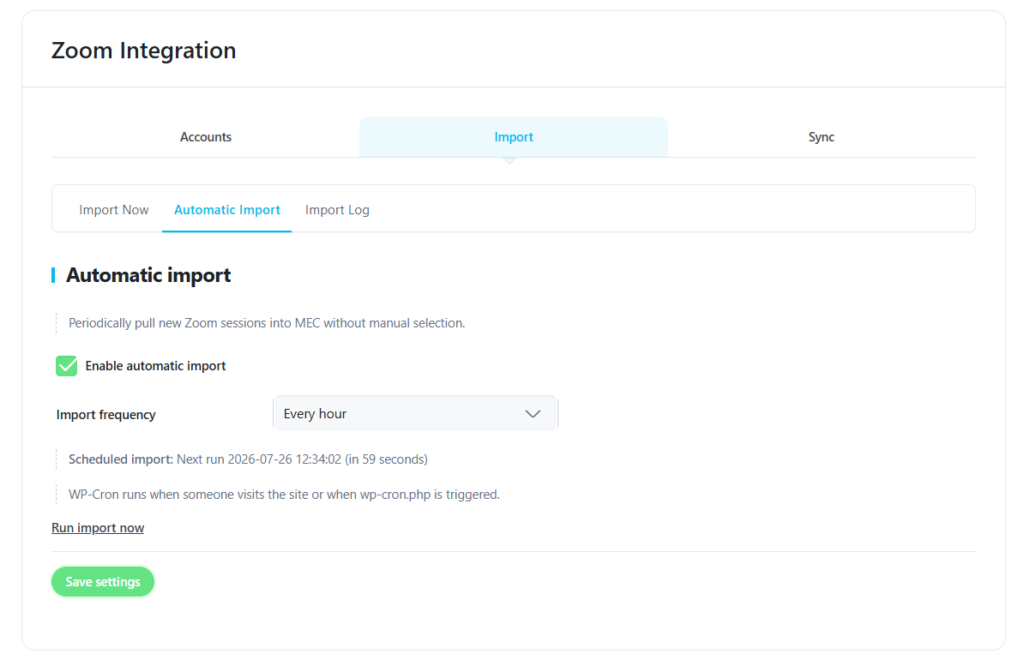
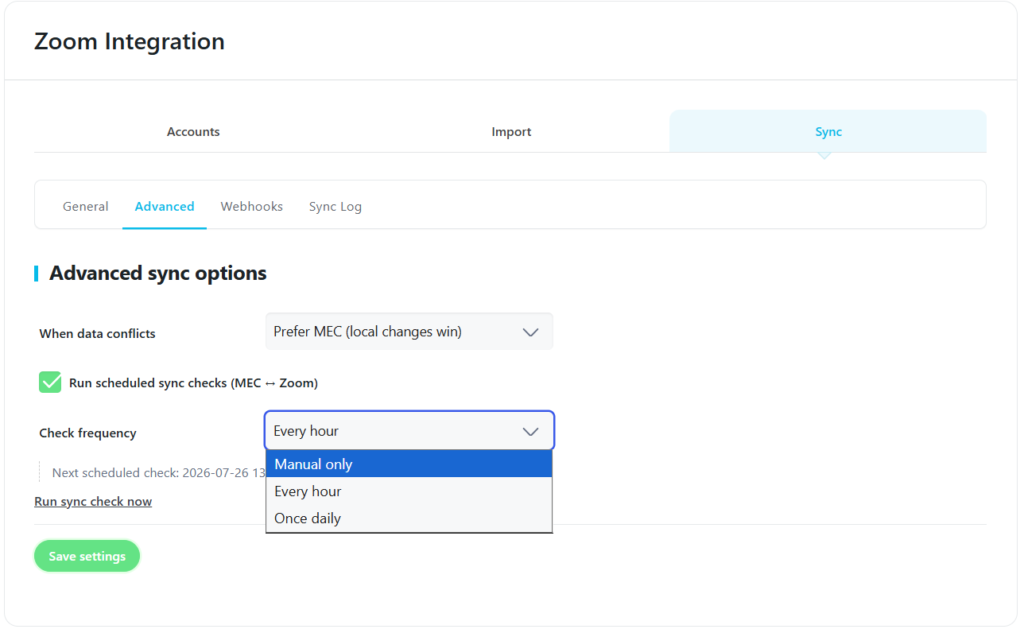
Pull meetings and webinars hourly or daily with session list and import log
Export to Zoom
Push MEC events to Zoom and update them right from the event editor
Attendance Report
Compare Zoom participants with MEC bookings and export the results as CSV
Event Recordings
Fetch and display Zoom recordings on your events
Advanced Meeting Options
Waiting room, join before host, video, mute on entry and auto recording (Basic plan)
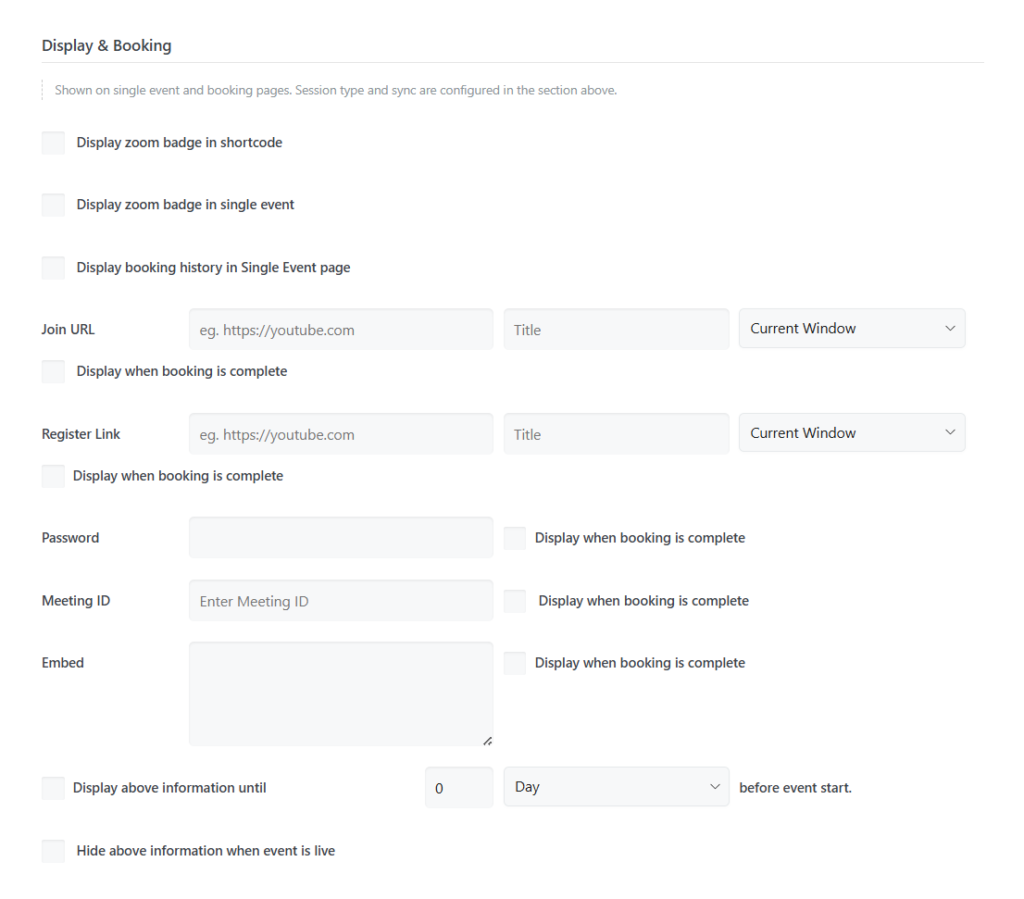
Booking-Gated Access
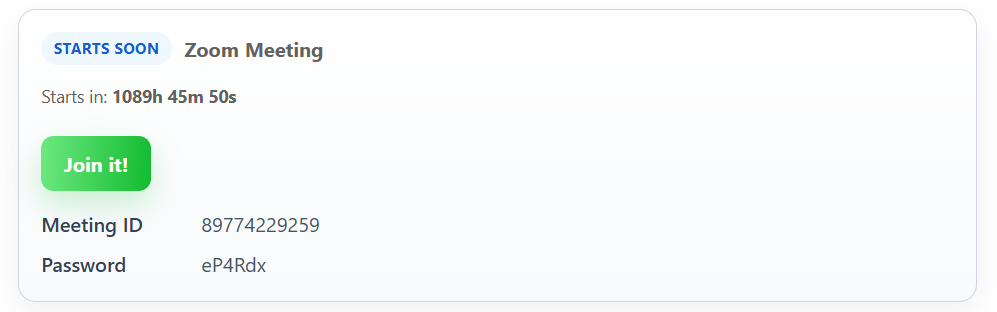
Join links and passwords only for confirmed bookings; cancelled ones lose access automatically
Email Zoom Details
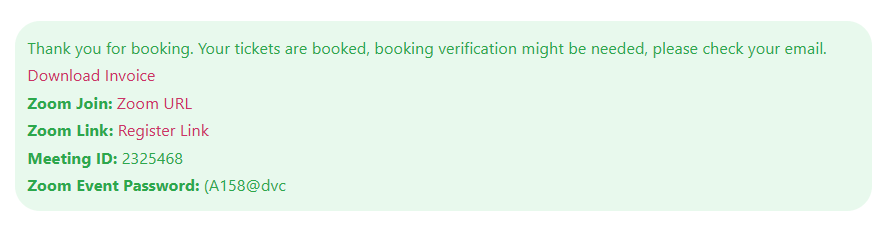
Embed join info in emails sent to attendees after reservation
Zoom Badge & Embed
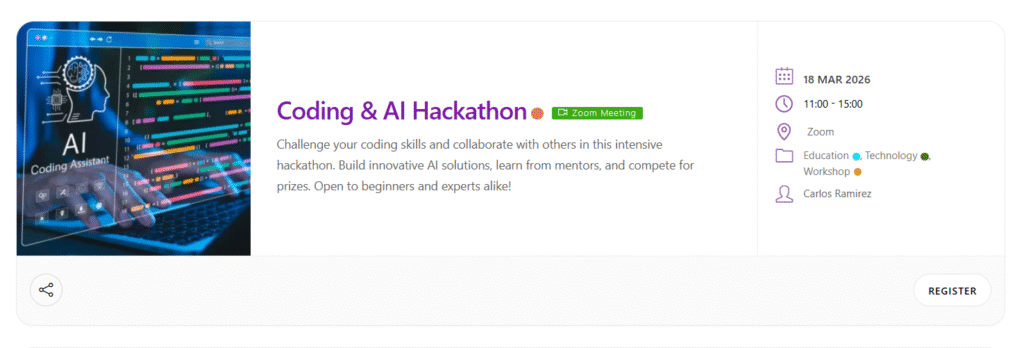
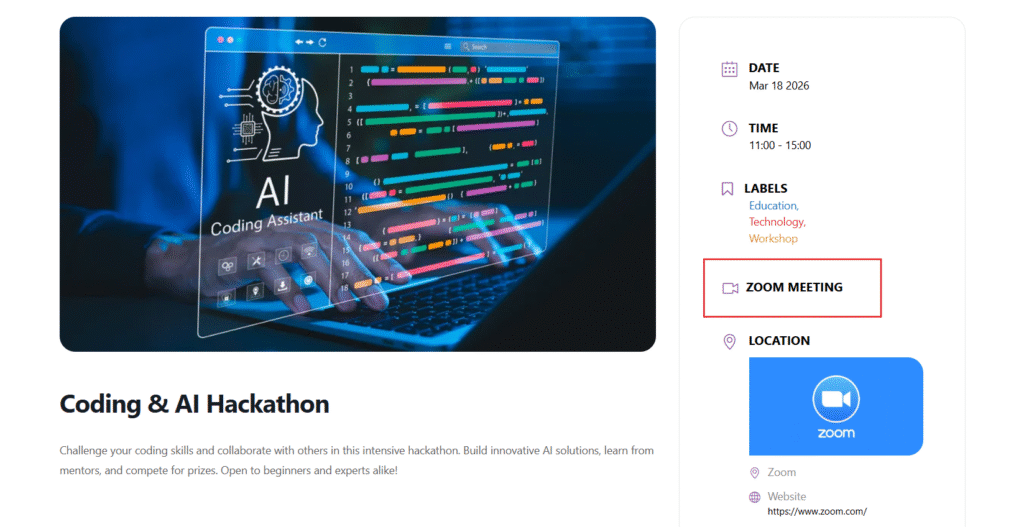
Badge on shortcodes and single events plus embedded meeting room
Screenshots
Changelog
- Added: Complete rewrite with a modern OOP core and a new React-based admin interface for MEC Zoom settings.
- Added: Zoom OAuth via central proxy with multi-account support, default account selection, and Server-to-Server OAuth fallback.
- Added: Bidirectional MEC ↔ Zoom sync with webhooks, reconciliation cron, and conflict priority settings.
- Added: Import from Zoom with auto-pull (hourly/daily), session list, and import log.
- Added: Zoom meta box in the event editor with per-event account selection, push changes, and recreate meeting actions.
- Added: Advanced Zoom settings for Basic plan (waiting room, host/participant video, join before host, mute on entry, auto recording).
- Added: Attendance report with Zoom participants, booking matching, and CSV export.
- Added: Zoom recordings management for events.
- Added: Booking-gated display of Zoom details on the single event page; cancelled or unconfirmed bookings get a "link no longer available" message instead of the join link.
- Improved: Zoom event times are converted from UTC to the site timezone on import and sync.
- Improved: New admin settings page with Accounts, Import, General, Sync, and License tabs, MEC-branded spinner, and MEC-compatible backend styling.
- Improved: Zoom notification emails keep HTML formatting and line breaks after save.
- Improved: Plugin Check compliance; text domain changed to mec-zoom-integration.
- Fixed: FES section issues, login bug, placeholder email, event post type styling, and wrong Zoom event times.
- Fixed: Security audit issues — Zoom webhook signature verification, OAuth state CSRF protection, input sanitization, and hardened account disconnect logic.
- Fixed: Zoom information incorrectly displayed on Single Event page.
- Fixed: Zoom join link and password exposed in ICS DESCRIPTION.
- Added: New field for entering Zoom Meeting ID.
- Fixed: Some PHP warnings.
- Improved: UI and UX enhancements.
- Fixed: Some minor issues.
- Fixed: Some minor issues
- Fixed: Display badge
- Fixed: Max length for password field
- Fixed: Import Webinar
- Fixed: Issue in timezone
- Fixed: Display badges
- Fixed: Link placeholder
- Fixed: Export custom day events
- Fixed: Multiple badge
- Fixed: Duplicate badge in single event page
- Added: Zoom detail to ical export and add to google calendar "mec is changed"
- Added: Exclude Expired Events
- Fixed: Some minor issues
- Fixed: Sending Zoom details for WooCommerce booking
- Fixed: Auto-update message
- Improved: Export event to Zoom
- Fixed: An issue regarding the recurring of the events
- Fixed: Date issue on Zoom events
- Fixed: Some minor issues
- Compatibility: With Elementor Single Builder Add-On
- Added: An options to manage Zoom Notifications
- Fixed: Time difference when importing
- Fixed: An issue regarding Zoom event in FES
- Fixed: Import event with the wrong time
- Added: An option to select/deselet all event
- Added: An option to reset 'mec_zoom_access_token' and 'mec_zoom_refresh_access_token'
- Improved: Showing conditions of the widgets
- Fixed: Display zoom badge in event title
- Fixed: license warning
- Fixed: some PHP notices
- Increased: Import limit to 300
- Initial Release.
Get Zoom Integration
1 Site license for $39. Premium Features, 1 Year Auto Updates, 1 Year Premium Support.
