Skip to content
Home » Education & Training

Education, Training & Course Providers

WordPress Solutions for Workshops, Online Courses and Educators

Replace the booking juggle.

The waitlist lives in a spreadsheet, payments in another tool, and the Zoom link goes out by hand. Your team reconciles lists instead of running training.

With Modern Events Calendar (MEC), students find a session, register and pay in one place. Add waitlists, ticketing, Zoom, learner accounts and LearnDash only when you need them.

Start with MEC. Add only what your course needs.

$319/year instead of $432, with Kata Pro included free.

Modern Events Calendar · Training calendar
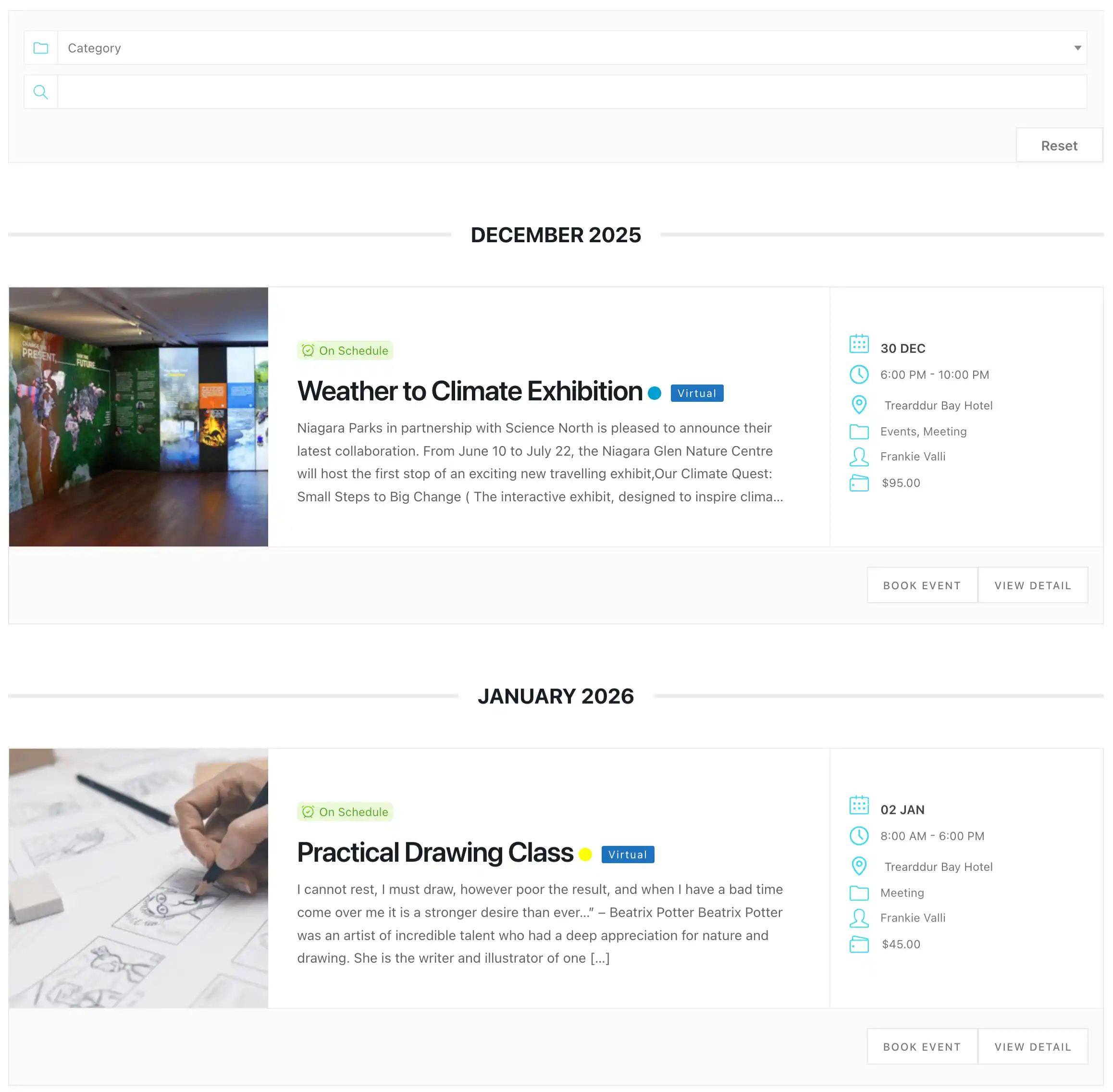
Upcoming workshops and classes listed with Modern Events Calendar, part of the WordPress solutions for workshops
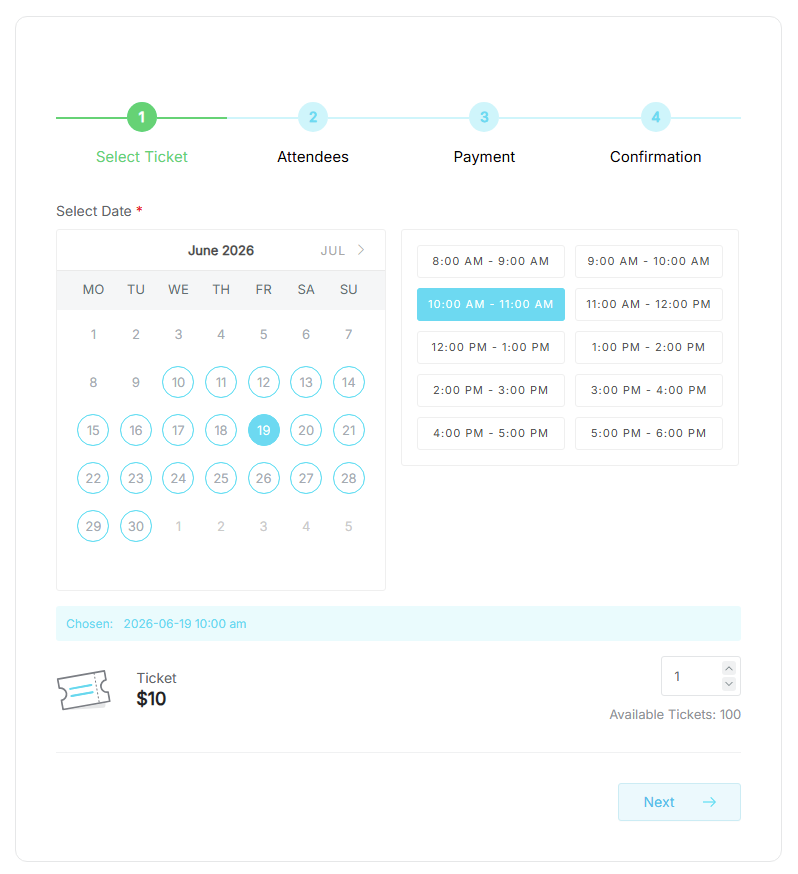
MEC booking form with ticket selection and checkout
MEC Booking
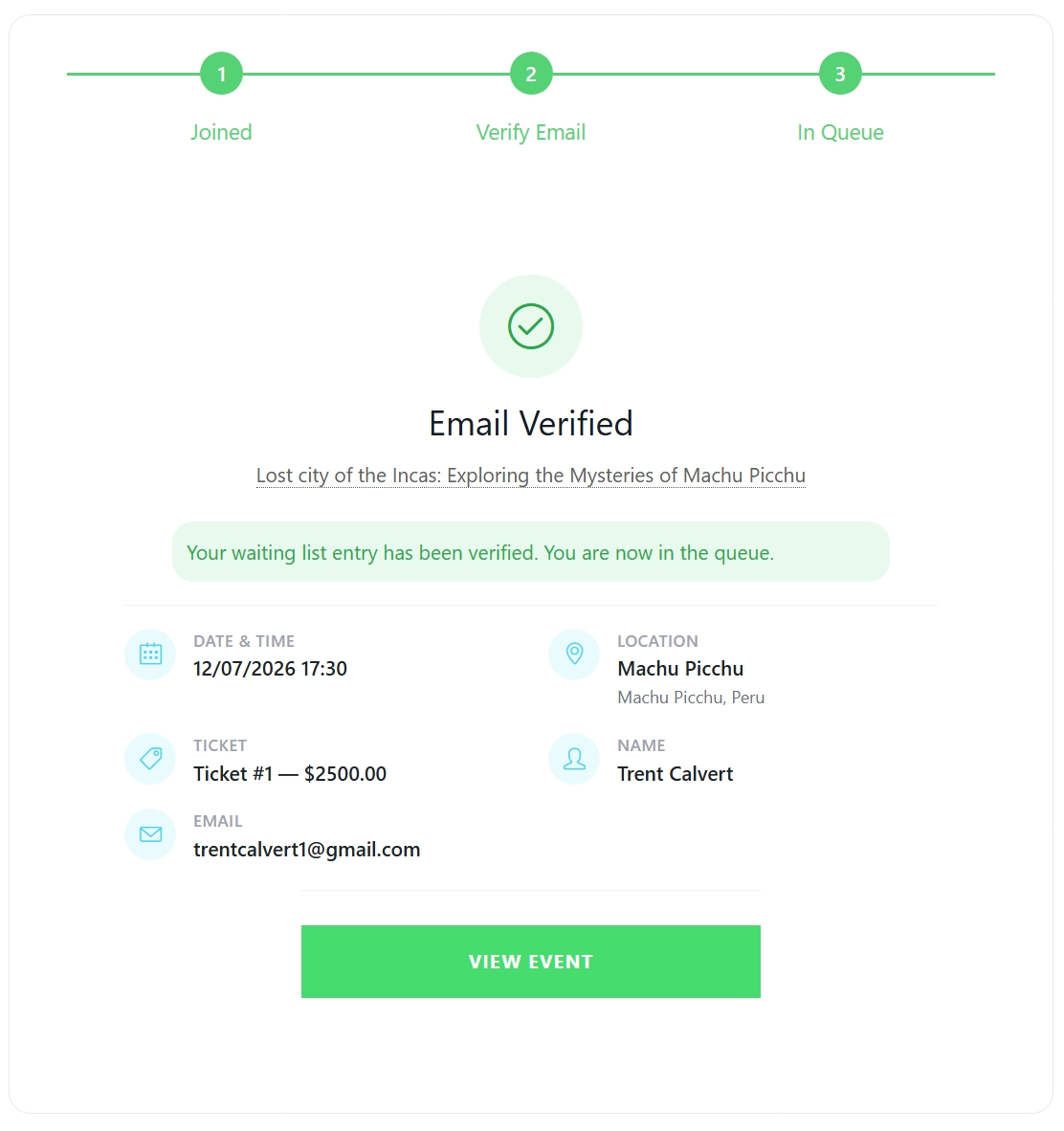
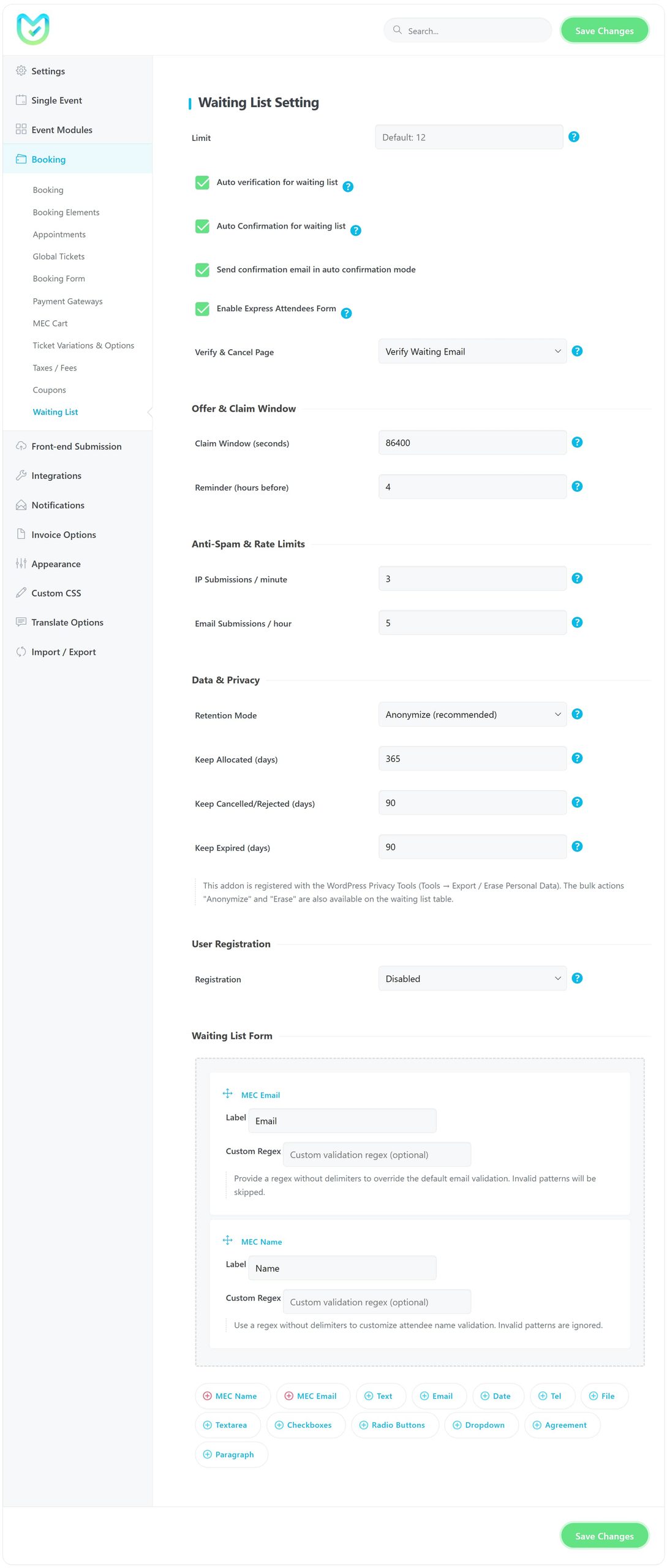
Waiting List Addon confirmation step
Waiting List

The Webnus solution

Build around the way your education actually works

There is no fixed education stack to adopt.

For most workshop hosts, course providers and educators, MEC is the foundation. Then add what matches how you run: waitlists, student self-service, invoices, WooCommerce, live online delivery, automation or multisite coordination.

Organize the WordPress setup around four jobs:

01

Schedule & Register

Publish courses. Manage bookings and capacity.

02

Sell

Take payments, issue tickets and connect WooCommerce.

03

Deliver

Run in-person workshops, online courses and hybrid training.

04

Operate & Scale

Automate, sync sites and work from mobile.

Discovery and booking

Make your site the place people find and book workshops, courses and classes

Course discovery starts before the registration form. Learners need to see what is running, when, where, how many seats are left and what to do next.

MEC is a flexible foundation for WordPress solutions for workshops, from one-off seminars to recurring classes, online courses, and scheduled sessions, all in a clear, searchable layout.

MEC Booking turns that calendar into a WordPress course booking system. Collect attendee details, manage capacity, send confirmations and connect payments, with no detour through disconnected forms. It's training course booking software inside your own site, and it covers workshop booking too.

MEC Booking · Registration and checkout
MEC booking form collecting attendee details and payment
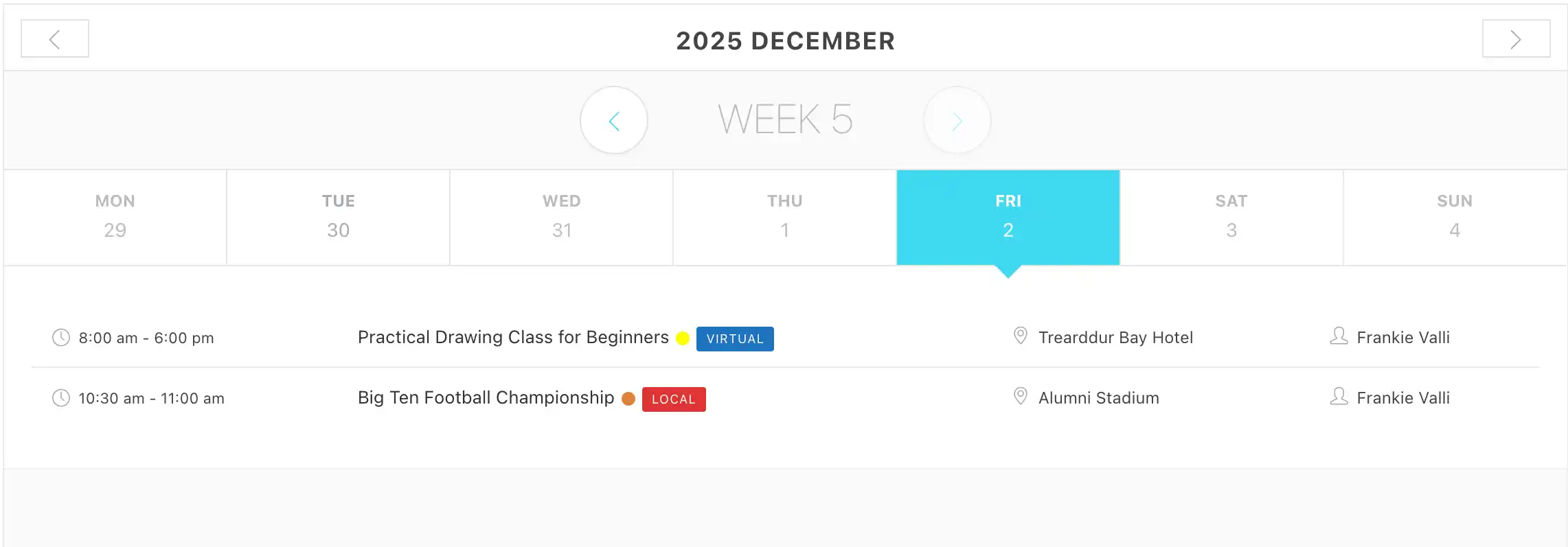
MEC timetable view
Timetable
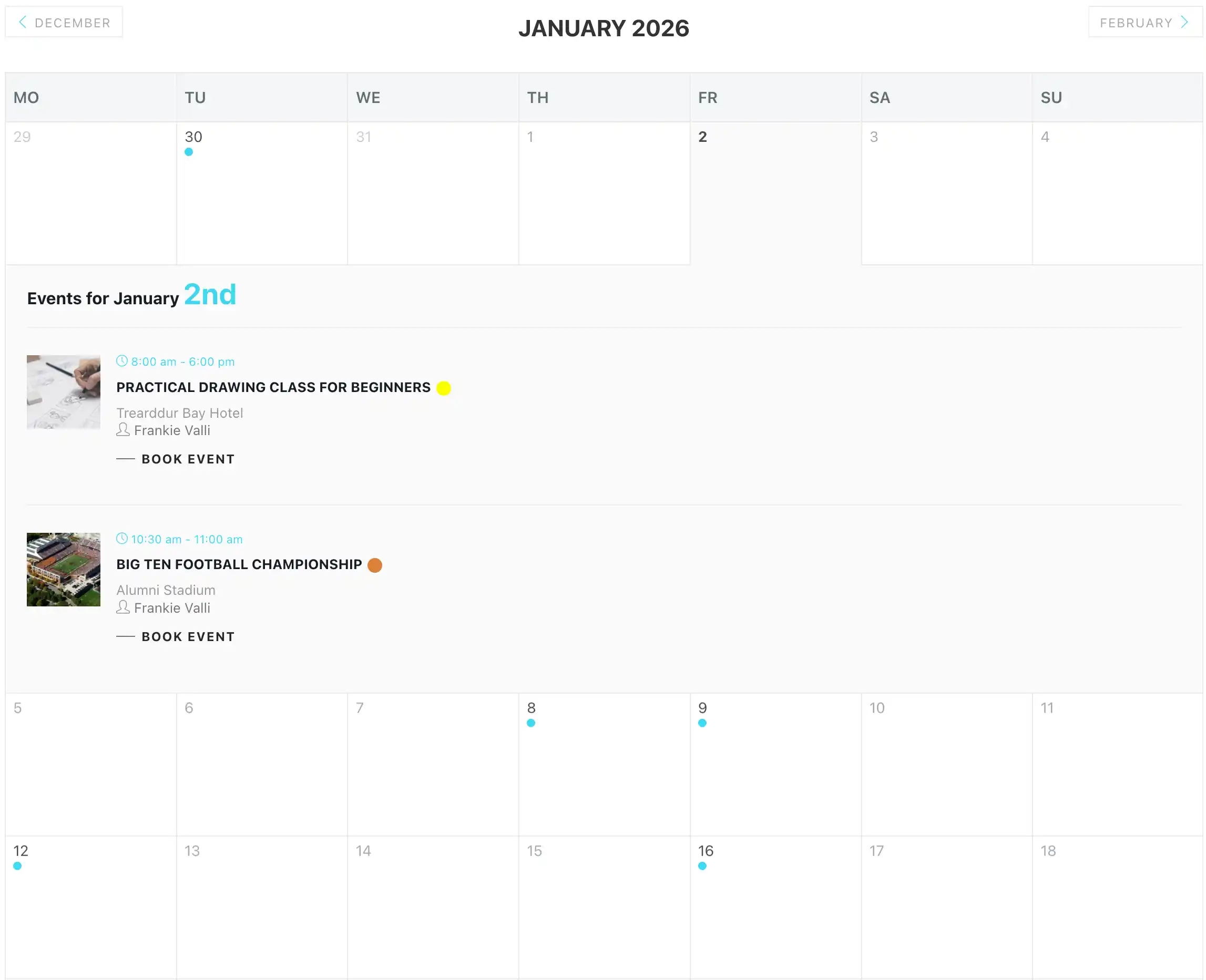
MEC monthly calendar
Monthly calendar
MEC AppointmentTime-slot booking

One-to-one training, tutoring and bookable time slots

Some training does not belong on a class calendar. Tutors, educators and training teams often need learners to book a specific time with a specific person.

MEC Appointment adds time-slot booking to the training setup with services, staff or instructor scheduling, booking forms, confirmations, reminders, payments and availability controls. It suits private lessons, tutoring sessions, trainer consultations, office hours and assessments.

Run scheduled courses through MEC and time-based sessions through Appointment, and you have a WordPress class booking system that covers both.

MEC Appointment
MEC Appointment time-slot booking form

Fill every seat and cut routine admin

Waiting List Addon in Modern Events Calendar

Waiting List Addon

When a popular course sells out, keep the interest. Students join a queue, so if someone cancels, you already have people ready to take the place.

Waiting List
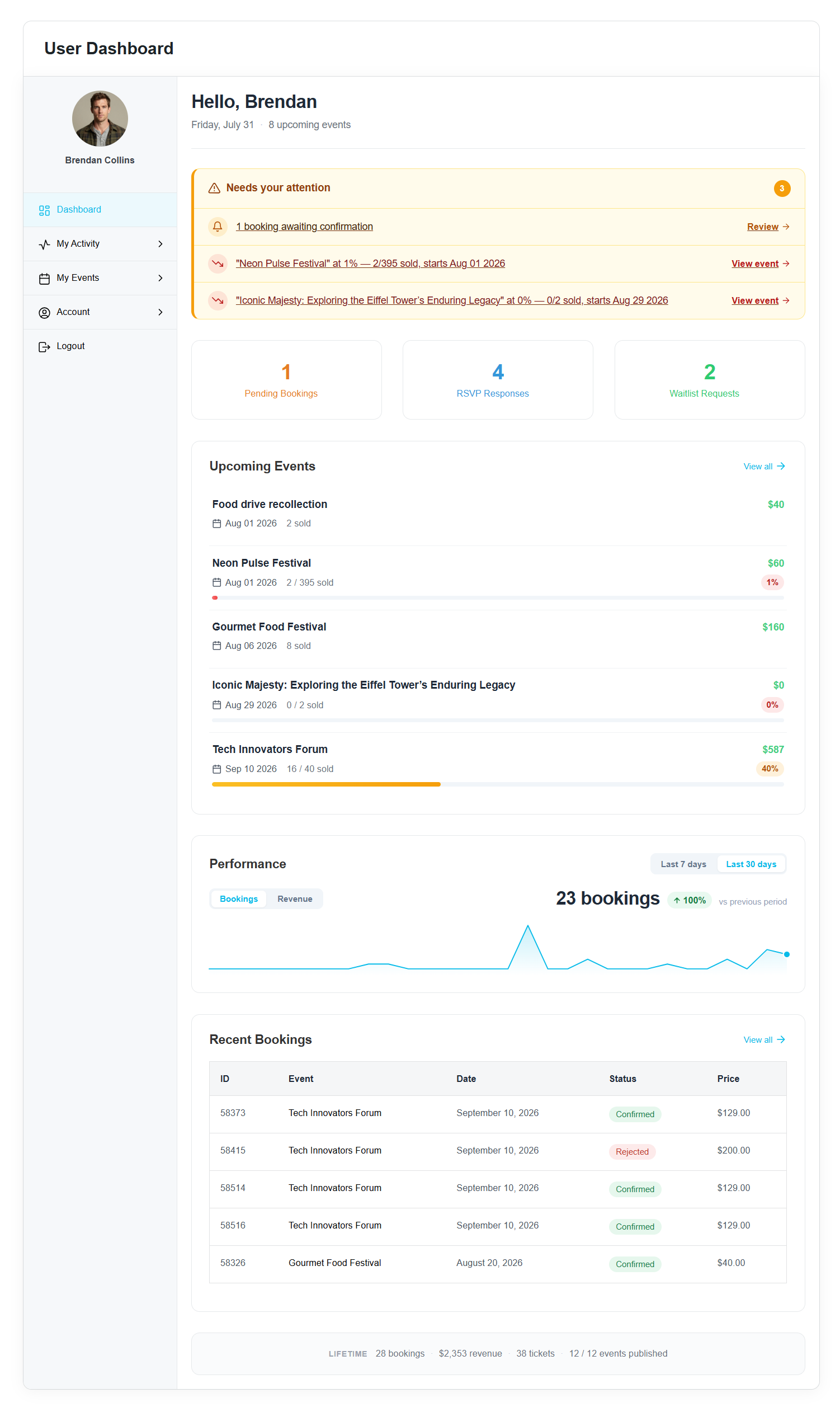
MEC User Dashboard front-end area

User Dashboard Addon

Give attendees a front-end area to view and manage their course bookings, RSVPs, payments and account details, without access to the WordPress backend.

Together, they turn your site into a platform for booking courses and classes: one clear path from finding a course to securing a place.

Ticketing and payments

Make paid registration simple

Paid workshops and courses have more moving parts than a “Book now” button. A learner picks a session, registers, pays, gets confirmation and keeps proof of purchase. Your team needs invoices, attendee records and a dependable way to check people in.

MEC's ticketing and payment tools cover every step:

Booking and learning

Turn course bookings into LearnDash enrollments

Many educators and course providers run two systems: one sells places, one delivers learning. When they don’t talk, someone enrolls learners by hand after every booking.

The MEC Pro LearnDash integration closes that gap. Link a LearnDash course to any ticket, and learners are enrolled in the course after they book. Each ticket can link to its own course, so every purchase gives learners the right access. Your WordPress course booking system handles the schedule, online course registration and payment. LearnDash handles the learning.

Booking opens the door. LearnDash takes it from there.

Online and hybrid delivery

Connect the course page, registration and live session

Online training shouldn't mean sending meeting links by hand. Give learners one course page to understand the format, choose a session, register and get everything they need to attend.

MEC supports virtual and hybrid workflows, so one listing serves in-person workshops, live online courses and hybrid sessions. It works as an online course booking system without separating remote learners from your schedule, a practical base for WordPress solutions for online courses.

Zoom Integration

Connect Zoom meeting and webinar details to the event experience.

Zoom Integration

One course page, one registration, and a join link, learners never have to hunt for.

Operations

Give your team fewer things to repeat

Growth often brings more admin before more profit. The same course gets copied to another site. A WordPress class booking plugin has to trigger another system. Staff need the attendee list away from the desk. One change gets made in three places.

Multisite Event Sync

Share event information between a main site and subsites on a WordPress Multisite network.

Multisite Event Sync

MEC Events Mobile App

Let authorized team members manage events, course bookings and attendees from a phone. MEC Utility controls access through API keys and QR-based connection, and ticket scanning is available when Ticket & Invoice is active.

Automation is not the goal. Freeing your team is.

Your trainers and coordinators should not have to be the integration layer.

Design

KataMulti-purpose WordPress theme

Organized behind the scenes. Unmistakably yours on the front end.

A well-run course operation does not have to look like every other training site.

Kata is a multi-purpose WordPress theme built on Elementor. Import a ready-made demo in one click, then make it your own with the Styler, a visual editor that controls typography, colors, buttons, links and spacing without a line of CSS.

Kata also brings around 100 exclusive elements, header, footer and mega menu builders, and responsive controls for course landing pages, workshop pages and navigation on every screen. Testimonial and team elements showcase learner feedback and your educators.

Kata is optional, and the core education workflow runs without it.

Kata · Styler
Kata Styler controlling typography, colors and spacing
Kata header builder
Header builder
Kata responsive controls
Responsive controls

Support

Support when you need it

You don't have to figure this out alone. Webnus documentation, troubleshooting resources and direct support help your team configure MEC, its add-ons and integrations with confidence.

Special bundle offer

The Education & Training Bundle

Everything from the setup above that most course providers end up adding: paid tickets and invoices, learner accounts, waiting lists, organizer and trainer pages, and Zoom for live sessions. Kata Pro comes free for when the website needs a refresh.

  • MEC Pro
  • Ticket and Invoice
  • User Dashboard
  • Waiting List
  • Advanced Organizer
  • Advanced Speaker
  • Zoom Integration
  • Kata Pro Free

Bundle price

Total before discount $432

$319/year

You save $113

Get the Education Bundle

One-year license.

Start with the operational core

Build only the setup you need now

Good WordPress solutions for workshops, online courses or educators start with the course and registration experience. Then add waitlists, learner self-service, paid ticketing, WooCommerce, virtual delivery, automation, mobile management or deeper design control as the need appears.

MEC is the starting point. Everything else is modular.

FAQs

FAQs about WordPress solutions for workshops and online courses

What is included in the Education & Training Bundle, and what does it cost?

The bundle collects the WordPress solutions for workshops and online courses that most providers end up adding. It costs $319 a year for a one-year license, down from a $432 total before discount, and includes MEC Pro, Ticket and Invoice, User Dashboard, Waiting List, Advanced Organizer, Advanced Speaker and Zoom Integration, with Kata Pro free.

Can I use WordPress to take bookings for workshops, courses and classes?

Yes, from workshop booking to online course registration. With MEC and its Booking module, your WordPress site can publish scheduled workshops, courses or classes and accept registrations on the event page. Booking forms, ticket limits, confirmations and payment options can be configured around how each session runs.

Can I create a waitlist when a course is full?

Yes. The Waiting List Addon is built for sold-out sessions. Interested people join a queue, and you can fill a place as soon as one opens up.

Can students or attendees manage their own class bookings?

Yes. The User Dashboard Addon gives registered users a front-end area for their bookings, RSVPs, payments and profile information, with no WordPress admin access required.

Can I take one-to-one bookings as well as group classes?

Yes. MEC Appointment adds time-slot booking with instructor or staff scheduling, so private lessons, tutoring and consultations can sit alongside your scheduled courses.

Can I charge for courses and issue tickets or invoices?

Yes. Payment options connect to booking, Ticket & Invoice adds tickets, invoices and QR-based check-in, and WooCommerce Integration is available when training purchases should share a store with your other products.

Can we run Zoom courses from WordPress?

Yes. MEC supports live online training through its virtual event capabilities, and Zoom Integration connects meeting or webinar details to the event experience.

Can staff manage training events from their phones?

Yes. MEC Events Mobile app connects to your WordPress site, so authorized staff can work with events, bookings and attendees from a phone. Check-in is available with the required ticketing capability.

Is this an LMS?

No. Webnus WordPress solutions for training providers focus on the operational side of scheduled training: course calendars, registrations, payments, online sessions and attendee management. For lessons, quizzes and progress tracking, MEC Pro integrates with LearnDash, so a booking can enroll the learner in a LearnDash course.

Does MEC work with LearnDash?

Yes. With MEC Pro, you can link a LearnDash course to any ticket, and learners are enrolled in that course after they book.

Do we need every Webnus product and add-on shown on this page?

No. This is a modular setup. Start with the capability that solves your most immediate need, then add other pieces when they become useful.