


Multisite Event Sync
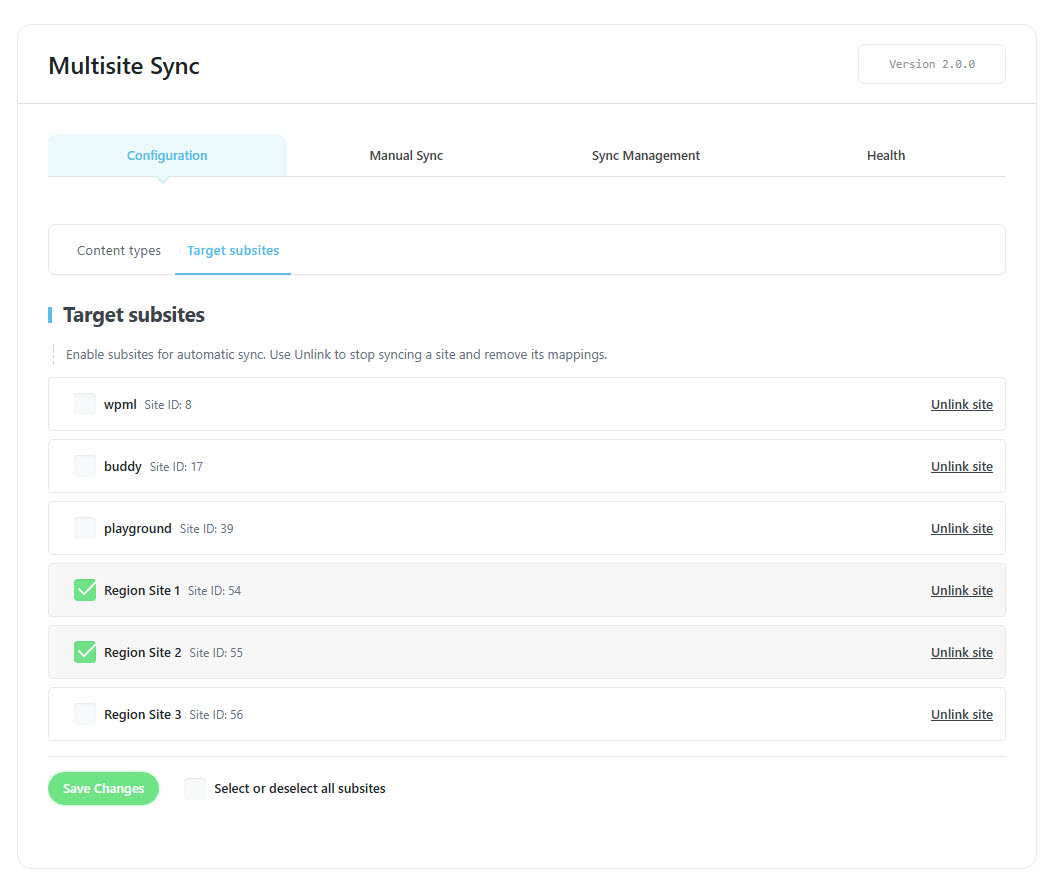
Sync events, bookings, settings, shortcodes and widgets from your main site to your subsites. Every change on the main site is automatically inherited by the subsites. Choose exactly which subsites to sync from the admin panel.
Is Multisite Event Sync right for you?
Multisite Event Sync lets you manage Modern Events Calendar content across a WordPress Multisite network from one main site, then sync it to the subsites you choose. It suits administrators who run events across several sites in one network.
Requirements
- WordPress Multisite enabled
- Modern Events Calendar Lite or Pro, installed and active
- Administrator access to the main website
- MEC Single Builder, only if you want to sync Single Builder templates
- WordPress 5.0 or higher
What syncs and what doesn’t
- Syncs: MEC events, shortcodes, settings, and single event sidebar widgets.
- Doesn’t sync: API keys, license information, and website-specific page IDs.
- Editing: Synced events are read-only on subsites, so you edit the original on the main site.
Pricing
$39 for 1 site, $99 for 5 sites, or $179 for 10 sites. Each license includes 1 year of updates and premium support.
Setup
After you install and activate the add-on, open M.E. Calendar > Multisite on your main site. Sync settings and management tools are not available from individual subsites. For the full walkthrough, see the Multisite Event Sync documentation.
Key Features
Synchronize events
Sync events, bookings and tickets from the main site to one or more subsites with just one click.
Synchronize shortcodes
Synchronize MEC shortcodes between the main site and subsites with just one click.
Synchronize settings
Sync MEC settings, sidebar widgets and single builder templates between the main site and subsites with just one click.
Network Health Dashboard
Monitor sync status across your whole network, review the activity log and retry failed jobs from one place.
Automatic Live Sync
Every event, booking and setting syncs automatically right after each update — no need to sync everything manually.
Network Booking Capacity
Aggregate booking capacity and ticket availability across all subsites, so every site reflects the true network-wide availability.
Read-only synced event
Synced events stay read-only on subsites, so copies can't be edited out of sync by mistake.
Ease of use
A clean, modern interface — start syncing your network with just a few clicks.
Screenshots



Changelog
Subscribe to our newsletter for the latest news & promotions.
