


Dedicated Virtual Event Room
A private page where booked attendees watch or join the session.
Virtual Events
Turn your WordPress site into a virtual event platform for online and hybrid events. Modern Events Calendar (MEC) handles registration, tickets, payments, and who gets the join link, so people can sign up, pay, and join in one place instead of three.
Add the Virtual Events addon and the repetitive work, like sending links, passwords, and reminders, happens on its own.

A virtual event platform is software for publishing, selling, and running events that people attend online. It usually covers registration, ticketing, access control, and the live session. MEC takes a WordPress-first approach: your site handles the event page, bookings, and payments, while Zoom, YouTube, Google Meet, Microsoft Teams, Webex, or Twitch delivers the video.
MEC Pro covers the basics of any virtual event platform: the event page, the tickets, and the payment. For an online event, two small addons make life a lot easier for you and your attendees.
Here’s which piece handles which job, so you know what you’re paying for before you buy.
| Task | Handled By |
|---|---|
| Event creation, ticketing, and payment | MEC Pro |
| Embedding video and live stream links | MEC Pro |
| Integration with Google Meet, Teams, and Webex | Virtual Events Addon |
| Token generation for room access | Virtual Events Addon |
| Restricting video content to ticket buyers | Virtual Events Addon |
| Full Zoom integration and sync | Zoom Integration Addon |
| The live stream or video call itself | Zoom, YouTube, Twitch, etc. |
Setting up your virtual event platform takes five steps, all inside your WordPress dashboard.
Add the event, then set up tickets, payment methods, and the notifications your customers will get.
Add the live stream or meeting details from the platform you use: Zoom, Meet, Teams, YouTube, and so on.
Decide if the event is public or booking-only, who can book, and how attendees get access.
Choose when the join link, password, or embedded player shows up in the booking and email flow.
Check attendance and registration stats, send follow-up emails, and share certificates or recordings.
Need more help setting things up? Our docs walk you through setting up your virtual event platform, step by step.
The Virtual Events addon is what turns MEC from a regular event plugin into a full virtual event platform.
Pair it with the Zoom Integration addon and your virtual event platform can bring Twitch, YouTube, Google Meet, Microsoft Teams, Webex, and Zoom into your site and your event workflow.
Your attendees don’t have to find the event on your site, pay somewhere else, and then hunt for the link in a third place. Booking, payment, and access all happen in one flow, and nobody on your team has to copy and paste links and passwords into emails by hand.
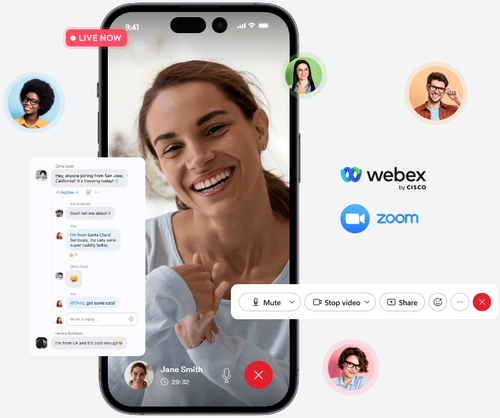
A private page where booked attendees watch or join the session.
Virtual Events
Embed streams from YouTube, Twitch, and other services on the event page.
Virtual Events
Connect Google Meet, Microsoft Teams, and Webex to your events.
Virtual Events
Create and update Zoom meetings and webinars from MEC, and keep both sides in sync.
Zoom Integration
Each attendee gets their own access, so a shared link doesn’t let strangers in.
Virtual Events
Run weekly classes or monthly webinars with separate details for each session.
Virtual Events
Send reminders before the start and post updates while the event is live.
Virtual Events
Share the replay with attendees, or with people who bought access later.
Virtual Events
See who registered, who showed up, and how each event performed.
MEC Pro
Let organizers add virtual details from the front end, without wp-admin access.
Virtual Events
Picking a virtual event platform mostly comes down to two things: where you want your events to live, and how you’d rather pay for them.
| Decision Factor | MEC on WordPress | Hosted Virtual Event Suite |
|---|---|---|
| Public event site | Runs on your own WordPress site | Usually lives inside the vendor’s hosted environment |
| Live session | Delivered by the meeting, webinar, or streaming service you choose | May be built in, or supplied through an integration |
| Registration and access | Handled by MEC bookings and the addons you set up | Usually handled inside the hosted platform |
| Maintenance | You manage WordPress, MEC, addons, hosting, and provider accounts | The vendor maintains the application |
| Advanced venue features | Available when a connected service or MEC component provides them | May include built-in networking, booths, sponsor areas, or matchmaking |
| Cost structure | MEC licenses, plus hosting, provider plans, and payment fees | Subscription, per-event, per-attendee, or custom-quote pricing |
New to running virtual events? Our guide covers planning, promotion, and what to do on the day.
MEC has a large library of addons that extend its core features or add new ones. Because it’s modular, you only pay for what your virtual event platform actually needs, not a big bundle full of extras.
Events, recurring dates, tickets, online payments, booking forms, and live stream links.

Private join links and passwords, Meet, Teams, and Webex, access limits, and recordings.

For teams whose workflow runs on Zoom: create, sync, and manage meetings and webinars from MEC.
Most Setups: MEC Pro + Virtual Events = $138/year.
Add Zoom Integration if your workflow is heavily Zoom-based.
Full Stack $177/yr
Not sure what you need? and our team will help you choose.
No. MEC is a virtual event platform for WordPress, not a video host. It handles the event page, bookings, and access, and connects to the service that streams the video, such as Zoom, YouTube, Google Meet, Microsoft Teams, Webex, or Twitch, through the Virtual Events addon.
To turn WordPress into a virtual event platform, you need at least MEC Pro and the Virtual Events addon. From there, you can add other MEC addons, like Zoom Integration or User Dashboard, depending on how you run your events.
Yes. With the Virtual Events addon, the join link, password, and embedded player only appear for people who’ve booked the event.
Yes. You can create several ticket types for one virtual event, like early bird, standard, or VIP, and take payment online through MEC’s booking module.
Yes. You can sell in-person and virtual tickets for the same event, so people in the room and people at home book through the same page.
Build your virtual event platform with MEC Pro and the Virtual Events addon. Every license comes with a 30-day money-back guarantee.
