

Single Ajax Add to Cart
In this article, we are going to learn to use the Single Ajax Add to Cart module. This module allows you to activate Ajax for the WooCommerce Add to Cart button.
How to Activate the Single Ajax Add to Cart Module?
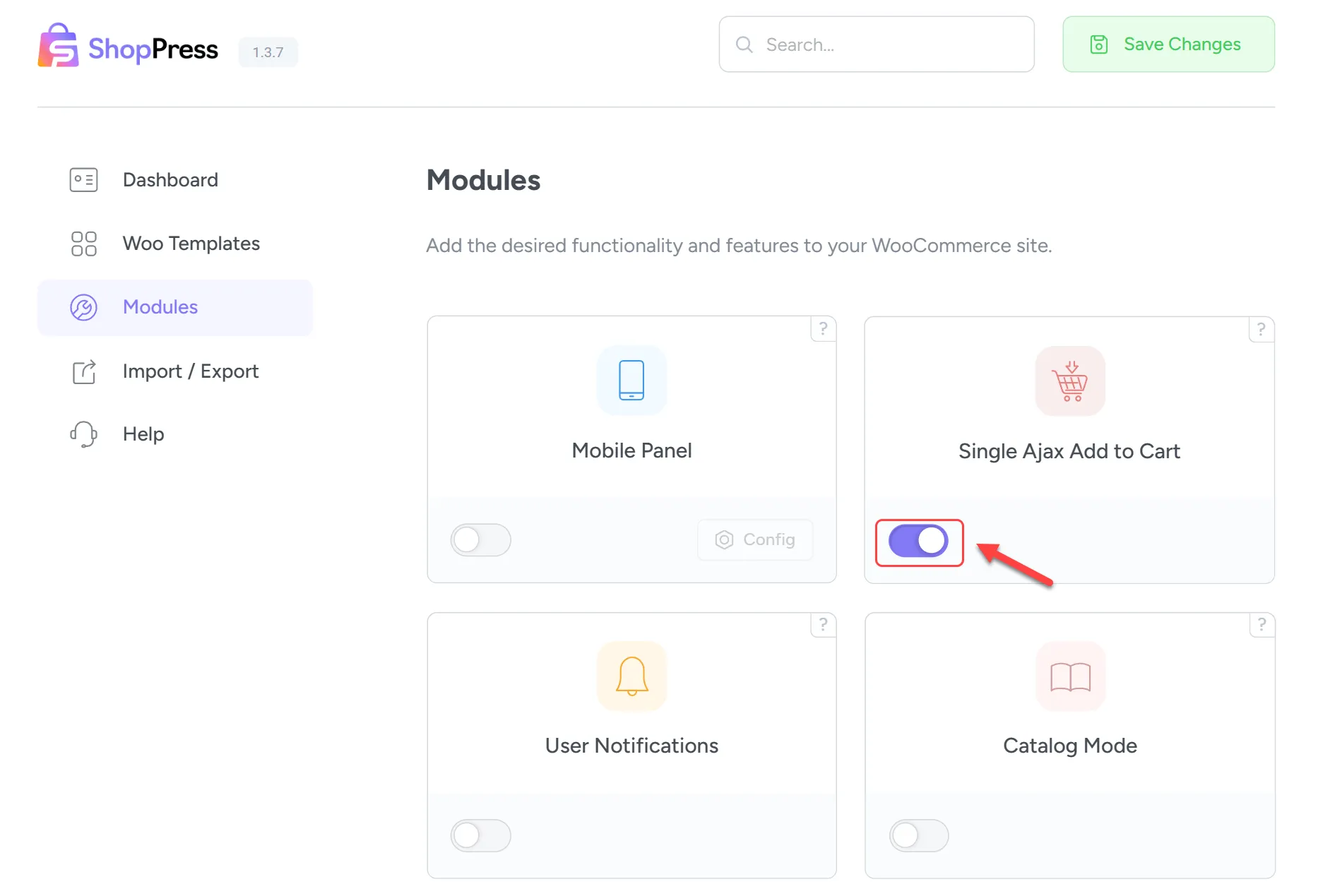
Section titled “How to Activate the Single Ajax Add to Cart Module?”In order to activate the ShopPress module, please go through the following steps:
Firstly, go to your WordPress dashboard. Then go to ShopPress > Modules and activate the Single Ajax Add to Cart from the list of modules.
How to use it?
Section titled “How to use it?”As easy as a cake! Now that you have activated the module, go to your single event page and click on “Add to Cart”. You will now see that instead of the page being refreshed, a loader appears on the button and then the product will be added to the cart.
