

WooCommerce Menu Cart
In this article, we are going to learn how to use the Menu Cart module in ShopPress. In order to see the big picture of this module, you should know that Menu Cart enables you to display the cart icon on your website.
Enabling WooCommerce Menu Cart
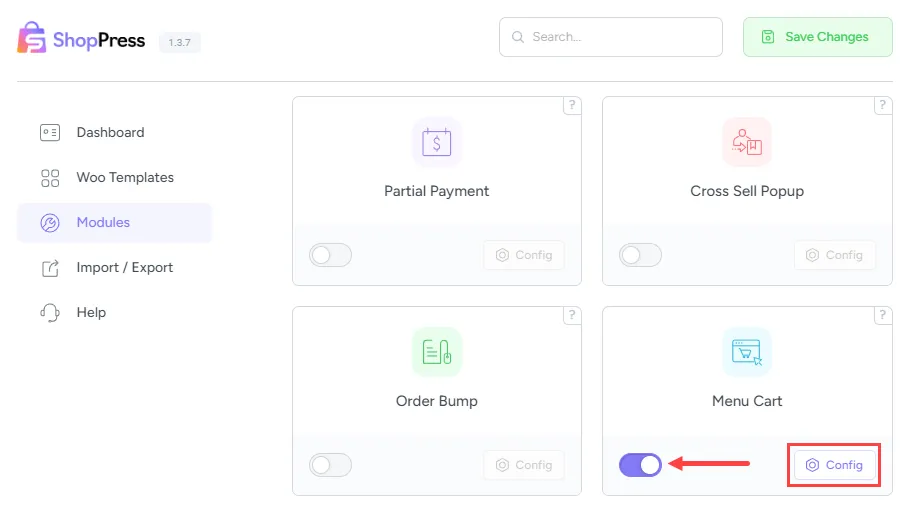
Section titled “Enabling WooCommerce Menu Cart”In order to activate the module, go to your WordPress dashboard. Then go to ShopPress > Modules > Menu Cart and after activating the module, click on the Config button to go to its settings.
WooCommerce Menu Cart Settings
Section titled “WooCommerce Menu Cart Settings”You will see the following in the WooCommerce Menu Cart Config:
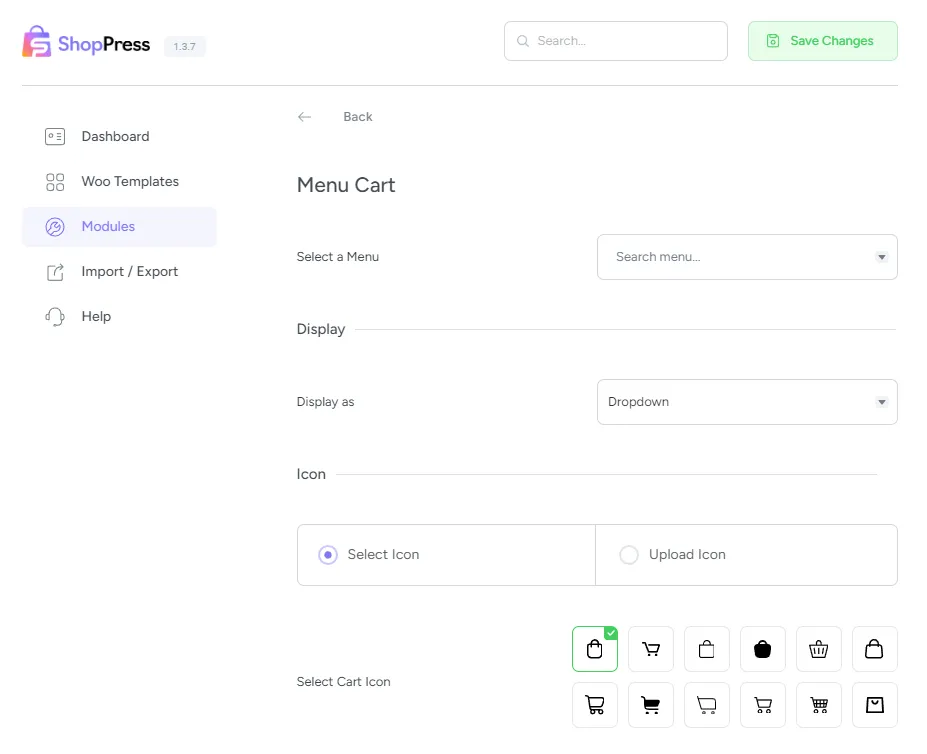
Select a Menu: This allows you to select the menu in which you want to display the cart icon.
Display as: This allows you to choose between Dropdown and Drawer for your cart.
Icon: This allows you to change the cart icon using the Select Icon or Upload Icon for using your custom icon.
