
WooCommerce Sticky Add to Cart
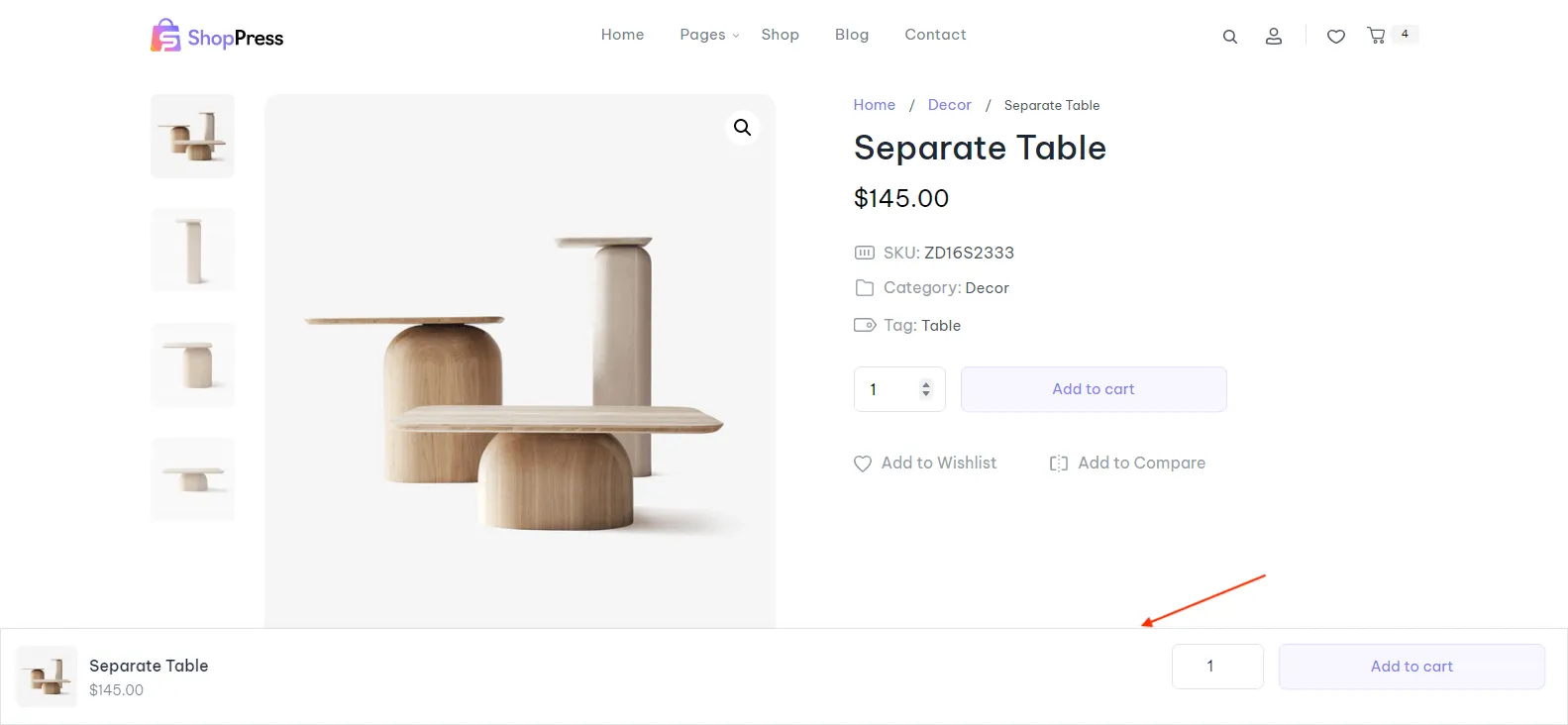
With this beautiful, simple option, you will be able to display a WooCommerce Sticky Add to Cart bar beneath the single product page.
Enabling WooCommerce sticky Add to Cart
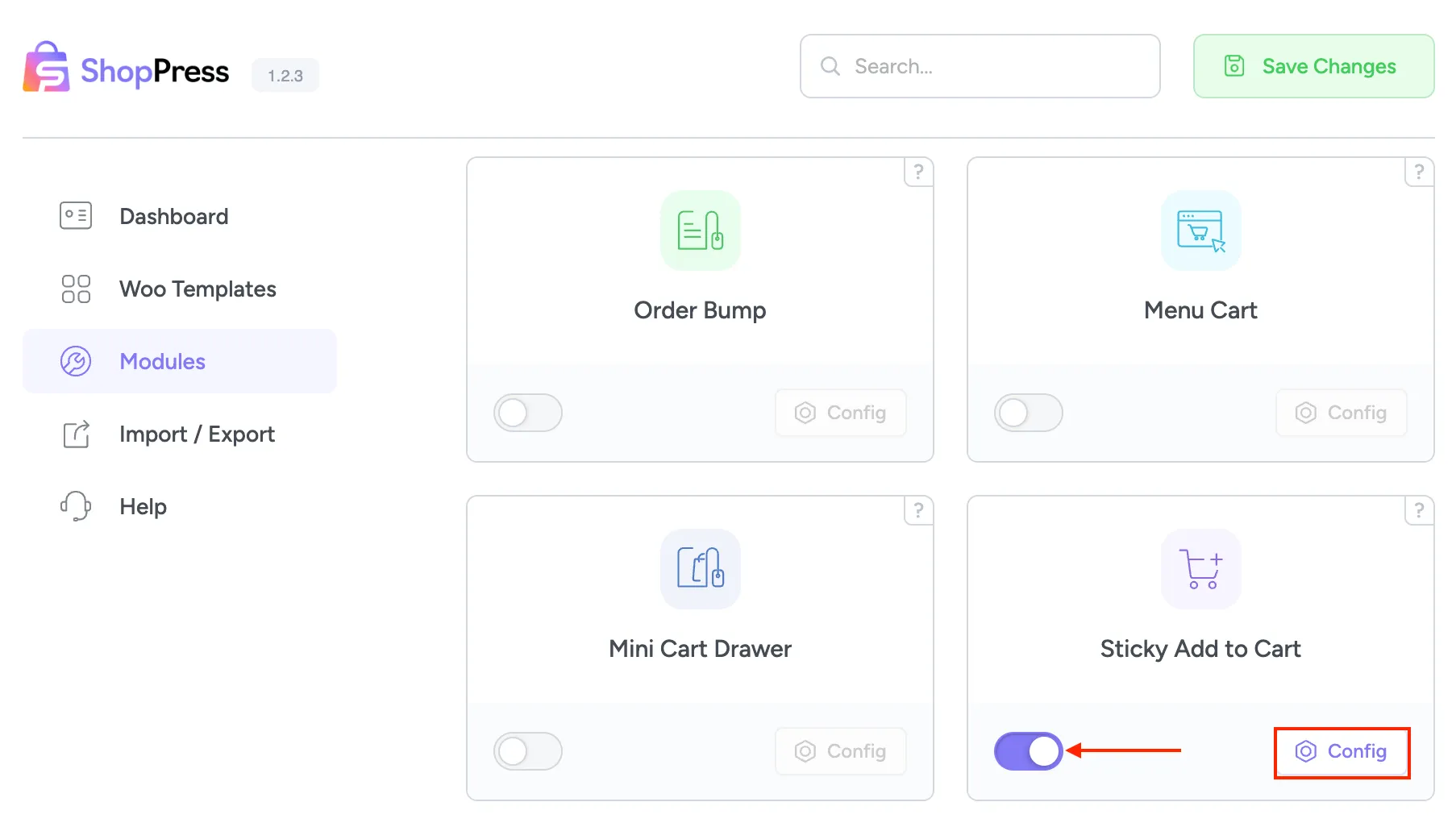
Section titled “Enabling WooCommerce sticky Add to Cart”To enable this option, please head over to ShopPress > Modules > Sticky Add to Cart.
WooCommerce sticky Add to Cart
Section titled “WooCommerce sticky Add to Cart”By clicking the config button, you can handle the ability to hide the sticky add-to-cart button on mobile devices.

Now, when you head over to your single product page, you can see the Sticky Add to Cart bar has been added to the bottom of the page.