

WooCommerce Product Gallery
With the WooCommerce Product Gallery module, you can easily customize the gallery to complement your store’s aesthetics perfectly. Take full control of your gallery’s layout by positioning sliders in various options, including horizontal, vertical left, and grid layout, ensuring a visually captivating shopping experience for your customers.
Activating WooCommerce Product Gallery
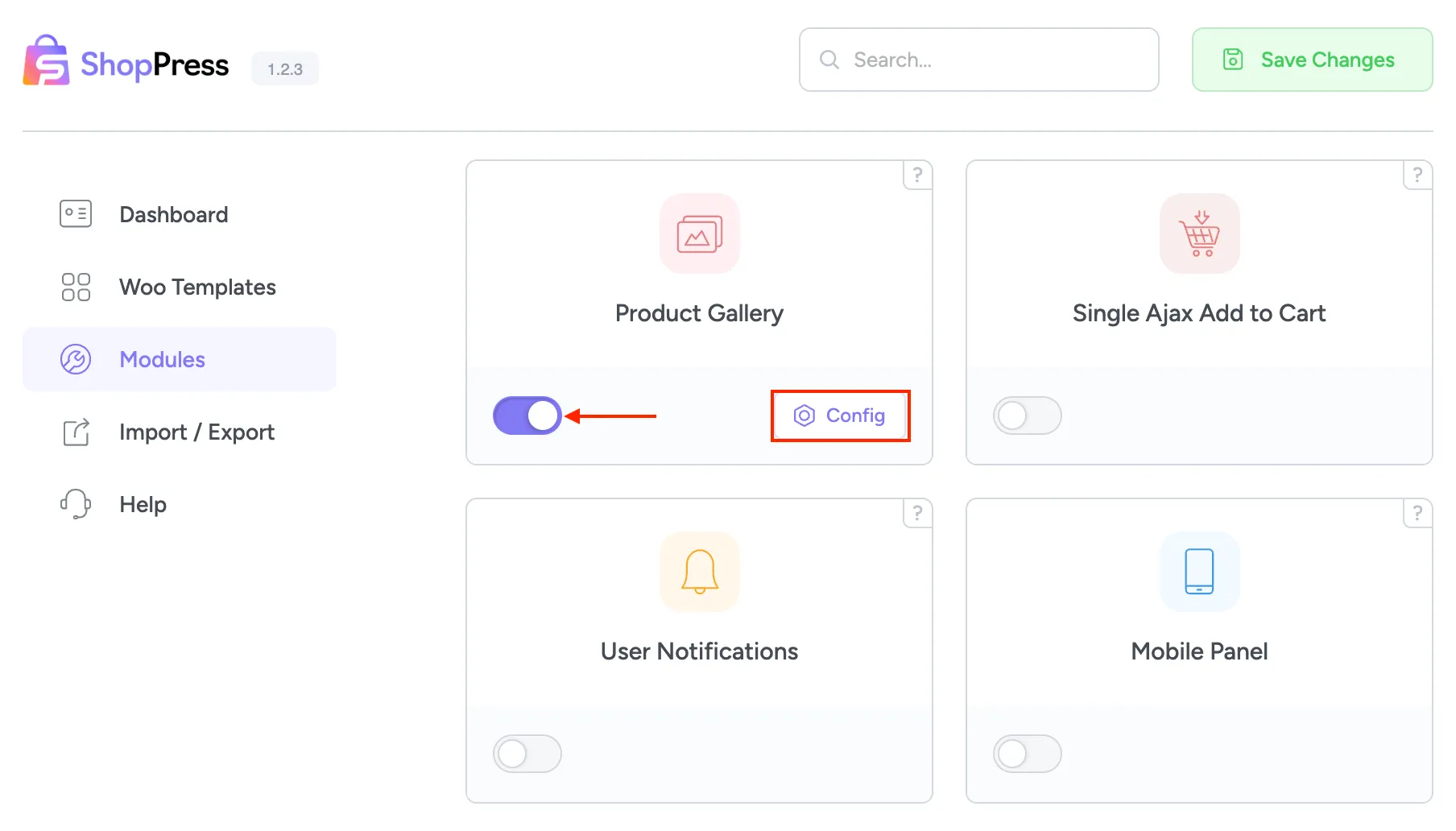
Section titled “Activating WooCommerce Product Gallery”To activate the Product Gallery, please head over to the ShopPress menu > Modules and enable the Product Gallery module.
WooCommerce Product Gallery Configuration
Section titled “WooCommerce Product Gallery Configuration”Now that the gallery module is activated, click on the config button to enter the WooCommerce Product Gallery settings.
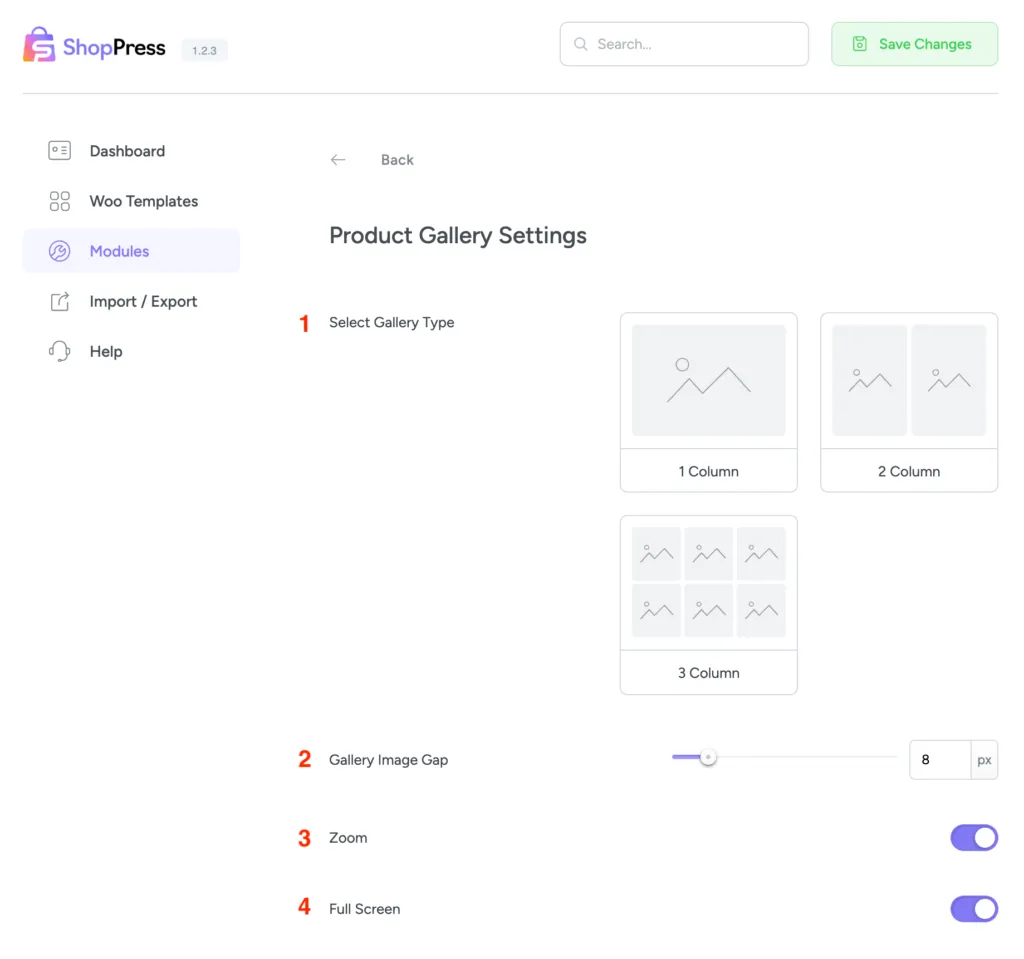
1- Select Gallery type: This feature allows you to select from a variety of gallery templates.
2- Gallery Image Gap: To adjust the space between the images in your gallery, you can use this option.
3- Zoom: Hovering on the main image in the gallery will activate a zoom effect.
4- Full Screen: By enabling this option a Full Screen button will appear on the feature image of your product.