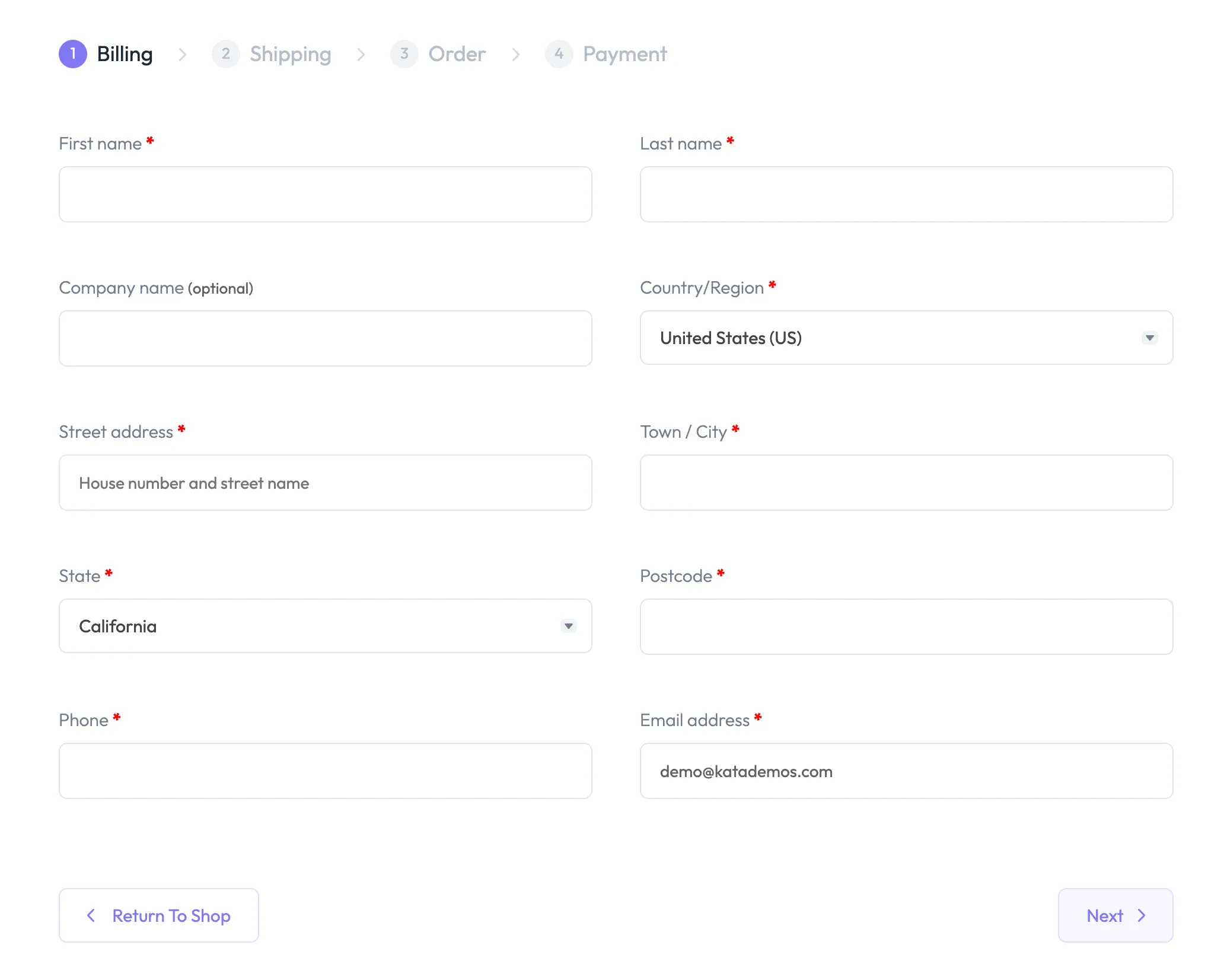

WooCommerce Multi-Step Checkout
With the WooCommerce Multi-Step Checkout module in ShopPress, you can create a streamlined checkout process by breaking down the checkout page into simple steps such as billing and shipping details, order review, and more.
Enabling WooCommerce Multi-Step Checkout
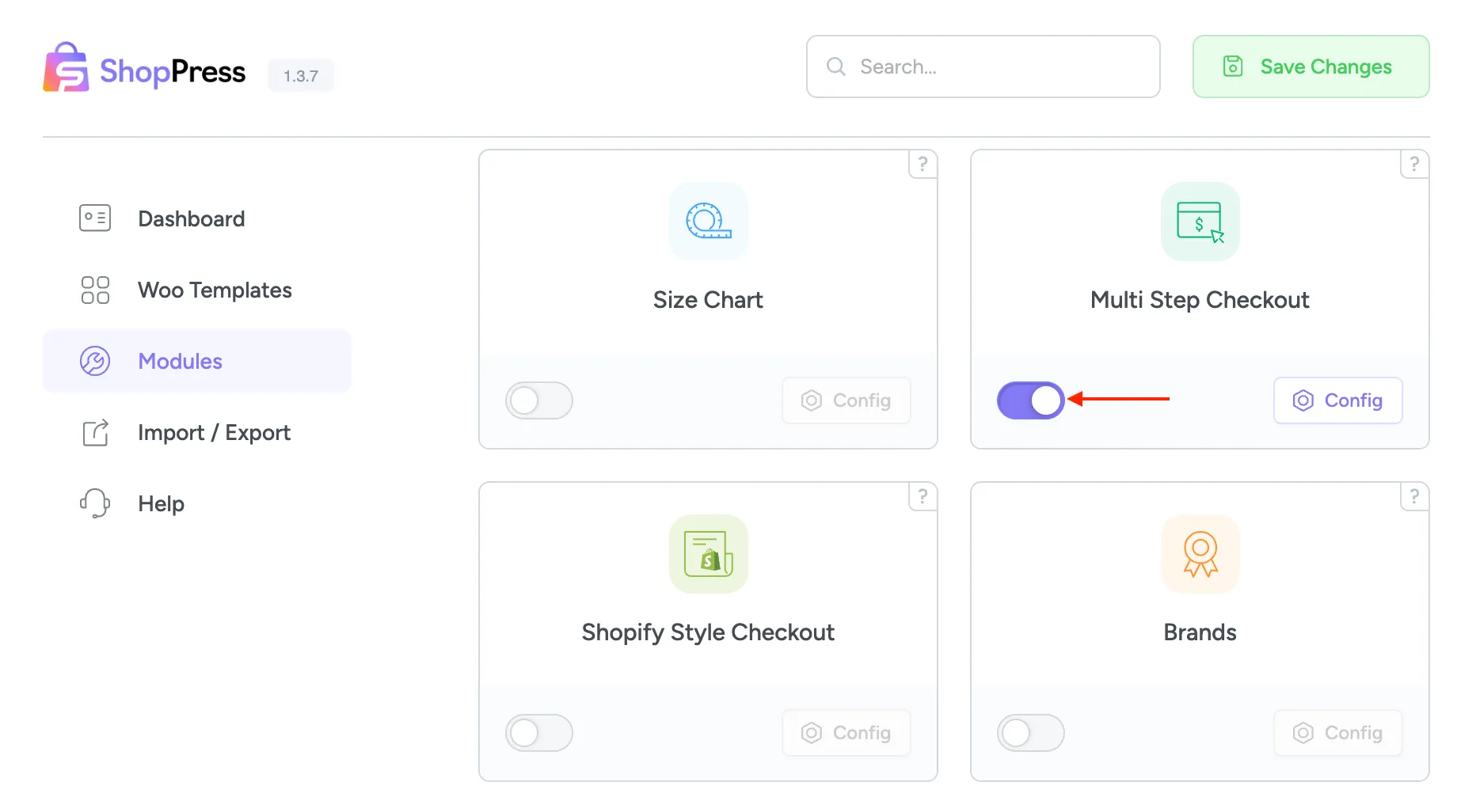
Section titled “Enabling WooCommerce Multi-Step Checkout”To enable WooCommerce Multi-Step Checkout, please head over to the ShopPress menu > Modules and toggle on the Multi-Step Checkout module.
WooCommerce Multi-Step Checkout Settings
Section titled “WooCommerce Multi-Step Checkout Settings”Once the WooCommerce Multi-Step Checkout module is enabled, click on the Config button to enter the settings.
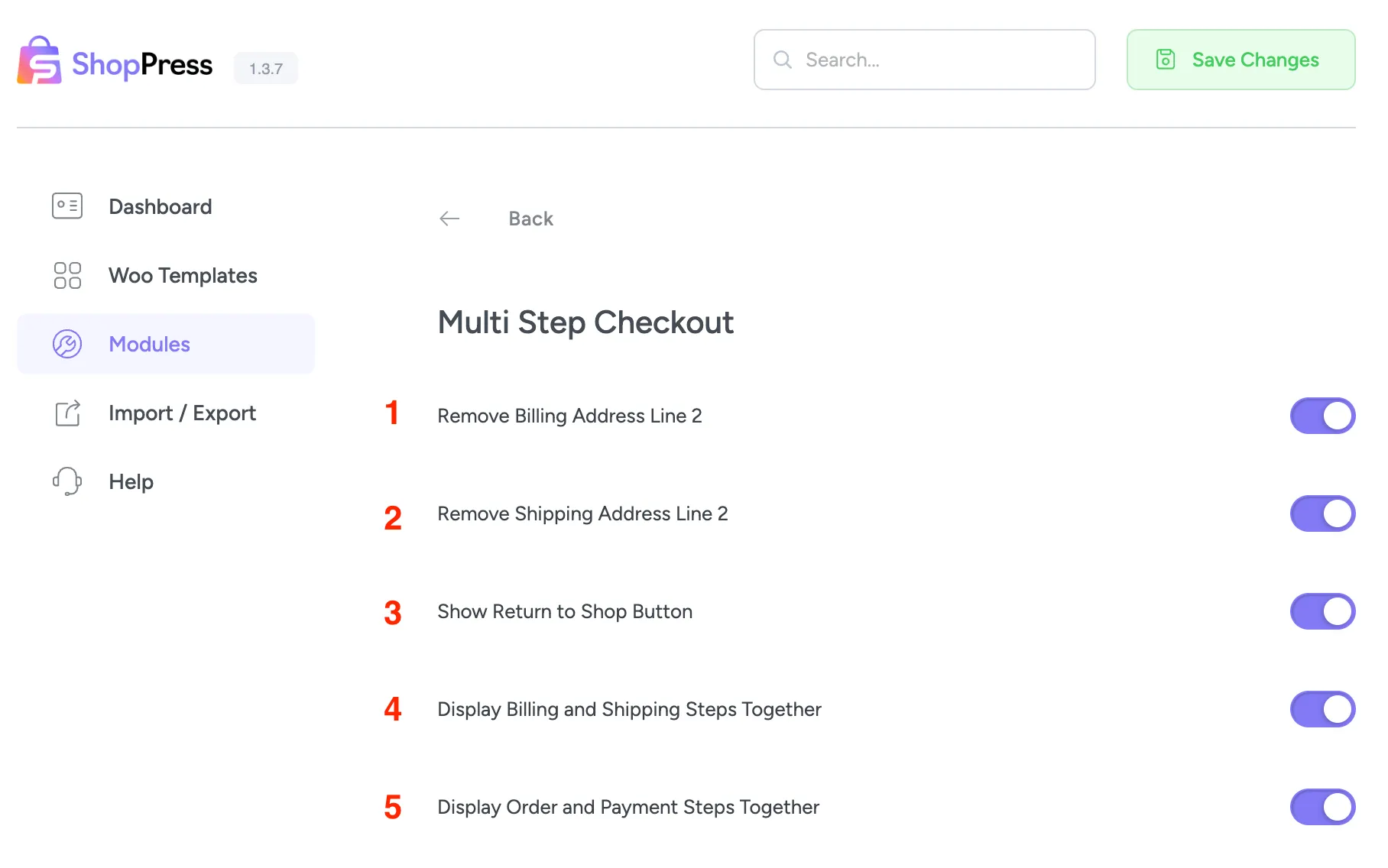
1- Remove Billing Address Line 2: By enabling this option, you can remove the second line of the Billing address, which is a default field in WooCommerce.
2- Remove Shipping Address Line 2: By enabling this option, you can remove the second line of the Shipping address, which is a default field in WooCommerce.
3- Show Return to Shop Button: Enabling this option will display a Return to Shop button on the checkout page.
4- Display Billing and Shipping Steps Together: This option combines the Billing and Shipping steps into a single step, displaying both of them together.
5- Display Order and Payment Steps Together: This option combines the Order and Payment steps into a single step, displaying both of them together.
Once you have properly set up the Multi-step checkout module, you will notice changes to your checkout page.