



Advanced Importer
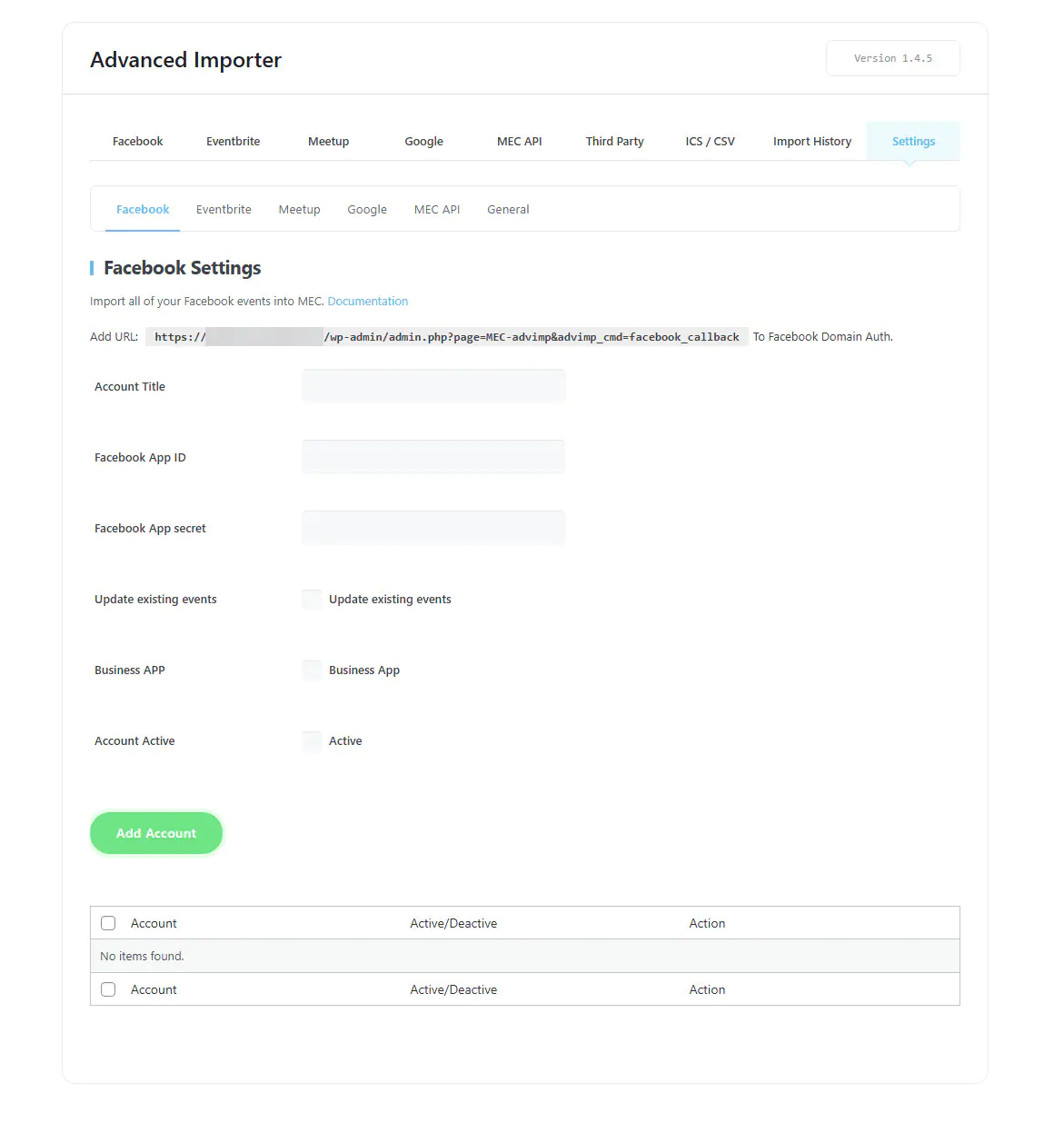
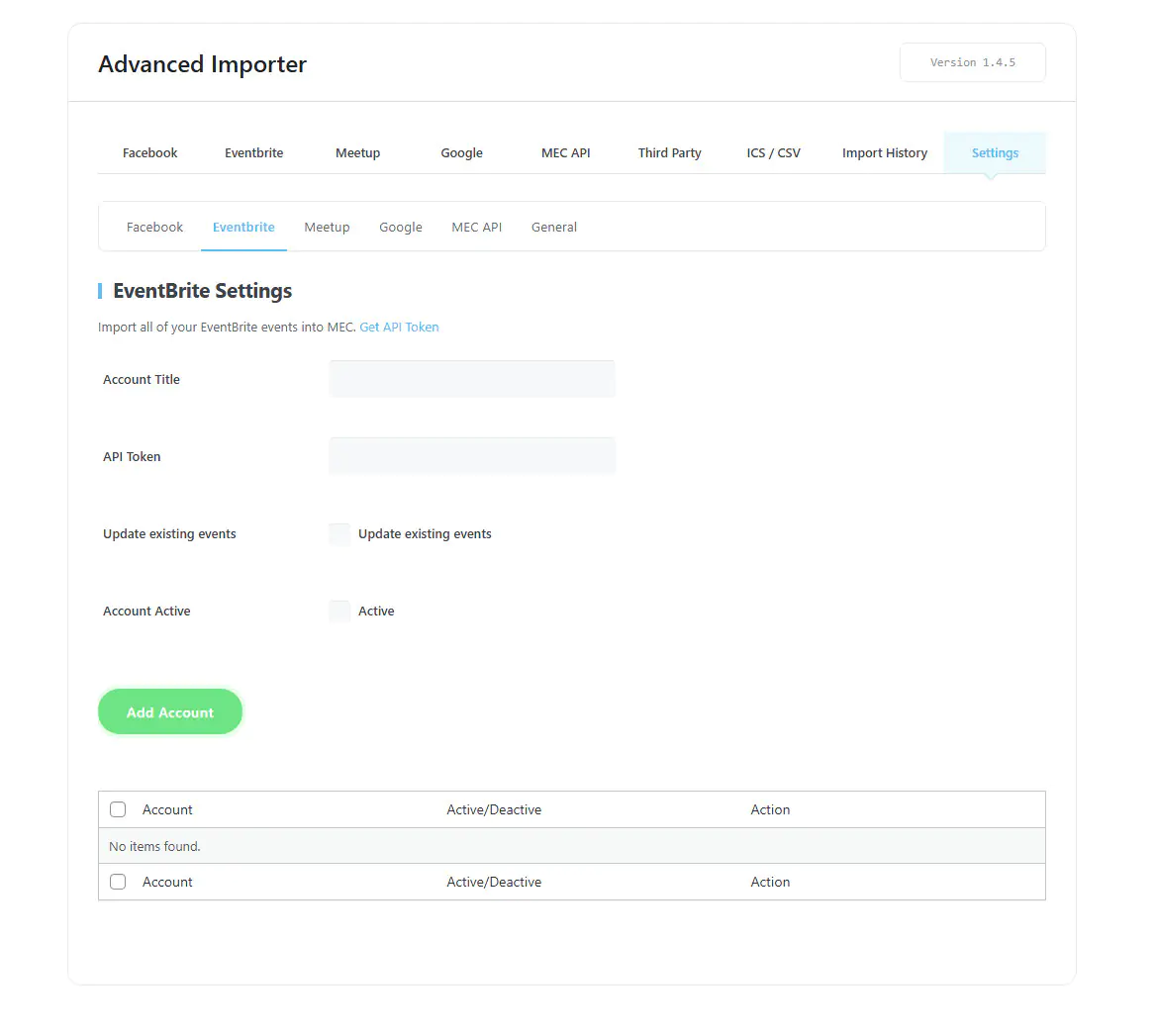
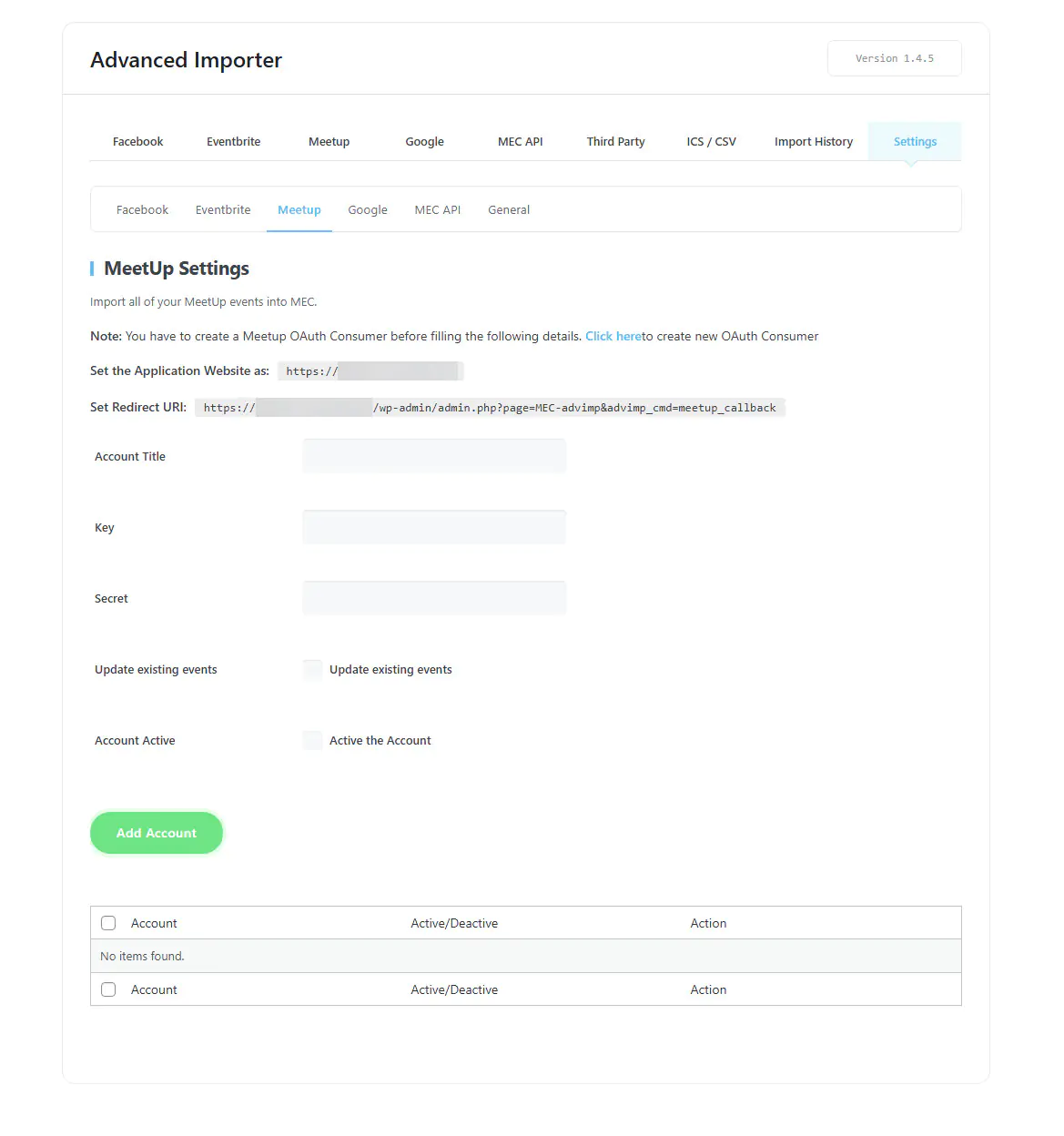
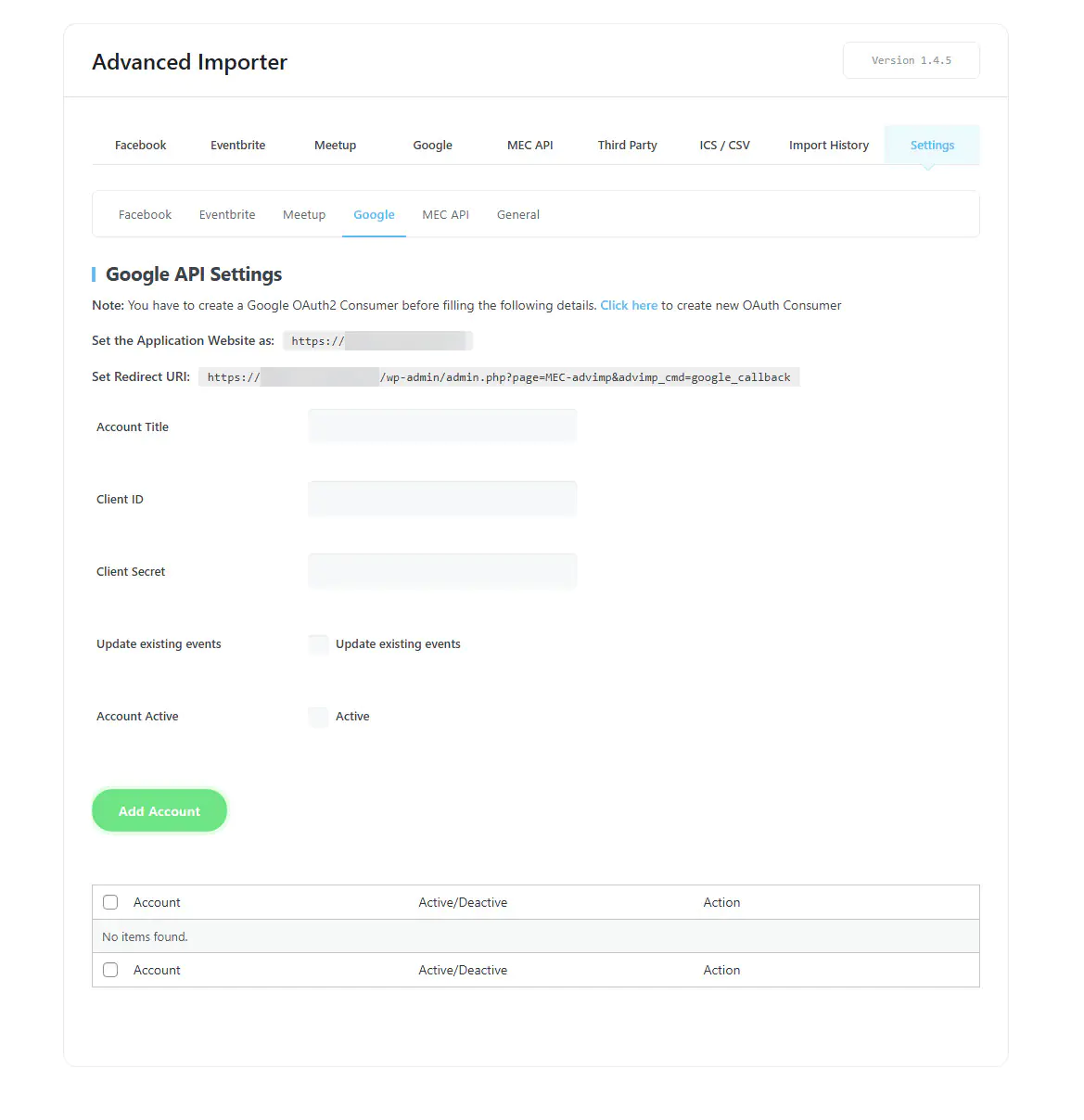
With this addon, you can connect to Facebook, Google, Meetup, and Eventbrite and etc... unlimitedly. This makes the import process so easy. You should authenticate your account with just a few clicks and plan the import process. Also, with this plugin you can have more third-party plugins for importing. You should initiate the process from a WordPress on which MEC is installed.
Is Advanced Importer right for you?
Advanced Importer brings events into Modern Events Calendar from Facebook, Google Calendar, Meetup, Eventbrite, ICS or CSV files, and another MEC site. It suits sites moving or syncing events from other sources.
Requirements
- MEC Lite or Pro
- The Advanced Importer add-on, installed and activated
- Credentials for the platforms you import from, such as a Google Calendar or Eventbrite API key
- WordPress 5.0 or higher
What to know
- It runs one-time imports or scheduled imports and syncs.
- Scheduled imports and sync work only with ICS URLs, not CSV files.
- Removing an event from the source does not delete it from MEC.
- Fetching more than 50 events at once can time out on weak hosting.
Setup
Add platform credentials in the Advanced Importer settings, then run imports from M.E. Calendar > Advanced Importer. For the full walkthrough, see the Advanced Importer documentation.
Key Features
Multiple Accounts
Connecting multiple accounts for each platform.
Planned Import
Importing the events on a tightly scheduled basis.
Setting a status for import
You should set what kind of events you want to import.
Category setting for import
You should set into what category you want to import.
Setting start/end date for import
You can set a time span in which importing is possible.
Setting special events for import
You should determine where you want to import from.
Importing from MEC
You can transfer your events from the site on which MEC is installed to another one.
Importing from URL/File
You can import the ics and csv files from an external URL or file onto your website.
Third-party Plugins
Four plugins have been added to be imported in the third-party plugin section.
History of Imports
You can observe all of the imports you have ever done in a single list of imports.
Displaying the list of all the events
You can see all the importable events with their start/end time.
Displaying the import process logs
You can see the import process in the form of a log with status.
Screenshots
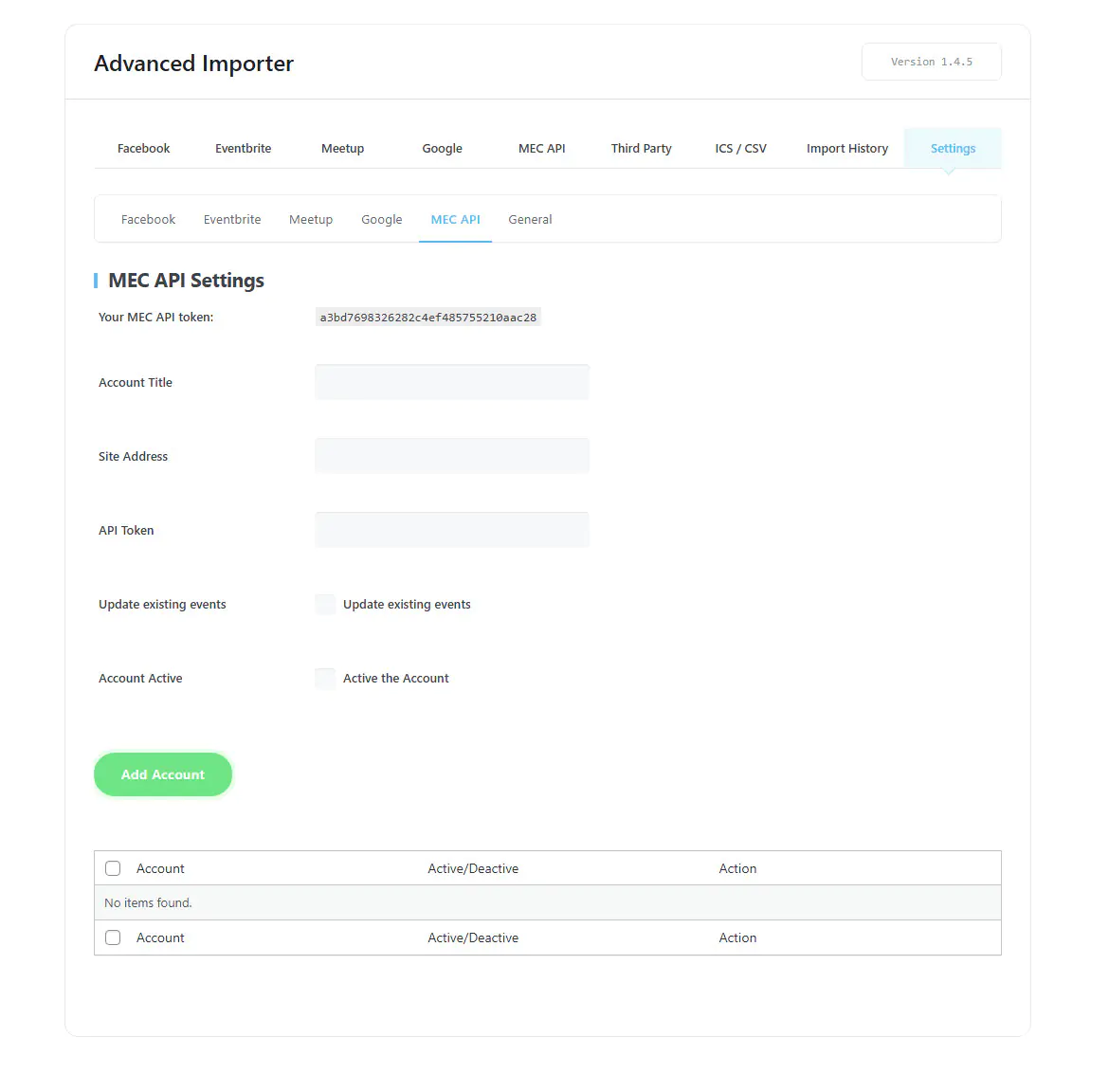
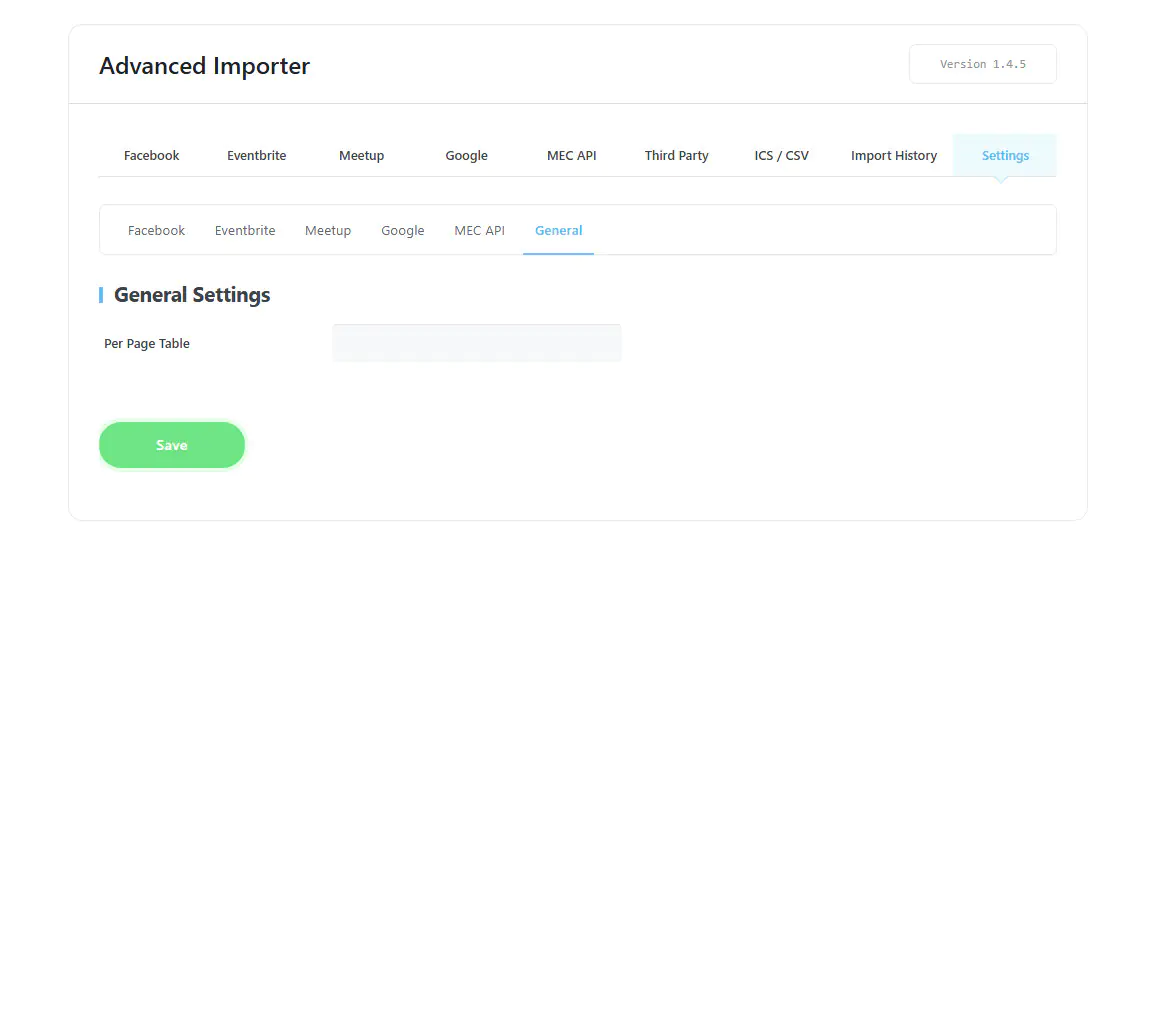
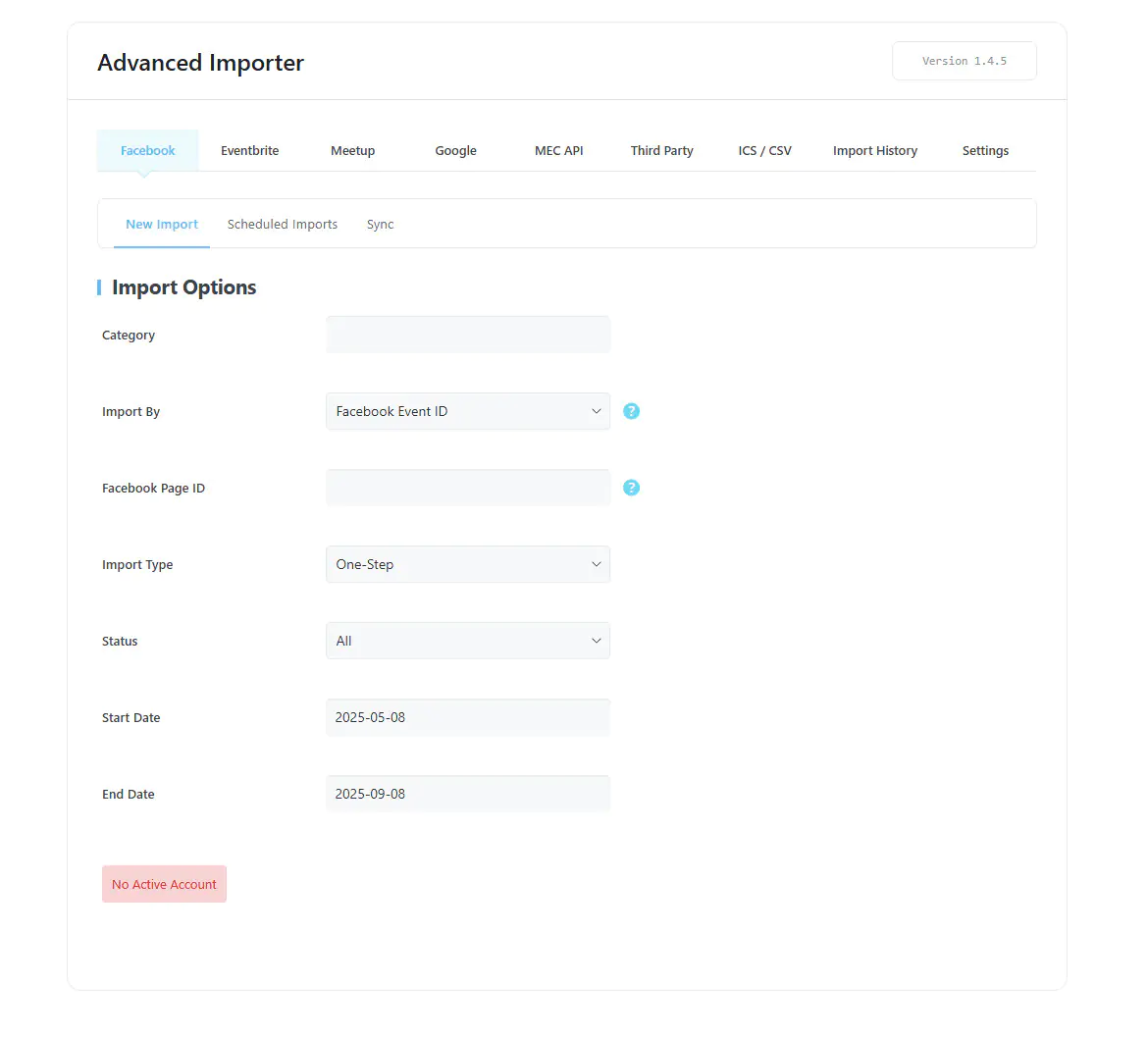
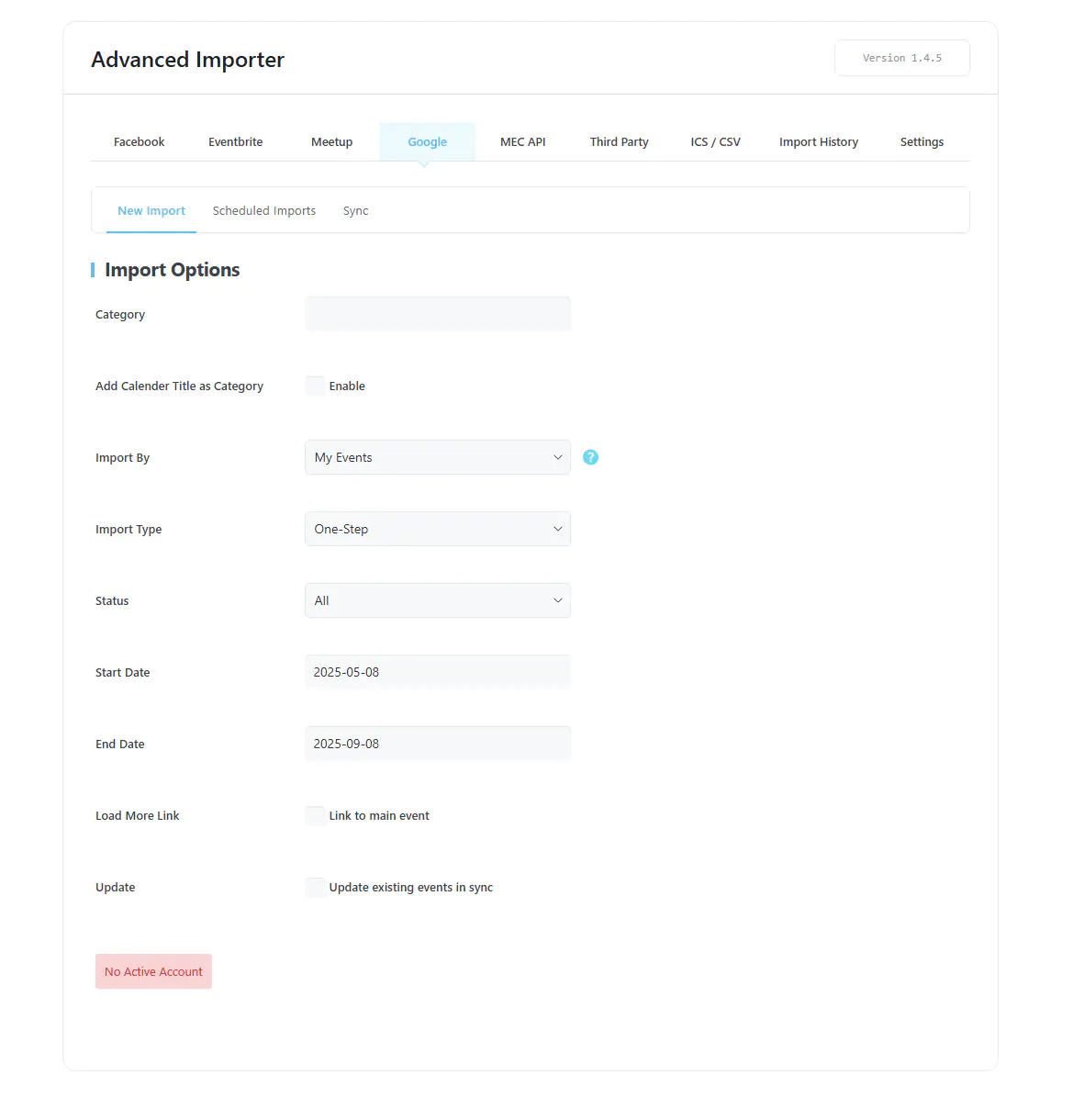
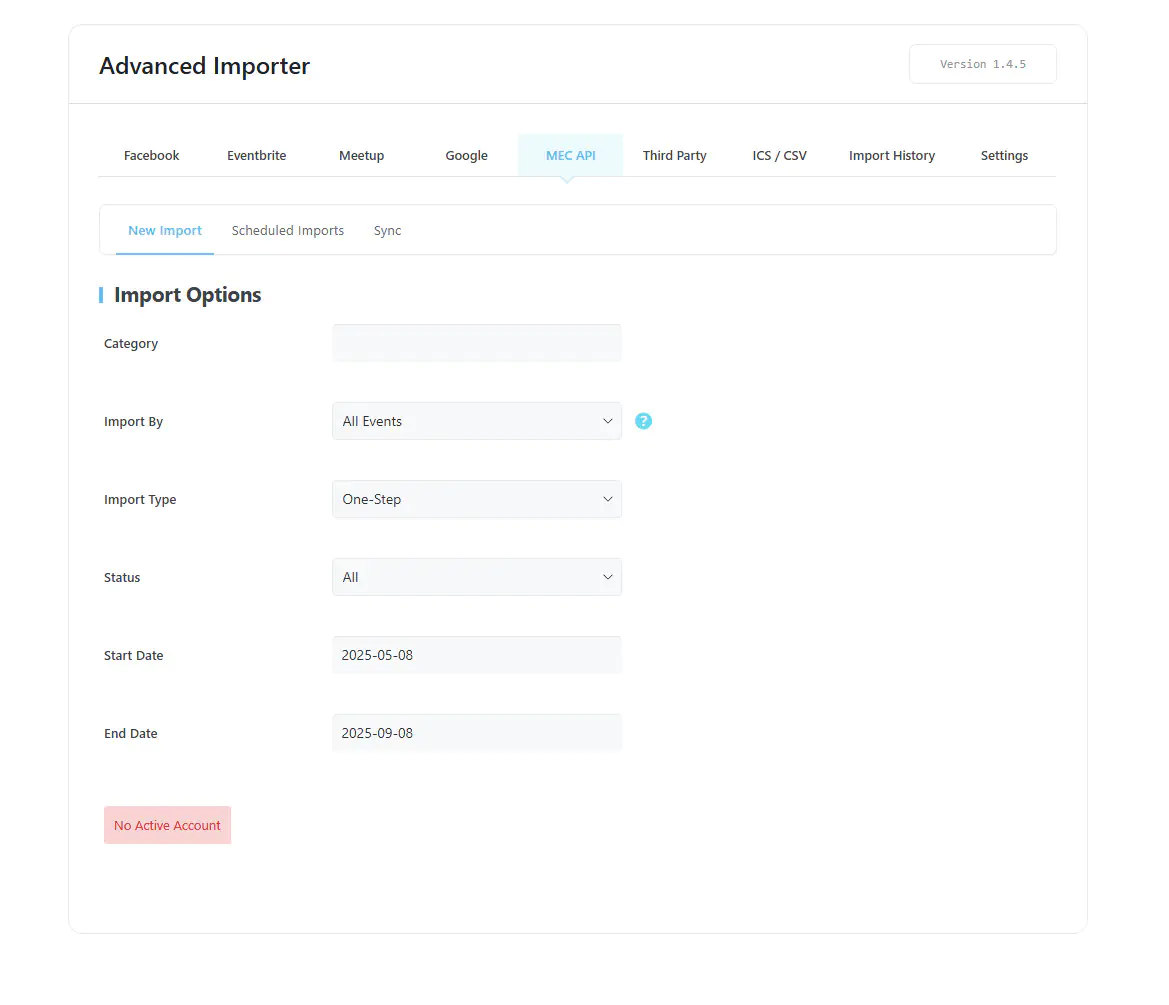
Changelog
- Added: Eventbrite event descriptions now include the full Overview content together with the summary.
- Fixed: Fetch Events pagination when the AJAX response is already parsed as JSON.
- Fixed: Outlook Windows timezone IDs (e.g. Eastern Standard Time) are now resolved so ICS imports keep the correct local event time.
- Added: Event Visibility filter for Eventbrite imports and syncs to import Public, Private, or both event types.
- Added: Eventbrite Publish tags (search keywords) are now imported and assigned to events as MEC tags.
- Improved: Eventbrite API requests now use extended timeouts for improved reliability.
- Fixed: Expired Google access tokens are now refreshed automatically before calendar import and auto-sync.
- Fixed: ICS EXDATE values in UTC, TZID, floating, and all-day formats are now applied correctly as exceptional days.
- Fixed: The Category saved in Import Configuration is now applied to ICS imports and Sync jobs.
- Fixed: MEC API token display and API response handling.
- Fixed: The Add Account as Category option was not respected during import.
- Fixed: Eventbrite date range filter now matches events whose start date falls within the selected window.
- Fixed: Some minor issues.
- Added: Support for ICS recurrence exceptions where compatible with MEC, including EXDATE handling.
- Optimized: Scheduled Imports storage and cleanup process to reduce database overhead.
- Improved: Evaluated support for preserving local event changes during scheduled syncs.
- Improved: Scheduled sync reliability and recurring Facebook event handling.
- Fixed: MEC custom fields were not imported from CSV files.
- Fixed: Security issues reported in the security audit.
- Fixed: Event Link was not imported from ICS and CSV files.
- Fixed: Eventbrite Event ID import was not working correctly.
- Fixed: All Day events imported incorrect start date and time from CSV files.
- Fixed: Some minor issues.
- Added: Custom Title field for ICS feeds to improve organization and labeling.
- Added: Set Imported Events as Draft option for all import methods.
- Fixed: Category assignment issue during ICS URL synchronization.
- Fixed: Incorrect timing for all-day events by honoring X-WR-TIMEZONE in ICS imports.
- Fixed: Advanced Importer menu visibility issue on Multisite installations.
- Fixed: Organizer assignment failure when importing events via CSV files.
- Fixed: Advanced Importer now imports original high-resolution images from Eventbrite.
- Fixed: Optimized Facebook Graph API calls to prevent too much data errors by limiting event fetching.
- Fixed: Some minor issues.
- Fixed: An issue in automatic ICS URL sync
- Fixed: Incorrect display of organizer and speaker names after ICS import.
- Improved: UI and UX enhancements.
- Fixed: Activation issue with MEC Lite
- Fixed: Some PHP error and warnings
- Fixed: Some minor issues
- Optimized: Loading styles and scripts
- Fixed: Import CSV
- Fixed: Sync event link in .ics file
- Fixed: Facebook API permissions
- Fixed: Facebook importer
- Added: More info section in csv
- Fixed: Synchronize and schedule for Google API
- Fixed: Some minor issues
- Added: Price field to Eventbrite
- Fixed: Some minor issues
- Fixed: Taxonomies when import events
- Fixed: All day events
- Fixed: Timezone when import events via CSV file
- Fixed: Location when import events via CSV file
- Fixed: Date in events with advanced repeat
- Removed: Import events option from profile
- Fixed: Import events from pages with page ID
- Fixed: Meetup API
- Fixed: Meetup and CSV
- Fixed: Import events from Eventbrite
- Improved: Import from Google Calendar
- Improved: Import from CSV
- Improved: Import from iCS
- Fixed: Auto-update message
- Fixed: Some minor issues
- Updated: Unlimited authentications for Google account
- Updated: Schedule importer
- Fixed: Importer on multisite WordPress
- Fixed: Some minor issues
- Improved: Google Calendar importer
- Improved: MEC API Importer
- Improved: Eventbrite Importer
- Fixed: Schedule importer for Google Calendar Importer
- Fixed: Some minor issues
- Fixed: Featured image in Facebook importer
- Improved: Auto-Update licensing
- Fixed: Advanced Importer menu in MEC Lite
- Fixed: MEC API Label
- Initial Release
Get Advanced Importer
1 Site license for $39. Premium Features, 1 Year Auto Updates, 1 Year Premium Support.
