



Advanced Organizer
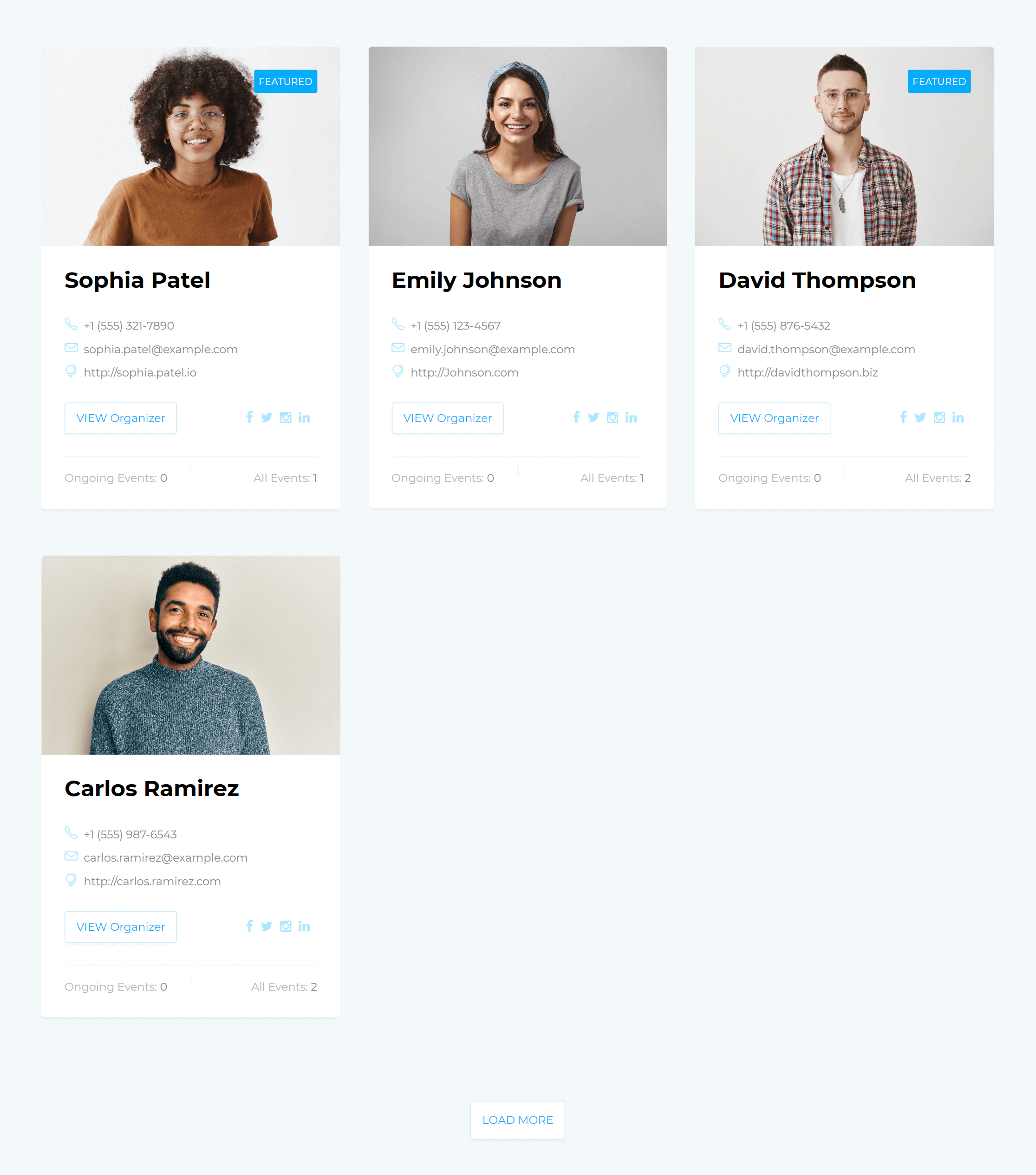
This add-on provides you with a dedicated page for each of the organizer. You can have a list of organizers wherever you like, using the shortcodes. Using different options, you can have various features for your shortcode. In addition to that, you can list those events specifically related to these organizers under the shortcode.
Is Advanced Organizer right for you?
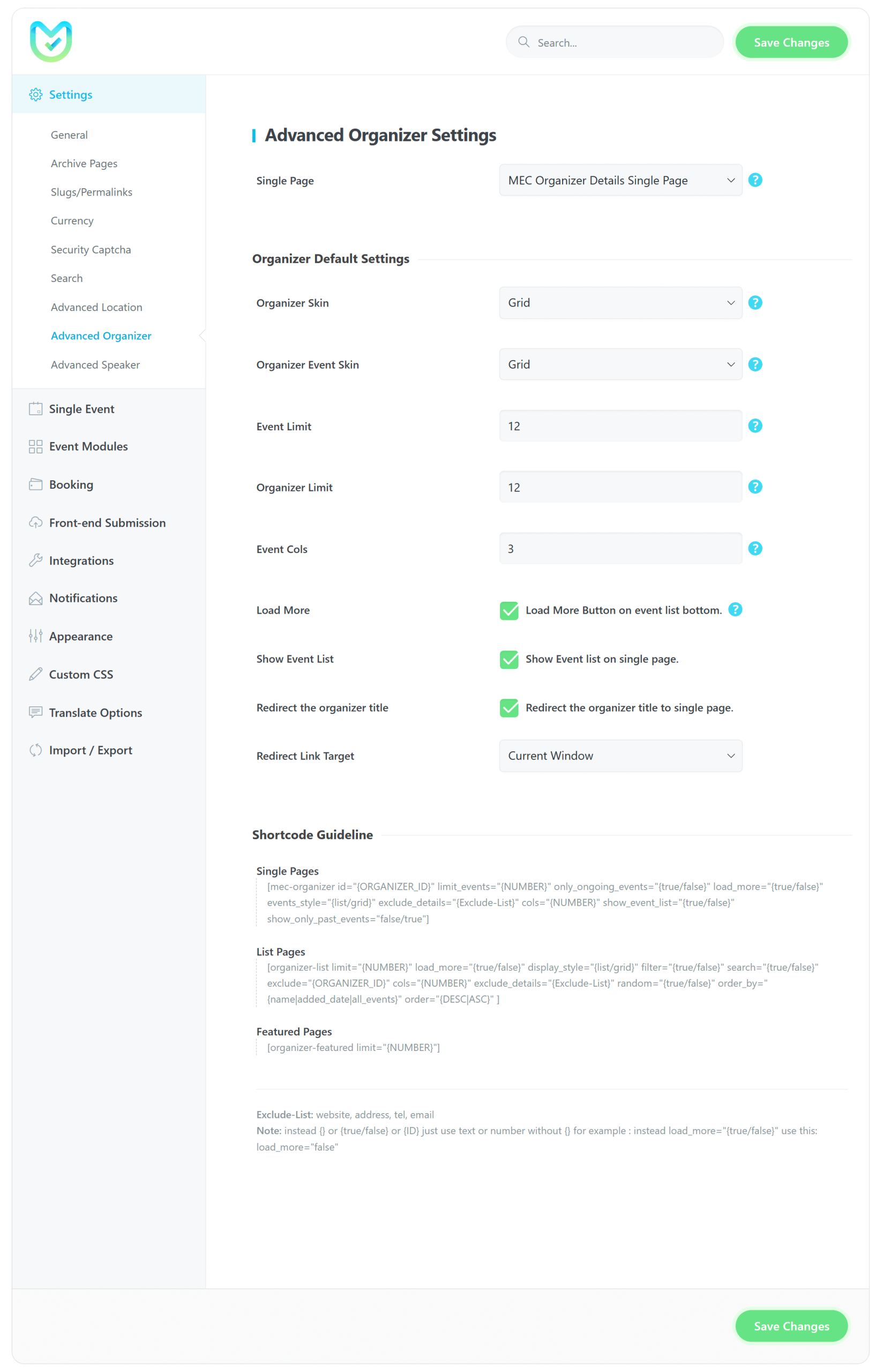
Advanced Organizer gives each event organizer a dedicated profile page and lets you show organizer lists and their events with shortcodes. It suits calendars with many organizers.
Requirements
- MEC Lite or Pro
- The Organizer module enabled in MEC
- The Advanced Organizer add-on, installed and activated
- WordPress 5.0 or higher
What to know
- Profile pages can show the name, address, website, and phone number.
- You can show or hide contact and social details.
- Main shortcodes are
[mec-organizer]and[organizer-list]. - A single organizer page can’t show past and future events at the same time.
Setup
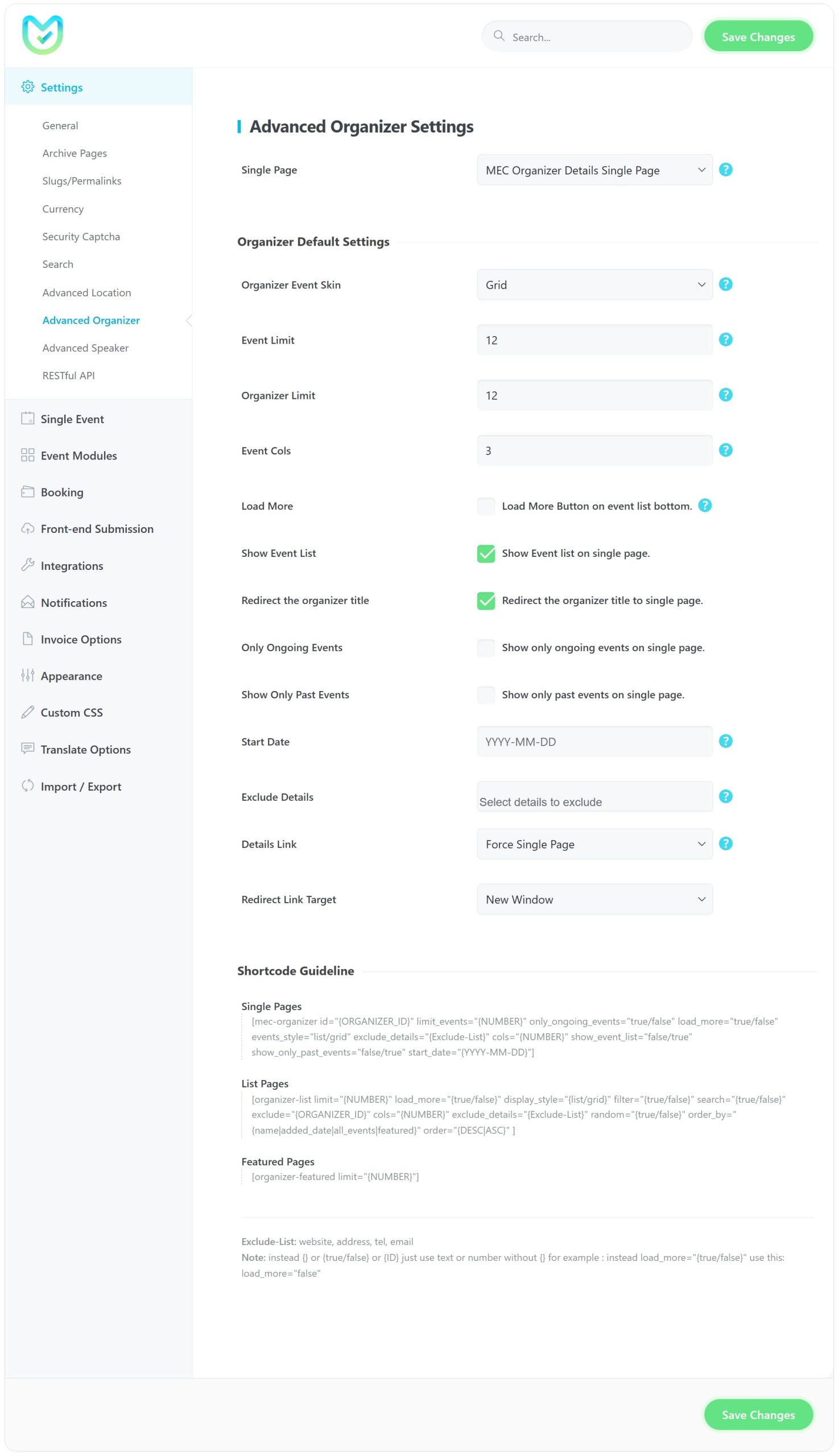
Enable the Organizer module in MEC Settings > Event Module, then choose the single page and defaults in the Advanced Organizer settings. If the single page returns a 404, click Save Changes in Settings > Permalinks. For the full walkthrough, see the Advanced Organizer documentation.
Key Features
Optional Shortcodes
Set optional shortcodes for organizers.
Dedicated Page
Create a dedicated page for your organizers.
Single organizer
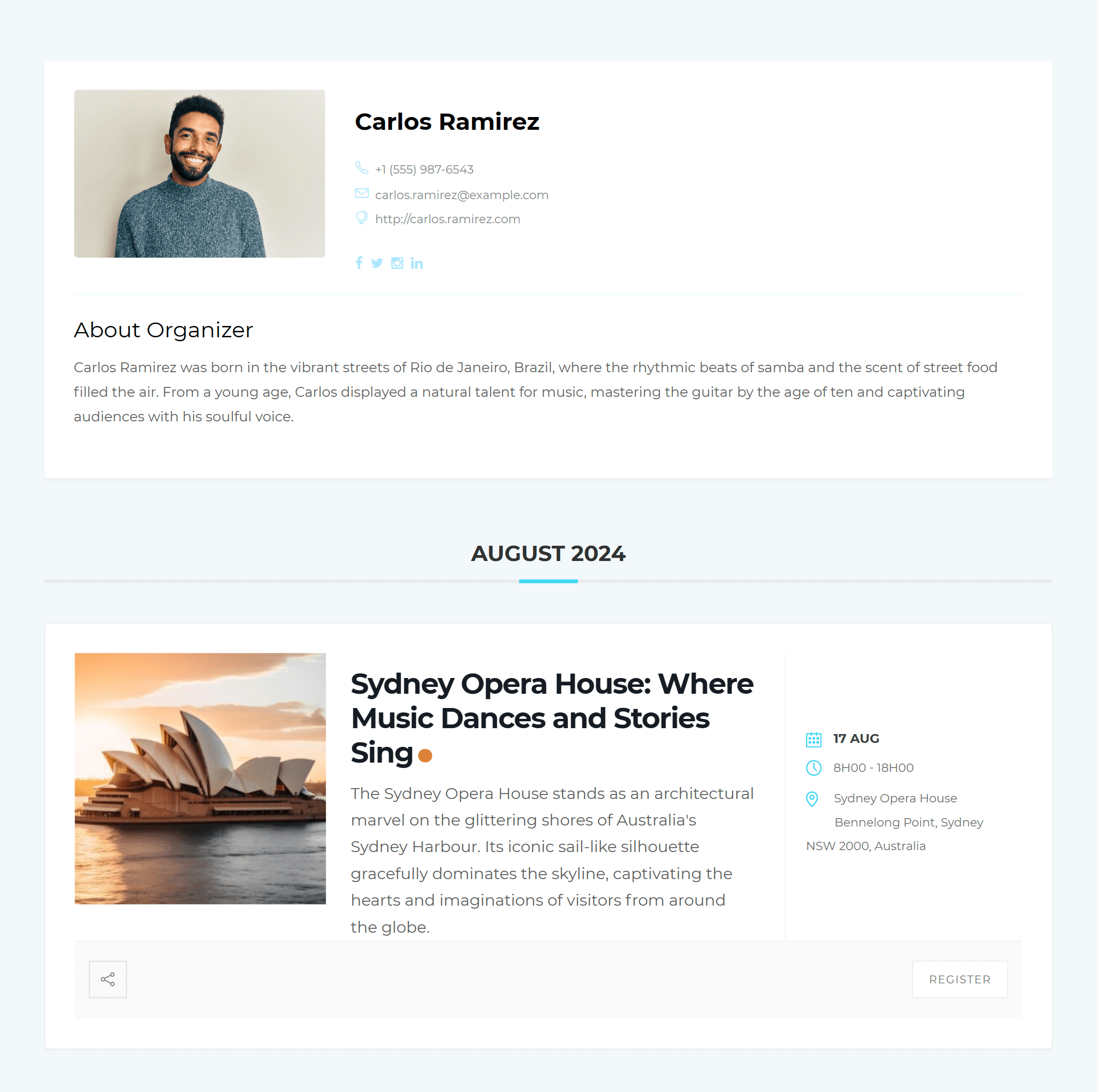
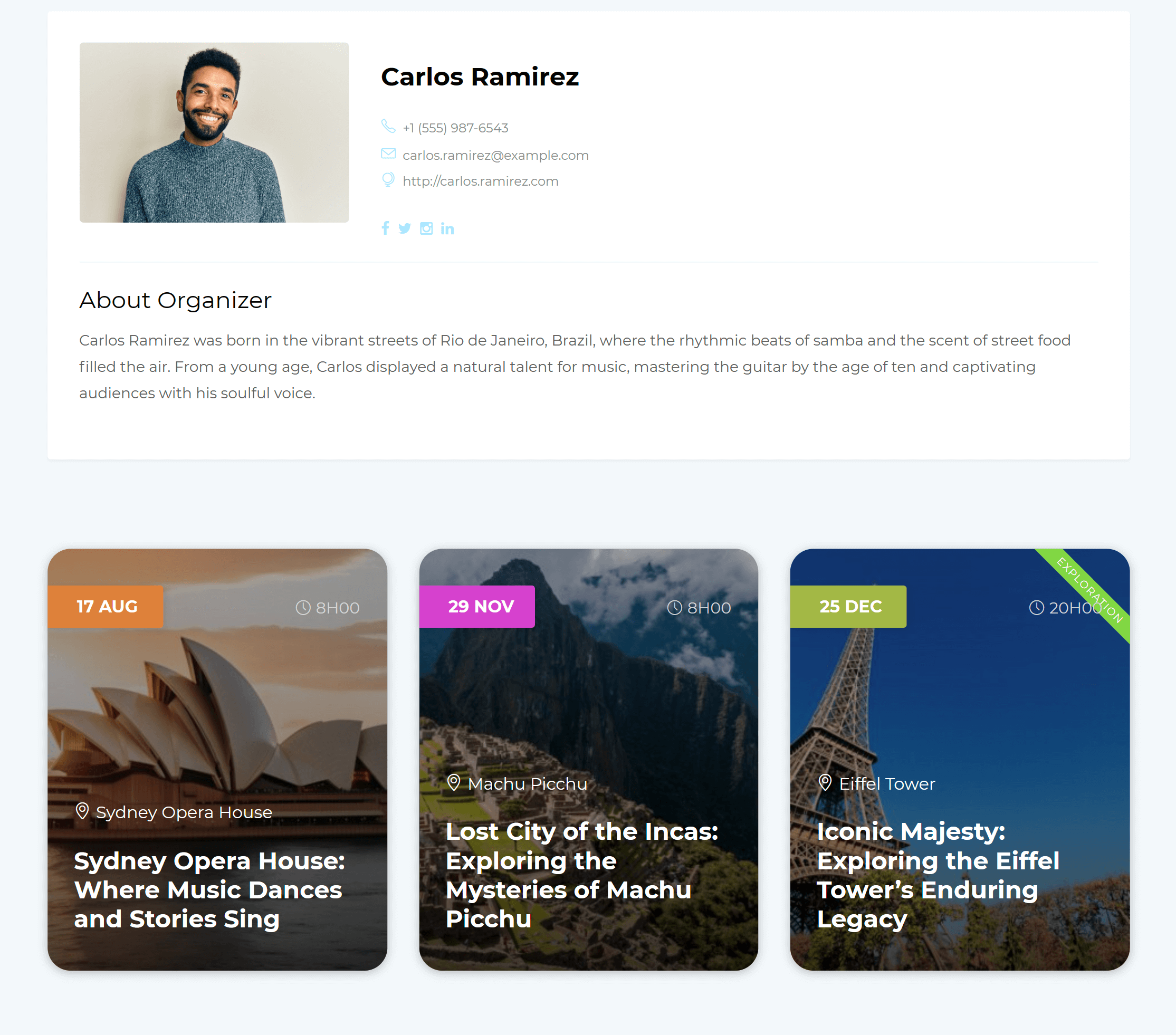
For each of the organizers, you can create an individual separate page.
Showing your events
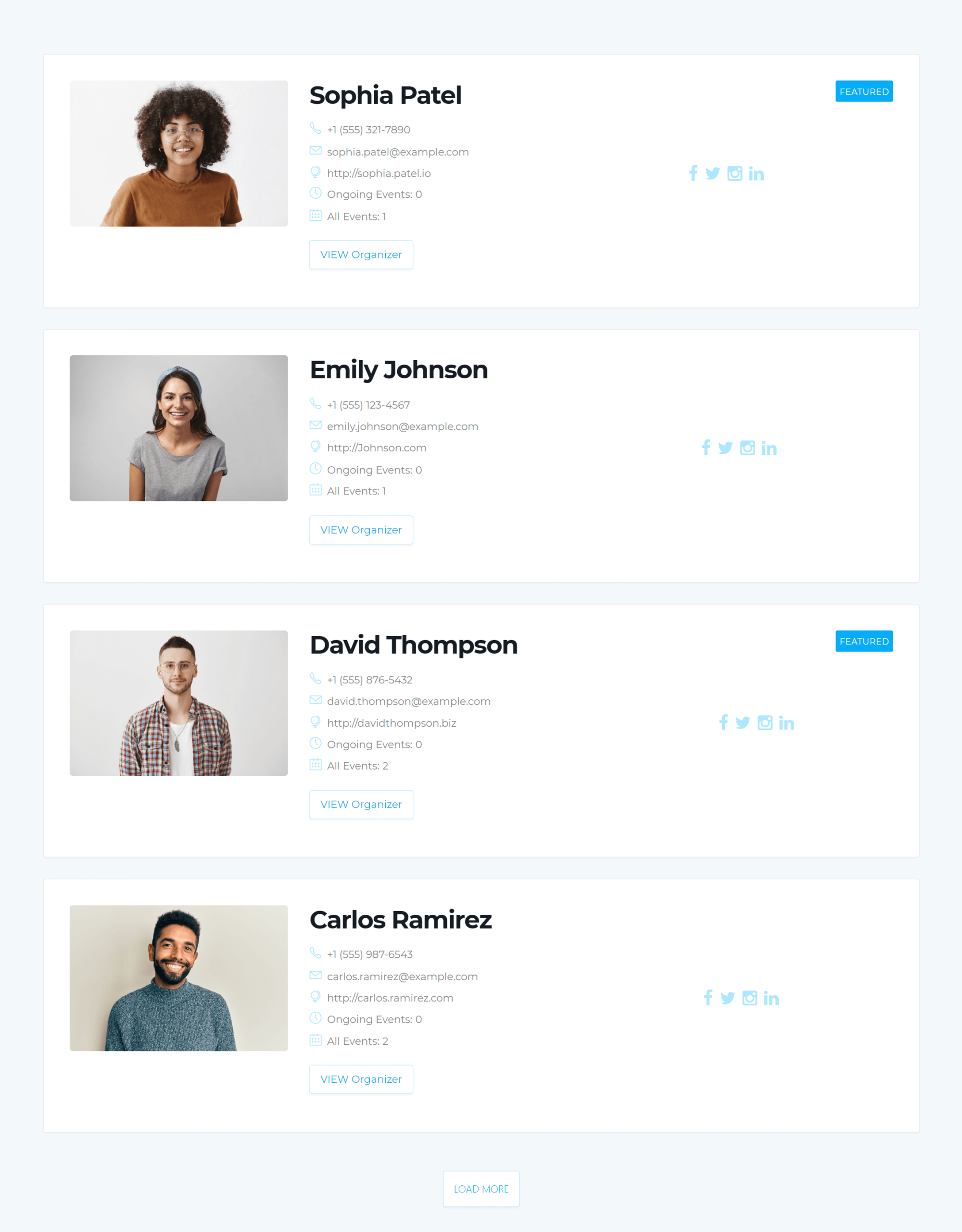
You can show all your organizer events in the shortcodes.
Featuring the organizers
You can select some or all of the organizers as featured with one click when you create a new one for your events
Ongoing events
Show the ongoing events for each of the organizers in the list or grid view under the shortcodes.
Screenshots
Changelog
- Added: Compatibility guard that keeps the addon disabled with an admin notice when Modern Events Calendar is older than 7.38.0.
- Added: Nonce verification, capability checks, and input sanitization for the Load More AJAX request and the license activation request.
- Improved: Settings panel restyled on the MEC design system to match the redesigned MEC settings pages.
- Improved: Settings form now marks itself as authoritative, so newer MEC releases rebuild the organizer options from the submitted values instead of keeping stale ones.
- Improved: WordPress Plugin Check compliance (output escaping, translation handling, direct-access guards).
- Fixed: Advanced Organizer settings appeared under every MEC settings tab; they now render only on the General tab.
- Fixed: "Show only past events" not working on organizer single pages and the [mec-organizer] shortcode.
- Fixed: The show_only_past_events attribute only recognized "true"; it now accepts true, 1, yes, and on.
- Fixed: "Only Ongoing Events" and "Show Only Past Events" could both be enabled; the two options are now mutually exclusive.
- Fixed: Organizer thumbnail in the grid layout linked to the wrong URL and ignored the link target.
- Fixed: Fatal error when the autoloader included the same class file more than once.
- Fixed: Invalid default value for the Load More option in the settings.
- Fixed: Filter button in the organizer search bar did not submit the form.
- Fixed: Removed redundant Skin option from Default Settings.
- Fixed: Functional issues where the Load More button appeared incorrectly in various states.
- Fixed: Removed single-value limitation to allow multiple inputs in shortcode options.
- Fixed: Replaced text inputs with Select2 library for improved selection and user experience.
- Fixed: Missing link icon and hyperlink visibility for the main organizer.
- Fixed: Priority Website and Force Website Link options for organizer redirects.
- Fixed: Incorrect icon display when redirecting organizer titles to single pages.
- Added: Random attribute to list shortcode
- Added: List & featured widgets
- Added: Order by featured to shortcode
- Fixed: Single page url
- Fixed: Some minor issues
- Fixed: Save settings
- Fixed: Frontend style
- Fixed: Save settings
- Fixed: Links
- Fixed: Some minor issues
- Added: Override feature
- Added: Default filters
- Fixed: Some minor issues
- Fixed: Some minor issues
- Fixed: Load more button
- Fixed: Some CSS issues
- Fixed: Some minor issues
- Fixed: Issue in search
- Fixed: Display shortcode
- Fixed: Fatal error
- Fixed: Styling issue
- Fixed: Details Link
- Fixed: Sort and load more in list shortcode
- Fixed: Title and Button link to single page
- Fixed: Load More button functionality
- Fixed: Some minor issues
- Refactor: Activation system
- Added: An option to set link method on feature image
- Fixed: Auto-update message
- Fixed: Some minor issues
- Fixed: JSON error in the backend page
- Fixed: Load more items
- Fixed: Some minor issues
- Added: Filter options for organizer list
- Added: An option to show/hide search bar elements
- Added: An option to show/hide map
- Improved: Showing only past events
- Added: Available for both Pro and Lite versions.
- Initial Release.
Get Advanced Organizer
1 Site license for $19. Premium Features, 1 Year Auto Updates, 1 Year Premium Support.
