



BuddyBoss Integration
This is an integration with BuddyBoss, to provide and help you with options to assign events to groups with each group being able to have its own events. Members of the group can submit events in post them into the groups which they are members of.
Is BuddyBoss Integration right for you?
BuddyBoss Integration assigns events to BuddyBoss Social Groups, so each group can have its own event list. It suits community sites whose members submit and follow events inside their groups.
Requirements
- MEC Lite or Pro
- BuddyBoss, installed and configured
- The BuddyBoss Social Groups component enabled
- WordPress 5.0 or higher
What to know
- Event previews can appear in the BuddyBoss activity feed.
- Events in private or hidden groups don’t appear on public calendars.
- Logged-out visitors can’t see group events unless you enable the public group option.
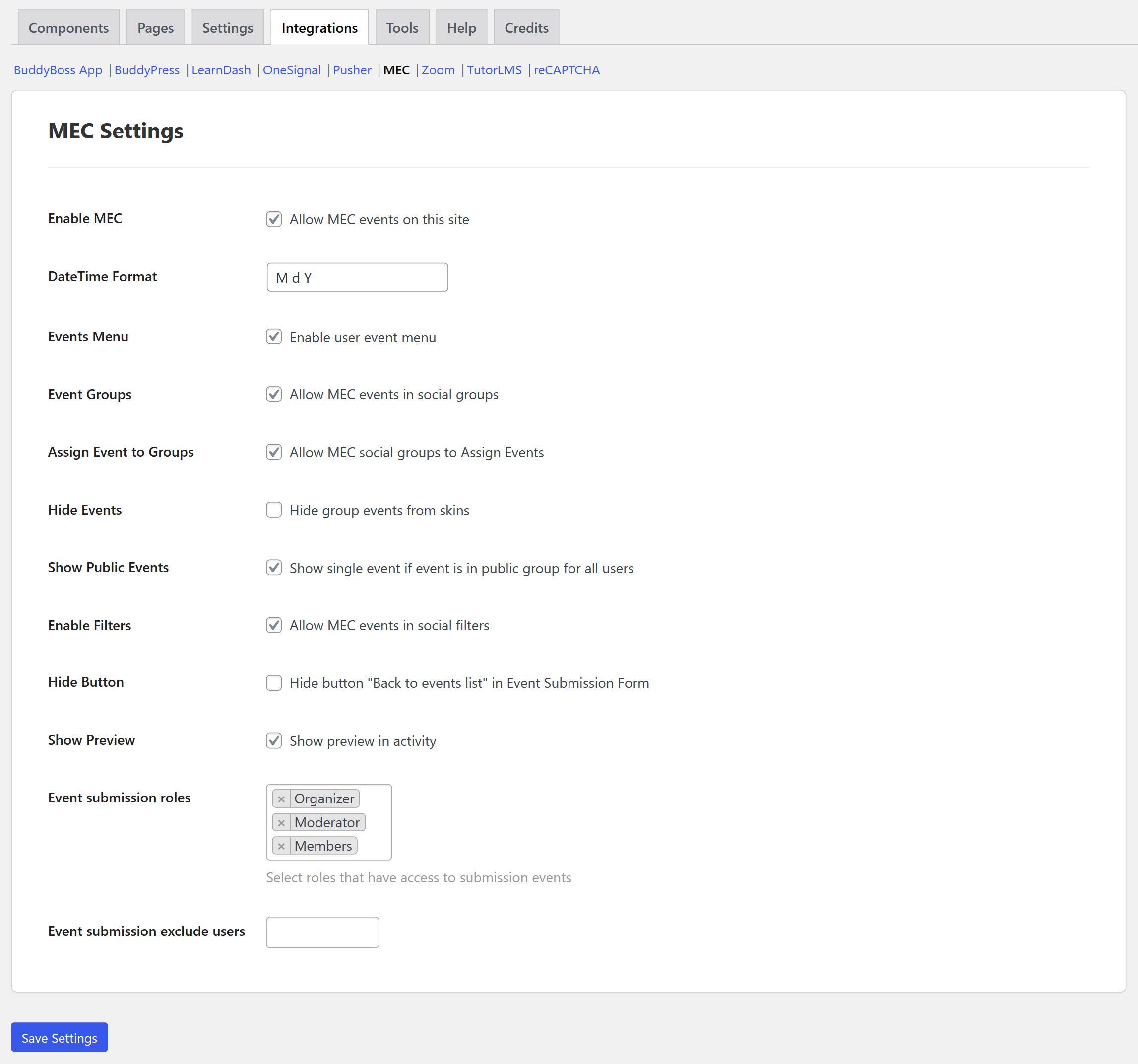
- Global submission roles and group permissions must match, or the Create New button may be missing.
Setup
Enable Social Groups and the MEC integration in BuddyBoss > Settings. Then assign an event to a group from MEC > All Events. For the full walkthrough, see the BuddyBoss Integration documentation.
Key Features
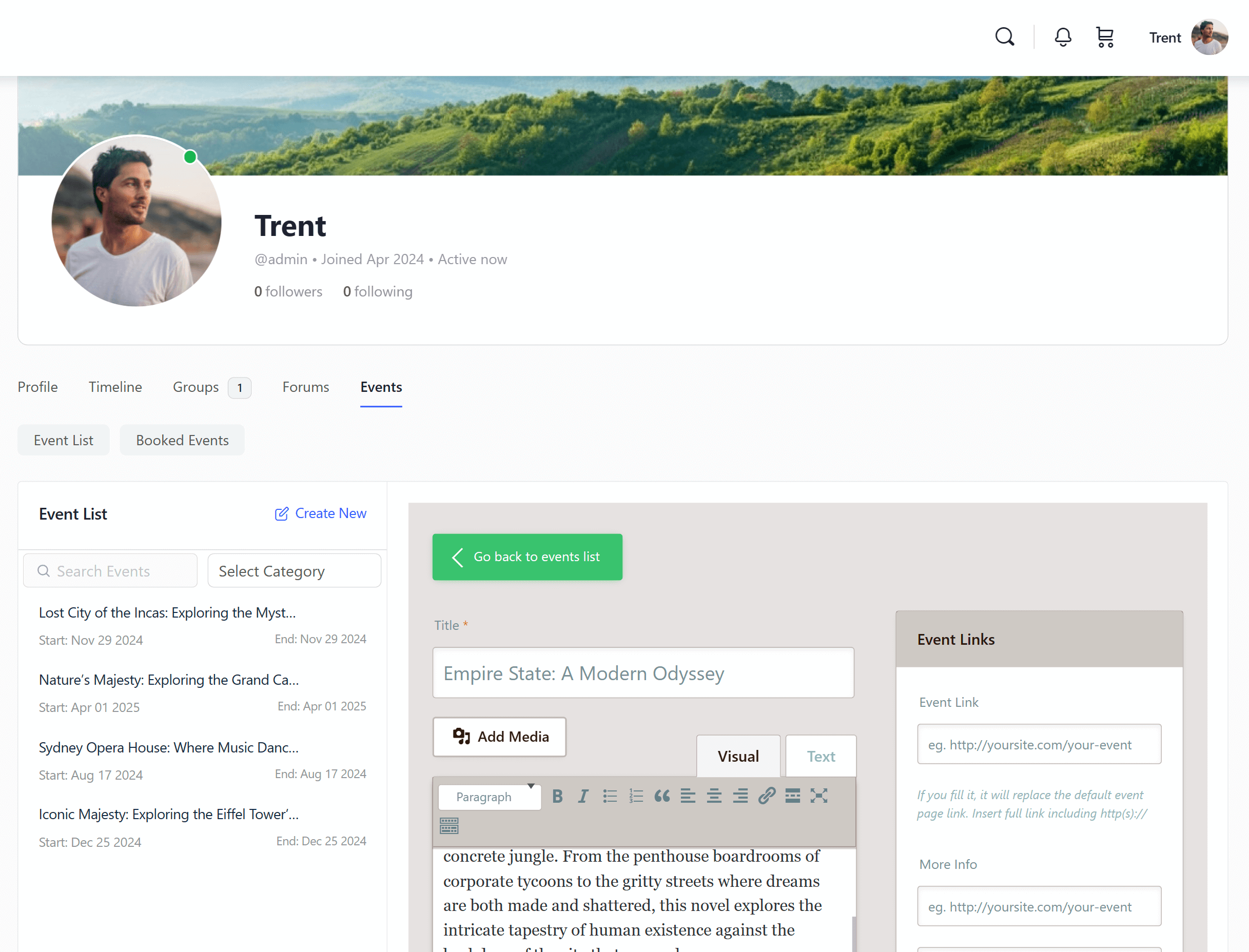
Create event in profile
Create events with FES form in your users’ profiles
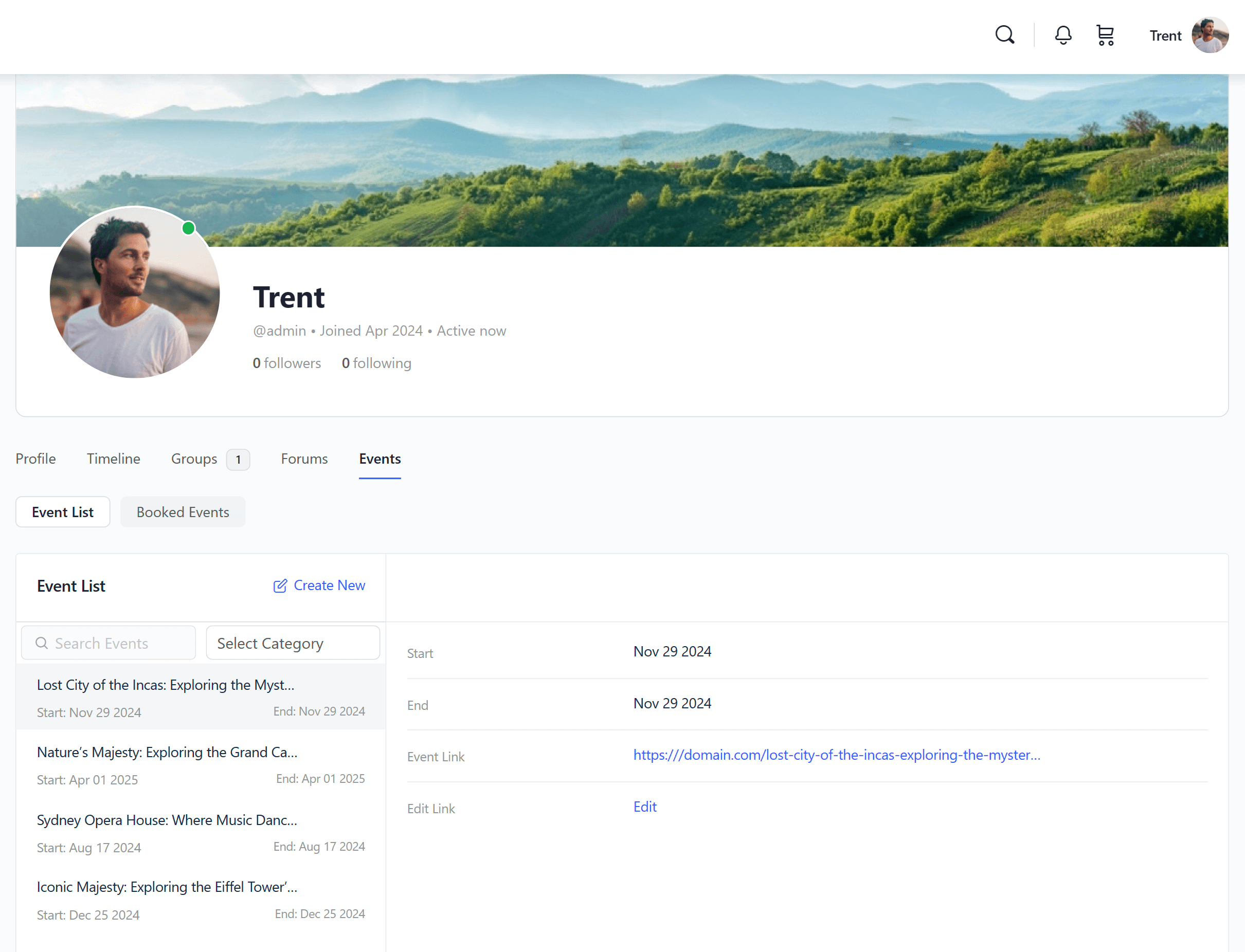
Access to all events
Easily access all your events that are in the profile
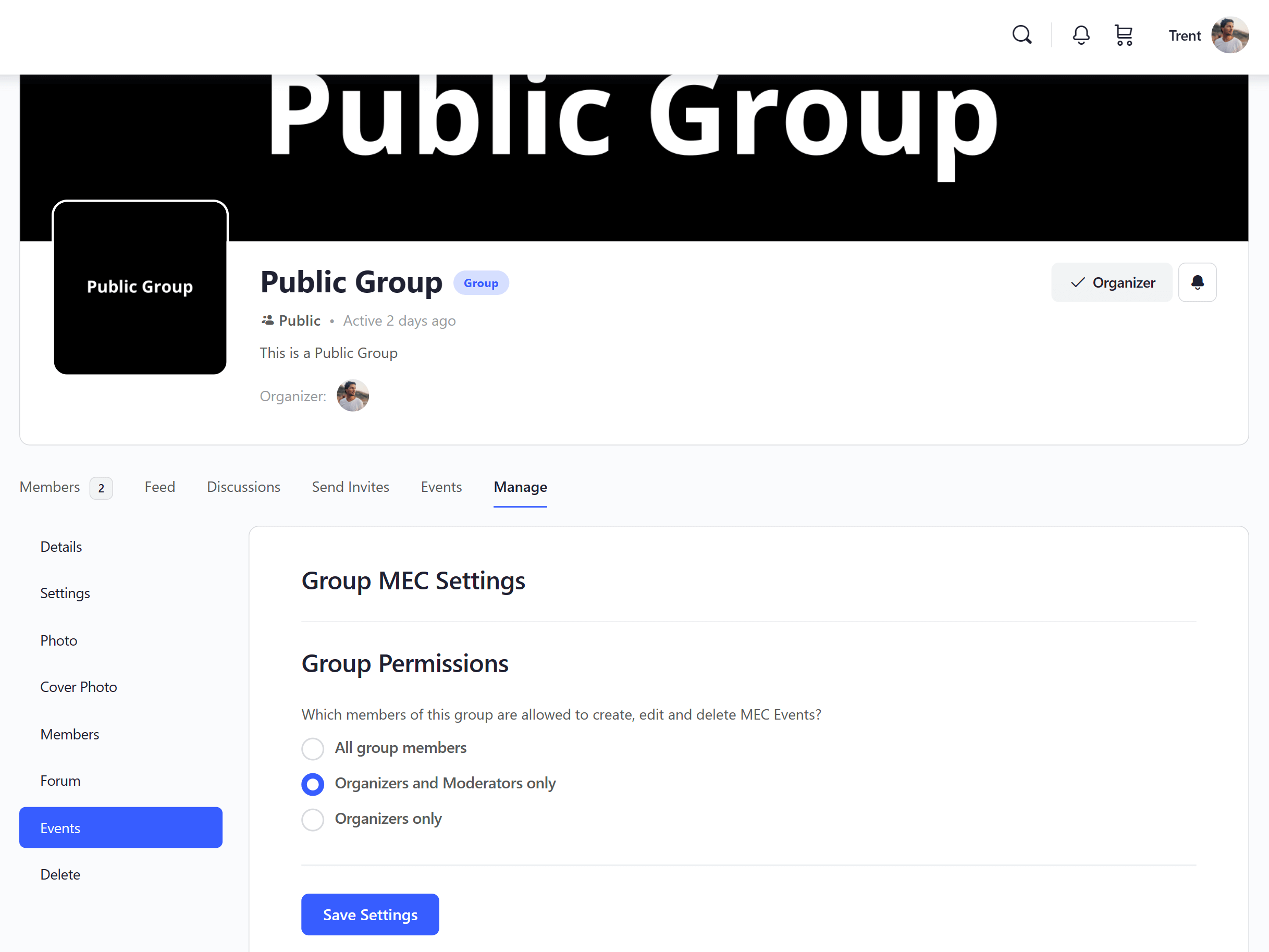
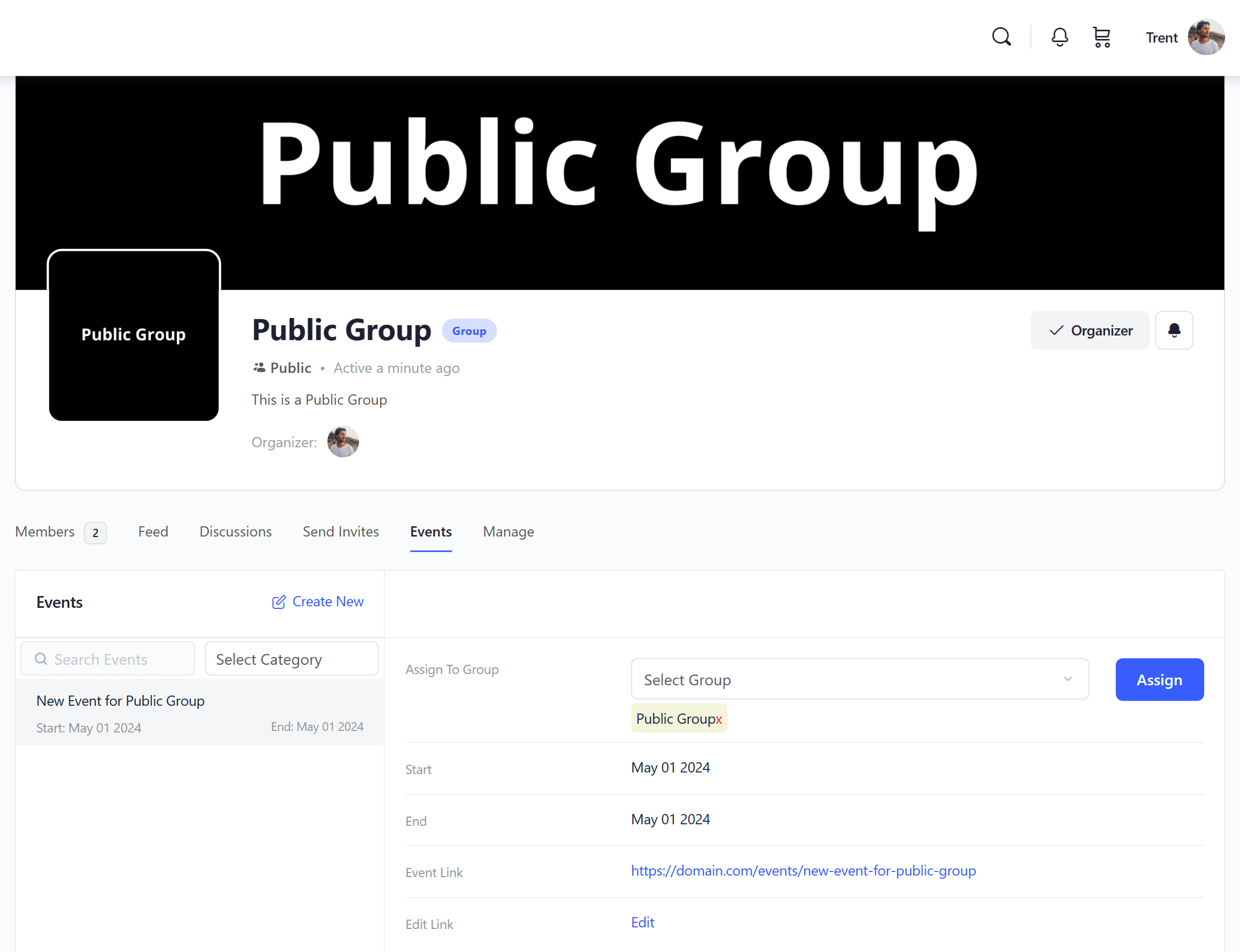
Setup event for groups
Create events on the level of BuddyBoss groups
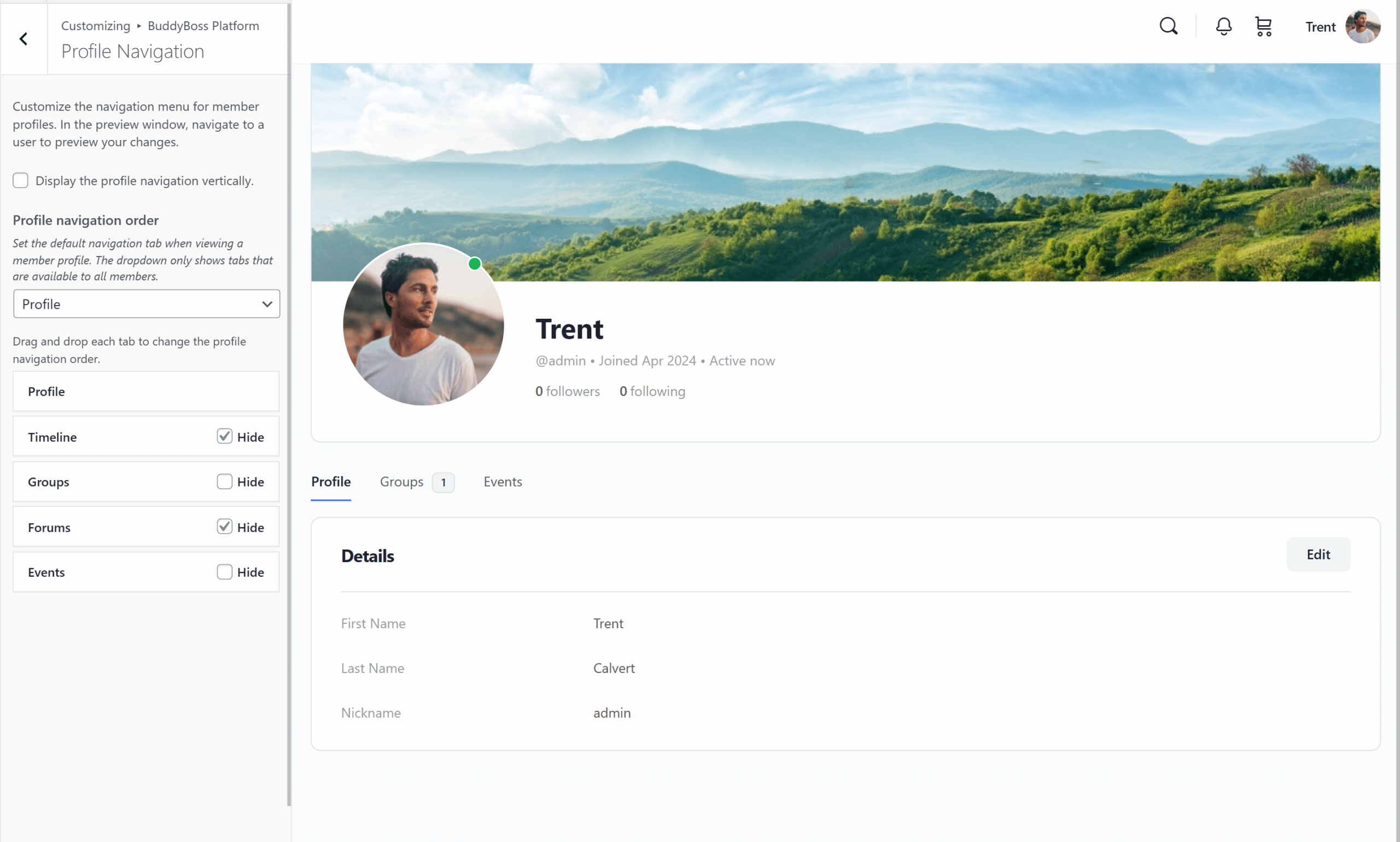
Event menu Customizer
Effortlessly tweak the profile menu using the customizer.
Event menu Customizer
Effortlessly tweak the profile menu using the customizer.
Assign events to groups
Easily assign your events to any one group
Screenshots
Changelog
- Added: New settings panel with improved UI/UX and dedicated settings icon
- Improved: Frontend CSS — complete refactoring, removed 4000+ lines of redundant styles
- Improved: Frontend JavaScript — refactored and optimized
- Improved: Event templates (event content, created/booked events)
- Improved: Code quality — WordPress Plugin Check compliance
- Improved: Removed unused templates and CSS files (block styles, RTL duplicates)
- Fixed: Settings saving and AJAX endpoint issues
- Fixed: Various minor bugs
- Fixed: Default BuddyBoss roles not displaying when Forum Discussions component is disabled.
- Fixed: Privacy issue in BuddyBoss where user email was displayed in profile URL instead of chosen username, violating GDPR.
- Fixed: Incorrect BuddyBoss permissions allowing users without connection or group membership to see the "Create New" event button in profiles and groups.
- Fixed: Activation issue with MEC Lite
- Fixed: Issue where users had to manually select the group in event submission form
- Fixed: Some minor issues
- Fixed: Translate and save settings
- Optimized: Loading styles and scripts
- Fixed: Content menu event for groups
- Fixed: Display events
- Fixed: Display events in groups
- Fixed: Change settings
- Added: Group links to event 404
- Improved: Display hidden groups
- Improved: Display public events
- Fixed: Roles & Translate
- Fixed: Activation issue
- Fixed: Create event in group
- Fixed: Display event in timeline
- Fixed: Display events in group
- Fixed: Number of attendees
- Fixed: Permissions and save settings
- Fixed: Menu icon
- Fixed: Some minor issues
- Fixed: Feed items
- Fixed: Add event twice
- Added: Display events link in user menu
- Improved: save activity for add or remove event from group
- Fixed: add activity after change event group
- Compatibility: Modern Events Calendar v6.5
- Fixed: Some minor issues
- Added: An option to hide the group(s) events on archive and shortcode pages
- Added: An option to add event submitter(based on user role)
- Added: An option to exclude event submitter(based on user role)
- Added: An option to manage date and time format
- Added: An option to manage BuddyBoss events on shortcode settings(filter options)
- Added: An option to order event menu in the profile
- Added: An option to order event menu in the group
- Fixed: An option to assign an event to the group
- Fixed: Activation and auto-update message
- Fixed: Fatal error when MEC is deactivated
- Fixed: Some minor issues
- Fixed: Auto update
- Fixed: Assign event to group(s)
- Initial Release
Get BuddyBoss Integration
1 Site license for $39. Premium Features, 1 Year Auto Updates, 1 Year Premium Support.
