Quick picks
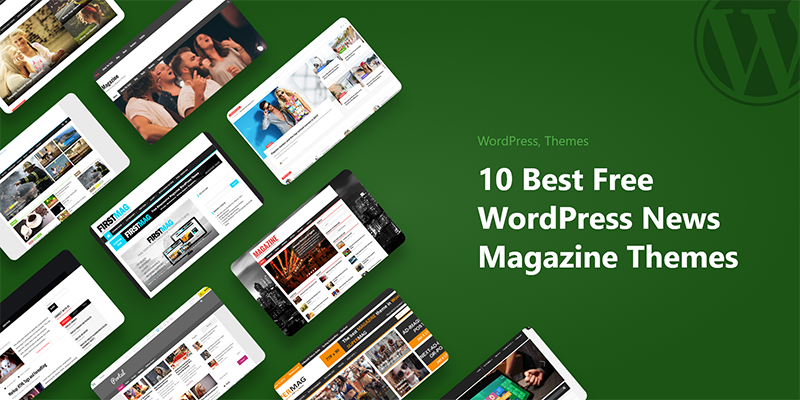
If you just want an answer for the best free WordPress news themes, start here.
| Theme | Best for | Installs · Rating | Ready on import? |
|---|---|---|---|
| 1ColorMag | Safest all-round pick | 40,000+ · ★ 4.9 (1,566) | Yes · 8 free demos |
| 2News Portal | Fastest live news portal | 5,000+ · ★ 5.0 (163) | Most launch-ready |
| 3CoverNews | Magazine & lifestyle mix | 7,000+ · ★ 4.8 (198) | Some setup |
| 4News Magazine X | Content-heavy, many sections | 8,000+ · ★ 5.0 (27) | Some setup |
| 5Newspaper FSE | Block / FSE builders | 100+ · no reviews yet | Barebones |
| KataOurs · Paid | A premium news design from day one | Not ranked · from $59/yr | Yes · News & Magazine demos |
Install counts and ratings from WordPress.org as of our July 2026 test. Kata is developed by Webnus and kept out of the free ranking because its news demos are paid.
Building a news site on a free WordPress theme is possible. The hard part isn’t finding something free; WordPress.org has hundreds of magazine themes.
 From Webnus, the publisher of this review
Want your news site to look like a real publication on day one?
Kata is our own theme, which is why it isn’t in the free ranking. Its News and Magazine demos come with Kata Pro: import one, swap in your stories, and publish.
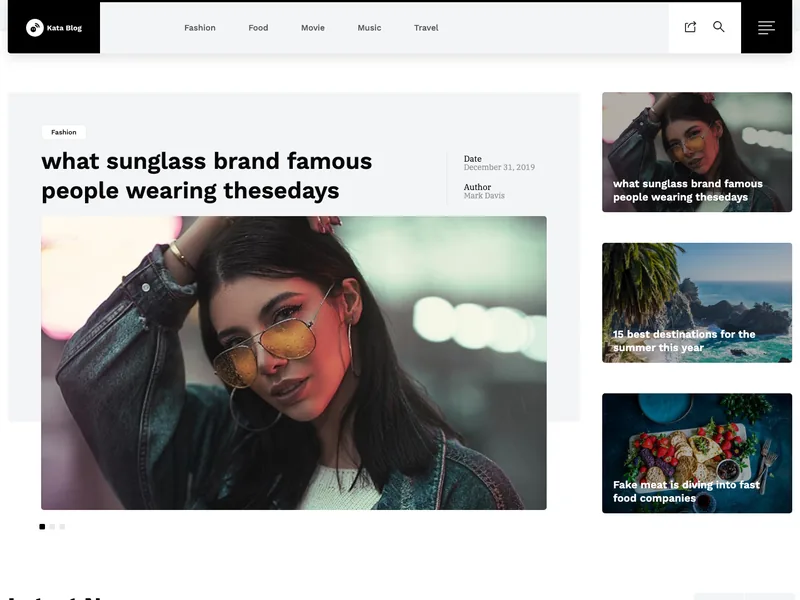

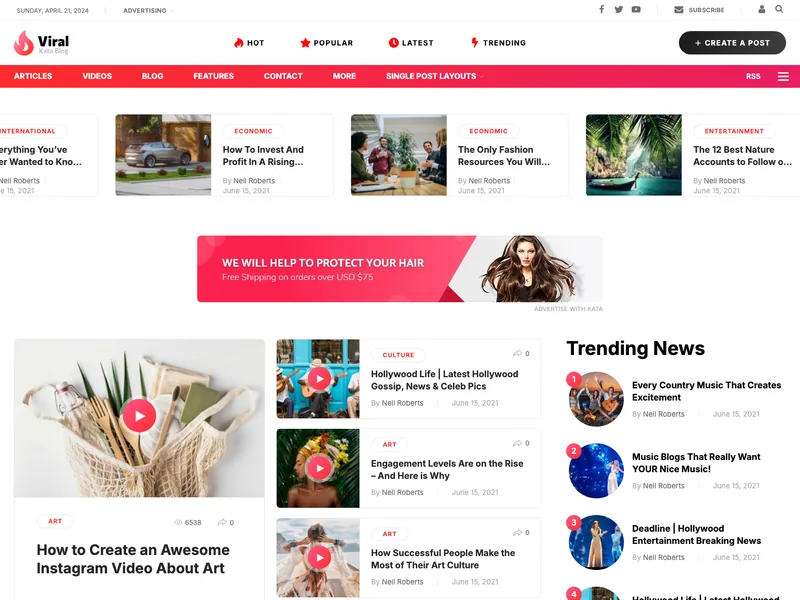
- 120+ ready demos
- Single-post & archive builders
- Ad spots built into the demos
Kata Pro from $59/yr
30-day refund · updates & support included
The hard part is finding one that’s actually ready to publish, still getting updates, and doesn’t quietly push every useful feature behind a Pro paywall.
That is why we decided to compile this review and come up with the best free WordPress news themes for your news site.
How we chose these five
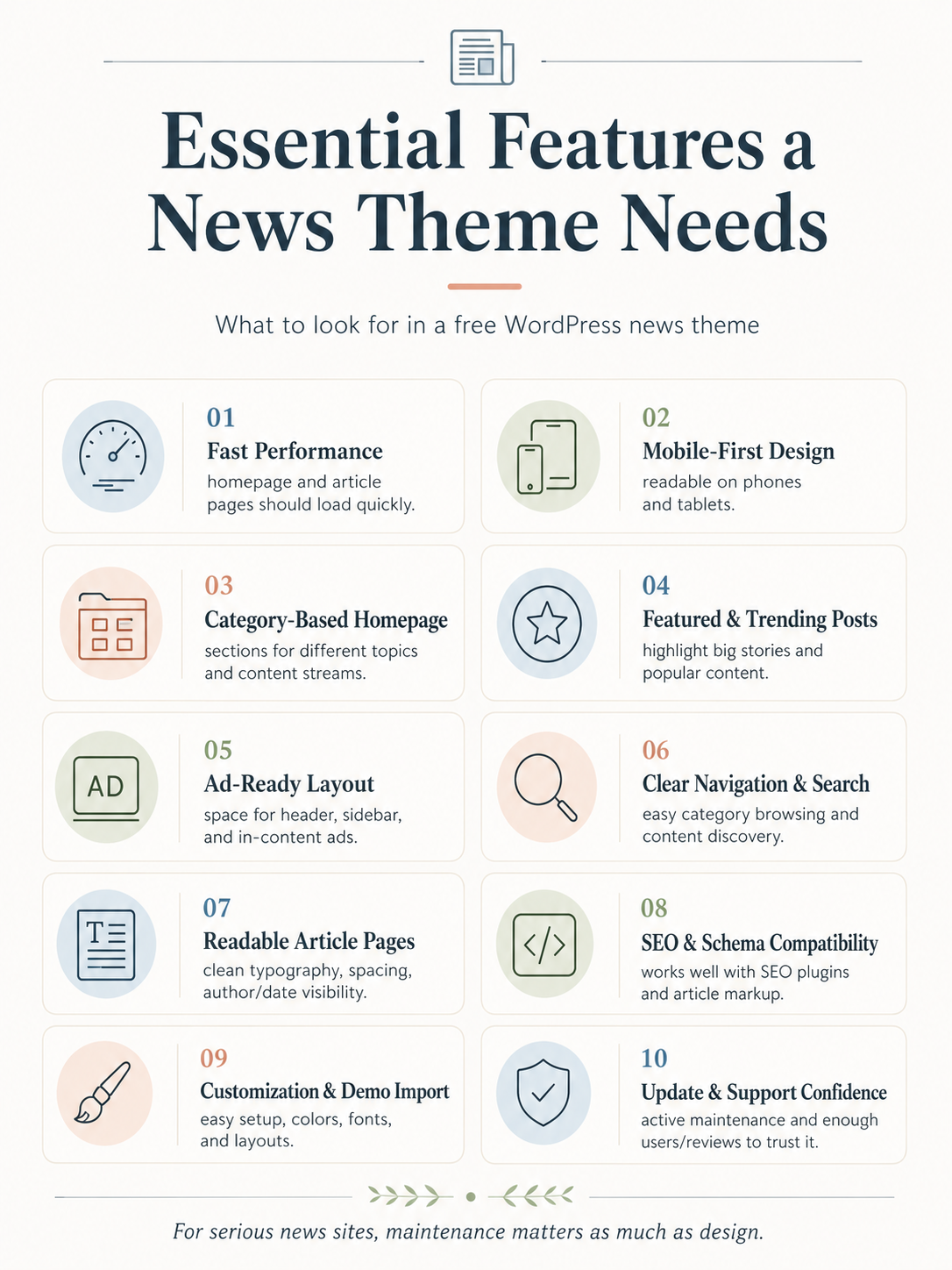
To compare the best free WordPress news themes on equal footing, we ran each one on a fresh WordPress 6.8 install with PHP 8.2, no caching or optimization plugins, and the demo-import method recommended by its developer.
| Test area | What we checked |
|---|---|
| Demo import | Was the free demo easy to import and close to launch-ready? |
| Mobile layout | Did menus, grids, sidebars, and post pages work on narrow screens? |
| Ad support | Header, sidebar, in-content, and widget ad areas |
| Editorial layout | Featured posts, category blocks, trending/recent posts, bylines |
| Free limitations | Which important features require Pro? |
| Maintenance | Last update, changelog activity, support signals, installs, reviews |
- Is the free version useful on its own? Some themes give you a real starting point. Others hand you a stripped homepage and a constant nudge toward Pro.
- News-site fit. Featured posts, category sections, working navigation, sidebars, clean article templates. The basics a publication actually needs.
- Readiness after demo import. How much manual layout work is left once you’ve clicked “import demo.”
- Active installs and update recency. Trust signals, not verdicts. A June 2026 update tells you someone’s still paying attention.
- Reviews. Both the score and how many people left one. Five stars from 27 reviewers is different from 4.9 from 1,566.
- Mobile reading. StatCounter put mobile at 51.51% of worldwide web traffic in June 2026, and publisher analytics from Chartbeat show an even stronger mobile skew, with at least 63% of publisher site visits happening on mobile devices.
- Ad and monetization areas. Header, sidebar, in-content. If you plan to run ads, this isn’t optional.
- Maintenance confidence. The one that separates “fine for a hobby blog” from “fine for something you depend on.”
One honest limit on scope: we didn’t run standardized Lighthouse or PageSpeed benchmarks across all five themes, so we’re not going to hand you a speed leaderboard we can’t stand behind.
Out of the box, on the same setup, News Portal felt quick and the others felt fine, but real-world speed depends far more on your host, images, and plugins than on the theme itself.
Before you launch, run your own PageSpeed Insights check on whichever demo you pick.
Why maintenance matters more for news themes
Before the reviews, something worth being honest about.
Some of the best free WordPress news themes have modest install counts, especially newer ones, so a small user base is not an automatic rejection.
A developer with fewer users hears about fewer bugs. They have less revenue tied to the theme, which means less reason to keep testing it against each new WordPress release.
If they move on, the theme doesn’t announce it — it just stops updating, and you find out the hard way when something breaks after a core update.
That’s why the update date and install count sit next to the design in our scoring. A gorgeous theme that hasn’t been touched in two years is a worse bet than a plainer one that got patched last month.
If you’re building something that matters, like a local news outlet, a business’s editorial arm, anything people will actually rely on, pick a theme that’s actively maintained and keep half an eye on it after launch.
Low installs aren’t a reason to walk away. They’re a reason to look closer.
Before you choose: 5 things to check
Before choosing among the best free WordPress news themes, run through these five checks:
- Last update date. A news theme untouched for a year is a warning sign.
- Demo import quality. Does the free demo land close to ready, or drop you on a blank page?
- Mobile menu and layout. Open the demo on your phone. Most of your readers will.
- Ad placement options. Header, sidebar, in-content — check they exist in the free version if you plan to run ads.
- Free vs Pro. Confirm the homepage sections you actually want aren’t locked behind an upgrade.
Classic theme or FSE theme?
Four of the best free WordPress news themes in this list use the classic Customizer approach; Newspaper FSE is the block-based outlier. Here is the short version of which suits you:
| Choose a classic theme if… | Choose FSE if… |
|---|---|
| You want faster setup | You want block-based control |
| You prefer the Customizer and widgets | You prefer the Site Editor |
| You want mature, ready-made demos | You accept more manual layout work |
Our List of 5 best free WordPress news themes
Here you can find detailed review and evaluation of our top picks and make an informed decision.
1. ColorMag — the safest overall pick
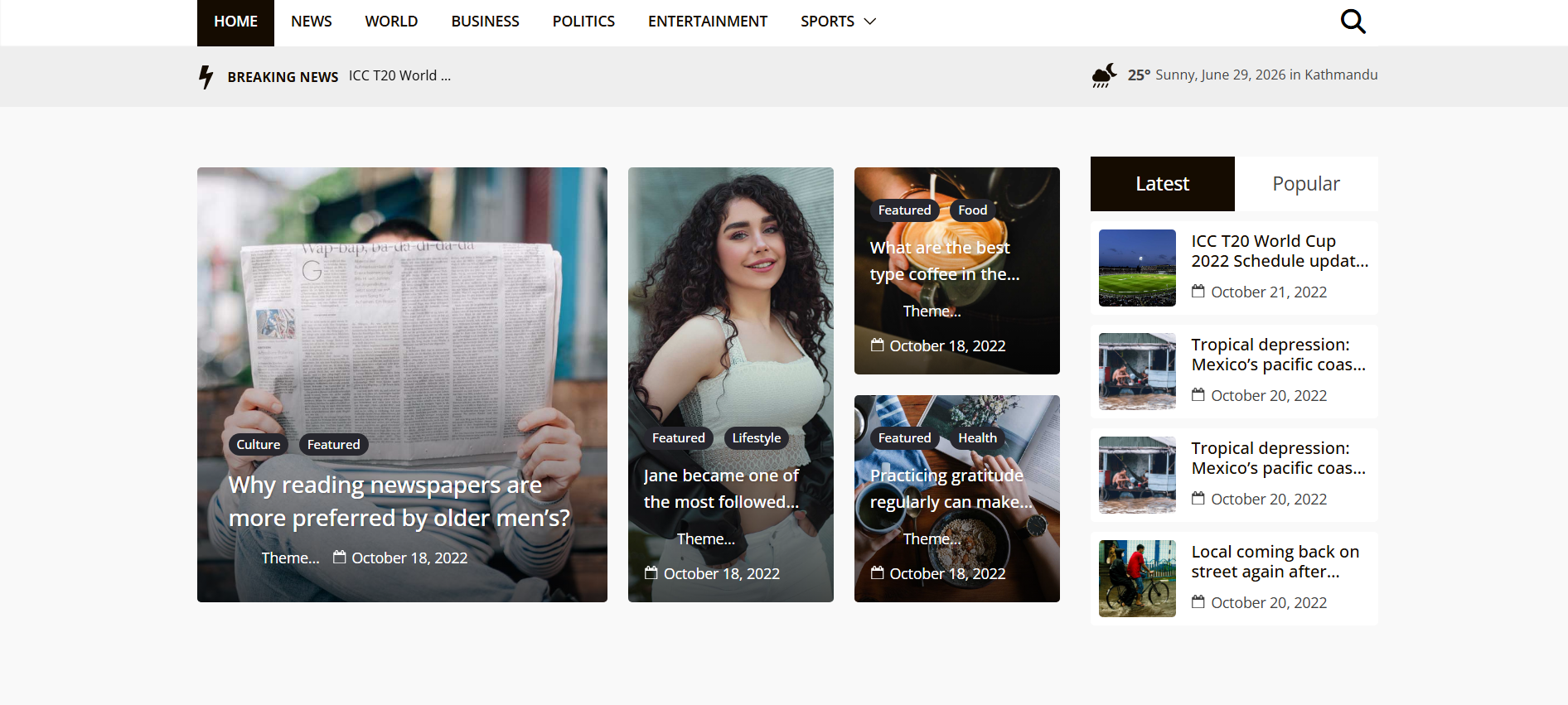
Best for: anyone who wants one of the best free WordPress news themes without betting on a small developer.
ColorMag, from ThemeGrill, is the closest thing to a default recommendation on this list. It sits at 40,000+ active installs with a 4.9 rating across 1,566 reviews, and it was last updated on June 10, 2026.
Those numbers do a lot of work. When something breaks, thousands of people notice and report it, and the developer has every reason to fix it. That’s the whole argument for ColorMag, and it’s a good one.
The free version ships eight starter demos covering different styles: health, food, entertainment, sports, fashion; so you’re not staring at a blank homepage.
It’s built for magazine and news layouts with category-based sections, multiple ad spaces, and WooCommerce support if you ever want to sell something alongside your content. It runs on the Customizer, so setup is live-preview rather than guesswork.
The free version gives you: the starter demos, header and footer layout options, category section blocks for the homepage, ad areas, and basic typography and color controls.
What Pro is for: more starter sites, deeper typography, extra header and footer variations, and additional layout controls. The free version stands on its own, though. You won’t feel cornered into upgrading on day one, which isn’t something you can say about every theme here.
Requirements: WordPress 5.0+, PHP 7.4+.
Pros
- Far larger user base than anything else on this list, which is the strongest maintenance signal you can get
- Works for straight news, magazine, and blog styles
- Genuine free demos, not teasers
- Ad spaces built in
Cons
- As a broad magazine theme, it’s less laser-focused than a dedicated news-portal theme
- A few of the nicer templates are Pro-only
- The sheer number of options can feel like a lot on first setup
Verdict: Of the best free WordPress news themes we tested, ColorMag is the safest general recommendation because no other option comes close to its adoption level.
From Webnus, the publisher of this review
Planning to earn from your news site beyond ads?
Many local and niche publishers also sell products and run community event listings. The Event Commerce Suite bundles all three tools in one license.
 Kata ProYour designPremium News & Magazine demos, plus 120+ more.$59/yr on its own
 ShopPress ProYour storeSell merch and products with a WooCommerce shop builder.$79/yr on its own
 MEC ProYour eventsA community events calendar with tickets and bookings.$99/yr on its own
$237$179 /yr for all three
Event Commerce Suite · 1 site · 30-day refund · updates & support included
2. News Portal — the one that’s ready to launch
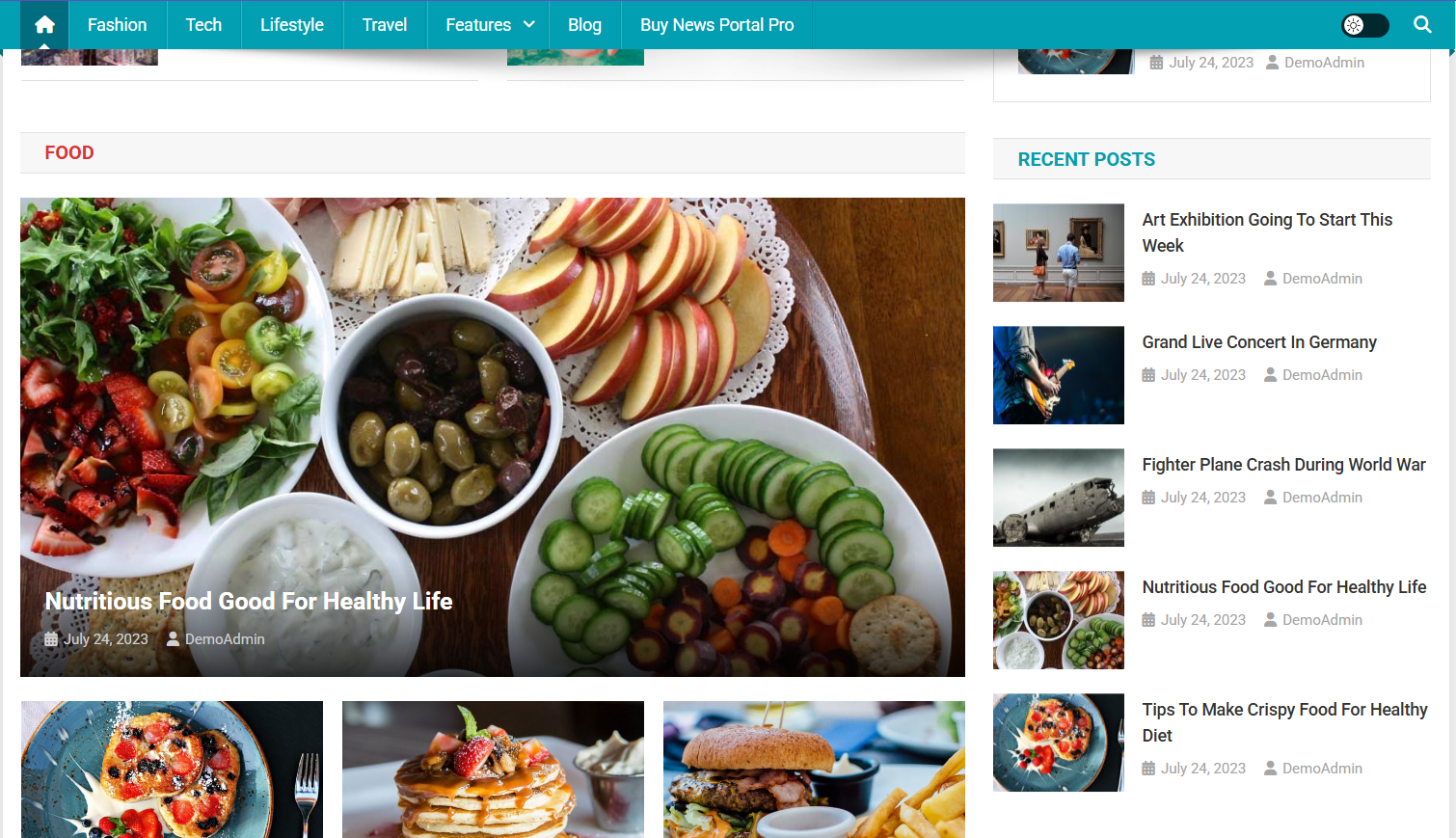
Best for: local news sites, online newspapers, editorial blogs, and anyone looking for the best free WordPress news themes to get a classic homepage without building it piece by piece.
News Portal by Mystery Themes was the most launch-ready theme in our hands-on testing, even though ColorMag still takes the overall #1 spot for safety.
It has fewer installs than ColorMag — 5,000+ — but a spotless review profile: 5.0 stars from 163 reviews, 161 of them five-star. Last update was June 3, 2026. Current version 1.5.13.
What made it stand out wasn’t the spec sheet, it was how little work was left after setup.
Installation and demo selection were straightforward. There are only two demos — one built for Gutenberg, one for Elementor — but both are polished and, more importantly, both are close to done out of the box.
Import one and you have a working news site, not a scaffold.
The homepage came divided into category sections, with featured and trending news areas already in place. Header and sidebar ad locations were there without hunting for them.
Navigation was smooth and speed held up during testing. Of everything we looked at, this was the fastest route from “install” to “this looks like a real news site.” The tradeoff: it leans on traditional-newspaper, not glossy-magazine.
The free version gives you: the two demos, a widgetized homepage, featured slider and featured posts, category blocks, trending and recent news sections, header and sidebar ad placements, and a responsive layout you control through the Customizer. You can see it live on the News Portal demo site.
What Pro is for: more widgets, extra header layouts, additional archive and single-post templates, advanced typography, and extras like an author box, post review, and custom 404. Useful, but nothing you need to launch.
Requirements: WordPress 5.6+, PHP 7.4+.
Pros
- Genuinely the most launch-ready theme we tested
- Two well-built demos covering both major editors
- Strong homepage structure aimed squarely at news
- Ad slots and featured/trending sections ready to go
- A clean 5.0 rating from a real number of reviewers
Cons
- Only two demos
- Better for news portals than visual magazines
- The design is more conventional than modern
- Smaller install base than ColorMag, so keep an eye on updates
Verdict: Among the best free WordPress news themes, News Portal is the fastest route to a working newspaper homepage with categories, featured stories, trending posts, and ad areas already in place.
3. CoverNews — flexible magazine styling
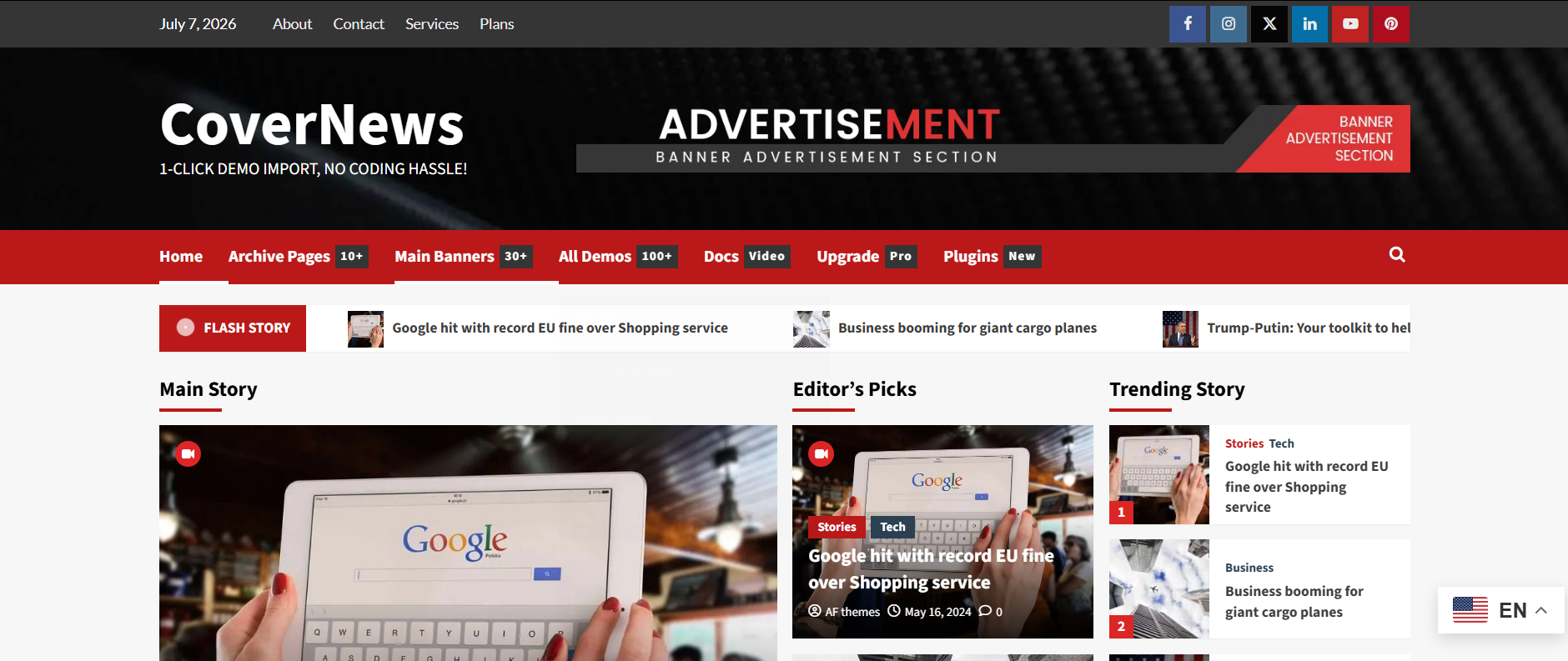
Best for: online magazines, lifestyle and entertainment sites, travel and culture blogs, and mixed-content publishers looking for the best free WordPress news themes that offer more visual range than a strict newspaper layout.
CoverNews from AF Themes is the choice when your content isn’t purely hard news. It carries 7,000+ installs, a 4.8 rating from 198 reviews, and it’s the most recently updated theme on the list — July 2, 2026, version 7.3.3.
That version number tells you something: this theme has been iterated on for years.
Where News Portal hands you one strong newspaper layout, CoverNews gives you room to shape things.
It’s still a classic theme at heart, but it ships block editor patterns and styles, multiple column and grid options, custom widgets, and live Customizer controls. That flexibility is the point.
It’s a better fit for a site that mixes news with lifestyle, entertainment, and blog-style sections than for a pure local-news portal.
The free version gives you: block patterns, live Customizer options, custom widgets, responsive grid and column layouts, footer widgets, and RTL and translation support. It’s compatible with Elementor and Gutenberg, and WooCommerce works if you need it.
What Pro is for: advanced typography, more header and front-page banner options, extra custom widgets, related posts, Mailchimp and Instagram integrations, and additional layout controls.
Requirements: WordPress 4.0+, PHP 5.0+ (the listed floor is old, but in practice run it on a current PHP version).
Pros
- Handles both news and magazine styles well
- Good fit for lifestyle, entertainment, and travel content
- More visual range than strict news-portal themes
- Block patterns and live Customizer controls in the free version
- The most recently updated theme here
Cons
- Not as instantly publish-ready as News Portal for a classic news site
- Some visual controls sit behind Pro
- The broad feature set can feel unfocused if all you want is a straightforward news layout
Verdict: Pick CoverNews if your site leans magazine rather than newspaper. It stretches across a wider range of editorial content than a traditional portal theme. For a pure local-news site, News Portal will feel more finished on import.
For a mixed publication — news plus lifestyle plus blog — CoverNews is the better shape.
4. News Magazine X — a magazine-grid theme for multi-section sites
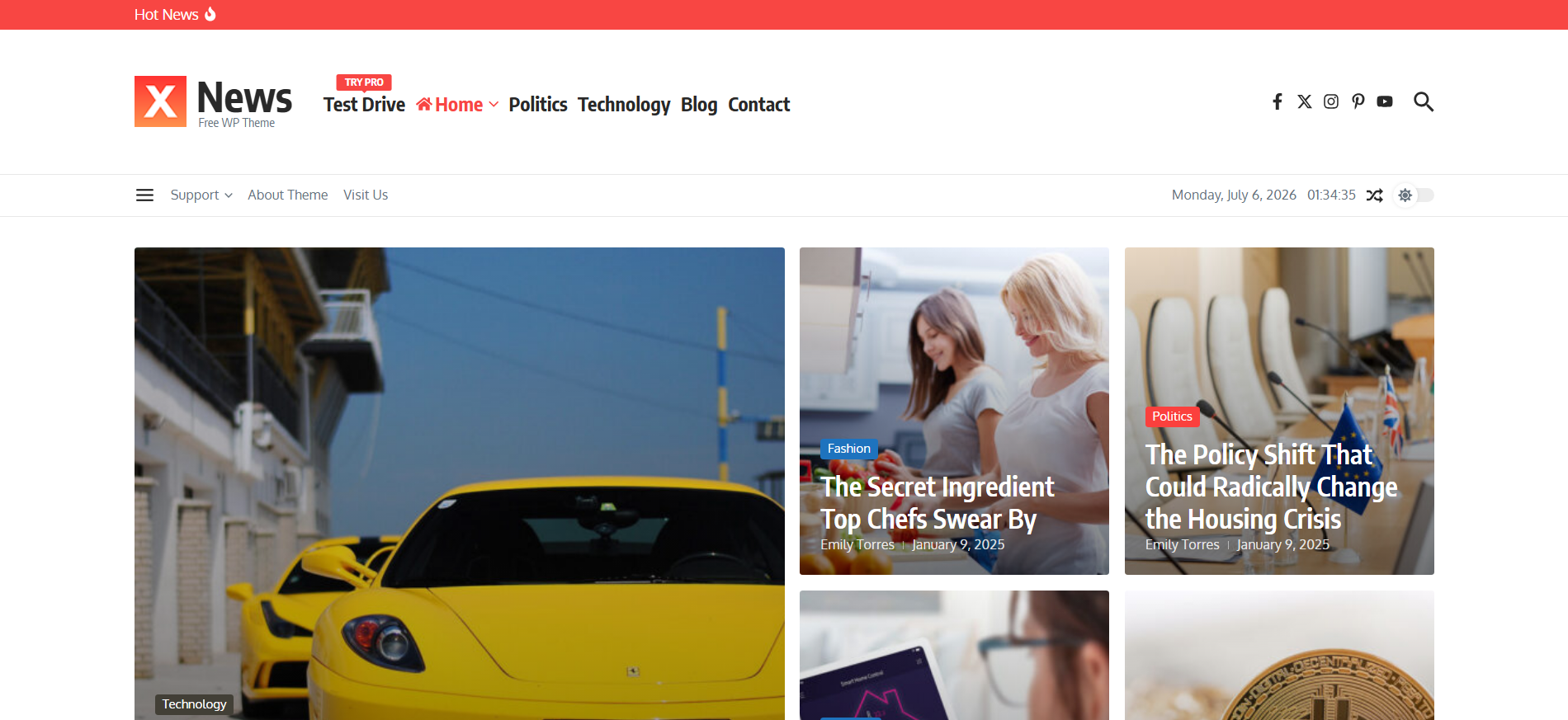
Best for: blogs, online magazines, and editorial sites looking for the best free WordPress news themes to publish across many categories or content sections.
News Magazine X covers the content-heavy magazine end of this list. It actually has the highest install count of the smaller themes here — 8,000+ — and a 5.0 rating, though from just 27 reviews, so the sample is thin compared to News Portal’s 163.
Last updated June 13, 2026, version 1.2.56. The recent update and clean score are encouraging; the small review pool is the reason to look before you leap.
Its built-in widgets are where the value is: a magazine grid, classic post grid, featured tabs, a newsletter subscription block, and category lists. If you run a site with a lot of sections to keep organized, that structure saves real time.
It also lists compatibility with a long stack of page builders — Elementor, Gutenberg, Brizy, Beaver Builder, and others — plus a dark-mode switcher and customizable headers and footers.
One honest caveat: the free feature set is about presentation, not author management. If you need author bios, contributor archives, and byline-heavy layouts for a newsroom, check the demo for those first — they aren’t this theme’s strong point.
The free version gives you: featured posts, category blocks, a magazine-style grid, homepage widgets, responsive design, and translation support across a wide set of languages.
What Pro is for: extra demos and layouts, advanced widgets, more header and footer controls, deeper typography and color options, and premium support. Check the developer’s Pro comparison before you assume a specific feature is free.
Requirements: WordPress 4.7+, PHP 7.4+.
Pros
- Directly built for news and magazine sites, not a generic blog theme dressed up
- Solid install base and a recent update
- Adds variety alongside ColorMag and News Portal
Cons
- Only 27 reviews, so satisfaction data is limited
- Smaller ecosystem than ColorMag
- Some useful features are Pro-only
- Verify demo quality and support activity before committing to it for something serious
Verdict: News Magazine X is not the strongest choice if you need advanced author or editorial-team features. Its real strength is presentation: magazine grids, featured tabs, category widgets, and layout options that help organize a content-heavy site.
For that reason, it is best positioned as a free magazine-grid theme for multi-section editorial websites rather than a dedicated multi-author theme.
5. Newspaper FSE — for Full Site Editing, and not much more yet
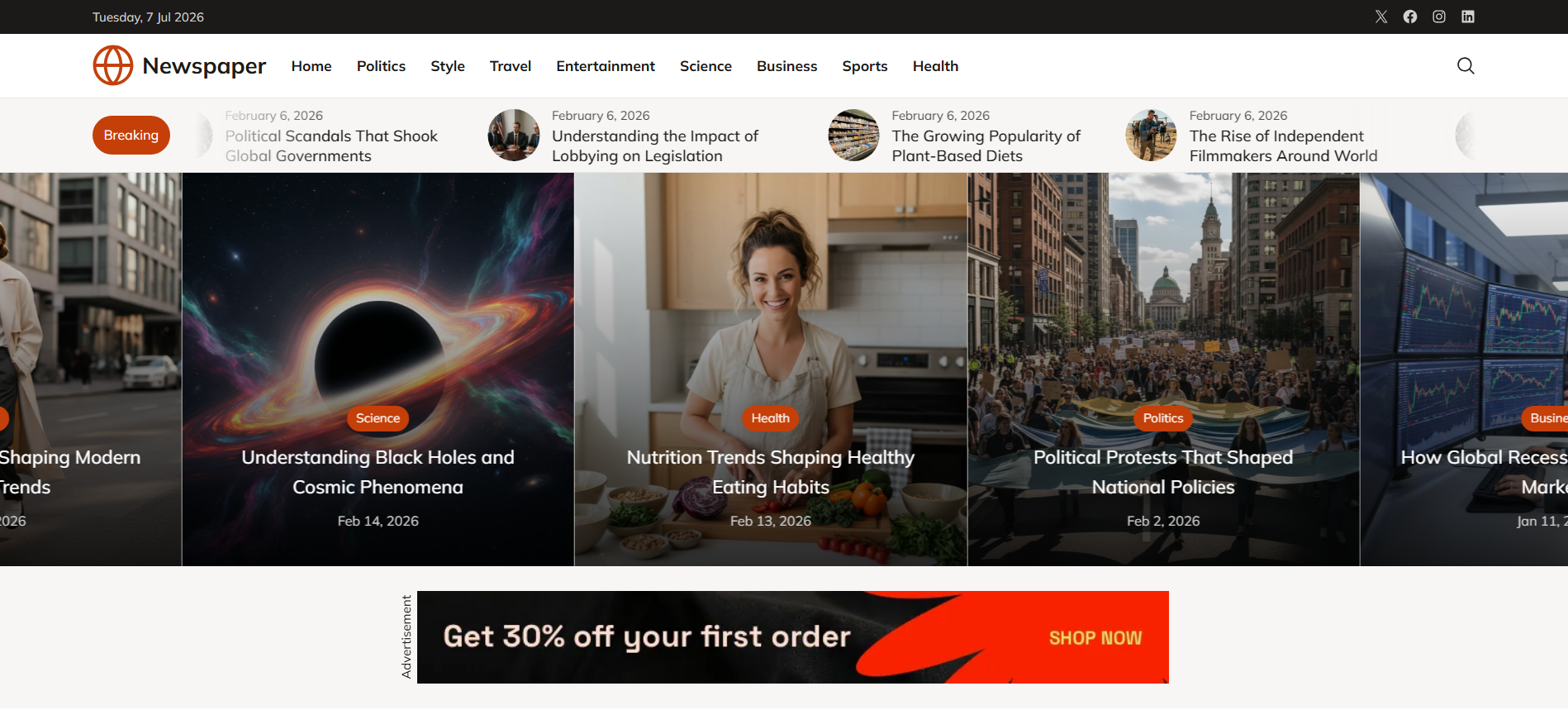
Best for: people looking for the best free WordPress news themes specifically to build with blocks and the Site Editor, and who don’t mind doing more of the layout themselves.
Newspaper FSE is here for one reason: it’s the only true Full Site Editing option on the list. If you’d rather build headers, footers, and templates with blocks than with the Customizer or Elementor, this is your entry point. Be clear-eyed about what you’re getting, though.
In testing, the template felt barebones. It’s ranked last on readiness on purpose. This isn’t a demo you import and admire; it’s a starting point you build out.
The numbers back up the caution: 100+ installs, no reviews yet, version 1.0.2, last updated April 9, 2026. It’s a very new, very small theme.
It’s also a child theme of Fresh Blog Lite, by DesignOrbital. That’s completely normal in WordPress and doesn’t create performance, SEO, or compatibility problems by itself.
It does mean you’re depending on two themes staying maintained, not one. Right now the parent has 600+ installs, no reviews, and was last updated April 4, 2026. Both are being worked on, but both are small.
Before you build a live news site on this, check the maintenance status of the child and the parent.
What you get for the tradeoff is real FSE control: template editing, Site Editor customization, and 20 style variations to shift the look without touching code. That’s genuinely useful if block-based building is what you want.
The free version gives you: Full Site Editing, block editing and template editing, block patterns, 20 style variations, and header/footer control through blocks. RTL supported.
What Pro is for: more predesigned patterns, additional blocks, extra header and footer templates, a sticky sidebar, and fuller documentation.
Requirements: WordPress 6.7+, PHP 7.2+ (the listed requirement; FSE needs a recent WordPress core).
Pros
- A real block/FSE theme, the only one here
- Good for people who prefer Gutenberg over Elementor
- Template and Site Editor control, plus 20 style variations
- Adds variety to a list otherwise full of classic themes
Cons
- The template felt barebones in testing
- Low readiness next to News Portal, ColorMag, and CoverNews
- 100+ installs, no reviews, small parent theme — the least proven pick here
- More manual layout work than the demo-driven themes
Verdict: Worth it only if Full Site Editing is specifically what you’re after. It’s not the most ready-to-launch theme on this list, and the free template needs building out.
But for someone who wants to assemble a news layout with blocks rather than widgets or a page builder, it’s the door into that approach. If you just want a finished-looking news homepage right after import, go with News Portal or ColorMag.
What got cut, and why
The old list of the best free WordPress news themes had twelve candidates. Trimming to five meant dropping some, and it’s fair to say why rather than just quietly deleting them.
| Theme cut | Why it didn’t make the five |
|---|---|
| Astra | A strong general-purpose theme, but not news-specific enough for a focused list. |
| Awaken | Older classic option; weaker maintenance confidence than the final picks. |
| Viral News | Decent, but didn’t beat the five on demo readiness. A reasonable backup. |
| Gadgetry, SuperMag, First Mag, Hiero, Clean Magazine | Less competitive against the current picks, or less news-focused. |
| MH Magazine Lite | Worth checking, but didn’t beat the five on freshness and readiness. |
| MagazineNP, Refined Magazine | Fine as fallbacks, but less convincing than News Portal or CoverNews. |
The excluded options are not necessarily bad; they simply did not beat the best free WordPress news themes in this 2026 shortlist on maintenance, demo readiness, or publication fit.
| Site type | Best pick |
|---|---|
| Local news | News Portal |
| General news/magazine | ColorMag |
| Lifestyle or entertainment | CoverNews |
| Content-heavy magazine with many sections | News Magazine X |
| Gutenberg / FSE build | Newspaper FSE |
When a free theme stops being enough
For many small publications, the best free WordPress news themes are enough to launch, publish, run ads, and grow without paying for a license.
The ceiling shows up later. Free versions tend to ship a limited set of starter designs, hold back the deeper layout controls, and give you less room to make the site look like yours rather than a slightly-tweaked demo.
If you need a polished, brand-specific design, more template options, or a faster launch with less manual work, that’s usually the point where a free theme starts fighting you.
At that stage the honest options are a premium theme (like our own Kata), a child theme, a custom design, or a page-builder setup. Which brings us to that paid option, and a disclosure.
Need a more polished design? Consider Kata
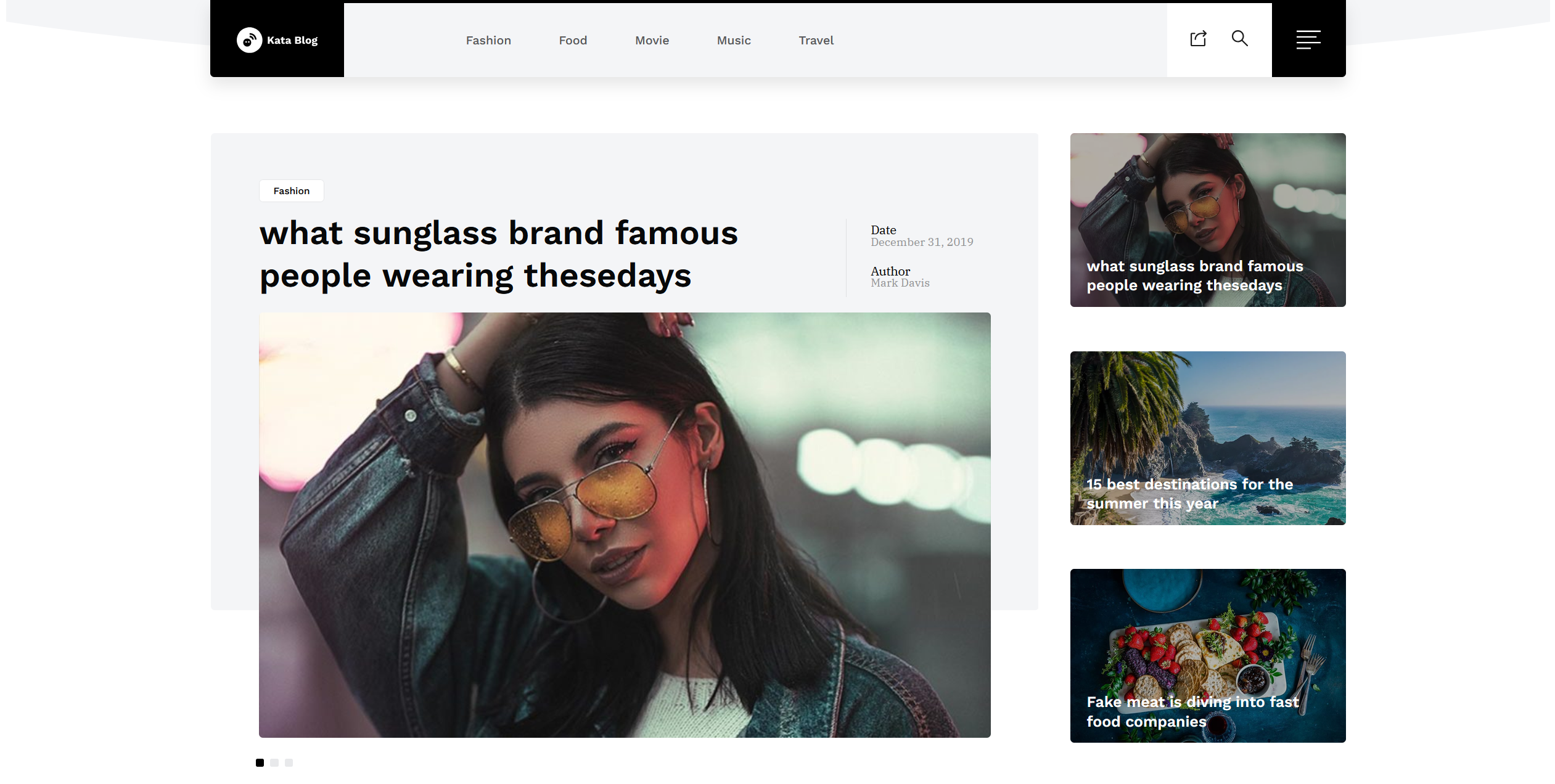
Disclosure: Kata is developed by Webnus, who publishes this article. We deliberately kept it out of the free ranking because its News and Magazine demos are part of the paid license. It’s here as an upgrade option, separately, so the free list stays honest.
With that said: the free themes above are solid starting points, but they come with the tradeoffs we’ve been describing: limited starter designs, smaller install bases, fewer layout controls.
If you’d rather begin from a more finished editorial layout than build a homepage by hand you can look at the paid versions of the themes listed above, alternatively, Kata includes dedicated News and Magazine demos built for content-heavy sites.
Those demos are part of Kata’s paid license. That’s the whole reason it’s not in the free ranking. But if a ready-made editorial design saves you enough time to be worth it, it’s worth a look.
Best next step: if budget is the priority, start with one of the best free WordPress news themes listed above. If you’d rather pay to skip most of the setup and begin from a polished news or magazine demo, look at Kata.
FAQ
1. What is the best free WordPress news theme?
Among the best free WordPress news themes, ColorMag is the safest choice for most people.
If you specifically want a traditional news portal that’s ready right after import, News Portal is the stronger choice.
2. Which free WordPress news theme is best for beginners?
News Portal. Installation and demo import were the most straightforward of anything we tested, and the demo lands close to launch-ready.
ColorMag is also beginner-friendly, with more options once you’re comfortable.
3. Which free WordPress news theme is best for ads?
News Portal and ColorMag both give you ad areas in the free version — header and sidebar on News Portal, multiple ad spaces on ColorMag.
If monetization is a priority, start with one of those and confirm the in-content ad options.
4. What is the difference between a classic WordPress news theme and an FSE theme?
A classic WordPress news theme usually relies on the Customizer, widgets, theme options, and sometimes page-builder demos to control the site layout.
An FSE theme, or Full Site Editing theme, lets you edit more of the site directly with WordPress blocks, including headers, footers, templates, and archive layouts.
Check out our top picks for the best premium, responsive WordPress themes
5. Do free WordPress news themes support Google AdSense?
Generally yes. AdSense is a snippet you drop into a widget area or an ad block, so any theme with header, sidebar, and in-content ad areas can run it.
News Portal and ColorMag both give you those areas in the free version. Confirm the in-content placements in the demo before you rely on them.