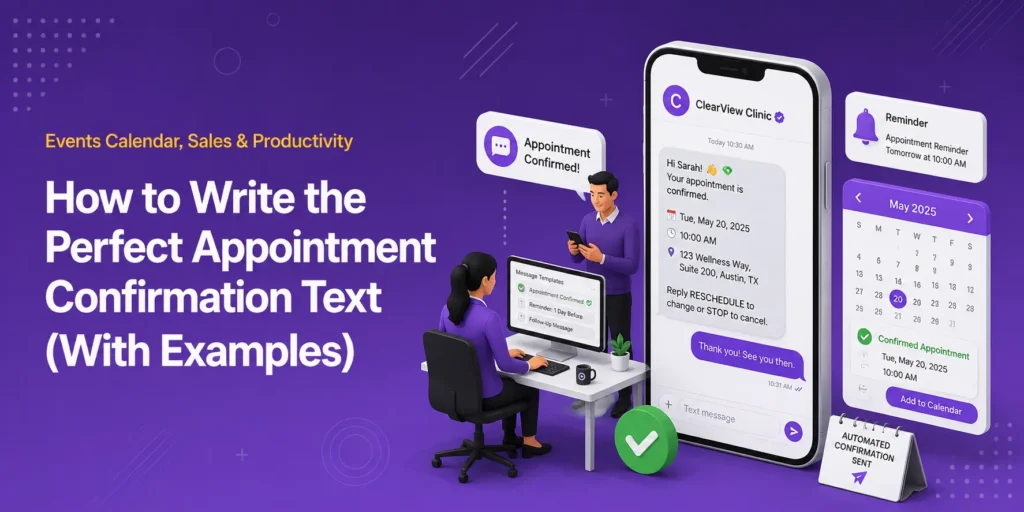
Once you’ve got a customer, the next step is consistently delivering the perfect appointment confirmation text.
A well-crafted appointment confirmation text does several things at the same time:
- Sets the tone for your customer relationship
- Dramatically reduces no-shows
- Gives customers what they need to show up on time, prepared, and confident they’re in the right place.
Whether you’re a yoga instructor, a consultant, or running a hair salon, managing events and bookings via a WordPress plugin like Modern Events Calendar makes it even easier to automate confirmation texts.
Here’s exactly how to write the perfect appointment confirmation text, along with templates you can copy.
TL;DR: Quick overview
- SMS/WhatsApp message open rates are 90–98%, making it far more effective than email for appointment confirmations.
- Every confirmation text needs 7 key components:
- Client name
- Your business name
- Service details
- Date/time
- Location or login link
- A clear CTA to confirm/cancel/reschedule
- Your cancellation policy
- The tone should be friendly and professional. Warm enough to feel personal, not so casual that it seems unprofessional
- In this article, 6 ready-to-use templates are provided covering salons, fitness classes, virtual appointments, medical bookings, events, and follow-up reminders.
- The five most common mistakes are: sending too late, including too much information, forgetting an opt-out option, using incorrect details, and being too casual with new clients.
- Automating confirmations via a tool like Modern Events Calendar (connected to an SMS gateway like Twilio) removes manual effort and keeps messaging consistent.
- Timing matters: send the first confirmation immediately after booking, then a reminder 24–48 hours before — with a week-out nudge for longer-lead appointments.
Why Appointment Confirmation Texts Have Such a High ROI
SMS has an open rate that beats email every time. Making it the perfect channel for appointment reminders. Industry figures consistently put the SMS or WhatsApp message open rate in the 90% to 98% range.
Most messages read within three minutes of receipt. Compare that to email open rates that are around 20–30%, and it’s easy to see why SMS and WhatsApp messages are the best approach for confirmation texts.
At the same time, the real value of a confirmation text after an event registration is preventing no-shows, which cost service businesses time, money, and scheduling headaches.
A simple, clear confirmation text reduces the no-show risk by giving clients:
- A record of their booking. If this includes calendar integration, it makes it even harder for someone to forget an appointment.
- An opportunity to reschedule if needed
- A gentle nudge that someone is expecting them at a specific time and place (whether in-person or online).
For businesses managing high booking volumes (e.g., workshops, fitness classes, consultations, or anything involving 1-on-1 services or booking tables), automating confirmations can be a time and revenue-saving game changer.
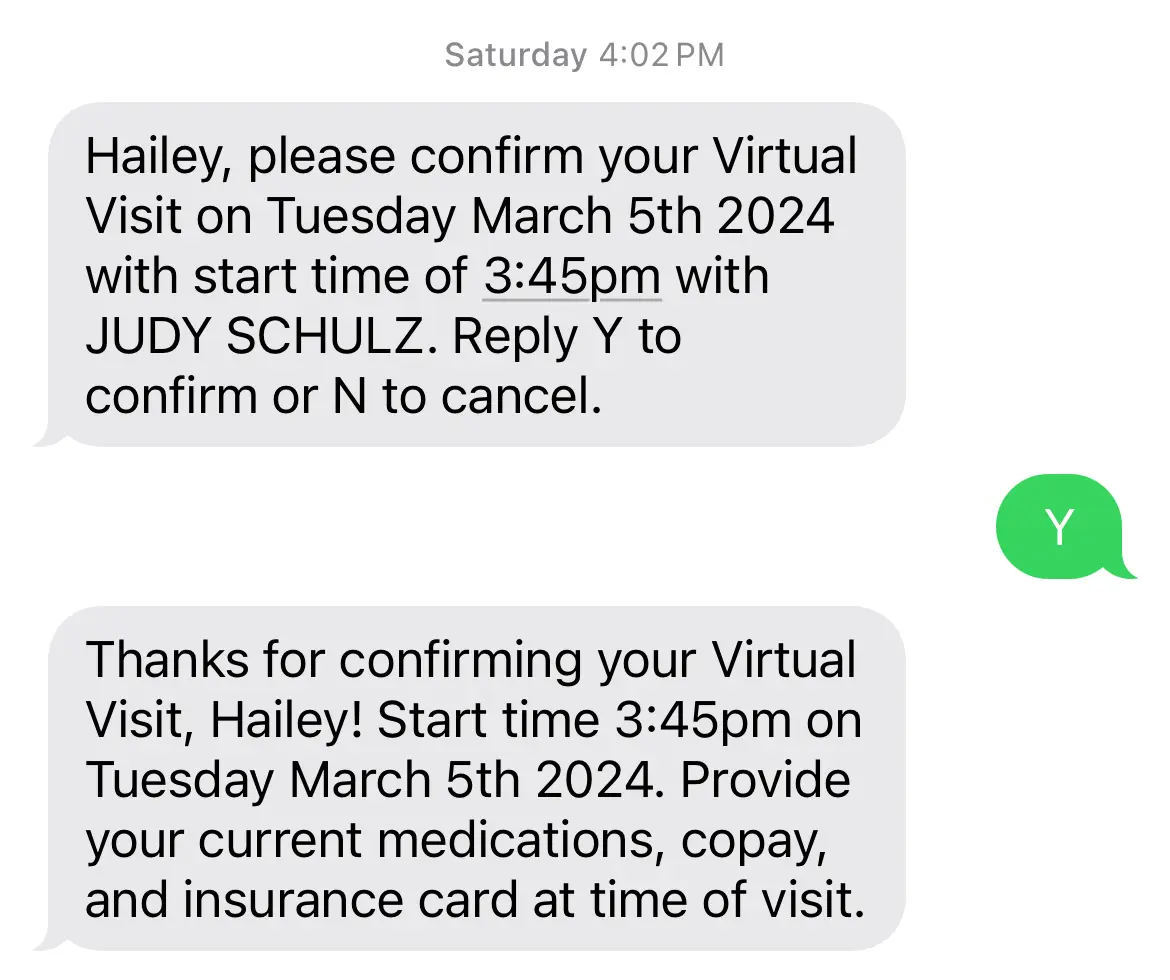
Now, before we get onto the templates, here are seven essential components of every confirmation text you need to remember.
7 Essential Components of a Perfect Confirmation Text
Confirmation texts aren’t complex. You don’t need a creative brief to write one.
Think of all of the confirmation texts you’ve probably received. It’s like a list of ingredients.
Here are the exact components you need to include:
1. Your client’s first name. Personalization is essential in any confirmation text. Using the first name of the recipient makes it feel like a 1-on-1 message. As it should.
Even if you’ve used automation for the whole thing, the customer has to feel like they’re receiving a text from the person they’re getting the service from.
2. Your business name. Make this clear, too. People forget. From the SMS message account name through to the name used in the message, everything must match and be an easy reminder for busy customers.
For example, if your business is a law firm like the Rafi Law Firm, then include that in the reminder texts.
3. What the appointment is for. Don’t assume people remember every booking they make. Briefly state the service or event to avoid any unnecessary cancellations or no-shows.
4. Date and time. This seems obvious, but it’s the most important detail. Be specific — include the day of the week alongside the date to make it easy to cross-reference a calendar.
A timely reminder, like the sort that the Marzzacco Niven & Associates company sends out, massively improves meeting attendance rates.
5. Location or login details. For in-person appointments, include the address (building, street, zip code), and room number (if it’s in a shared building). Make it as easy as possible for someone to find where they’re going. For online appointments, include the link or instructions for how they will receive it.
Automatically answering the question “Where do I go?” saves everyone time. This is especially important for a first appointment. But keep doing that for repeat customers, to reduce the risk of complacency resulting in no-shows.
6. An easy call-to-action (CTA): Confirm, cancel, or reschedule. Give people the easy ability to take action themselves. Whether it’s a reply to the text, a link to your booking system, or a phone number, this is what turns a passive confirmation into an active agreement.
An active CTA is also your best tool for catching last-minute cancellations before they become no-shows. Organizations like Rosenbaum & Rosenbaum need to include links like that in reminders for compliance and customer retention reasons.
7. Compliance and your cancellation policy. Compliance, like data protection (e.g., GDPR, CCPA, etc.) is an essential part of any customer-centric communications. As is your cancellation policy. This way, if a customer is going to cancel, they need to know if it will cost them if they cancel too close to an appointment.
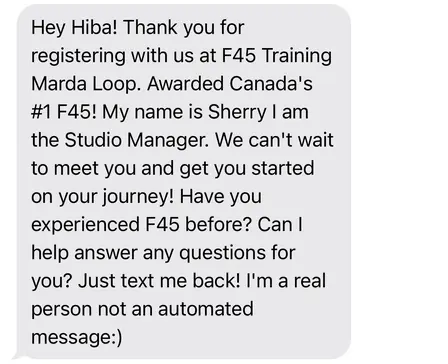
Next, we look at the tone of voice (ToV) to take, and then the examples. A law firm like Catania & Catania will need a different ToV than a beauty salon. However, in both cases, being friendly and professional is important.
What’s The Right Tone of Voice (ToV) For Confirmation Texts?
When it comes to the ToV, it’s got to sound like you, or your brand guidelines. Every message has to fit in with what a customer already expects.
However, as a general rule of thumb, don’t go too formal. Text is an inherently personal channel; people use it every day to talk to friends and family. A corporate-sounding text creates friction and could put off potential customers.
At the same time, don’t overcorrect into being too casual. Aim for friendly and professional: clear, direct, and pleasant. Don’t use jargon (unless it’s very clearly understood between both parties), keep sentences short, and skip anything that seems like it belongs in a legal disclaimer.
Let’s see what this is like in practice!
6 Appointment Confirmation Text Examples & Templates You Can Copy
Here are templates for a variety of industries and scenarios. Of course, adapt each one to your tone of voice and communication preferences.
1. General Service Appointment (e.g., Salon, Clinic, Consultancy, etc.)
Message example:
Hi [Name]! This is a confirmation of your appointment with [Business Name] on [Day], [Date] at [Time]. We’re located at [Adresse]. To reschedule or cancel, reply to the message or call [Phone]. See you then!
Why it works: It’s friendly, covers every essential detail, and gives two clear ways to make changes.
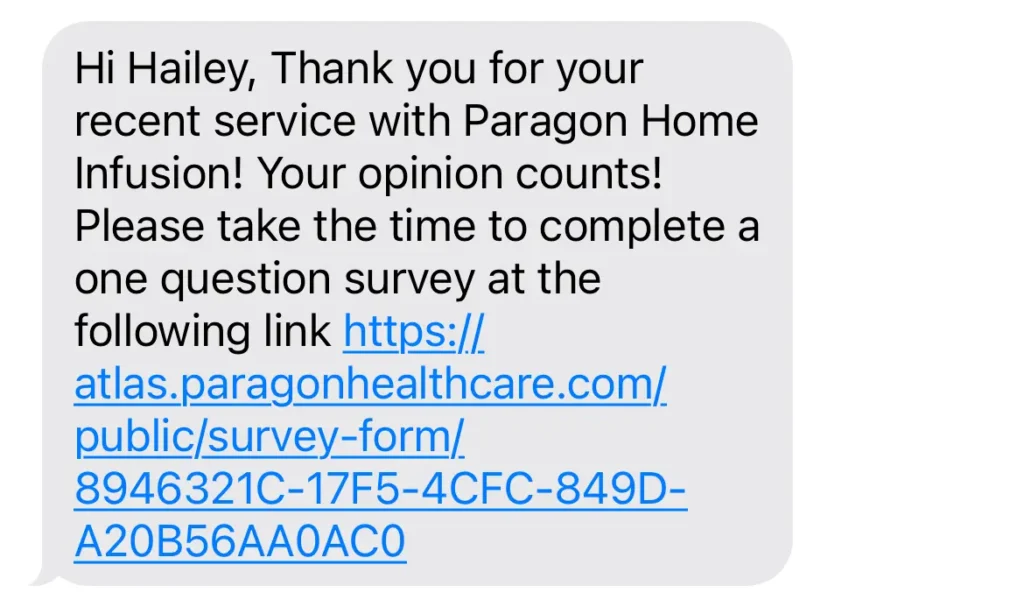
2. Fitness Class or Workshop Booking
Message example:
Hey [Name], you’re all set for [Class Name] on [Day, Date] at [Time] at [Studio Name], [Address]. Bring [any equipment/clothing if relevant]. Questions? Reply here or visit [booking link]. Can’t wait to see you!
Why it works: It includes instructions to bring what they need, which reduces confusion and shows you’ve thought about the client’s experience before they arrive.
3. Virtual Appointment (Consultation, Coaching, Online Event)
Message example:
Hi [Name], your virtual [appointment type] with [Name/Business] is confirmed for [Day], [Date] at [Time]. Your appointment link: [Link] If you need to reschedule click here: [Reschedule Link]. Glad to connect!
Why it works: Virtual appointments add a layer of logistical complexity. Putting the meeting link directly in the confirmation text means clients don’t have to hunt for it in their email.
4. Medical or Wellness Appointment
Message example:
Hello [Name], this confirms your appointment with [Provider Name] on [Day, Date] at [Time] at [Location]. Please arrive 10 minutes early and bring [any required documents/ID]. To cancel or reschedule, call [Phone] or visit [Link]. See you soon.
Why it works: Healthcare and wellness bookings often have specific preparation steps.
Including those details upfront prevents avoidable confusion or mistakes on the day.
5. Event Ticket or Hospitality (Restaurant, Bar, Cafe, etc.) Table Reservation
Message example:
Hi [Name]! Your booking for [Event Name] on [Day, Date] at [Time] is confirmed. Venue: [Address]. Your ticket/QR code has been sent to [Email]. Need help? Contact us at [Email/Phone]. We’ll see you there!
Why it works: For ticketed events, referencing where to find the ticket (e.g. via email) avoids last minute panics at the door.
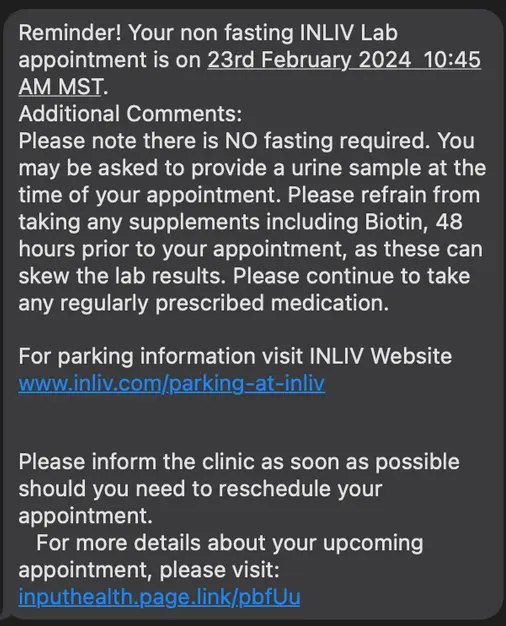
6. Generic, Every Sector: Reminder Follow-Up (24–48 Hours Before)
Sometimes, a second, shorter message sent the day before the appointment is even more effective than the first confirmation:
Message example:
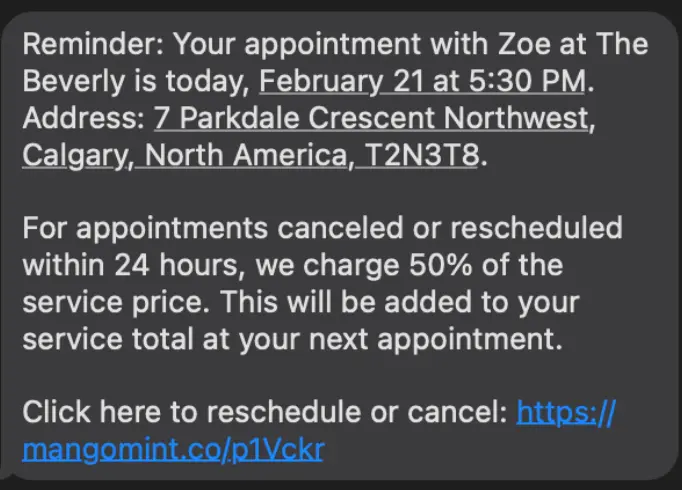
Hi [Name], your [appointment/event] is tomorrow, [Date] at [Time] at [Location/Link]. See you then! To reschedule, reply here or visit [Link].
Why it works: Sending a reminder is essential. No matter what business or sector you’re in, or whether someone is a first-time customer or been with you a long-time.
A text like this catches people who might have forgotten. Being close to the appointment time means any cancellations you receive can be filled with someone from a waitlist.
Now, let’s look at a few of the most common mistakes people make with confirmation texts.
5 Common Mistakes to Avoid With Booking Confirmation Texts and Reminders
Here are the five most common mistakes that are easy to make when sending booking confirmation texts.
1. Sending too late. A confirmation sent within 5 minutes of the booking is ideal. A note sent in the morning is still useful. Just avoid sending it an hour or two before because it’s far too close to the actual time. They’ve either already forgotten or are already on the way.
Either way, timing matters, as long as you time it immediately after, with a 24-48 hour window reminder.
2. Including too much information. Texts work because they’re brief. If you need to communicate extensive pre-appointment instructions, put that in a follow-up email. Keep the text to the essentials.
3. Forgetting an opt-out or contact option. Not everyone wants to receive marketing texts, but appointment confirmations are transactional. People generally expect and welcome them.
However, for compliance reasons, make sure there’s a way to opt-out or cancel. This needs to be quick and easy, not a source of friction, otherwise you could fail compliance.
4. Using the wrong name or wrong appointment details. When you’re sending automated messages, data errors creep in. Test your templates thoroughly, especially if you’re pulling details from a booking system.
A text that addresses someone by the wrong name or lists the wrong time is worse than no confirmation at all.
5. Being overly informal with new clients. You don’t yet know how a new client prefers to communicate. Always be professional until you have a relationship established.
How to Automate Your Confirmation Texts
If you’re managing more than a handful of bookings per week, manually sending confirmation texts isn’t sustainable. This is where integrating your booking system with automated SMS notifications becomes essential.
Our Modern Events Calendar’s appointment and booking module is built with exactly this workflow in mind.
When a client books a time slot (whether for a class, a consultation, or a services-based appointment) MEC can trigger automatic notification emails as part of your booking confirmation workflow.
Connect that with an SMS integration (via tools like Twilio or your preferred gateway), you can ensure that every booking automatically generates a personalized confirmation message. No manual effort is needed on your part.
The best systems let you customize these templates so your brand voice comes through consistently. You want to avoid sending a generic “Your booking is confirmed.”
It needs to sound like a message that came from you or your team, every time.
For events and larger bookings, MEC’s ticket and QR code system also means attendees receive everything they need digitally. All of this reduces the back-and-forth that slows down check-in and increases support requests.
When To Send Your Confirmation Texts?
The first confirmation should go out immediately, or as close to immediately as your booking system allows. People are most engaged with their booking in the moments immediately after they make it.
An immediate confirmation captures them while the details are fresh. It re-inforces the reason they booked something in the first place.
A follow-up reminder is usually most effective 24 to 48 hours before the appointment. For longer-lead bookings (a week or more away), consider a two-step reminder:
- One at the 1 week mark
- And another the day before (24 hours).
For recurring appointments (e.g., weekly fitness classes, ongoing coaching sessions) a shorter, lighter reminder is appropriate.
You don’t need to reconfirm all the details every week; a simple “See you tomorrow at 9 am, [Name]!” keeps the appointment top of mind without becoming noise.
Final Thoughts on Confirmation Texts
An appointment confirmation text is a small thing with a big impact.
Done right, a confirmation reminder reduces no-shows, builds client trust and shows that your business runs professionally and with attention to detail. Done poorly or not at all, it’s a missed opportunity that often shows up in your cancellation rate before you realize what’s happening.
The templates above give you a starting point. If you’re managing appointments or events through a platform like Modern Events Calendar, investing a little time in customizing your confirmation message templates is one of the best returns you’ll get for an hour of work.
Your clients made the effort to book with you. A clear, warm, timely confirmation text is the first step in making sure they actually show up.
Get WEBNUS: The all-in-one event management and ticketing solution for WordPress
Sell tickets, manage bookings, and deliver seamless event experiences on WordPress with advanced features, full customization, and modern design.