
Quick Answer: What are the best push notification plugins for WordPress in 2026?
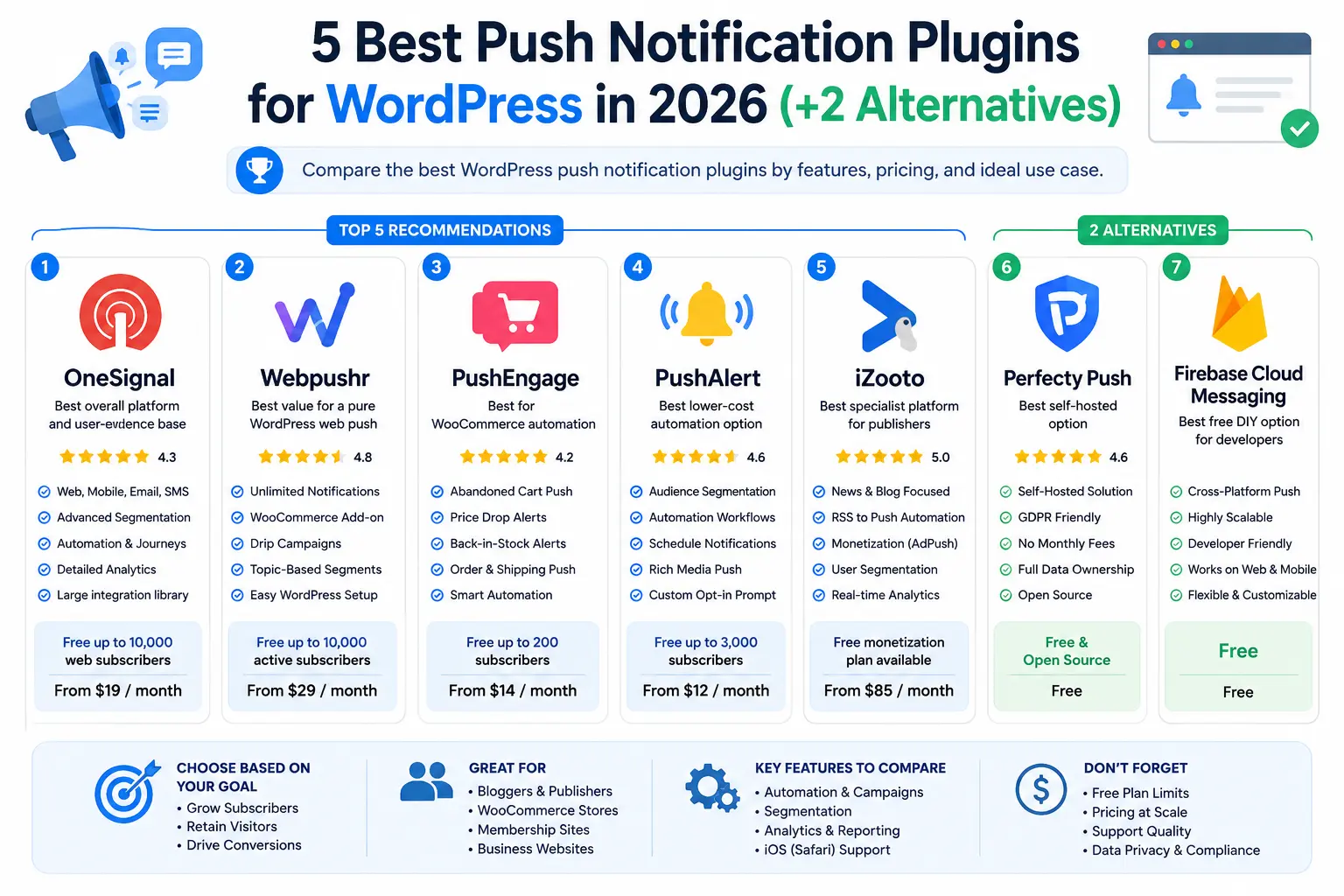
The best push notification plugins for WordPress in 2026 are OneSignal for the strongest overall platform and evidence base, Webpushr for the best WordPress-only value, PushEngage for WooCommerce automation, PushAlert for affordable segmentation, iZooto for news and digital publishers.
Before installing a plugin, compare three things: the free-plan limit, the price at your expected subscriber count, and whether the service includes the automations you actually need.
This 2026 ranking also weighs review volume and recency, not just star averages — a 5/5 from four people is much weaker evidence than a 4.3/5 from hundreds of WordPress users plus more than a thousand verified third-party reviews.
| Tool | Best for | Free option | Starting price | iPhone/iPad support |
|---|---|---|---|---|
| OneSignal | Overall platform and multichannel messaging | Up to 10,000 web subscribers | $19/month | ✅ Yes |
| Webpushr | WordPress-only web push | Up to 10,000 active subscribers | $29/month | ✅ Yes |
| PushEngage | WooCommerce automation | 200 subscribers | $14/month | ✅ Yes |
| PushAlert | Affordable segmentation and automation | 3,000 subscribers | $12/month | ✅ Yes |
| iZooto | News and digital publishers | Free monetization plan (sponsored notifications) | $85/month | ✅ Yes |
| Perfecty Push | Self-hosted WordPress push | Free and open source | Free | ❌ No |
| Firebase Cloud Messaging | Developers building custom solutions | Free | Free | ✅ Yes |
What are push notification tools for WordPress?
The best push notification plugins let a WordPress site send short, clickable messages to people who have granted permission. Unlike email, the visitor does not submit an address; the browser creates a subscription tied to the website, browser profile, and device.
Most WordPress push plugins are connectors to a hosted platform.
The plugin handles configuration inside WordPress, while the provider manages subscriptions, delivery, reporting, segmentation, and automation on its servers.
Because of this, the real product being evaluated is the combination of plugin, platform, pricing model, automation features, browser support, and support quality — not the plugin alone. (Perfecty Push is the exception: it keeps everything on your own server.)
A standard web-push setup usually uses:
- A permission prompt initiated by a user action
- A browser push subscription
- A service worker or a compatible declarative push implementation
- A push service operated by the browser platform
- An application server or managed provider that sends the message
Web push works best as a retention channel for time-sensitive updates: new posts, breaking news, event reminders, abandoned carts, price drops, back-in-stock alerts, registration deadlines, and limited-time offers.
Source-backed push notification statistics
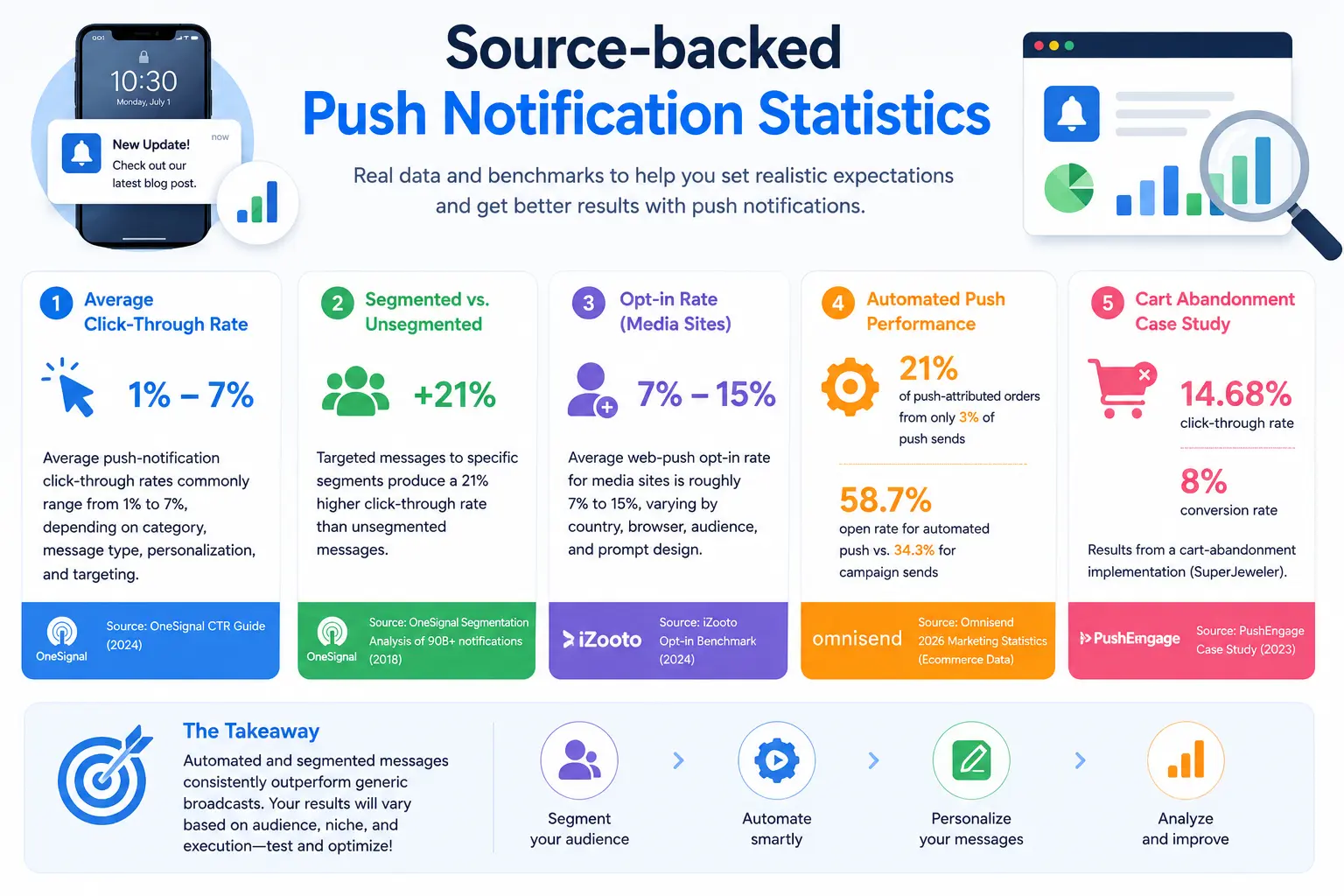
Push performance varies so much that a single “average conversion rate” is rarely useful. These figures give more realistic benchmarks:
- OneSignal says average push-notification click-through rates commonly range from 1% to 7%, depending on category, message type, personalization, and targeting. (OneSignal CTR guide)
- In an analysis of more than 90 billion notifications, OneSignal found that messages targeted to specific segments produced a 21% higher click-through rate than unsegmented messages. The dataset is older, but the lesson holds: targeting usually matters more than send volume. (OneSignal segmentation analysis)
- iZooto reports that the average web-push opt-in rate for media sites is roughly 7% to 15%, varying by country, browser, audience, and prompt design. Treat this as a publisher benchmark, not a guarantee. (iZooto opt-in benchmark)
- Omnisend’s ecommerce data reports that automated push messages generated 21% of push-attributed orders from only 3% of push sends, and a 58.7% open rate for automated push versus 34.3% for campaign sends. These are ecommerce-platform figures and should not be applied blindly to editorial sites. (Omnisend 2026 marketing statistics)
- PushEngage published a SuperJeweler case study reporting a 14.68% click-through rate and 8% conversion rate for a cart-abandonment implementation — a single vendor case study, not an industry average. (PushEngage case study)
The practical conclusion: automated and segmented messages usually outperform generic broadcasts, but treat vendor case studies as examples rather than promised outcomes.
Safari and iPhone web push update for 2026
Safari support is often described inaccurately, especially for iPhone. “Supports iOS” needs qualification. Here is the current position as of July 1, 2026:
- macOS: Standards-based Web Push arrived in Safari 16.1. Notifications can be delivered even Calendly when Safari is not open. (WebKit: Safari 16.1)
- iPhone and iPad: Web Push arrived with iOS and iPadOS 16.4, but only for websites the user has added to the Home Screen as web apps. Permission must be requested following direct user interaction. (WebKit: Web Push on iOS and iPadOS)
- Safari 18.4: Apple introduced Declarative Web Push for Home Screen web apps on iOS and iPadOS. It can display a notification without an installed service worker processing every message, and remains backwards compatible with existing Web Push. (WebKit: Safari 18.4)
- iOS 26 and Safari 26.0: Apple made every website eligible to open as a web app when added to the Home Screen, even without traditional “installability” requirements. The visitor still has to perform the Home Screen and permission steps. (WebKit: Safari 26.0)
On iPhone and iPad, a visitor must (1) add the website to the Home Screen, (2) open it as a web app, (3) interact with a subscribe control, and (4) approve the native notification permission.
A normal Safari tab cannot show the same frictionless prompt available on desktop or Android. This is an Apple platform requirement, not something any individual plugin can remove.
For this reason, when comparing the best push notification plugins, judge providers not merely on whether they technically deliver to iOS, but on whether they provide a manifest generator, an Apple-device-specific instructional prompt, customizable Home Screen guidance, a tested user-interaction flow, current documentation, and iOS-specific delivery analytics.
OneSignal, PushEngage, and PushAlert currently explain this process most clearly. Perfectly Push does not support Safari or iOS at all.
5 Best Push Notification Plugins for WordPress in 2026 (+ 2 Alternatives)
1. OneSignal — Best overall platform and user-evidence base
Among the best push notification plugins, OneSignal has the broadest channel mix, covering web push, mobile push, email, in-app messaging, and SMS.
It has 70,000+ active WordPress installations, a 4.3/5 rating from 361 WordPress.org reviews, WordPress 7.0 compatibility, recent maintenance, and a 4.7/5 rating from 1,198 verified G2 reviews.
What users say: Users consistently praise the straightforward setup, clear documentation, reliable delivery, and powerful segmentation and automation features.
Common complaints include pricing that rises with subscriber growth, advanced settings that can be difficult to find, limited analytics on lower-tier plans, premium features locked behind higher-priced plans, and slower support for free users.
Evidence strength: High — based on 361 WordPress.org ratings and 1,198 verified G2 reviews. (OneSignal G2 reviews)
Best for
Businesses that want the most proven platform and may eventually combine web push with mobile push, email, in-app messaging, or SMS.
Pros
- Largest WordPress adoption and review base of any tool here
- Actively maintained and tested with WordPress 7.0
- Web, mobile, email, SMS/RCS, and in-app messaging from one dashboard
- Visual Journeys, segmentation, data tags, and A/B testing
- Extensive API and SDK support with strong developer documentation
- One of the clearest iPhone onboarding guides, covering the full Add-to-Home-Screen flow
Cons
- Costs increase substantially with audience size
- Advanced settings can be harder to locate
- Analytics and attribution are more limited than the marketing suggests
- Some features are reserved for expensive plans, and free-user support is slower
Pricing
The Free plan permits web-push sends to a maximum of 10,000 subscribers per send. Growth starts at $19 per month plus $0.004 per web-push subscriber — inexpensive at the start, but less attractive than fixed-tier competitors once a list becomes large.
Verdict
OneSignal is the defensible number-one overall recommendation when the ranking weighs adoption, platform maturity, and independent reviews.
2. Webpushr — Best value for a pure WordPress web-push setup
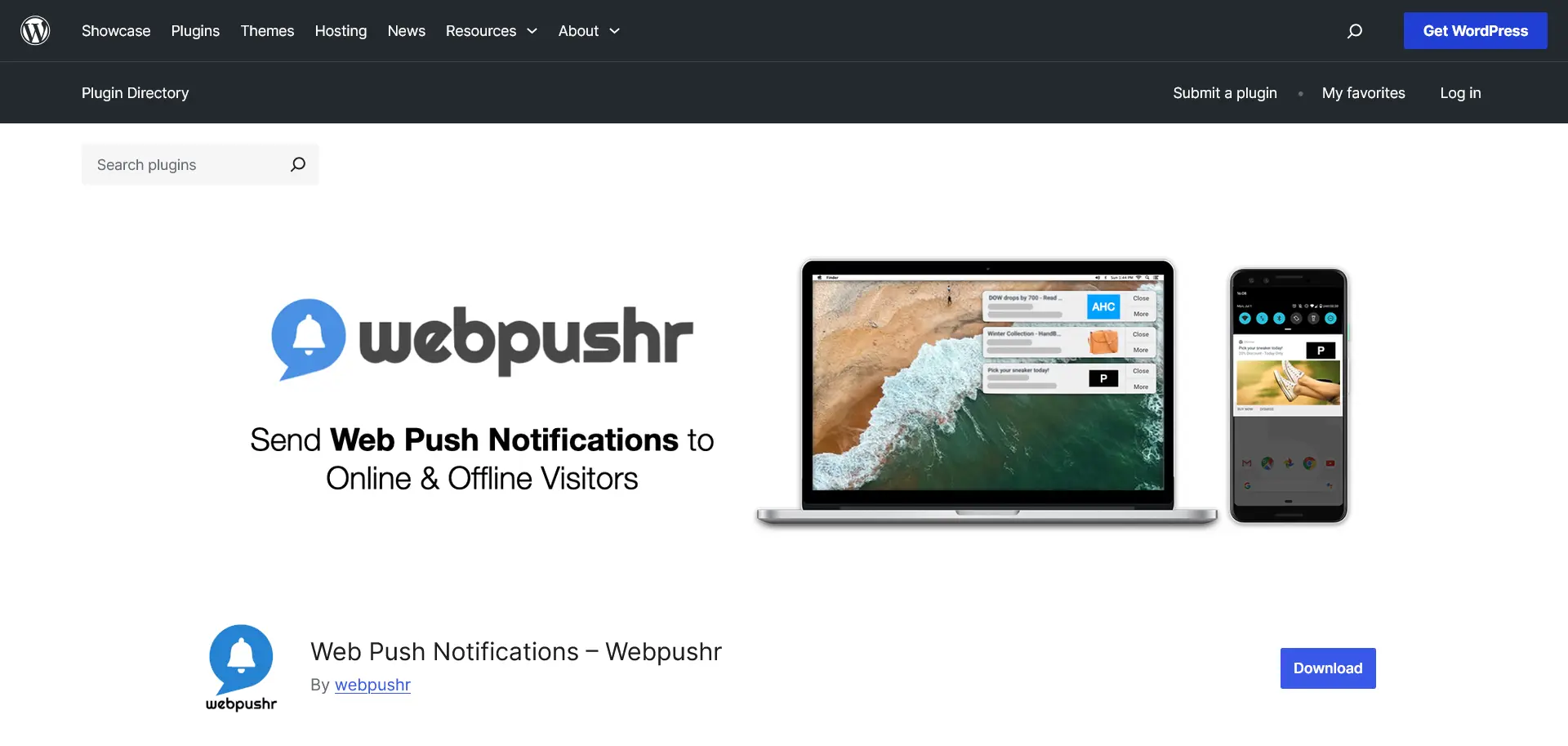
Webpushr earns its place among the best push notification plugins by focusing on managed web push for websites rather than broader multichannel messaging.
It has 10,000+ active WordPress installations, a 4.8/5 rating from 62 WordPress.org reviews, WordPress 7.0 compatibility, and support for iOS web push, although some public documentation has not yet been updated.
What users say: Users frequently praise the easy setup, lightweight plugin, WooCommerce integration, and reliable automated notifications.
The most common criticisms are the relatively small number of independent reviews, limited evidence about long-term support and reliability compared with larger competitors, and inconsistent public documentation about iOS support.
Evidence strength: Medium — based primarily on 62 WordPress.org ratings with limited third-party review coverage. (Webpushr iOS forum thread)
Best for
Blogs and WooCommerce stores that only need web push and want a strong free plan with predictable, easy-to-forecast pricing.
Pros
- Best WordPress.org rating profile among the managed alternatives
- Clear fixed-tier pricing that is far easier to forecast than per-subscriber usage
- Free plan with no time limit; all features available across tiers
- WooCommerce automation for new products, price drops, sales, and abandoned carts
- Segmentation by geography, behavior, and custom attributes, plus scheduled campaigns and real-time analytics
- Unlimited sites, team members, segments, and integrations under the published plans, with migration support
Cons
- Limited independent (G2/Capterra/TrustRadius) review footprint
- Public documentation about iOS support is inconsistent
- Not as broad an omnichannel platform as OneSignal
Pricing
Webpushr has the clearest pricing model in the shortlist: Free for up to 10,000 active subscribers; $29/month for up to 50,000; $49/month for up to 100,000; and $99/month for up to 150,000.
The free plan has no time limit, and all features are available across tiers. (Webpushr pricing)
Verdict
Webpushr is probably the best practical choice for a WordPress site that only needs web push.
3. PushEngage — Best for WooCommerce automation
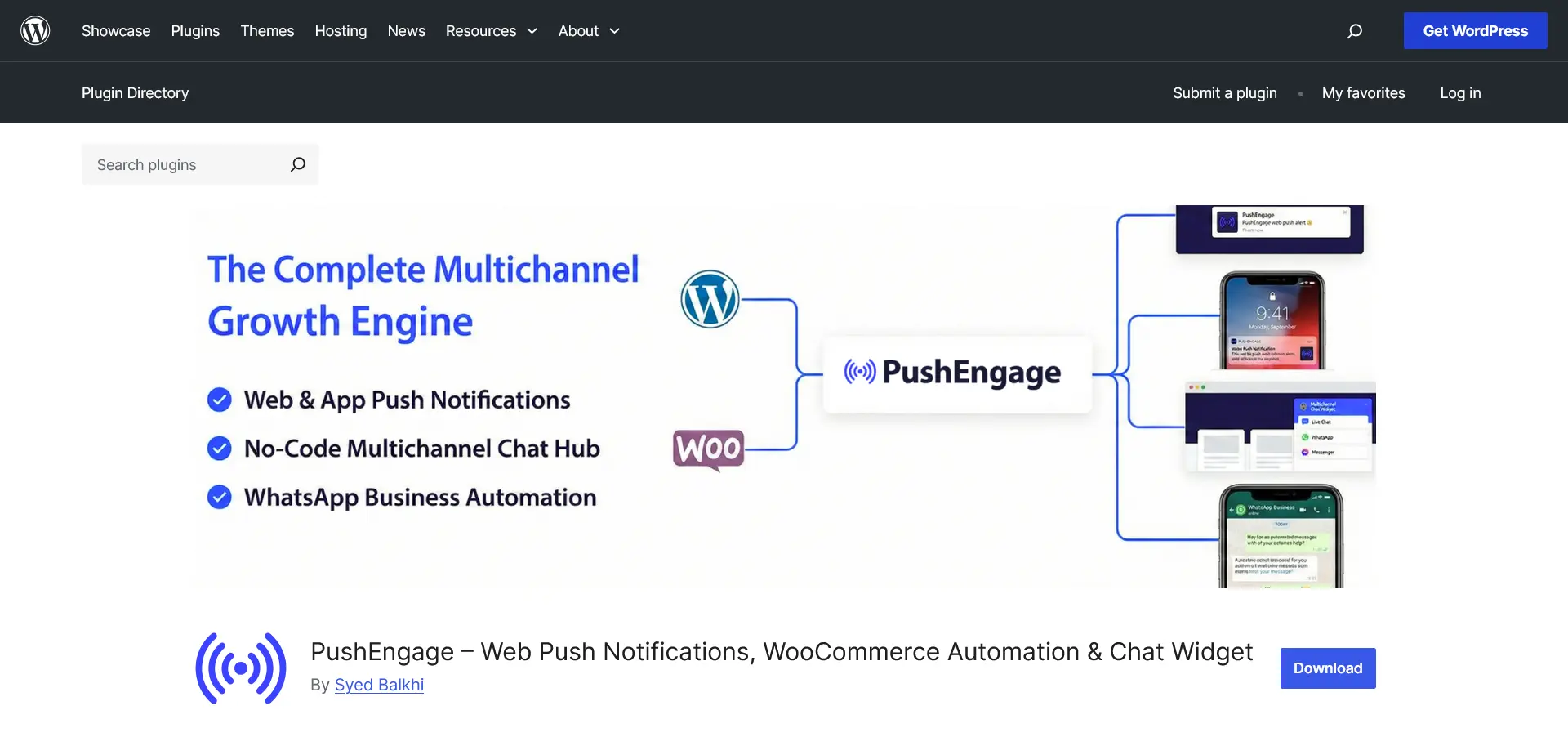
For WooCommerce automation, PushEngage is one of the best push notification plugins because it combines managed web push with ecommerce-focused workflows.
It has 9,000+ active WordPress installations, a 4.2/5 rating from 34 WordPress.org reviews, WordPress 7.0 compatibility, frequent updates, and a 4.6/5 rating from 53 verified G2 reviews.(PushEngage iOS setup)
What users say: Users commonly praise its ease of use, customer support, WooCommerce integration, and automated campaigns such as abandoned-cart and product notifications.
Recurring criticisms include a dashboard that can be confusing for new users, several negative WordPress.org reviews reporting inconsistent experiences, and isolated reports of slow support.
Evidence strength: Medium — based on 34 WordPress.org ratings and 53 verified G2 reviews. (PushEngage G2 reviews)
Best for
WooCommerce stores that will actually use behavioral automation.
Pros
- The strongest ready-made WooCommerce workflow set here
- Cart-abandonment sequences, browse abandonment, price-drop alerts, back-in-stock, order updates, payment-retry, and cash-on-delivery confirmation
- Drip campaigns, A/B testing, goal and revenue tracking, and URL/behavioral segmentation
- Frequently updated, with recent iOS web-push reliability improvements
- Current iOS/iPadOS 16.4+ documentation covering Home Screen installation and manifest configuration
Cons
- The free plan is limited to 200 subscribers and 30 campaigns, so it is closer to a trial
- Many advanced automations require Premium or Growth rather than the entry-level plan
- The dashboard can initially be confusing
- Support reputation is mostly positive but not uniform (six one-star WordPress ratings; one detailed Trustpilot complaint)
Pricing
Free supports 200 subscribers and 30 campaigns. Business is publicly displayed from $14 per month on monthly billing, or an annual promotional equivalent from around $8 per month.
Premium starts from $29 monthly and Growth from $60 monthly, both with lower annual equivalents, and the actual bill changes with subscriber count. (PushEngage pricing)
Verdict
PushEngage is the best recommendation for a WooCommerce store that will actually use behavioral automation.
4. PushAlert — Best lower-cost automation option
PushAlert makes this list of the best push notification plugins by combining segmentation, automation, and campaign management at a lower price point.
It has 1,000+ active WordPress installations, a 4.6/5 rating from eight WordPress.org reviews, WordPress 7.0 compatibility, and recent maintenance. (PushAlert iOS setup)
What users say: Users generally report an easy setup experience and appreciate the available automation and segmentation features.
However, there are too few public reviews to identify consistent recurring complaints, and there is limited independent evidence about long-term reliability or customer support.
Evidence strength: Low — based on only eight WordPress.org ratings and very limited third-party review data.
Best for
Small and midsize WordPress sites that need affordable targeting, scheduling, rich notifications, and basic ecommerce automation.
Pros
- A broad feature set for the entry price: rich notifications, scheduling, automatic segmentation, and dynamic segments
- Abandoned-cart alerts, welcome drips, conversion funnels, price-drop and back-in-stock notifications, and shipment alerts
- A/B testing, timezone delivery, RSS automation, and multilingual delivery
- Generous free plan: 3,000 subscribers with unlimited notifications, unlimited custom segments, API access, and iOS/iPadOS support
- Helpful iOS manifest generator and a customizable Add-to-Home-Screen prompt
Cons
- Small installation and review sample, so long-term confidence is lower
- Paid subscriber allowances are less transparent because the pricing page directs users to a quote/configuration process
- The interface and ecosystem are less extensive than OneSignal’s
Pricing
Free supports 3,000 subscribers. Basic is $12 per month or $10 per month billed annually; Premium is $39 per month or $33 annually; Platinum is $69 per month or $58 annually.
The Free plan includes unlimited notifications, unlimited custom segments, API access, and iOS/iPadOS support. (PushAlert pricing)
Verdict
PushAlert deserves a place in the top five and may be the strongest budget option.
5. iZooto — Best specialist platform for publishers
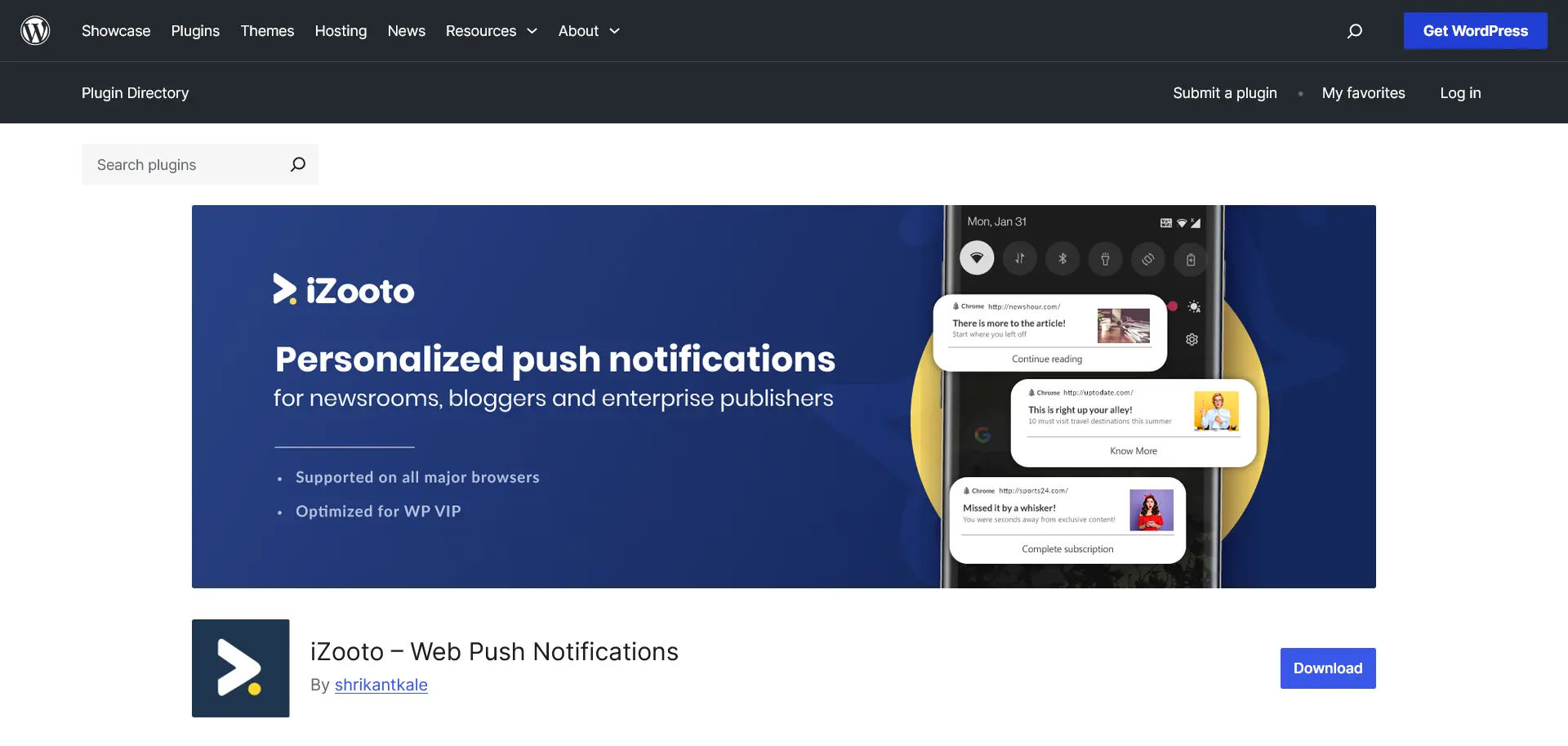
For publishers and news sites, iZooto ranks among the best push notification plugins because its platform is built around content-focused businesses.
It has 1,000+ active WordPress installations, a 5/5 rating from four WordPress.org reviews, WordPress 7.0 compatibility, and supports iOS web push.(iZooto iOS setup)
What users say: Users frequently praise its audience segmentation, ease of use, and customer support.
Reported drawbacks include occasional communication issues and additional JavaScript that some users say can affect website performance.
Evidence strength: Medium — based mainly on G2 reviews, while the WordPress.org sample is limited to four ratings. (iZooto G2 reviews)
Best for
News publishers, magazines, high-volume blogs, and media businesses that measure success in repeat sessions, pageviews, recirculation, and advertising revenue.
Pros
- Publisher-specific workflows rather than generic broadcast tools
- Recurring content distribution, segmentation, and personalization designed for high-frequency publishing
- Segmentation, ease of use, and support praised by G2 reviewers
- A free monetization option for publishers willing to send sponsored notifications
- Current iOS/iPadOS 16.4+ documentation
Cons
- Highly specialized and expensive relative to general-purpose tools
- The free Monetization plan sends sponsored notifications, unsuitable for brands that want full control of the subscriber relationship
- The WordPress rating sample is tiny (5/5 from four ratings)
- Individual reports of communication problems and extra JavaScript affecting performance; documentation about iOS is inconsistent
Pricing
The free Monetization plan allows iZooto to send sponsored push messages.
Rise starts at $85 per month, publicly listed for up to 30,000 subscribers, and higher publisher plans cost considerably more. (iZooto pricing)
Verdict
iZooto is the best specialist option for a serious digital publisher, but it should not rank above OneSignal, Webpushr, or PushEngage for the general WordPress query. Other WordPress push-notification options.
Other WordPress push-notification options
Here we have included two more push-notifications options as honorable mentions, Perfecty and Firebase.
They have been separate from the main list as Perfecty is self-hosted rather than a managed SaaS platform and Firebase is infrastructure and does not provide a complete WordPress marketing interface. Let’s take a look at the in a more detailed review:
Perfecty Push — Best self-hosted option, with a major limitation
Perfecty Push differs from the best push notification plugins in the managed category because it is free, open source, self-hosted, and stores subscriber data on your own server.
It has 4,000+ active WordPress installations, a 4.6/5 rating from 42 WordPress.org reviews, but does not support Safari or iPhone web push.
What users say: Users appreciate the absence of subscriber-based fees, full ownership of subscriber data, and self-hosted flexibility.
Common concerns include the maintenance required for self-hosting, update frequency, support, and the lack of Safari and iPhone compatibility.
Evidence strength: Medium — based on 42 WordPress.org ratings together with recurring Reddit discussions. (Reddit: WordPress push discussion)
Best for
Privacy- and cost-focused site owners comfortable with self-hosting, who do not require Safari or iPhone support.
Pros
- Free and open source, with no hosted push-platform subscription
- Subscriber data remains on your own WordPress server
- Automatic post notifications, custom messages, statistics, and migration support
- Solid rating on a reasonable sample (4.6/5 from 42 ratings)
Cons
- Explicitly does not support iOS and Safari — the decisive limitation
- Self-hosting makes server configuration, encryption, and delivery operations your responsibility
- A March 2026 review reports errors in Mozilla and Chromium; older reviewers report insufficient support and long-running sends
- Last updated in Sep 2025, and the community raises maintenance and support concerns
Pricing
The software is free and open source. There is no platform subscription; you pay only for your own server resources and the operational work of running it. (Perfecty Push WordPress plugin)
Verdict
Perfecty is worth mentioning as a privacy and cost-control alternative, not as a top general recommendation.
Firebase Cloud Messaging — Best free DIY option for developers

Firebase Cloud Messaging FCM) is Google’s free messaging infrastructure for web and mobile applications.
Unlike the best push notification plugins, Firebase Cloud Messaging provides delivery infrastructure but no turnkey WordPress marketing interface.
What users say: Developers praise its scalability, flexibility, and integration with the broader Firebase ecosystem. The most common criticisms are that it requires significant development work, lacks built-in marketing tools, and may incur costs when used with other Google Cloud or Firebase services.
Evidence strength: Low — based primarily on developer feedback rather than structured end-user review platforms.
Best for
Developers, agencies, SaaS teams, and custom WordPress applications that want full control and are willing to build the campaign and data layer.
Pros
- No charge for Firebase Cloud Messaging itself
- Cross-platform delivery for web, Android, iOS, and other supported environments
- Topic messaging and direct token targeting
- Scales to very large applications
- Integrates with Firebase Analytics, A/B Testing, Remote Config, and backend services
- Full control over application logic and user data architecture
Cons
- No official turnkey WordPress marketing plugin from Google
- Requires engineering work for setup, security, segmentation, scheduling, consent records, and reporting
- No polished marketing dashboard comparable to managed tools
- Related cloud products, storage, functions, or data transfer may cost money
- Ongoing browser and API maintenance becomes your responsibility
Pricing
Firebase Cloud Messaging itself costs $0. Costs can arise from development time and from other Firebase or Google Cloud products used around it. (Firebase Cloud Messaging)
Verdict
FCM is the lowest-cost infrastructure option but not the easiest WordPress solution.
| Tool | Platform type | Active WP installs | WP rating | External review footprint |
|---|---|---|---|---|
| OneSignal | Managed, multichannel | 70,000+ | 4.3/5 from 361 | Large |
| Webpushr | Managed, web-push focused | 10,000+ | 4.8/5 from 62 | Limited |
| PushEngage | Managed, ecommerce focused | 9,000+ | 4.2/5 from 34 | Medium |
| PushAlert | Managed | 1,000+ | 4.6/5 from 8 | Limited |
| iZooto | Managed, publisher focused | 1,000+ | 5/5 from 4 | Medium |
| Perfecty | Self-hosted | 4,000+ | 4.6/5 from 42 | Limited |
How we came up with this list
We selected the best push notification plugins by comparing WordPress adoption, review strength, pricing, automation, browser support, and recent maintenance.
Best Push Notification Plugins for WordPress: Detailed Reviews.
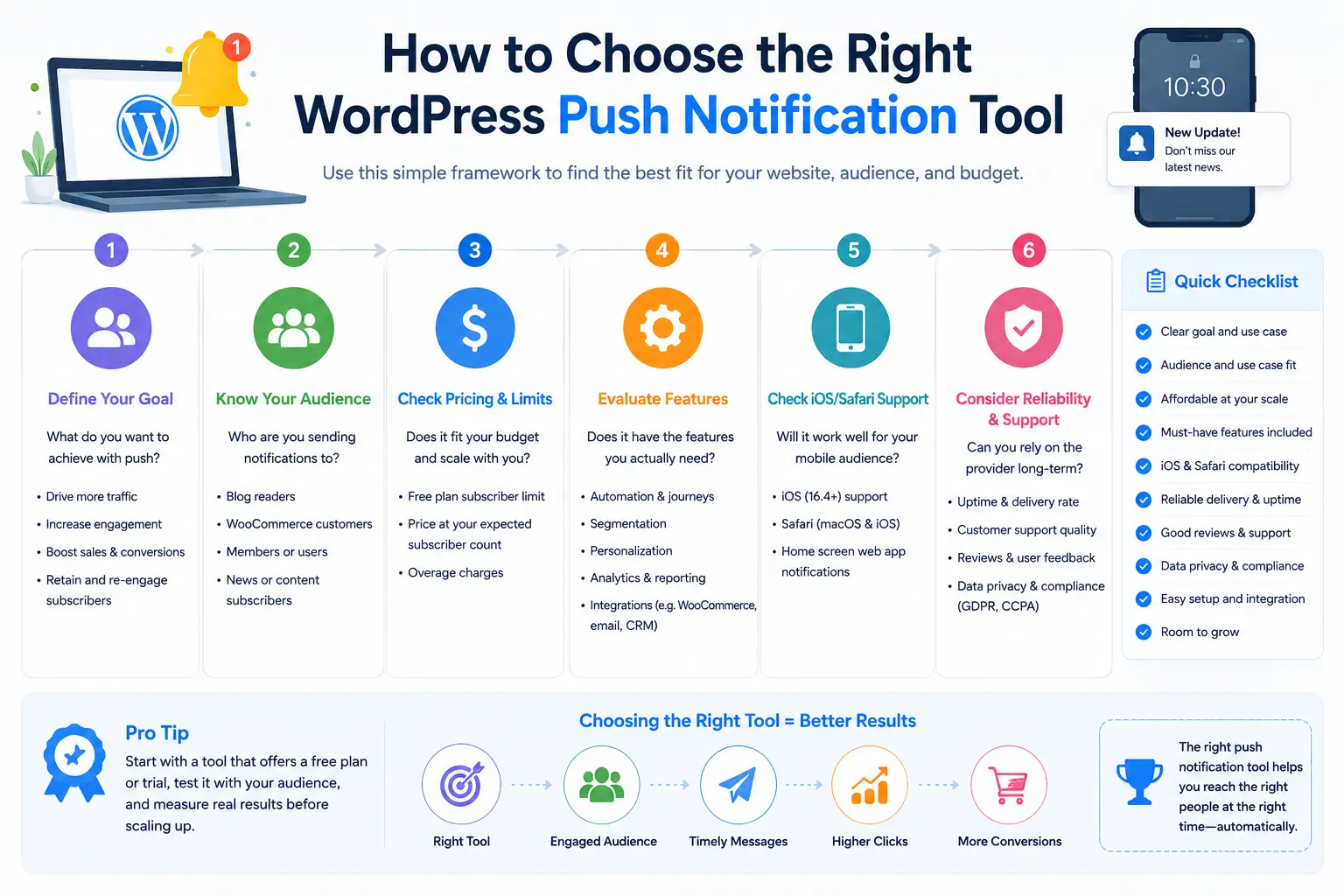
1. Forecast subscriber count, not just current traffic
Estimate your active subscriber count at 10,000, 50,000, and 100,000, then compare the total monthly bill at each level.
OneSignal’s base-fee-plus-per-subscriber model, Webpushr’s and PushAlert’s fixed tiers, and Perfecty’s self-hosted server costs behave very differently as the audience grows.
Pricing varies sharply among the best push notification plugins: Pricing varies sharply among the best push notification plugins: per-subscriber models are cheap early and expensive at scale, while fixed tiers are easier to forecast.
2. Separate essential automations from attractive extras
Write down the workflows that will actually be used:
- New-post notification
- Welcome sequence
- Abandoned cart
- Browse abandonment
- Back in stock
- Price drop
- Event reminder
- Transactional status update
- Location, device, category, or behavior segment
Even the best push notification plugins create little value if the team only sends one generic broadcast per week. If WooCommerce automation is central, PushEngage’s ready-made workflows are the benchmark.
Having a WooCommerce inventory management tool will be a big help for online shops.
3. Verify Safari onboarding
Ask the provider to demonstrate the complete iPhone flow: adding the site to the Home Screen, opening the web app, requesting permission after a user action, receiving a message, opening the destination, and unsubscribing.
Watch for outdated “iOS not supported” claims in plugin listings — several providers deliver iOS but document it inconsistently.
4. Weigh review evidence, not just star averages
A high average from a handful of reviews is weak evidence.
To identify the best push notification plugins, favor products with a large, recent body of WordPress ratings and independent third-party reviews such as G2, Capterra, or TrustRadius, and read recurring criticisms, not only the praise.
5. Review migration and data ownership before launch
Ask whether you can export subscriptions, attributes, consent timestamps, campaign history, and analytics; whether the provider uses portable VAPID keys; and what happens to existing subscribers if you change platforms.
A self-hosted option such as Perfecty keeps the data on your server but hands you the operational burden.
6. Review privacy documents
Confirm the provider offers an appropriate data-processing agreement, identifies subprocessors and data locations, explains retention, supports deletion requests, and provides a practical unsubscribe path.
7. Test the destination page
A push campaign cannot rescue a slow, confusing, or irrelevant landing page. Test the entire path from notification to page load to conversion on desktop, Android, macOS, iPhone, and iPad where relevant.
The best push notification plugins are not always the cheapest. Compare their cost at your expected subscriber count, required automations, iPhone onboarding, and data-portability options.
For WooCommerce stores: pair push notifications with a conversion-ready storefront
The best push notification plugins can bring shoppers back to your store, but the page they land on determines whether they complete the purchase.
This is where a WooCommerce builder such as ShopPress can complement a platform like PushEngage, Webpushr, or PushAlert.
The push-notification platform handles permission, segmentation, delivery, and campaigns such as abandoned-cart reminders, price-drop alerts, back-in-stock messages, and limited-time offers.
ShopPress helps you improve the shopping experience after the customer clicks by letting you customize product, shop, cart, checkout, wishlist, and account pages with Elementor.
It also includes conversion-focused features such as quick view, product comparison, sales countdowns, backorders, cross-sells, order bumps, and on-site sales notifications.
You can learn more about how to customize WooCommerce pages with Elementor or explore additional WooCommerce upselling and cross-selling strategies.
In other words, your push provider brings customers back; ShopPress helps create a smoother path from the notification click to the completed order.
For most WordPress sites, the best push notification plugins are OneSignal for overall capability, Webpushr for value, and PushEngage for WooCommerce automation.
1. Are push notifications good for SEO?
Push notifications are not a direct Google ranking factor. They can bring returning visitors to useful content, but they should not be described as a way to manipulate engagement signals or rankings. Evaluate push by retention, qualified sessions, conversions, and user satisfaction rather than SEO claims.
2. Do web push notifications work on iPhone and iPad?
Yes, with an important limitation. On iOS and iPadOS, the user must first add the website to the Home Screen as a web app, open it, interact with a subscribe control, and approve the native permission. A normal Safari tab cannot use the same frictionless opt-in flow available in many desktop and Android browsers. This is an Apple platform requirement, not something a plugin can remove.
3. Are WordPress push notifications GDPR compliant?
They can be, but installing a “GDPR-compliant” plugin does not make the entire implementation compliant automatically. Browser permission and data-protection compliance are related but separate issues. Learn how to make your site GDPR-compliant.
A compliant implementation should clearly explain what the visitor will receive, identify the site and service provider, avoid preselected or forced consent, document the lawful basis, disclose processing in the privacy notice, sign an appropriate data-processing agreement, minimize stored data, protect subscription endpoints and identifiers, honor deletion or objection requests, and make withdrawal as easy as opting in.
Marketing rules can also involve the EU ePrivacy framework or national electronic-marketing laws in addition to GDPR, so obtain jurisdiction-specific legal advice. The UK’s ICO advises that when electronic-marketing rules require consent, consent will normally also be the appropriate UK GDPR lawful basis. (ICO direct marketing guidance)
4. Does a WordPress site need HTTPS for web push notifications?
For standards-based, domain-native web push, yes. The Push API and service workers are restricted to secure contexts, normally HTTPS, with localhost exceptions for development. (W3C Push API, W3C Service Workers).
Some providers advertise workarounds for HTTP sites by subscribing the visitor through a secure intermediary domain, but that can weaken branding, portability, and control. A production WordPress site should use HTTPS regardless, because it protects login, checkout, form, and visitor data as well as enabling modern browser APIs.
5. What is the difference between web push and mobile app push?
Web push is tied to a website, browser profile, and device. A user can subscribe without installing a native app, although iPhone and iPad users must add the site to the Home Screen first.
Mobile app push is tied to an installed iOS or Android app and is delivered through services such as Apple Push Notification service or Firebase Cloud Messaging. Native app push can use app-specific data, richer lifecycle events, deeper links, and operating-system capabilities not always available to a website.
A platform such as OneSignal supports both. A web-push-only service such as Webpushr may be simpler and cheaper when no native app exists.
6. Can WordPress send push notifications for free?
Yes. Several of the best push notification plugins offer free managed plans, including OneSignal, Webpushr, PushAlert, and PushEngage, each with different limits. iZooto offers a free publisher-monetization plan that can include sponsored messages. Perfecty Push is free and open source but self-hosted, so you run the infrastructure yourself. Firebase Cloud Messaging is free infrastructure, but custom development is required.
7. What is the difference between general web push and WooCommerce notifications?
General web push includes editorial or promotional messages such as new posts, announcements, and event reminders. WooCommerce push campaigns are triggered by store behavior or catalog changes, such as an abandoned cart, product view, price drop, sale, or back-in-stock event. PushEngage has the strongest ready-made WooCommerce workflow set, with Webpushr and PushAlert as capable lower-cost alternatives. Check out our guide on how to promote your WooCommerce store.