
Attendees Page
Overview
The Attendees Page is a dedicated interface that allows you to view and manage all attendees of a specific event in one place. Instead of navigating through bookings or reports, this page provides a clean, event-focused view of attendee data, ticket distribution, and attendance status.
How to Access
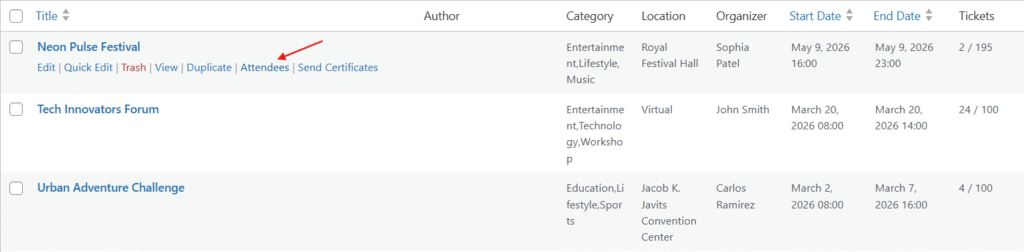
- Go to MEC → Events
- Locate your desired event in the list
- Click on the “Attendees” option under the event title
This will open the attendees page for that specific event.This will open the attendees page for that specific event.
Page Structure
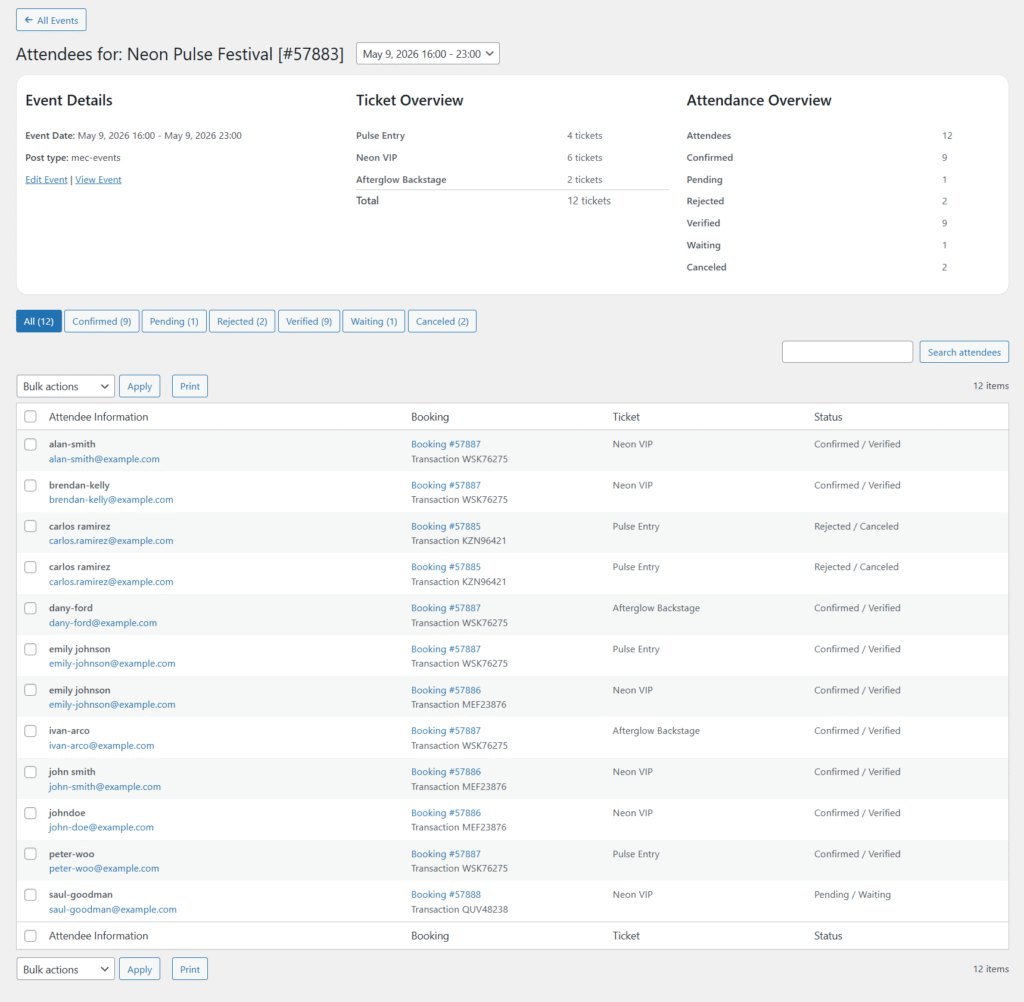
The Attendees Page is divided into three main sections:
1. Event Details
Displays basic information about the selected event:
- Event date and time
- Post type
- Quick links:
- Edit Event
- View Event
2. Ticket Overview
Provides a breakdown of tickets associated with the event:
- Ticket names (e.g., Standard, Exclusive, etc.)
- Number of tickets sold per type
- Total tickets issued
This helps you quickly understand ticket distribution without digging into bookings.
3. Attendance Overview
Summarizes attendee statuses:
- Total Attendees
- Confirmed
- Pending
- Rejected
- Verified
- Waiting
- Canceled
- Checked-in
This section gives you a quick snapshot of the event’s booking and attendance health.
Attendees List
Below the overview sections, you’ll find the full list of attendees.
Included Information:
- Attendee Name
- Email Address
- Booking ID
- Transaction ID
- Ticket Name
- Status (e.g., Confirmed / Verified)
Filters
You can filter attendees based on their booking status using the tabs:
- All
- Confirmed
- Pending
- Rejected
- Verified
- Waiting
- Canceled
This makes it easy to isolate specific groups, like pending approvals or verified attendees.
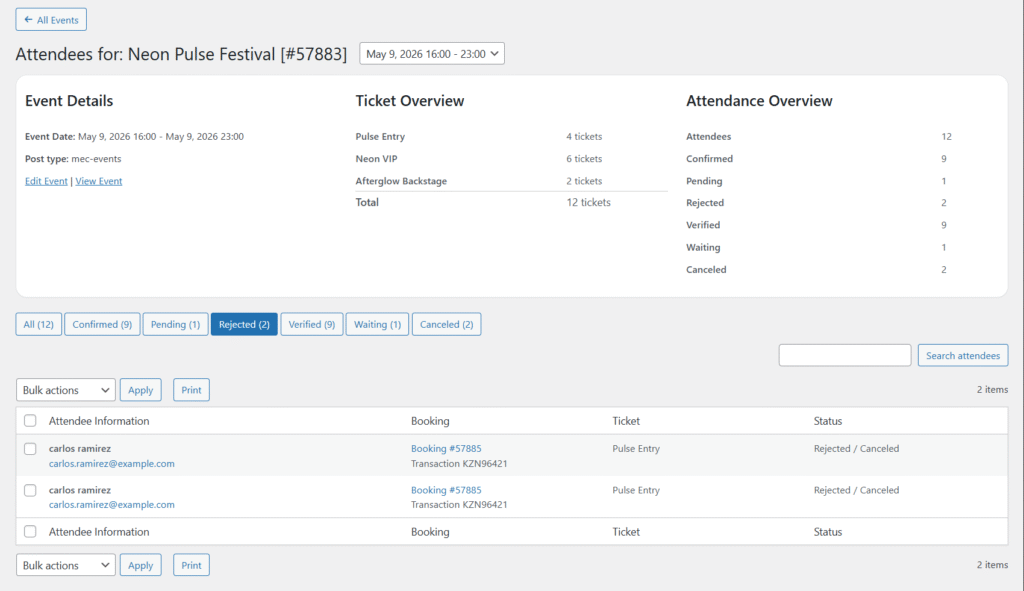
Bulk Actions
You can select multiple attendees and apply bulk actions using the dropdown menu.
Search Functionality
A search bar is available to quickly find attendees by name or email.
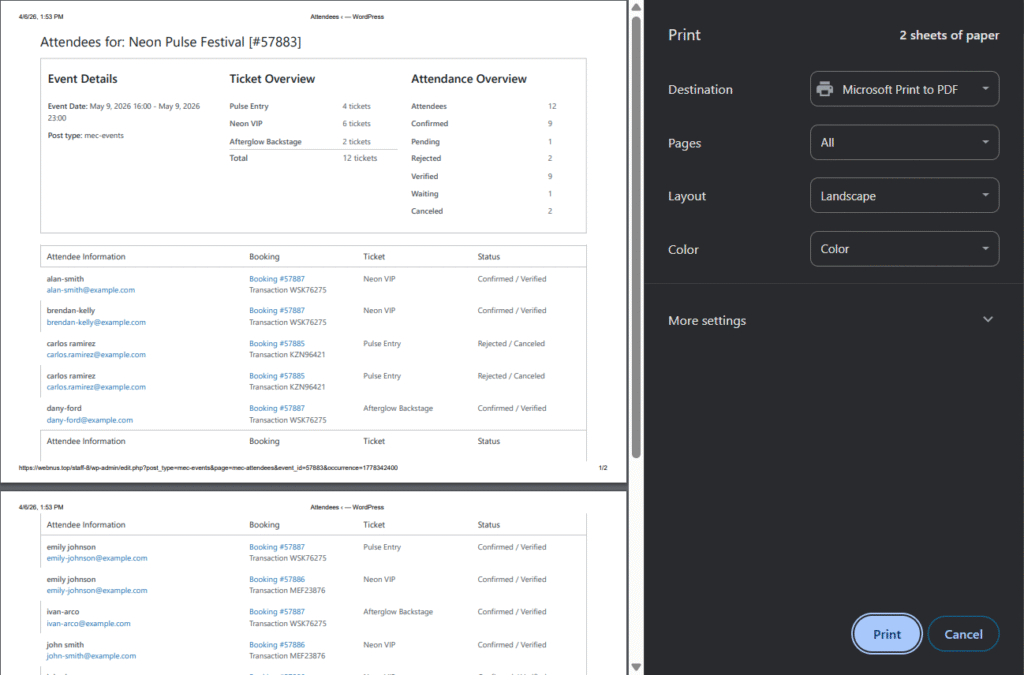
Print Feature
At the bottom of the attendees list, there is a Print button.
What it does:
- Generates a clean, printable version of the attendees list
- Includes:
- Event summary (Event Details, Ticket Overview, Attendance Overview)
- Full attendee table
Use cases:
- On-site check-in sheets
- Physical records
- Offline access during events
Key Benefits
- Event-specific attendee management
- Clear visibility of ticket distribution
- Quick filtering by booking status
- Printable attendee reports
- No need to navigate between multiple sections
Notes
- This page is event-specific; each event has its own attendees view.
- Data shown here reflects the current booking and attendance status in real time.
- The Print layout is optimized for simplicity and readability.
Report Out Dated Content
If you think the content of this page does not reflect updated information, please let us know.

