Everybody wants to know how to get more views on YouTube nowadays. After all, this video hosting platform has not only become home to some 2.3 billion users a month, but it is currently the second largest search engine in the world (after Google).
And if that wasn’t impressive enough, around 42% of all internet users are YouTube subscribers, and some 70% of the site’s traffic comes from mobile users. In short: YouTube is a powerful resource for reaching an audience.
Still, at its heart, YouTube is a social media site. Using target keywords and video blog posts, companies and individual influencers alike can reach and grow their target audience, sell products, and promote all manner of services.
Some of these businesses (and even some people) make millions using this platform. However, they can only be seen if they master the YouTube algorithm. Like other social media sites, this platform rewards views with exposure making.
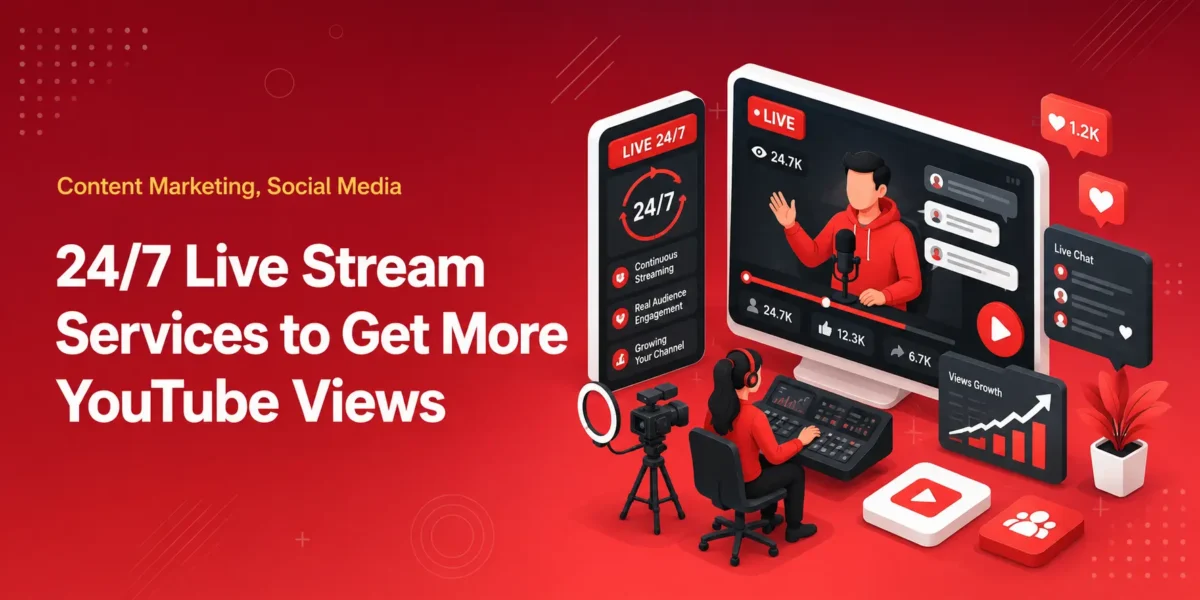
24/7 live streaming has quietly become one of the more efficient growth tactics on YouTube. Channels with millions of subscribers run looped, always-on streams of their existing content and treat them like linear TV, and the results show up in the algorithm.
Live broadcasts get pushed harder than uploads, watch time compounds across time zones, and ad revenue keeps coming in without anyone shooting new footage.
The problem is that running a 24/7 stream from a personal computer is a nightmare. OBS crashes. Internet drops. Laptops overheat.
The whole reason creators and brands moved to cloud-based 24/7 streaming software was to take all of that off their plate. So the real question is which service is actually worth using.
Let’s take a look at the best options.
What to look for
Befroe we dive right in, here are a few features to look out for:
- True cloud hosting. The stream should run on remote servers, not on your computer. If you have to keep a machine on, you don’t have a 24/7 setup, it’s only a matter of time until something goes wrong.
- Stability and uptime. Streams will be running for weeks or months at a time. Even small drops hurt your standing in the YouTube algorithm.
- File flexibility. Most creators have content in mixed formats. A service that auto-encodes your files saves a lot of pre-upload work.
- Room to grow. A music loop today can become a multi-overlay channel in six months. Picking a tool that scales with you is worth more than it sounds.
LiveReacting
The cloud-based 24/7 streaming setup from LiveReacting tends to be the most balanced option for both beginners and larger operations. The simple setup is genuinely simple. You upload a video, choose continuous loop, and click go live.
The whole thing takes about five minutes and runs entirely on their servers, which means you can close your laptop and walk away.
Files in mixed formats (.mov, 4K, anything that wouldn’t normally play nicely with YouTube Live) get automatically re-encoded to match YouTube’s specs, which is a small detail that saves a real amount of time.
What separates it from the simpler options is what’s available once you outgrow a basic loop. You can build playlists from multiple videos, layer audio tracks, add overlays, integrate live camera feeds, and run interactive components like polls, trivia, or comment displays directly on top of the 24/7 stream.
For larger creators or brands, there’s also ad slots management, HLS streams with native SCTE-35 ad markers, and API access for teams that want to build internal tooling on top of it.
It’s used at the enterprise level by names like Booking.com, NIVEA, IMAX, and McDonald’s.
The point is that the same tool covers a Lo-Fi music channel and a fully produced enterprise setup, and the simple end of that range really is simple.
Gyre
Gyre is a focused, no-frills 24/7 streaming tool, and for the specific job of looping a single video or playlist it works cleanly.
The scope is deliberately narrow – there’s no interactive layer, no overlay system, and no support for playlist-plus-camera setups – which keeps the experience simple for anyone who genuinely just wants a video on a loop.
Pricing sits a touch above what comparable looping-only tools charge, so the value proposition leans more on focus than features.
For background-radio-style content it does the job well. For creators who want their stream to evolve over time, the lack of room to grow becomes the main consideration.
Upstream
Upstream is reliable and gets the basics right, with a stable track record on long-running streams.
The one area worth knowing about is file flexibility – uploading .mov files or 4K masters and streaming them at 1080p isn’t handled the way it is on more capable platforms, which means encoding has to happen on your end before upload.
For creators who already work in pre-converted 1080p MP4s, that’s a non-issue. For anyone working with mixed source material, it adds a step to every new piece of content.
Live247
Live247 is one of the more accessible options in the category and can be a reasonable starting point for smaller, lower-stakes 24/7 setups.
Stability and feature depth sit a step below the more established services, which matters more or less depending on what’s at stake – for a casual loop it’s workable, but creators tend to find themselves looking at alternatives once their stream becomes something they actually rely on.
How Does YouTube Calculate Views Counts?
Before we can dive into specific tips for how to get more views on YouTube, we need to discuss how the site’s algorithm calculates and rewards that viewership.
For starters, just having a user “press play” on your video doesn’t count as a view.
They need to watch for at least 30 seconds in order to be recognized by the algorithm. But there’s more to it than that.
When calculating your video’s popularity, YouTube also considers the average watch time of each user, the amount of each video watched, and the click-through rate, which is how many people decided to watch after being recommended your vid.
The ones with the best results will end up in a given user’s “suggested videos.”
How to Increase YouTube Views?
Now that you understand that it takes more than just watching your own video a few thousand times to get ranked by YouTube’s algorithm, let’s talk about some specific strategies you can use to get more YouTube videos and boost your brand (and earnings).
Create More Engaging Content

First things first, if you want to get more views on YouTube, you need to be giving your audience something worth watching!
Like any other form of marketing, deciding exactly what your target market will engage with takes some research. Still, if you can produce better content that gets likes, shares, and comments, it will pay off down the line.
Create Attractive Playlists
Playlists give you a chance to group-specific videos together into categories.
Not only does it make your channel appear more organized, but it can provide your users an opportunity to “binge-watch” your vids.
Since time watching is a major algorithm driver, this can seriously boost your appeal.
Promote Other Videos With End Screens and Cards
The last few seconds of your video can be spent begging your audience to watch more, or you can show them another one of your videos along with a handy link. Which do you think gets a better response?
Spend some time learning how to use end screens and cards, and you’ll see a big response.
Cross-Promote
YouTube might be one of the most popular social networks out there, but it’s far from the only one! Create accounts so you can start cross-promoting your videos on Facebook. Instagram, Twitter, and even TikTok.
Optimize Your Meta Tag
Algorithms like the one YouTube uses require a specific set of information in order to work properly. We call this “metadata,” and it works just like any other search engine.
By checking your videos to make sure they have the right mix of tags and keywords, you can help grow your presence more effectively.
Optimize Your Youtube Channel To Increase Visibility
The information outlined above is also useful when it comes to optimizing your channel in general. You’ll want to do keyword research and make sure you include them in your video, title, and descriptions.
You should also try to create more impactful thumbnails and even consider adding a transcription to your description field.
Create Attractive Thumbnails

Speaking of thumbnails, you should absolutely be creating custom thumbnails for all of your videos. If you don’t, YouTube will just grab a random snippet from the vid, which very rarely looks good! While some people do get a response with complex thumbnails, simple (and clear) is usually better.
If you’re not comfortable doing the design, hire an expert!
You can even use an AI thumbnail generator tool to create visually attractive thumbnails for your YouTube videos.
Build An Influencer Community
Though it’s possible to find success by yourself, teamwork is usually key to making the dream work. So, start building an influencer community!
Find people like you who are saying similar things with their own voice. Then, join forces and promote one another to your respective target audiences.
Build Relationships With Your Viewers
If you want to actually influence people, you can’t just be putting videos out and hoping for the best. You need to actively engage with and build relationships with your viewers. Respond to comments, give advice, and acknowledge the criticism.
The more you interact, the more they’ll feel compelled to watch you.
Ask Viewers To Subscribe
It may seem simple, but you’d be shocked just how many people don’t subscribe unless they’re actually prompted by the channel owner. You should be doing this both at the beginning and end of your videos.
Upload Videos At Peak Time
Your target audience has a specific time that they are active online. Whatever it may be, that’s when you want to drop “new video” notifications to your subscribers. So, how did you find it out?
You could try doing a bit of detective work, or you could simply ask your subscribers what times work best for them (see “build relationships with your viewers” above).
Run A Contest Or Giveaway
If there’s anything internet users love, it’s contests and free stuff. So, don’t be afraid to give them both! Have people like your video, subscribe, or leave a comment to enter, then pick a random winner to receive a special prize.
It doesn’t have to be hard – but it does have to follow YouTube’s policies.
Follow Up The Trend In Your Niche
Hopefully, you’re at least aware of what your niche is. Ideally, you’d also have your finger as close to the pulse of that subject as possible.
When you stay abreast of what’s going on in your target audience’s world, you can better come up with relative, topical content (which will get a better response)
Buy YouTube Views
That’s right – if you’re looking for a fast and easy way to get more views, you can simply buy them! At Media Mister, they have already delivered millions of YouTube views to thousands of satisfied customers.
Not only are these real views from real accounts, but when you buy YouTube views from them, you can see huge results in just a short amount of time.
Conclusion
For someone who just wants a single video looping in the background, any of the cloud services will technically do the job.
The reason most creators and brands settle on LiveReacting is that it handles the simple case as cleanly as the dedicated tools do, while leaving the door open to grow into playlists, overlays, interactive components, and enterprise-grade ad management without having to switch platforms later.
If you’re starting a 24/7 stream this week and want something you can set up in an afternoon, that’s still the one to start with.
If you want to get more YouTube views, you have to master your niche and engage with viewers as often as possible.
When in doubt, you should always consider investing in premium YouTube views from Media Mister. In the end, there’s no better way to grow your channel and social media presence.