

Quick Answer: To create an event registration form in WordPress, start with the information required to reserve a place, issue a ticket, and prepare for the attendee.
Most forms need a name, email address, event or date selection, ticket choice, and any agreement required for the booking. Add payment fields for paid events and use conditional fields for questions that apply only to some attendees.
The best setup depends on the event. A free meetup needs far fewer questions than a multi-session conference. The six templates below give you a practical starting point.
If you use Modern Events Calendar, MEC Pro can manage global or event-specific booking forms, notifications, ticketing, and conditional fields from the same event system.
A registration form often looks fine until the first real booking arrives. Then the organizer discovers that the ticket has a fake name, a dietary answer went nowhere, or the form asked every attendee questions meant for one ticket type.
That is why a useful event registration form in WordPress should be planned as a workflow. Every field needs a reason, an owner, and a destination. Who uses the answer? Does it belong in an organizer email, an attendee confirmation, a ticket, or the checkout record?
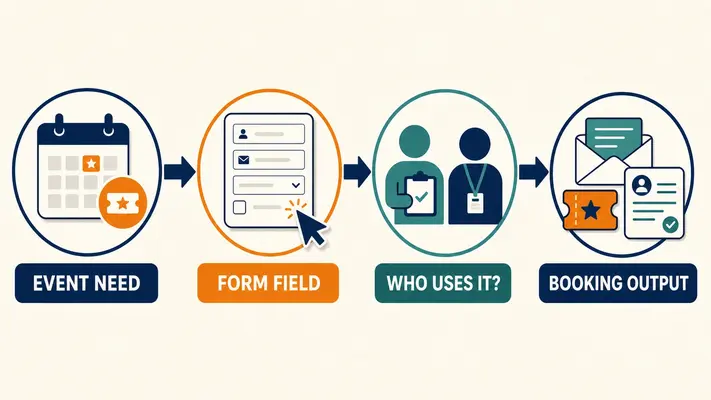
This guide gives you six copy-ready form plans for common event types. It does not cover installing an event plugin or building the event itself. If that is your starting point, follow our guide to creating an event website with WordPress first.
What should an event registration form in WordPress include?
A good WordPress event registration form asks for the smallest amount of information needed to complete the booking and run the event. Name and email are usually essential.
Everything else depends on the ticket, venue, schedule, payment process, and attendee communication plan.
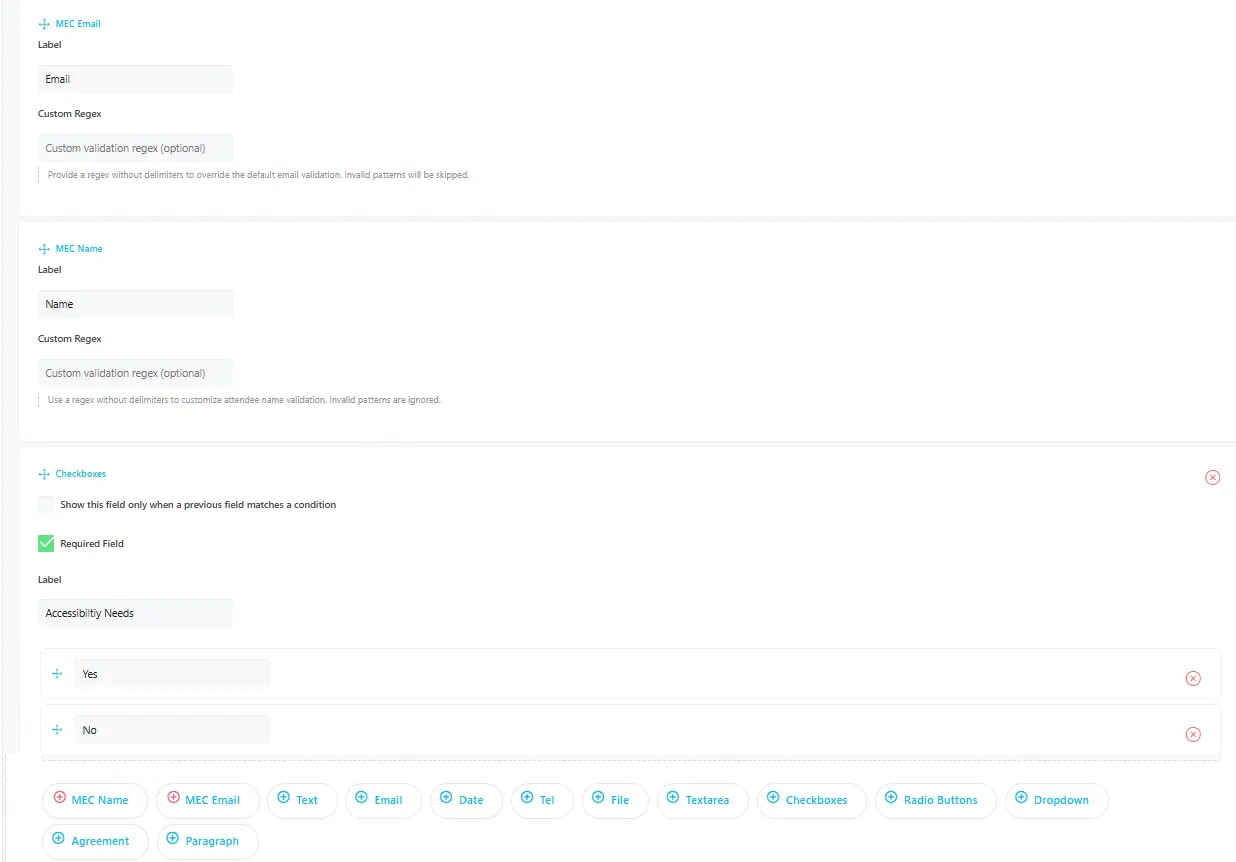
Before adding a field, answer two questions:
1. Will this answer change the booking, ticket, event preparation, or follow-up?
2. Who will read or use the answer after the form is submitted?
If neither answer is clear, leave the field out. The W3C Forms Tutorial also recommends asking users only for information required to complete the transaction or process. Shorter is useful, but relevance matters more than chasing a particular field count.
Core fields for an event registration form template
| Field | Required? | What the answer is for |
|---|---|---|
| Attendee name | Yes | Booking record, attendee list, badge, certificate, or ticket |
| Email address | Yes | Confirmation, ticket delivery, joining instructions, and event updates |
| Event date or occurrence | When multiple dates are available | Reserves the correct session or date |
| Ticket type and quantity | For ticketed events | Price, capacity, access level, and attendee count |
| Payment details | For paid bookings | Completes the transaction through the selected gateway or checkout |
| Agreement | Only when the event requires one | Records acceptance of the exact terms supplied by the organizer |
| Event-specific questions | Usually optional or conditional | Supports catering, accessibility arrangements, session planning, or equipment preparation |
Use visible, descriptive labels for every field. Place format instructions beside the input instead of relying on placeholder text. W3C guidance on labeling form controls explains why labels need to remain available when someone types, reviews an answer, or uses assistive technology.
Which event registration form template should you use?
Choose the template that matches the booking decision, rather than the one that looks closest to your preferred design. A free meetup is an RSVP. A workshop may need payment and preparation details. A conference may have ticket tiers and session choices. Those are different workflows.

| Event type | Use this template when | Main extra fields |
|---|---|---|
| Free meetup | The organizer mainly needs an accurate RSVP and contact list | Attendance confirmation and optional accommodation request |
| Paid workshop | The booking includes payment and preparation | Ticket, experience level, materials, and billing details |
| Conference | Attendees choose ticket tiers or sessions | Organization, badge details, sessions, and catering |
| Group or family event | One person books for several attendees | Booker details, attendee details, and group size |
| Virtual or hybrid event | Access instructions depend on attendance mode | Mode, time zone, access email, and in-person details |
| Recurring course | The event has several dates or an ongoing schedule | Occurrence, prerequisite, experience, and schedule confirmation |
You can adapt any event registration form template below to a global form or a form used by one event. In MEC Pro, the global booking form applies across events, while an event-specific form can override it when the global fields do not fit.
Six event registration form templates you can adapt
These templates are field plans, not downloadable legal forms or one-click imports. Copy the closest plan, remove fields your team will not use, and rewrite the labels in the language your attendees expect.
Each plan helps you create an event registration form in WordPress around a real booking decision instead of copying a generic list of questions.
1. Free meetup or community event
This event registration form in WordPress should feel closer to an RSVP than a checkout. The organizer needs to know who is coming and how to contact them. Extra questions should support a real event task.
Free meetup event registration form template
| Field | Treatment | Use |
|---|---|---|
| Full name | Required | Attendee list and greeting |
| Email address | Required | Confirmation and event updates |
| Will you attend? | Required | Reliable RSVP count |
| Phone number | Optional | Use only if the team sends urgent day-of updates by phone |
| Do you need an accommodation? | Optional | Can reveal a follow-up field for relevant details |
| How did you hear about the event? | Optional | Basic promotion attribution, if someone will review it |
For this online event registration form, send a confirmation immediately and include the date, time, venue, arrival instructions, and a contact method for changes. A free booking still needs a clear success message.
2. Paid workshop or class
A paid workshop WordPress event registration form has two jobs: complete the purchase and collect details the instructor will use. Keep billing and attendee questions separate so the person paying can book for someone else.
Paid workshop event booking form template
| Field | Treatment | Use |
|---|---|---|
| Ticket or workshop level | Required | Sets price and access |
| Attendee name and email | Required | Class list, confirmation, and ticket delivery |
| Current experience level | Optional or required | Helps the instructor prepare material for the group |
| Equipment or material choice | When offered | Reserves items or records what the attendee will bring |
| Company purchase? | Optional | Can reveal business or billing fields |
| Payment | Required | Completes the booking |
Do not ask for an experience level because it sounds useful. Decide what changes when the instructor reads it. If every attendee receives the same material and follows the same session, the question may add work without changing the event.
3. Conference with ticket tiers and sessions
A conference event registration form template often becomes long because organizers combine ticketing, badge details, session planning, catering, and marketing questions on one screen. We recommend grouping related questions and keeping secondary requests optional.
Conference online event registration form
| Field | Treatment | Use |
|---|---|---|
| Ticket tier | Required | Controls price, capacity, and access |
| Attendee name and email | Required | Ticket, badge, and communication |
| Organization and job title | Optional unless used on badges | Networking or badge printing |
| Session choices | When capacity or planning depends on them | Room planning and attendee itinerary |
| Dietary requirements | When catering is provided | Catering plan |
| Accessibility request | Optional | Follow-up by the responsible event contact |
| Marketing consent | Separate and optional | Use only with wording approved for the site and jurisdiction |
For a multi-step event registration form in WordPress, tell people where they are in the process and what comes next. The W3C guidance for multi-page forms recommends grouping related inputs into logical stages and showing progress.
4. Group or family booking
A group event booking form template needs a clear distinction between the booker and the attendees. The purchaser receives payment information, while each ticket holder may need a separate name, email address, or event-specific answer.
Group or family event registration form template
| Field | Treatment | Use |
|---|---|---|
| Main booker name and email | Required | Purchase contact and booking management |
| Group or family ticket | Required | Reserves the correct number of places |
| Attendee names | When individual identification is needed | Tickets, check-in, badges, or certificates |
| Attendee emails | Optional | Individual ticket or instruction delivery |
| Age group | Only when the event operation requires it | Correct ticket, activity group, or supervision plan |
| Emergency contact | Only when justified by the event safety plan | Emergency use by authorized staff |
MEC Pro includes a Family Tickets setting for group or family capacity. The booking details still need to reflect how your team identifies attendees. If one ticket represents several seats, decide whether check-in happens by booking, by person, or through individual tickets before publishing the form.
5. Virtual or hybrid event
An online event registration form should collect the address where access details need to go. A hybrid event also needs to know whether the attendee plans to join online or arrive at the venue.
Virtual and hybrid WordPress event registration form
| Field | Treatment | Use |
|---|---|---|
| Name and access email | Required | Registration record and joining-link delivery |
| Attendance mode | Required for hybrid events | Controls the instructions the attendee needs |
| Time zone | Optional | Useful when reminders or session choices depend on location |
| Session interest | Optional | Planning or relevant follow-up |
| Venue questions | Conditional | Shown only to in-person attendees |
| Recording consent | Only when needed | Use wording supplied and reviewed by the event owner |
This event registration form in WordPress should also set expectations in the confirmation. State when the access link will arrive, which email address sends it, and where the attendee can get help if the message is missing.
6. Recurring course or multi-date event
A recurring-course event registration form template needs to make the date commitment clear. Some attendees are booking one occurrence. Others are joining a series. The form and confirmation should use the same wording for that choice.
Recurring-course event booking form template
| Field | Treatment | Use |
|---|---|---|
| Date, occurrence, or course option | Required | Reserves the intended schedule |
| Attendee name and email | Required | Roster and course communication |
| Experience level | When it changes placement or preparation | Group assignment or instructor planning |
| Prerequisite confirmation | When a prerequisite exists | Checks readiness before the course |
| Schedule acknowledgement | For a series | Confirms that the attendee understands the date commitment |
| Questions for the instructor | Optional | Pre-course preparation |
When the online event registration form covers several dates, repeat the selected schedule in the success message and confirmation email. That small check prevents a vague “registration complete” message from hiding the most important booking detail.
Can an MEC booking form show different fields based on an answer?
Yes. When you create an event registration form in WordPress with MEC Pro, conditional logic can work in global and event-specific booking forms. It can show or hide a follow-up field based on an attendee’s selection.
A conference form, for example, could ask whether catering is required and reveal dietary-detail fields only when the answer makes them relevant.
Follow the official MEC Booking Form Conditional Logic documentation for supported field types, configuration steps, and current limitations.
Where should registration-form answers go after submission?
Before publishing an event registration form in WordPress, map each answer to its destination. A field that exists only inside the booking record is easy for an event team to miss. Decide which details belong in an organizer alert, attendee email, ticket, invoice, or checkout profile.
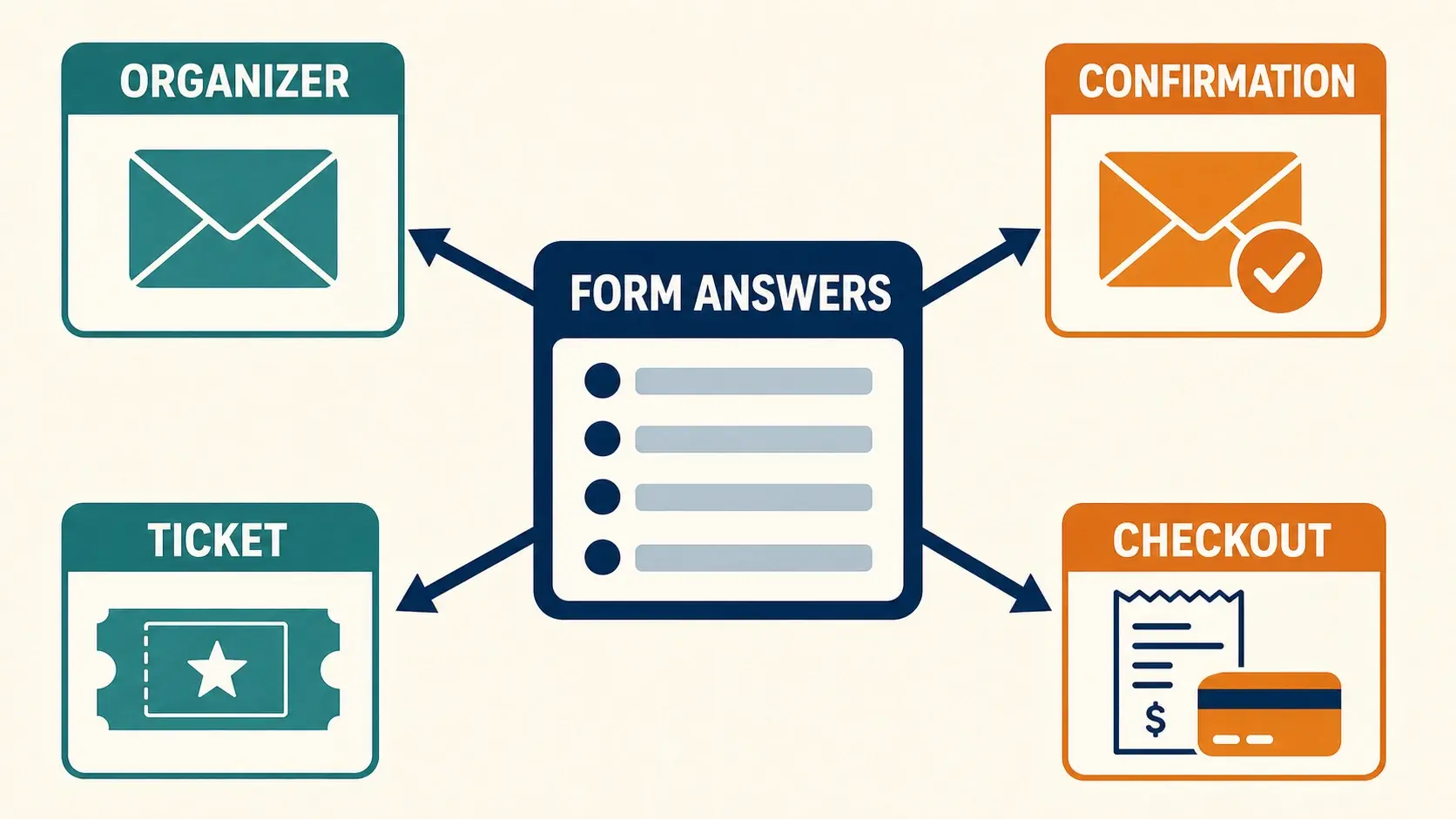
| Information | Organizer needs it in | Attendee needs it in |
|---|---|---|
| Name, email, ticket, and event date | Booking record and booking notification | Confirmation and ticket |
| Session or attendance-mode choice | Attendee list or planning report | Confirmation and joining instructions |
| Accessibility or dietary request | Organizer notification and controlled attendee record | Confirmation only when the wording helps the attendee verify the request |
| Company and billing information | Booking or commerce record | Invoice or receipt |
| Ticket-specific attendee fields | Attendee list and check-in record | Individual ticket when supported and configured |
MEC has separate booking and confirmation notifications. Its event notification settings let the site owner edit email content and use the placeholders available for each notification. When WooCommerce handles checkout, MEC’s booking settings can map selected custom fields to WooCommerce billing fields so attendees do not have to enter the same information twice.
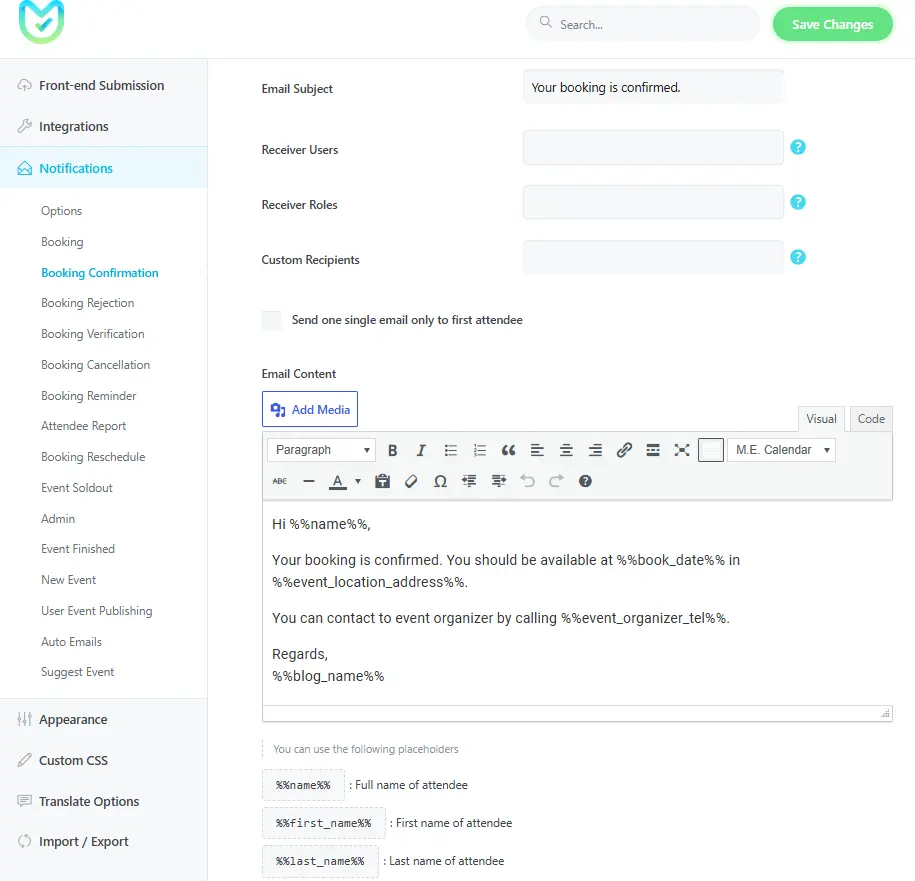
The optional Ticket and Invoice addon can place selected booking or attendee custom fields in its buyer and attendee sections. Include only details that someone needs on that document.
A dietary note, for instance, may belong in the organizer record but not on a ticket displayed at the entrance.
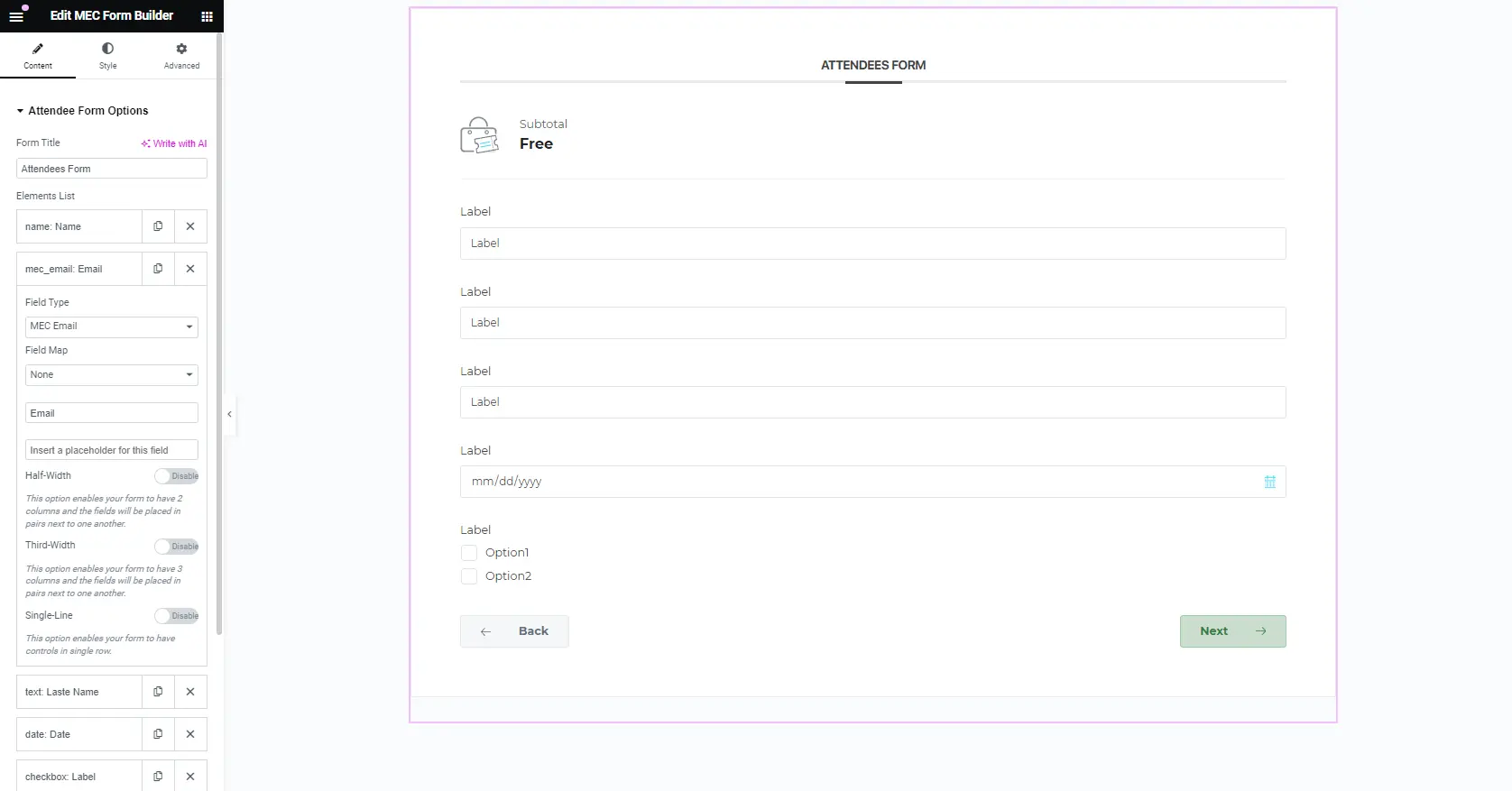
How can you customize the form with Elementor?
The native booking-form settings handle the fields and booking behavior. Use the MEC Elementor Form Builder addon when the WordPress event registration form also needs a custom Elementor layout.
The addon requires MEC Pro. Webnus supports global forms and forms assigned to a single event, along with controls for typography, color, spacing, borders, field layout, and full-width or multi-column designs.
That makes it useful when the form needs to match an event landing page or place related fields in a clearer visual group.
Video tutorial: How to use the MEC Elementor Form Builder addon
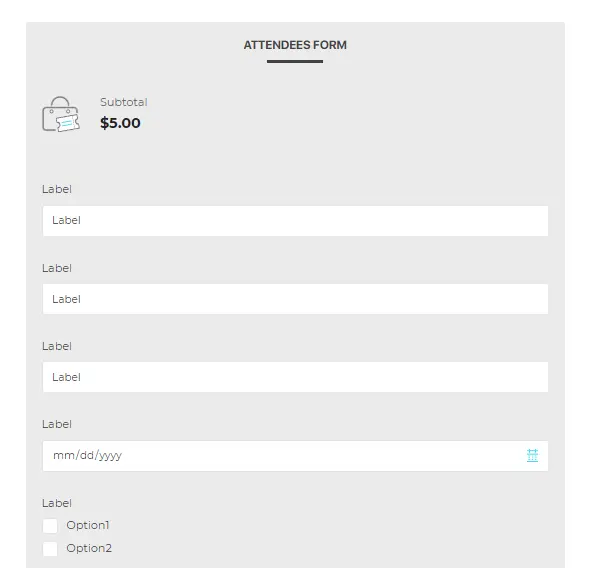
Use the video above for the interface walkthrough. First plan the fields and booking outputs in MEC, then style the form. Changing columns, colors, or borders will not fix a missing attendee field or a confirmation email that lacks the selected session.
How should you test an event registration form before publishing?
Test the event registration form in WordPress as an attendee and as an organizer. One successful submission is not enough. Use the actual ticket types, date choices, payment path, and optional branches that will be available on launch day.
– Complete the form on a phone and desktop. Check labels, field order, tap targets, and any horizontal scrolling.
– Try every ticket and date option. Confirm that prices, capacity, and the final summary match the selection.
– Test any conditional fields. Make sure relevant follow-up questions appear and irrelevant questions stay out of the way.
– Submit invalid and missing information. Error messages should identify the field and explain what needs to change. The W3C guide to validating form input provides a useful review standard.
– Check both sides of the email flow. Review the organizer booking notification and the attendee confirmation.
– Open the ticket or invoice. Verify the attendee name, ticket type, event date, and any selected custom fields intended for the document.
– Run the payment gateway in its supported test mode. Confirm success, failure, cancellation, and return-page behavior before accepting live payments.
– Review stored data. Remove questions whose answers your team cannot find, use, protect, or delete appropriately.
Repeat this test after changing the event registration form template, ticket setup, notification placeholders, payment connection, or Elementor layout. A form is ready when the full booking record is useful, not when the front end merely looks finished.
Need help with the rest of the event setup?
This guide assumes the event and booking system already exist. For the wider setup process, see how to create an event website with WordPress. If you are still choosing the event-management tool, use the WordPress event calendar plugin comparison instead of turning the registration-form decision into a plugin comparison.
Build the form around the work it needs to do
The right event registration form in WordPress is the shortest form that still produces a complete booking. Start with one of the six templates, remove questions with no clear owner, and mark the remaining fields as required, optional, or conditional.
Then test the output. Read the organizer email, open the attendee confirmation, inspect the ticket or invoice, and check the stored booking in the backend. If each answer reaches the person who needs it, the form is doing its job.
Need event-specific booking forms, conditional fields, and ticketing on WordPress? Explore Modern Events Calendar. If the fields are already planned and the next problem is visual layout, see the Elementor Form Builder addon.
FAQs
1. Can one MEC booking form be used for every event?
Yes. MEC Pro can use a global booking form across events. When one event needs different questions, its booking form can override the global fields.
Use a shared WordPress event registration form for information that stays consistent, then create an event-specific version only when the workflow genuinely changes.
This keeps the event registration form in WordPress consistent without forcing every event to collect identical information.
2. Does MEC conditional logic require Elementor Form Builder?
No. Conditional logic belongs to the MEC Pro booking form. Elementor Form Builder is the optional design layer for layout, spacing, typography, colors, and related presentation choices.
The official booking documentation covers conditional-field implementation.
3. Can an event registration form collect payments?
Yes, when the booking system and payment method support it. MEC Pro’s Booking module supports event reservations and payment-gateway options.
A paid event registration form in WordPress should show the ticket, quantity, price, fees when applicable, and payment result clearly before the attendee leaves the process.
4. What is the difference between an event registration form and an appointment form?
An event form reserves attendance for a scheduled event, session, or ticket. An appointment form usually lets a customer choose a service, provider, and available time slot.
The fields and confirmation details overlap, but the search intent and booking workflow are different. These event booking form templates focus on attendees, tickets, event dates, and event preparation.
See how MEC handles events and appointment bookings in WordPress when a site needs both.
If the site offers both events and appointments, keep their form templates and landing pages separate. The event registration form in WordPress should answer event-specific questions instead of trying to cover every booking type.