Skip to content
No results
Modern Events Calendar logo
  • Installation
    • Installation
    • Activation
    • Update MEC Pro from WordPress
    • Manual Update
    • Change License Domain
  • Settings
    • General
    • Archive Page
    • Slugs/Permalinks
    • Currency
    • View All
  • Single Event
    • Single Event Settings
    • How to Add Event In MEC Plugin?
    • MEC Single Sidebar
    • Custom Fields
    • View All
  • Event Modules
    • Speakers
    • Organizers
    • Locations
    • Map
    • View All
  • Booking Settings
    • Booking Module
    • Booking Elements
    • Booking Form
    • Payment Gateways
    • View All
  • Event Submission
    • General
    • Access Level
    • FES Sections
    • Required Fields
    • View All
  • Integrations
    • Mailchimp
    • Paid Memberships Pro
    • BuddyPress
    • LearnDash
    • View All
  • Notifications
    • Booking Notification
    • Booking Confirmation
    • Booking Reminder
    • Admin Notification
    • View All
  • Addons
    • Elementor Single Builder Addon
    • Ticket and Invoice Addon
    • Event Seat Addon
    • Virtual Events Addon
    • View All
  • Other
    • Appearance Settings
    • Translation
    • Knowledge
    • Troubleshooting
    • Developer
Modern Events Calendar logo

  • Categories
    • Installation
      • Installation
      • Activation
      • Update MEC Pro from WordPress
      • Manual Update
      • Change License Domain
    • General Settings
      • General
      • Archive Pages
      • Slugs/Permalinks
      • Currency
      • View All
    • Single Event
      • Single Event Settings
      • MEC Single Sidebar
      • How to Add Event In MEC Plugin?
      • Custom Fields
      • View All
    • Event Modules
      • Speakers
      • Organizers
      • Locations
      • Map
      • View All
    • Booking Settings
      • Booking Module
      • Add a Booking System
      • Booking Form
      • Organizer Payment Settings
      • View All
    • Event Submission
      • General
      • Access Level
      • FES Sections
      • Required Fields
      • View All
    • MEC Integrations
      • Mailchimp
      • BuddyPress
      • LearnDash
      • Paid Memberships Pro
      • View All
    • Notifications
      • Booking Notification
      • Booking Confirmation
      • Booking Reminder
      • Admin Notification
      • View All
    • Addons
      • Elementor Single Builder Addon
      • Ticket and Invoice Addon
      • Event Seat Addon
      • Virtual Events Addon
      • View All
    • Other
      • Appearance Settings
      • Translation
      • Knowledge
      • Troubleshooting
      • Developer

Submit a Ticket
Modern Events Calendar logo

Toggle
  • Checking the requirements for No Event Found Issue in Modern Events Calendar
    • If the calendar still shows “No Event Found”

Troubleshooting

No Event Found Issue in Modern Events Calendar

In this article, we will explain the No Event Found Issue in Modern Events Calendar and explain how to troubleshoot it.

If you receive the message “No Event Found!” please check it before submitting a ticket. If your issue is not resolved, you can submit a ticket for assistance.

Checking the requirements for No Event Found Issue in Modern Events Calendar

First, please make sure that you are using the latest version of MEC.

  1. Please read the following article: Setup Date Option On Shortcodes.
  2. Please check the following (even again):

Now, follow the checklist below.

  1. Update permalinks from dashboard > Settings > permalinks
  2. Update events and shortcodes again
  3. Remove filter options from shortcodes
  4. Check the events not to be expired
  5. Featured images for events in the Carousel shortcode
  6. Deactivate all your plugins and let the MEC remain active only, set your theme on default, and then reload the page. If the issue is solved, then activate your plugins one by one and your theme, refresh your page, and check to see which plugin is causing the issue. Please let us know the results.
  7. Please check the MEC Dashboard if you have Upcoming events.
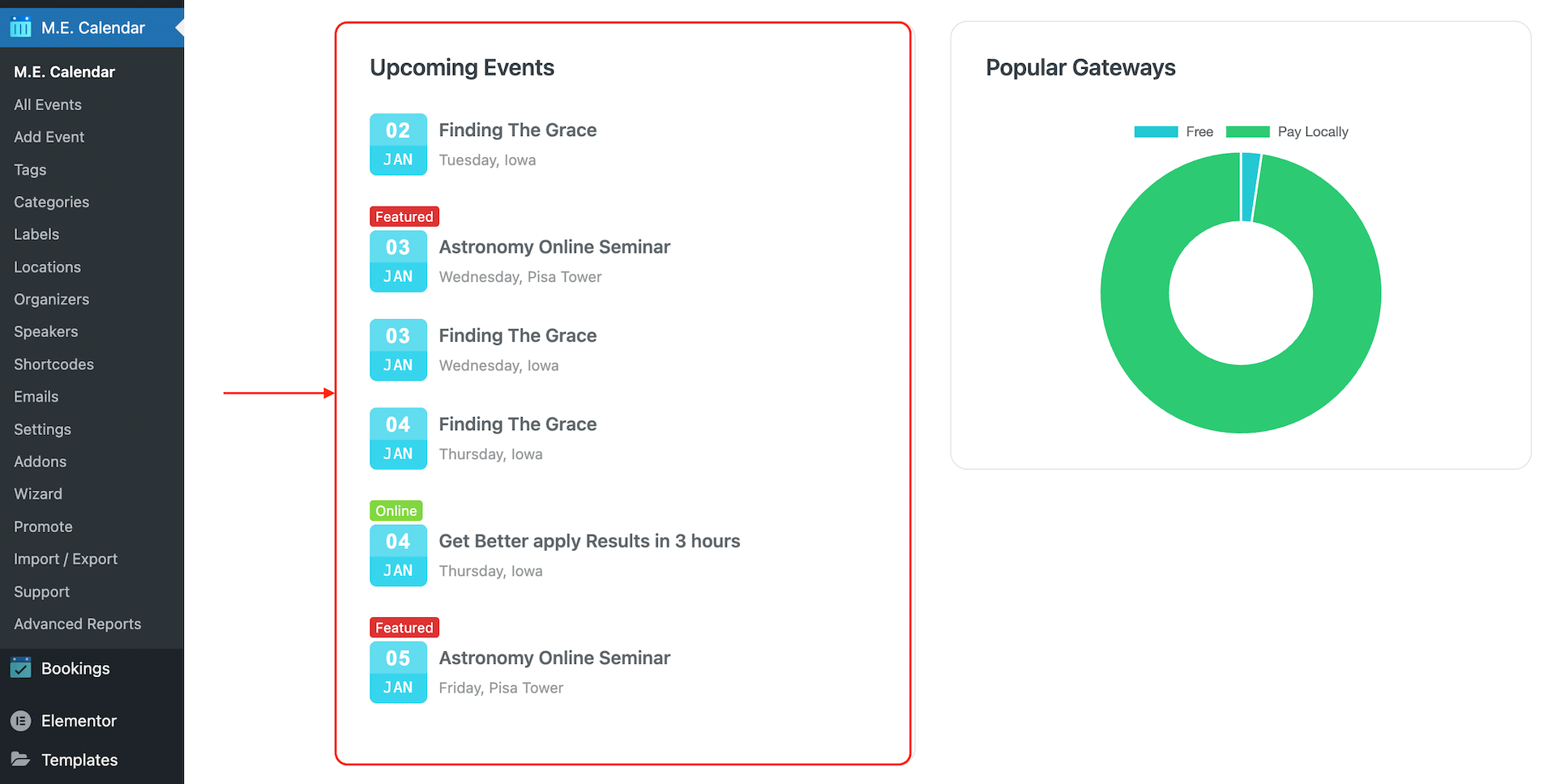
MEC dashboard Upcoming Events widget highlighted next to a popular gateways chart

If the issue persists, please follow the instructions below.

If the calendar still shows “No Event Found”

Do not drop or recreate MEC database tables as a general troubleshooting step. This can remove data and may not address the cause of the problem.

Create a current backup and reproduce the issue on a staging copy. Record your MEC and WordPress versions, the shortcode settings, the affected event IDs, and any relevant PHP or database errors. Send these details to Webnus support so the team can determine whether a database repair is needed and provide steps for your specific installation.

Share

Related Articles

  • MEC Not Working? 13 Essential Fixes to Troubleshoot Common Issues
  • How To Fix Internal Server Error
  • Website Troubleshooting by Installing A Fresh Copy
  • Email Troubleshooting
  • Troubleshooting for Syncing MEC with Google Calendar
Login Submit
0 Comments

No Comment.

Still no luck? We can help!

If you did not find what you were looking for, please submit a ticket in our support system.

Submit a Ticket
Webnus Banner
Modern Events Calendar

Please read our Terms and Conditions and Privacy Policy.

4.2 Great

About 11 Review us on Trustpilot

Copyright © 2026. All rights reserved. Webnus Inc.