
Ereignisse aus Plugins von Drittanbietern importieren
Wenn Sie vor dem Wechsel zu Modern Events Calendar, you can Import Events From Third Party Plugins easily. Luckily, you don’t have to start from scratch when migrating to MEC. Instead, you can use the Import function to easily transfer your events from the previous plugin to MEC.
Wie importiere ich Ereignisse aus Plugins von Drittanbietern?
The process is very simple and can be done with a few clicks. You just need to select the previous event management plugin which is activated on your WordPress along with MEC then click the Start button. MEC will scan your website and will find the events.
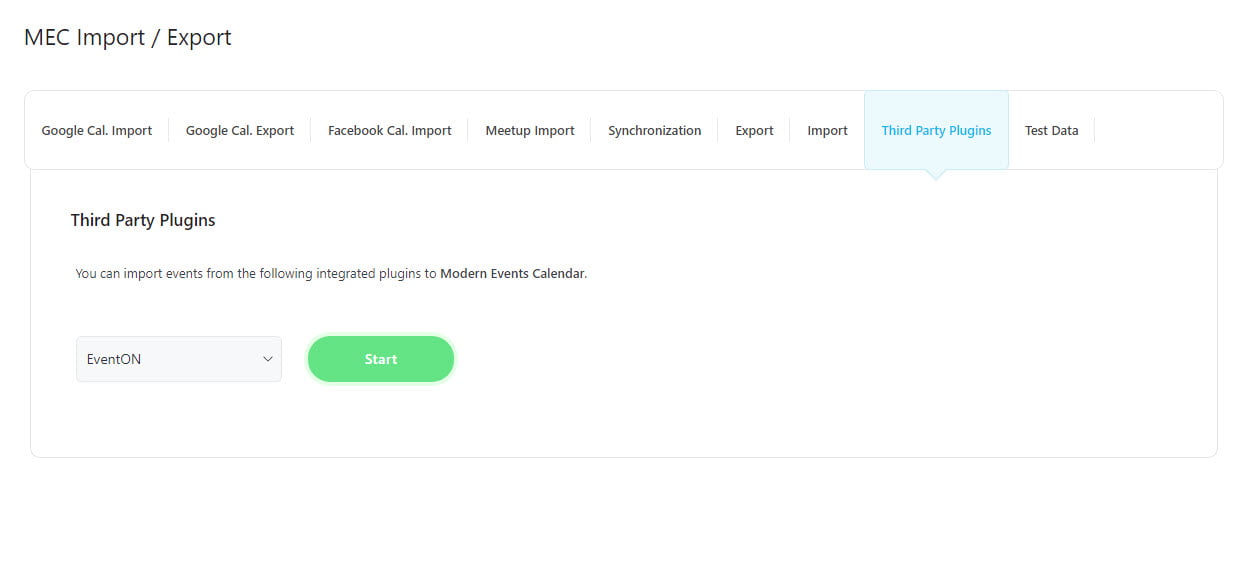
Importoptionen
Wählen Sie die gewünschten Ereignisse aus und wählen Sie die Importoptionen für den Import.
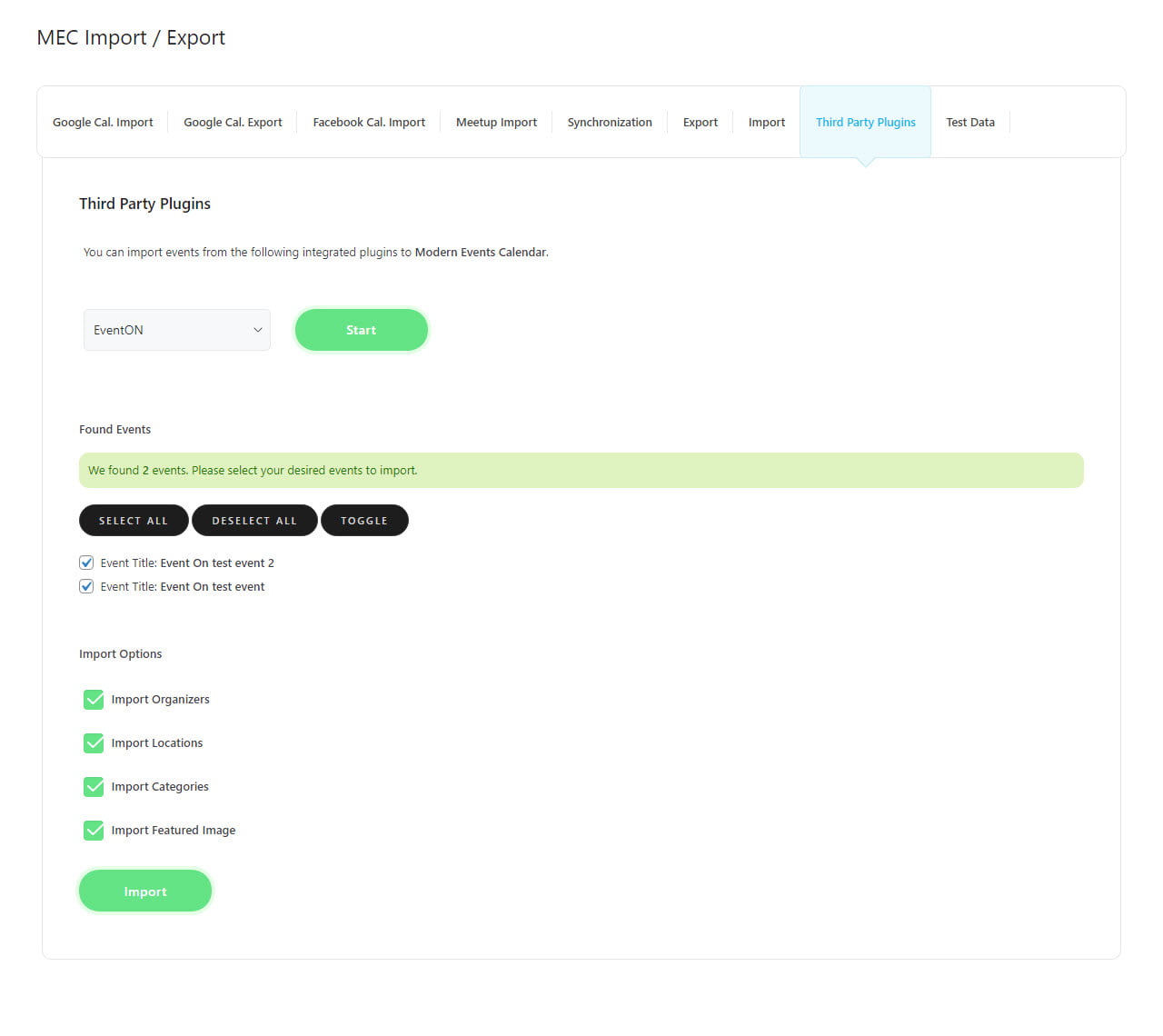
Klicken Sie abschließend auf die Schaltfläche Importieren. Wenn der Vorgang erfolgreich war, wird eine entsprechende Meldung angezeigt.
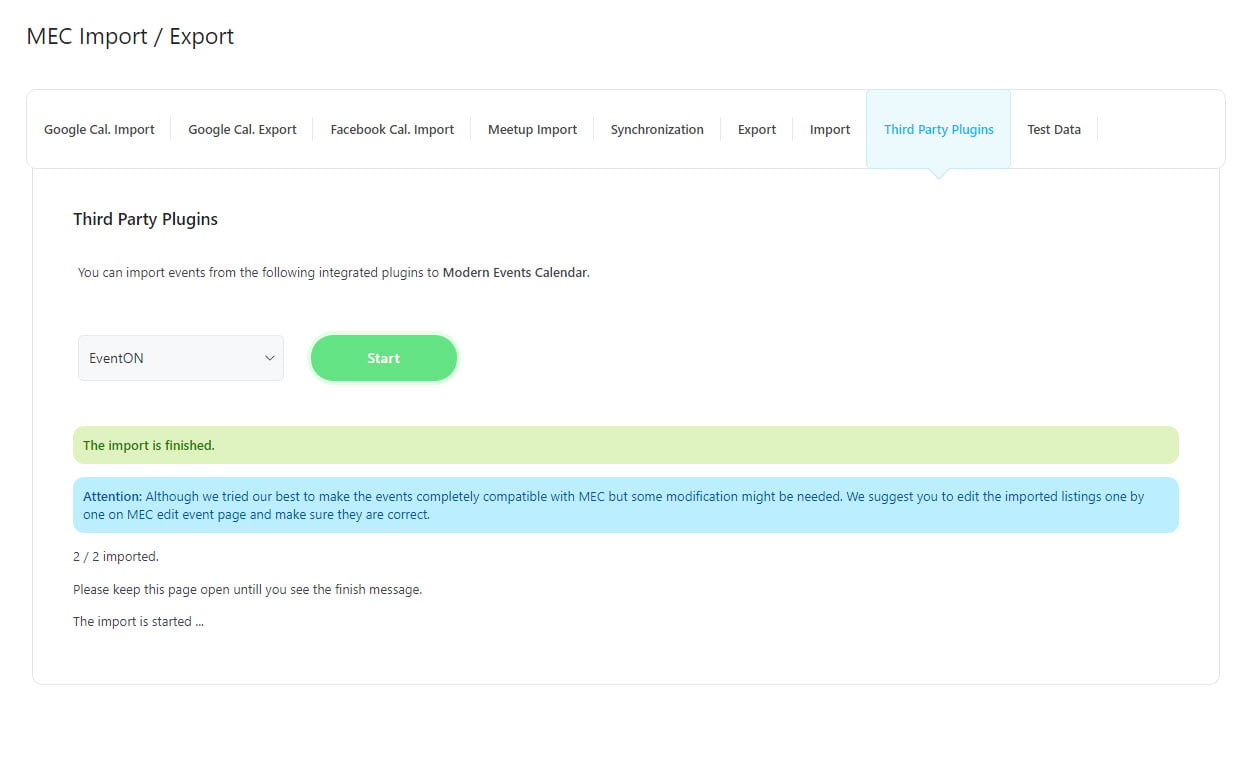
Hinweis: Die Dauer des Importvorgangs hängt sowohl von der Anzahl der Ereignisse als auch von den Einstellungen Ihres WordPress-Servers ab.
This feature is accessible for numerous plugins, and you can easily transfer events from these plugins to MEC using the same method. Here are the plugins that you can use to import your events into MEC:
- EventOn
- The Events Calendar
- Bookly
- Amelia
- Veranstaltungsplan WP Plugin
- Kalender es
- Veranstaltung Espresso
- Eventmanager (Einzel- und wiederkehrende Events)
- WP-Event-Manager