
List View Skin Settings
List View Skin in MEC has five unique layouts, and each one can be set through the Modern Events Calendar setting and adjustment of shortcodes.
List View Shortcode
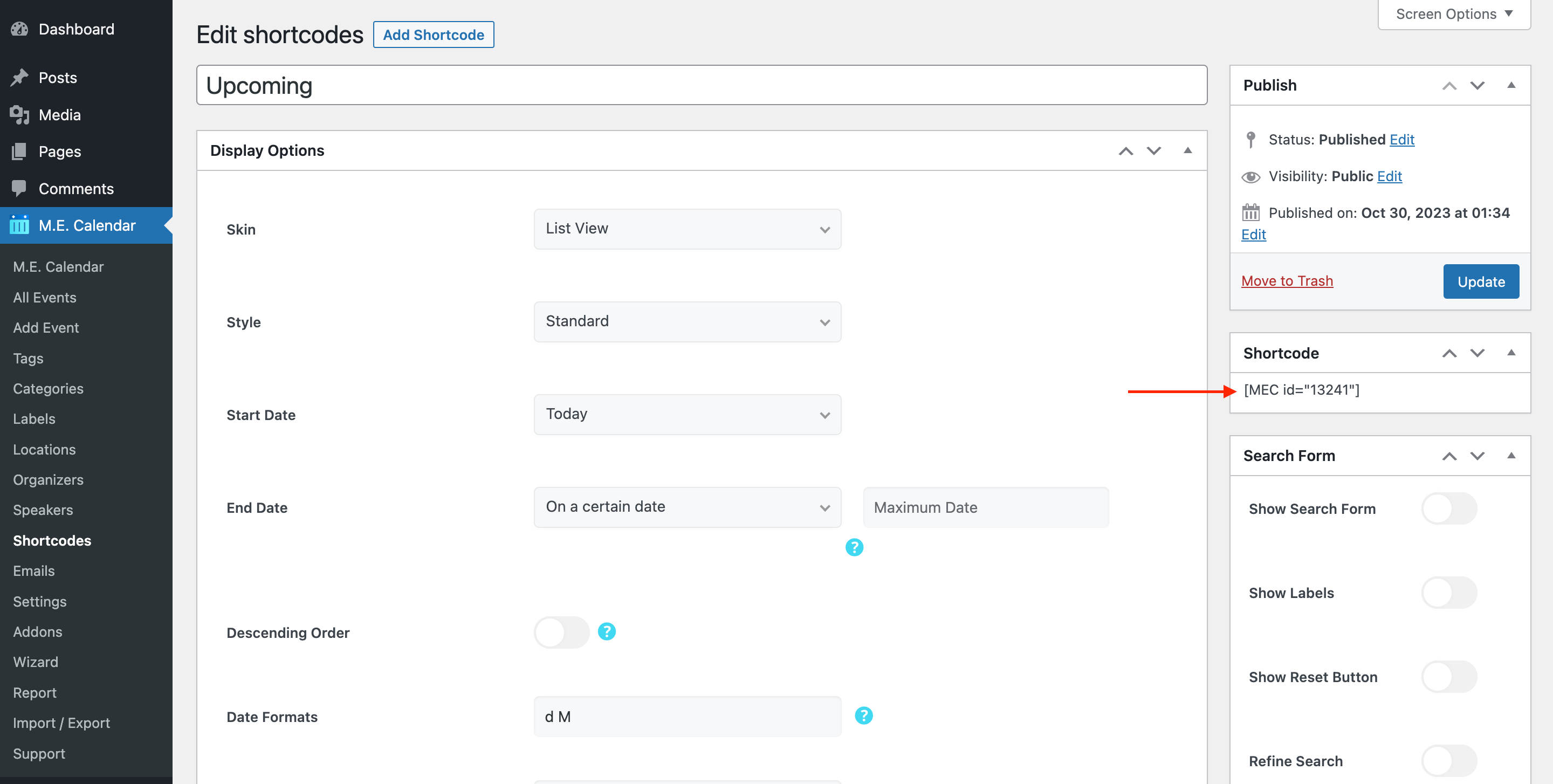
You can use shortcodes in your internal pages to have this on your website. The shortcodes are located in M.E. Calendar > Shortcodes.
List View Skin Layouts
Here are the demos of List View Skin in the Modern Events Calendar:
List View Shortcode Options
These are the options you see in M.E. Calendar > Shortcodes after choosing the List View skin. MEC Pro and some addons can add more styles and options.
| Option | What it does | Values |
|---|---|---|
| Style | Layout style of this view. | Classic / Minimal / Modern / Standard / Accordion |
| Start Date | The date the view starts showing events from. | Today / Tomorrow / Yesterday / Start of Last Month / Start of Current Month / Start of Next Month / On a certain date |
| Certain Start Date | The exact start date, used when Start Date is set to "On a certain date". | Date |
| End Date | Where the list stops. Leave it on "On a certain date" with an empty Maximum Date for no end limit. | On a certain date / Today / Tomorrow |
| Maximum Date | Maximum Date: the last date to include when End Date is "On a certain date". | Date |
| Limit | Maximum number of events loaded at once. | Number |
| Include Local Time | Also shows each event's time in the visitor's own time zone. | On / Off |
| Include Events Times | Shows the start and end time of each event. | On / Off |
| Load More Button | Adds a "Load More" button so visitors can load the next batch of events. | On / Off |
| Show Month Divider | Groups events under a heading for each month. | On / Off |
| Display Normal Labels | Shows event labels such as "Featured" or "Canceled". | On / Off |
| Display Reason for Cancellation | Shows the cancellation reason on canceled events. | On / Off |
| Display Categories | Shows the categories of each event. | On / Off |
| Show Map on top | Displays a map of the listed events above the view. | On / Off |
| Geolocation | Centers the map on the visitor's location. | On / Off |
| Disable Geolocation Force Focus | Stops the map from forcing focus to the visitor's location. | On / Off |
| Toggle for Month Divider | Lets visitors collapse and expand each month group (Accordion style). | On / Off |
| Descending Order | Shows the newest events first. | On / Off |
| Single Event Display Method | How the event opens when clicked. | Current Window / New Window / Modal Popup / Disable Link |
| Booking Button / Icon | Adds a booking button or icon to each event. | On / Off |
| Display Custom Fields | Shows event custom fields. | On / Off |
| Display Organizers | Shows the organizer of each event. | On / Off |
| Date Formats | Date formats used by the selected style, written with PHP date characters. | Text (e.g. j, M, Y) |
List View FAQ
How do I add the List View to a page?
Go to M.E. Calendar > Shortcodes, add a new shortcode, choose List View as the skin, set the options above and publish it. Then copy the generated shortcode (for example [MEC id="123"]) into any page, post or widget.
How do I show only some events?
Open the Filter Options of the same shortcode and limit events by category, location, organizer, label, tag or author. See Making Advanced Shortcodes for every filter.
Can the List View show past events?
Yes. In Filter Options > Expired Events, turn on Include Expired Events to show past and upcoming events, or Show Only Expired Events to show only past ones. They are listed from the Start Date you choose.


Hi,
In the list view, next to the event it says “Event Details”. How can I change this text to “Click to Join Now”?
Hello,
You can try with loco translate :
https://wordpress.org/plugins/loco-translate/
Video tutorial :
https://goo.gl/rCVLJq
and check this link.
https://webnus.net/dox/modern-events-calendar/translate-mec/
How do I change the text of the “more detail” button on the archive page?
Hello,
You can change this text yourself using a translation plugin.
https://webnus.net/dox/modern-events-calendar/translate-mec/
You can try with loco translate :
https://wordpress.org/plugins/loco-translate/
Video tutorial :
https://goo.gl/rCVLJq
or use Poedit: https://poedit.net/

Hi, when I unselect the load more button, it keeps showing up on the page. I would agree to keep it if I was able to change his colors but I can’t find where, any solutions for me please? Thanks in advance!
Hello,
make sure you have the latest version.
For troubleshooting, deactivate all your plugins and let the MEC remain active only, set your theme on default, then reload the page, if the issue was solved, then activate your plugins one by one and your theme, refresh your page and check to see which plugin is causing the issue.
if the issue remains, please go to support.webnus.net and there you can log in or sign up. to create a new ticket, simply head over to webnus.net/support and click on ‘Create a Ticket’ and share the required information.

Hi, a problem with the list view and Google Map:
when I activate the google map in the list view, no events appear there. It loads the view of the event locations for 1 second when the page is loaded but then everything disappears. No events are found when I click the Next or Prev button.
If I only use the map view then it works.
Hi there,I have the problem that the list view does not show *all* events, even if there is no limit set. It seems that it stops at the end of the current month.Is there a way to list every activefuture event, no matter “when” it takes place in the future?Thanks for your help