
Map View Skin Settings
Map View Skin in the Modern Events Calendar is one of the most practical views. Your website visitors can get to know the event location and find those that are close to them at a glance. Or go for hotspots and the most attractive event sites.
Map View Skin Shortcode
You can use shortcodes in your internal pages to have this on your website. The shortcodes are located in M.E. Calendar > Shortcodes. If you want to use “Geolocation,” you need to enable this feature:
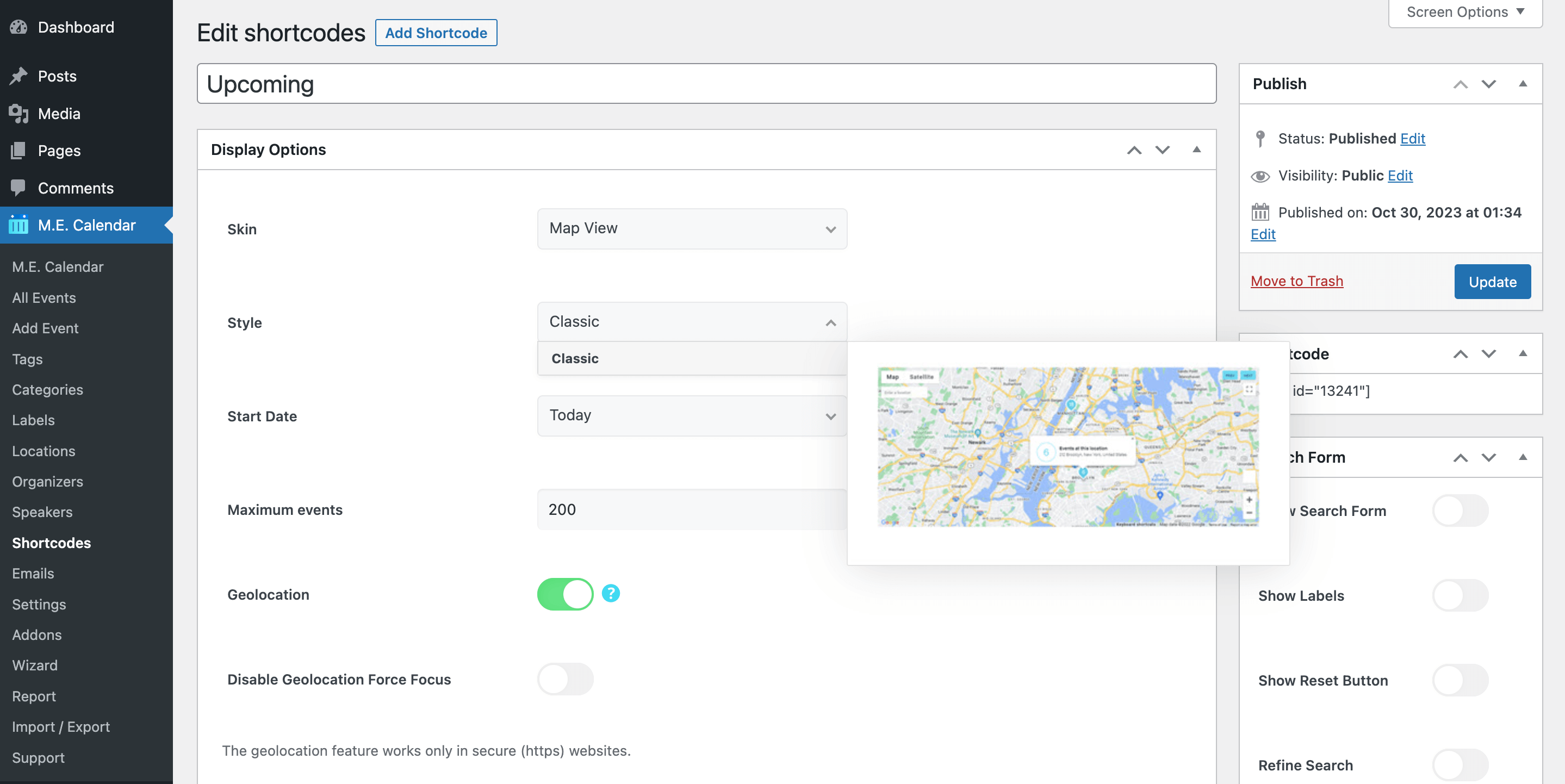
Then, on the front end of the website, the end-user should be allowed access to the location on the browser.
Map View Layout
Here is the demo of Map View Skin in the Modern Events Calendar:
Map View Shortcode Options
These are the options you see in M.E. Calendar > Shortcodes after choosing the Map View skin. MEC Pro and some addons can add more styles and options.
| Option | What it does | Values |
|---|---|---|
| Start Date | The date the view starts showing events from. | Today / Tomorrow / Yesterday / Start of Last Month / Start of Current Month / Start of Next Month / On a certain date |
| Certain Start Date | The exact start date, used when Start Date is set to "On a certain date". | Date |
| Maximum events | Maximum number of events shown on the map. | Number |
| Geolocation | Centers the map on the visitor's location. | On / Off |
| Disable Geolocation Force Focus | Stops the map from forcing focus to the visitor's location. | On / Off |
Map View FAQ
How do I add the Map View to a page?
Go to M.E. Calendar > Shortcodes, add a new shortcode, choose Map View as the skin, set the options above and publish it. Then copy the generated shortcode (for example [MEC id="123"]) into any page, post or widget.
How do I show only some events?
Open the Filter Options of the same shortcode and limit events by category, location, organizer, label, tag or author. See Making Advanced Shortcodes for every filter.
Why is the Map View empty or gray?
The map needs a Google Maps API key and events with a location. Add your key in the Map section of the MEC settings (see Event Modules) and check MEC Not Working if it still does not load.


Hello, is there a way to control the hieght of the map? it looks too big in the single-event page
Hi, you can use the Inspect Element to doing that: https://webnus.net/dox/modern-events-calendar/inspect-element/
I tried, doesn’t really give any positive results, it diggs in the api data details, can you give me the exact div/css element to control the width?