Cover View Skin Settings
Cover View Skin in the Modern Events Calendar is excellent for featuring your top programs and events. It brings attention to an event.
Cover View Skin Shortcode
You can use shortcodes in your internal pages to have this on your website. The shortcodes are located in M.E. Calendar > Shortcodes.
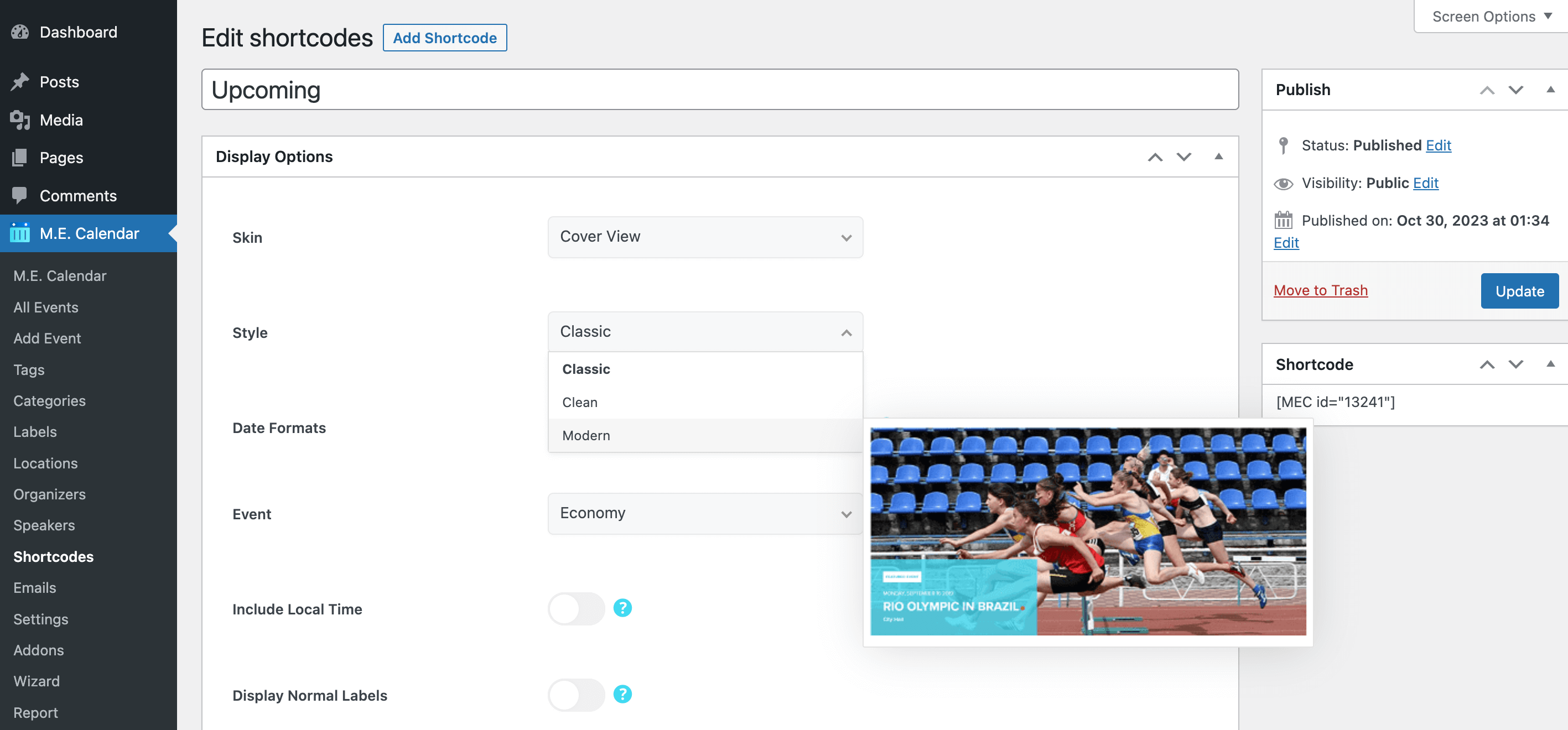
Cover View Layout
Here is the demo of Cover View Skin in the Modern Events Calendar:
Cover View Shortcode Options
These are the options you see in M.E. Calendar > Shortcodes after choosing the Cover View skin. MEC Pro and some addons can add more styles and options.
| Option | What it does | Values |
|---|---|---|
| Style | Layout style of this view. | Classic / Clean / Modern |
| Event | The event this view features. | Any published event |
| Include Local Time | Also shows each event's time in the visitor's own time zone. | On / Off |
| Display Normal Labels | Shows event labels such as "Featured" or "Canceled". | On / Off |
| Display Reason for Cancellation | Shows the cancellation reason on canceled events. | On / Off |
| Date Formats | Date formats used by the selected style, written with PHP date characters. | Text (e.g. j, M, Y) |
Cover View FAQ
How do I add the Cover View to a page?
Go to M.E. Calendar > Shortcodes, add a new shortcode, choose Cover View as the skin, set the options above and publish it. Then copy the generated shortcode (for example [MEC id="123"]) into any page, post or widget.
Which event does the Cover View show?
It shows one event, the one you pick in the Event option. To feature another event, create another shortcode.