
Mostrar lista de asistentes en la barra lateral
In order to inform your users of the most notable event, you can use the MEC Plugin to Show Attendees List On the Sidebar. This article will provide instructions on how to adjust this feature.
Nota: 1 Si desea obtener más información sobre cómo tener un buen diseño de sitio web de WordPress, consulte Webnus temas e información
Habilitar BuddyPress
Para mostrar la lista de asistentes en la barra lateral, es necesario tener instalado el plugin BuddyPress .
First, please head over to Appearance > Widgets and make sure you have the MEC Single Sidebar Items widget in MEC Barra lateral única.
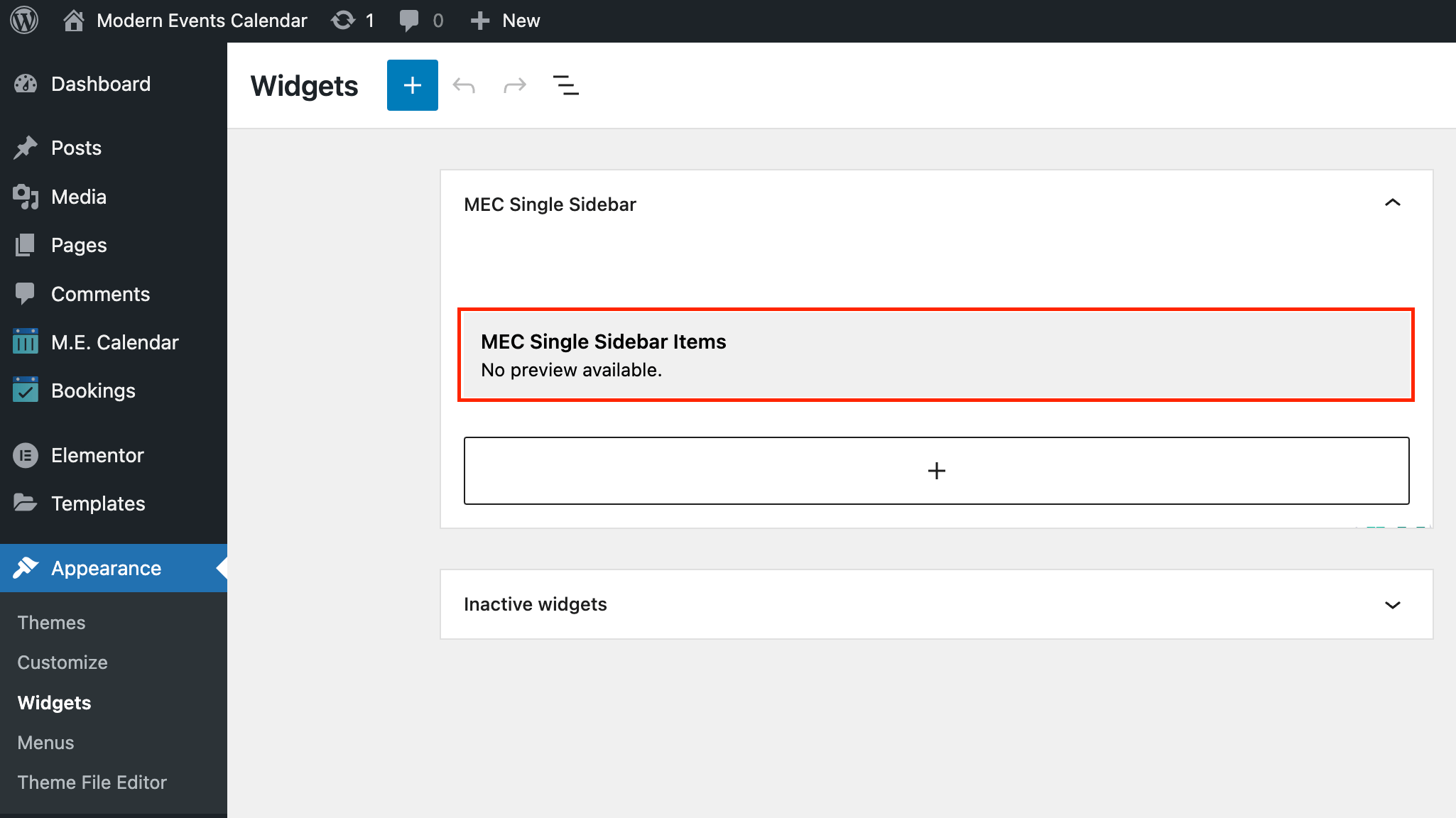
Mostrar lista de asistentes en la barra lateral
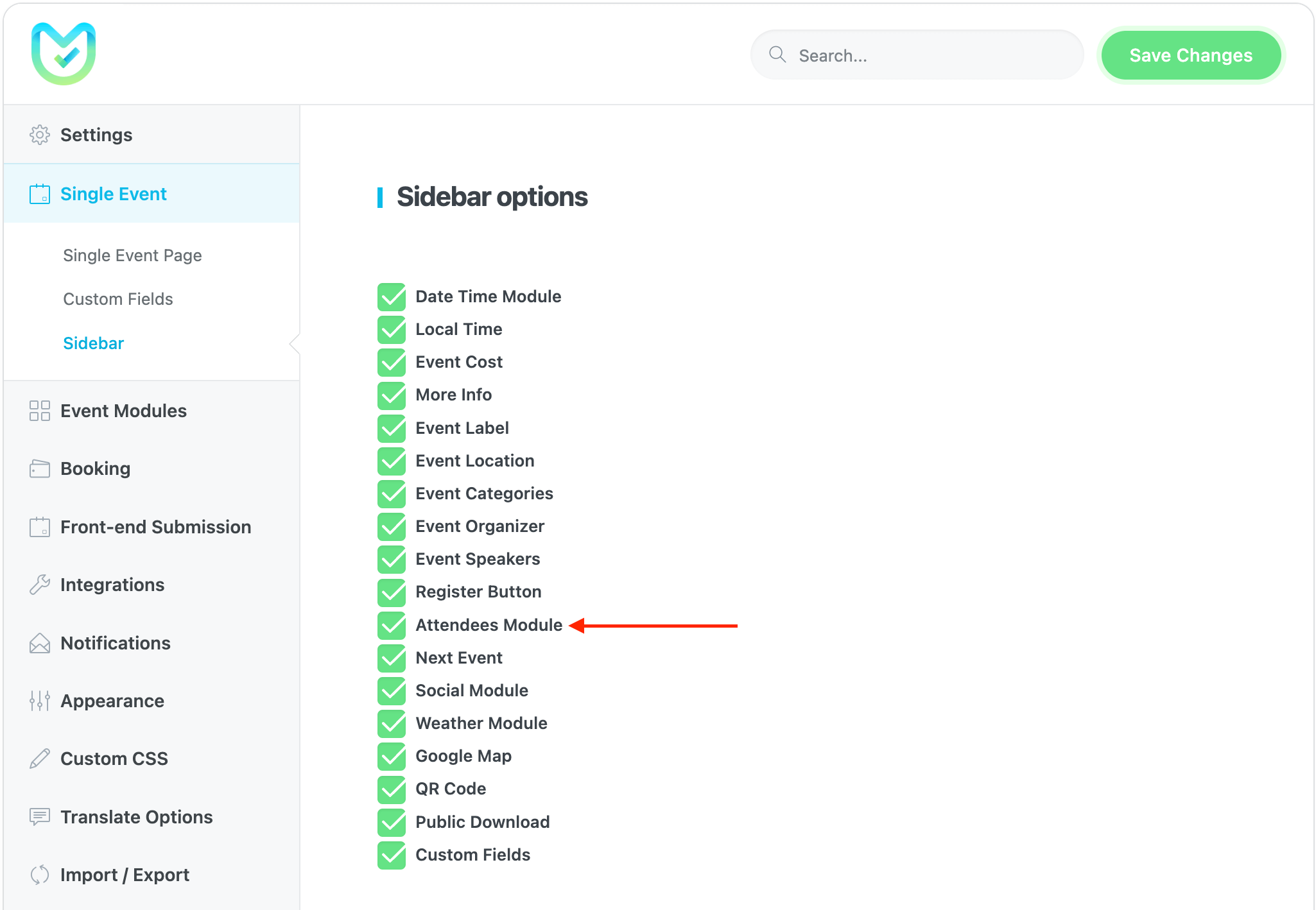
Luego, navega hacia MEC Settings > Single Event > Sidebar and check the Attendees Module option.
Ahora, si tiene BuddyPress instalado en su sitio web, los módulos de asistentes aparecerán en la barra lateral de la página de su evento único.