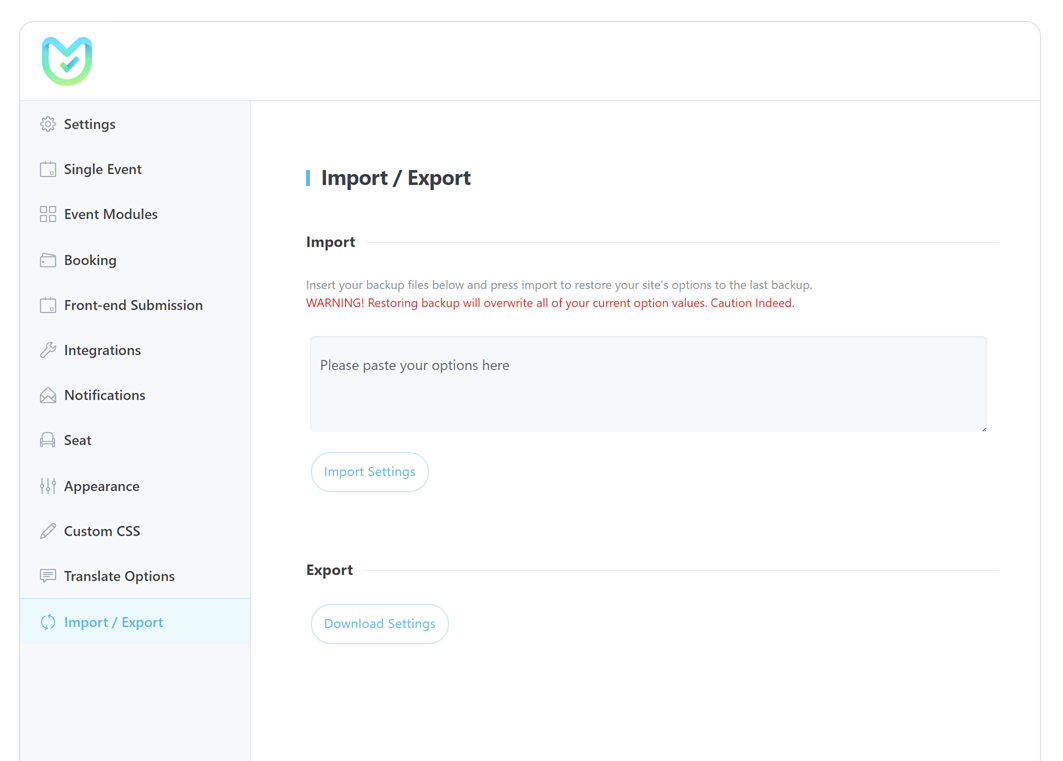
Import / Export MEC Configuración
You can import/export MEC , enabling you to seamlessly integrate your data with other websites that are utilizing MEC. Additionally, if you are transitioning from a previous website to a new one, you can transfer your MEC configuración al nuevo sitio.
Cómo importar/exportar MEC Configuraciones?
Exportar
Para hacerlo, debe ir a MEC Settings > Import / Export > Exportar en el sitio web desde el que desea obtener una exportación.
Al hacer clic en Configuración de descarga button, a JSON file including all MEC Settings will be downloaded.
Importar
Ahora abra el archivo con su editor de código y copie su contenido en MEC Settings > Import / Export > Import. Luego, haga clic en el Ajustes de importación y todas sus configuraciones se importarán al nuevo sitio.