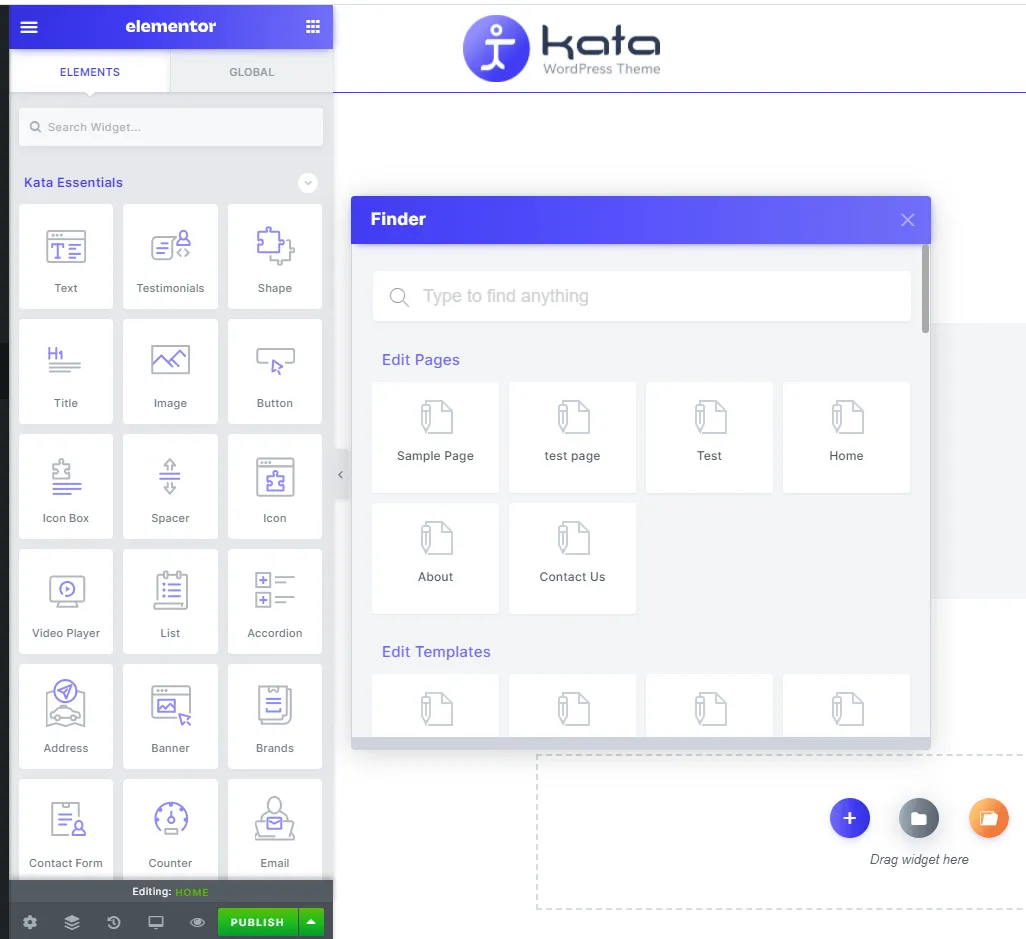

Finder
The Kata Finder module allows you to easily search and find an option or specific section in the theme. You can find it by going to Kata Control Panel Bar > Finder or by pressing Ctrl + Shift + F hotkey. The upper section of this module has a search field that allows you to quickly find different options.
In addition to this, a default list of different sections and options of Kata can be found below the search field of the Finder module. These titles include:
- Dashboard
- Theme Activation
- Demo Importer
- Plugin Manager
- Fonts Manager
- Builders
- Header
- Sticky Header
- Footer
- 404
- Mega Menu
- Blog
- Single
- Archive
- Author
- Search
- Options
- Options (Customizer)
- Homepage Settings
- Preloader
- Container
- Page
- Page Title
- Breadcrumb
- Sidebar
- Styling & Typography
- Menus
- Widgets
- Scroll
- Back to Top
- Smooth Scroll
- Scroll Bar
- API
- GDPR
- White Label
- Custom Codes
- Additional CSS
- Edit Page
- Sample Page
- Edit Post
- Sample Post
- Create
- Add New Page
- Add New Post
- New Gallery Item
- New Testimonial
- New Team Member
- New Recipe
- Templates
- Templates Library
- Help
- Help Page
- Profile
- Edit My Profile