
How to change website’s font family
In the Kata theme, changing the font family allows you to adjust the appearance and readability of the site’s text according to your style and needs. This change can include selecting specific fonts for different text elements, such as headings, paragraphs, or menus. Choosing the right font can have a significant impact on user experience and the overall aesthetics of the site.
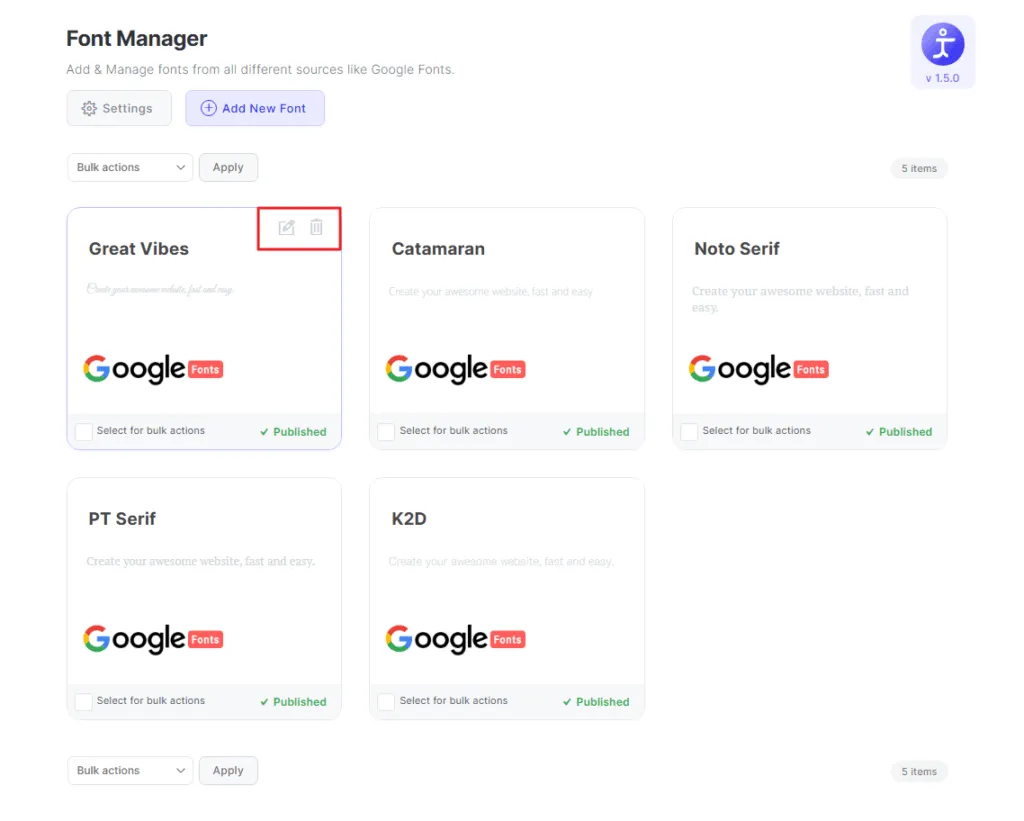
To change the website’s font family You need to navigate to wp-admin> Kata > Font manager. Click the “Add New Font” button to add a new font. you can see several options to add new fonts also you can modify the fonts added in the past.

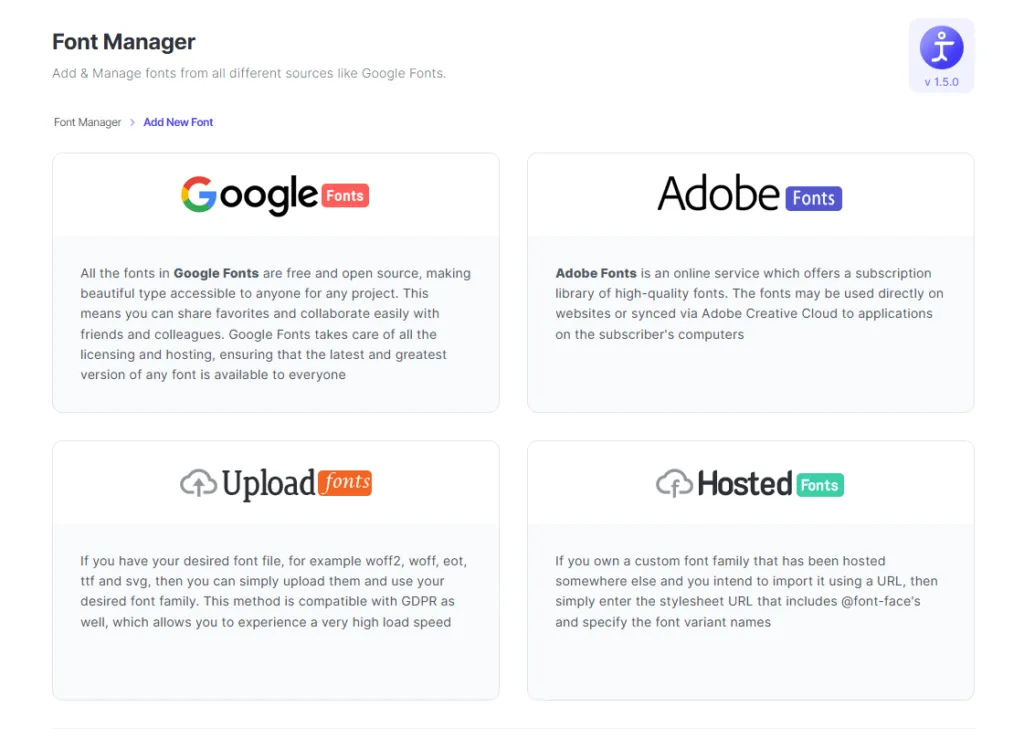
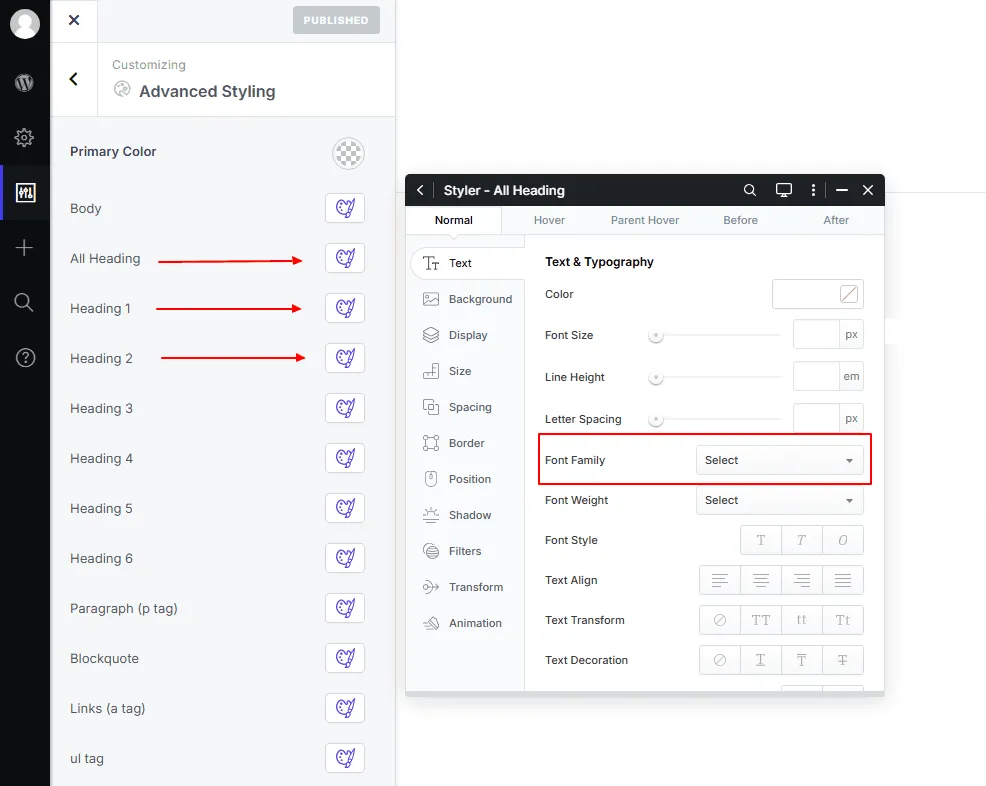
After adding your desired fonts with one of the following methods (Google Fonts, Upload Fonts, Hosted Fonts, or Adobe Fonts) now navigate to wp-admin > kata > options > Advanced styling.
Click on your desired styler button and select the font you want to display on your website then click on the save button placed on the top left corner.