

Search Builder
Kata Search Builder: Create Custom Search Results Pages
Section titled “Kata Search Builder: Create Custom Search Results Pages”If you want to allow your visitors to search for posts on your site, you’ll need to create a custom page to display the search results. With Kata Search Builder, you can easily design this page to match your site’s style and functionality.
Accessing Kata Search Builder:
Section titled “Accessing Kata Search Builder:”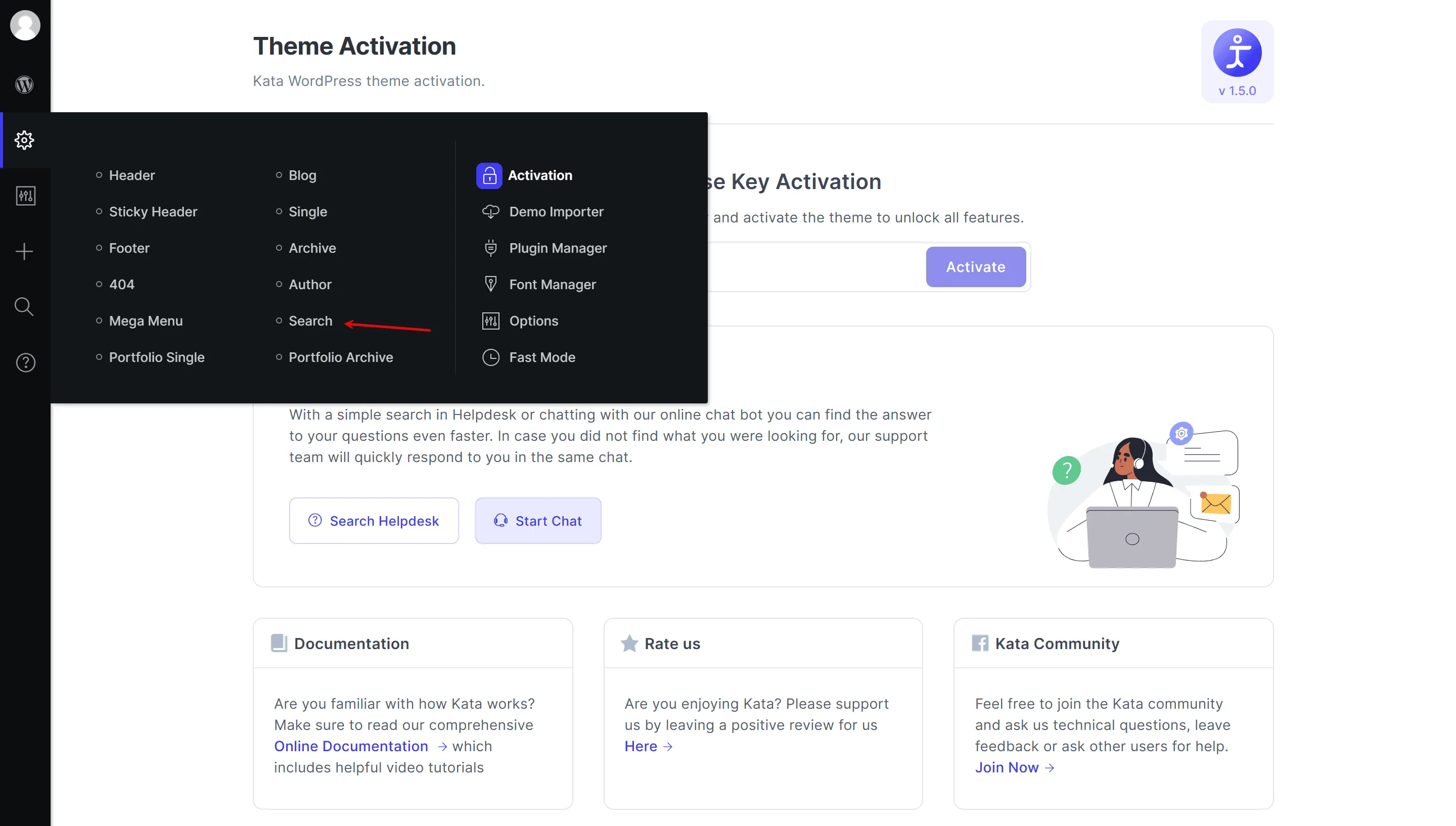
From your Kata Control Panel, navigate to Search to open the Kata Search Builder.
Kata Search Builder Features:
Section titled “Kata Search Builder Features:”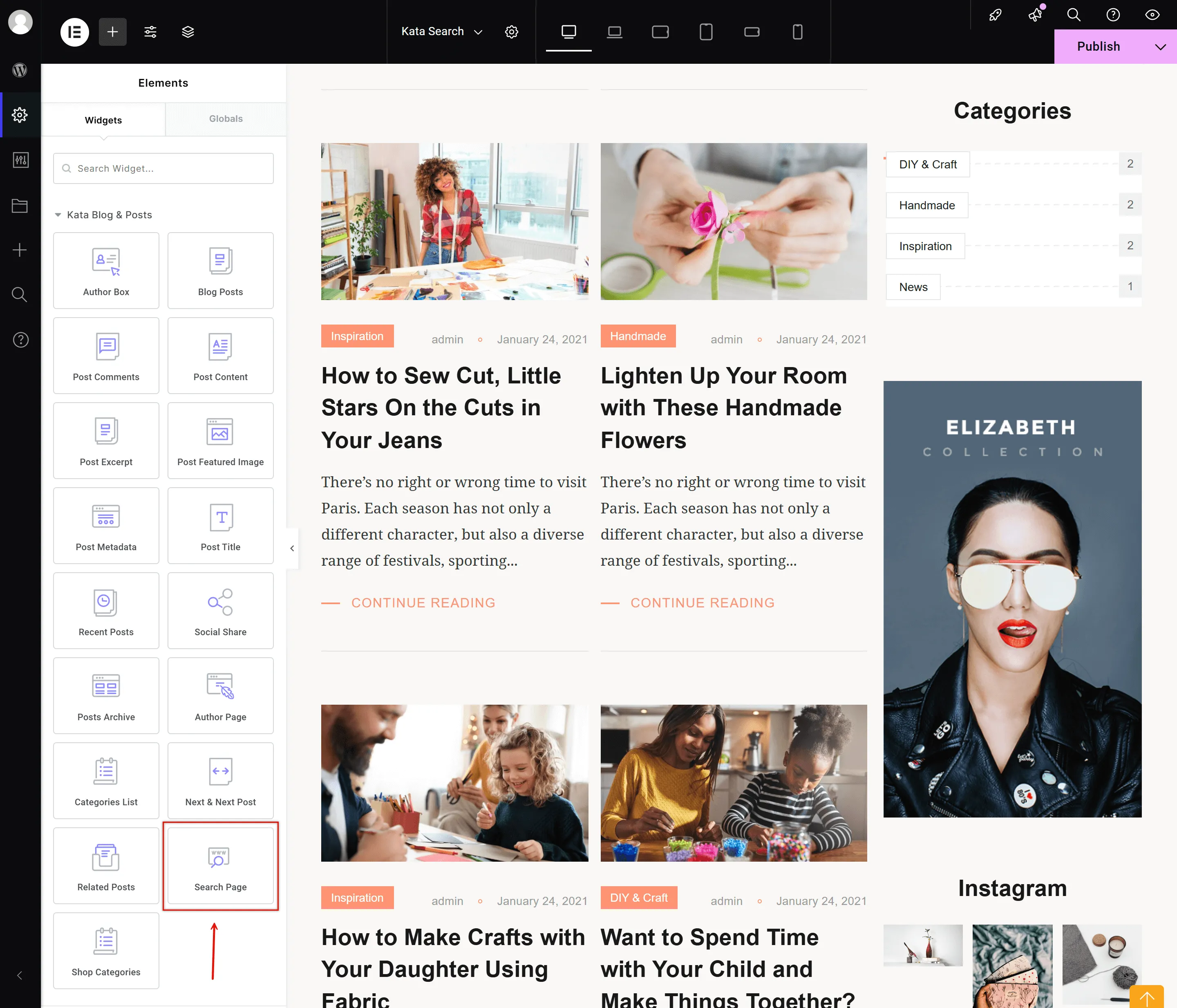
The Kata Search Builder comes with a default widget called Kata Search Page, which is used to display search results. This widget allows you to fully customize how your search results are presented to visitors. You can tailor the layout, design, and information shown in the results to create a user-friendly, visually appealing search results page.
Customizing Your Search Results Page:
Section titled “Customizing Your Search Results Page:”Using the Kata Search Builder, you can:
Section titled “Using the Kata Search Builder, you can:”- Design the layout: Choose the structure of your search results, including how posts will appear, how many results to show per page, and how they are organized.
- Styler elements: Customize typography, colors, and spacing to match your site’s theme and branding.
- Add filters or sorting options: Enhance the search page by including filters to help visitors refine their search results (such as categories, tags, or dates).
- Include additional elements: Use Elementor widgets to add extra functionality, like a search bar, custom message, or related posts.
Conclusion
Section titled “Conclusion”With Kata Search Builder, you have complete control over the design and functionality of your search results page, making it easy to create a seamless search experience for your visitors.