

Archive Builder
Kata’s Archive Builder offers a powerful solution for crafting personalized archive templates tailored to your site’s needs. Whether you’re designing category pages, tag archives, or author listings, this tool allows you to create layouts that are not only visually appealing but also highly functional. By leveraging Elementor’s flexibility, you can design pages that enhance your visitors’ browsing experience while keeping your site’s aesthetic consistent.
Accessing the Archive Builder
Section titled “Accessing the Archive Builder”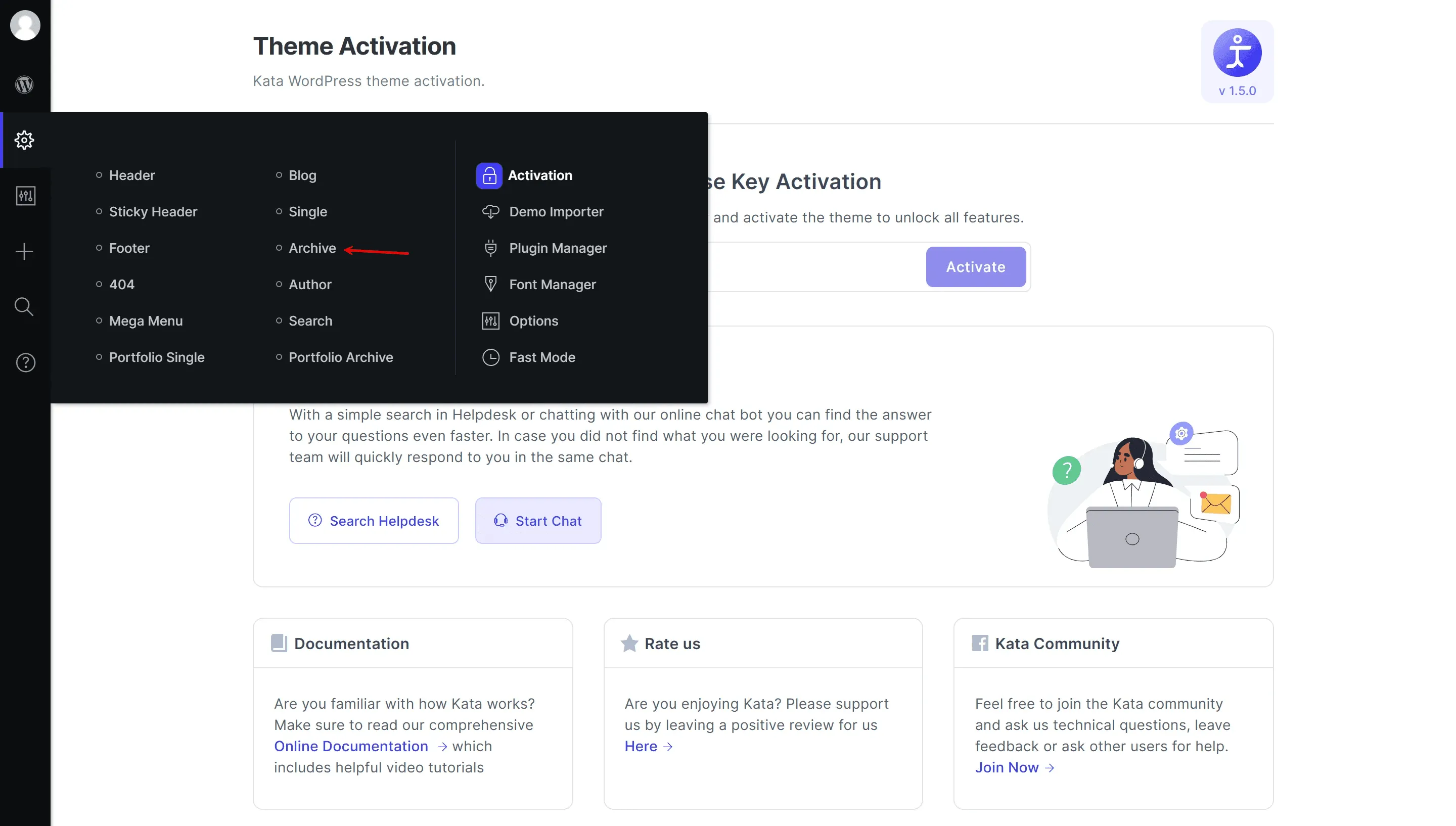
To start using the Archive Builder:
- Go to the Kata section in your WordPress dashboard.
- Select Archive to enter the builder interface.
- From here, you’ll find all the options and tools needed to design and customize archive templates effortlessly.
Features and Customization Options
Section titled “Features and Customization Options”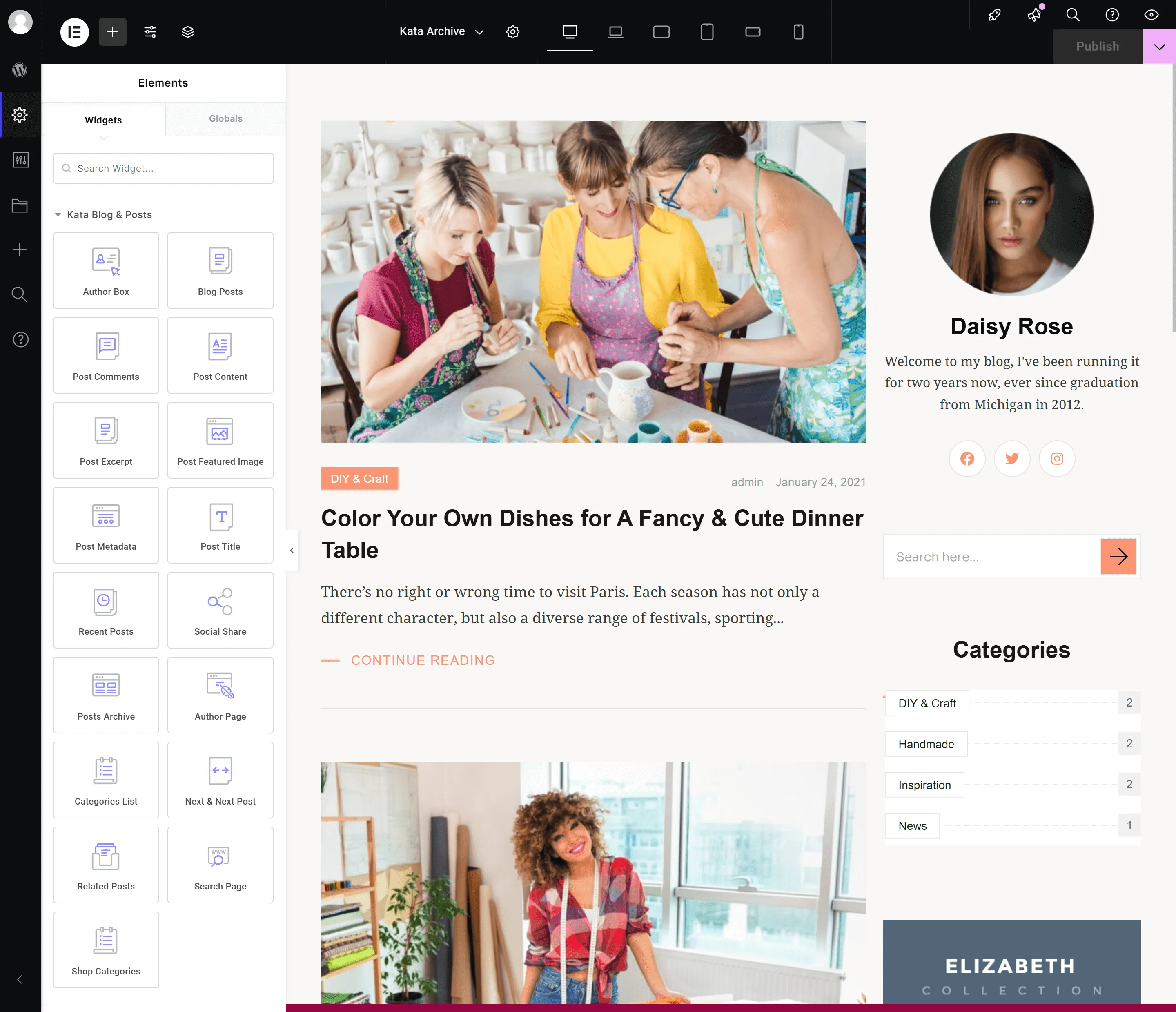
The Archive Builder integrates key archive elements into Elementor, offering drag-and-drop ease for creating personalized layouts.
Core Components Available for Customization
Section titled “Core Components Available for Customization”Kata WP Theme – Archive Builder
Archive Title Element
Section titled “Archive Title Element”- Functionality: Displays the archive’s title (e.g., category, tag, or author name).
- Customization Options: Adjust font size, color, alignment, and effects to ensure the title stands out.
Archive Description Box
Section titled “Archive Description Box”- Functionality: Adds a description to provide context or additional information about the archive.
- Customization Options: Modify typography, spacing, and colors to match your site’s design.
Post Metadata
Section titled “Post Metadata”- Functionality: Displays information like the post author, publication date, categories, or tags.
- Customization Options: Choose which metadata to display and style each element individually, including fonts, icons, and alignment.
Blog Post Module
Section titled “Blog Post Module”- Functionality: Displays the list of posts within the archive.
- Customization Options:
- Select layout styles such as grid, list, or masonry.
- Define the number of posts per page and enable lazy loading for performance.
- Adjust metadata visibility, spacing, and hover effects.
Pagination Section
Section titled “Pagination Section”- Functionality: Adds navigation to browse through archive pages.
- Customization Options: Personalize pagination styles, such as buttons or infinite scroll, and customize their appearance with unique hover effects and colors.
Social Share Icons
Section titled “Social Share Icons”- Functionality: Allows visitors to share content from archive pages on various social media platforms.
- Customization Options: Choose icon styles, sizes, alignment, and hover animations to encourage engagement.
Related Posts Section
Section titled “Related Posts Section”- Functionality: Displays posts related to the current archive, helping retain visitor interest.
- Customization Options:
- Configure how related posts are determined (e.g., by category, tags, or taxonomy).
- Style layouts and include metadata or featured images to make related posts more appealing.
Recent Posts Section
Section titled “Recent Posts Section”- Functionality: Highlights the latest posts on archive pages, keeping content fresh and engaging.
- Customization Options:
- Choose layout styles and the number of posts displayed.
- Add hover effects, borders, or backgrounds to differentiate this section visually.
Highlight Featured Posts
Section titled “Highlight Featured Posts”- Functionality: Emphasize specific posts by showcasing them prominently at the top of the archive.
- Customization Options: Style featured posts with unique typography, overlays, or animations.
Additional Enhancements
Section titled “Additional Enhancements”Use widgets like search bars, filters, or custom HTML to extend the functionality of your archive pages.
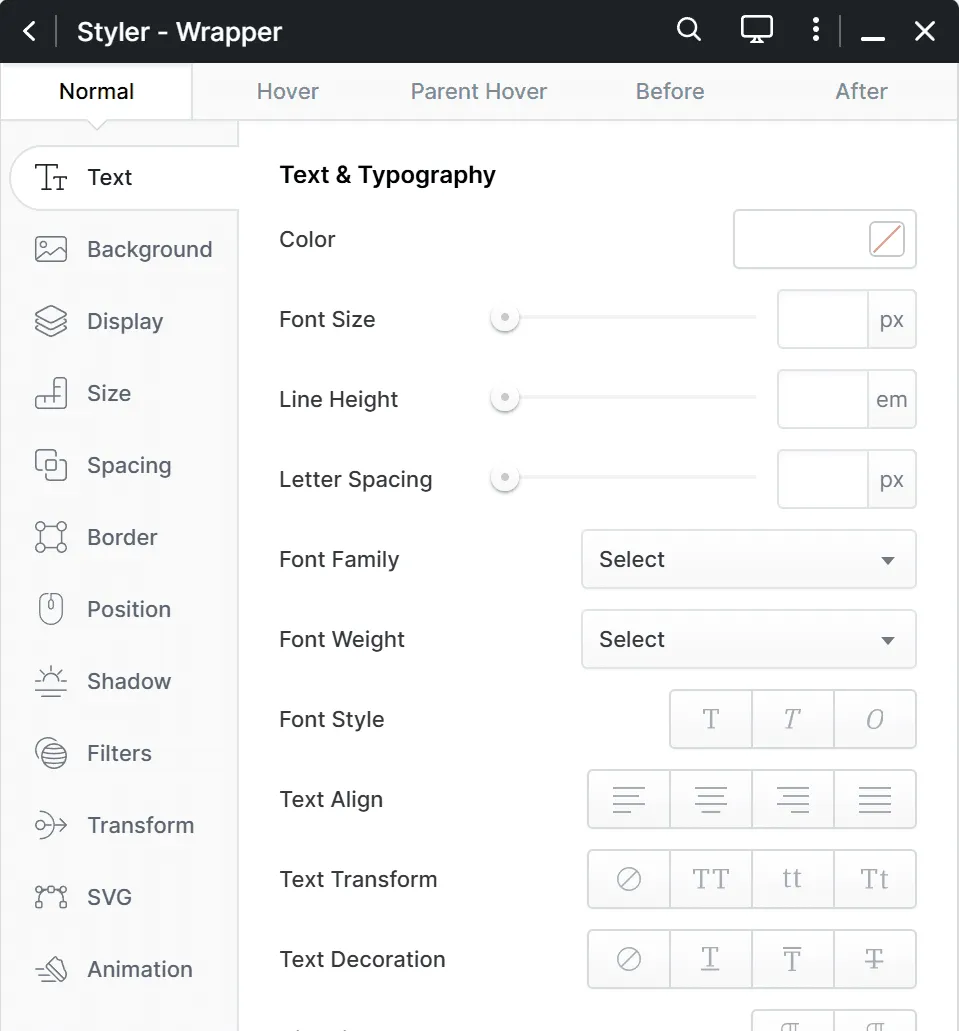
Typography: Adjust fonts, sizes, and weights for a cohesive appearance.
Spacing and Layout: Fine-tune gaps, margins, and padding for optimal element arrangement.
Colors: Personalize text, background, and border colors to align with your site’s branding.
Template Loader
Section titled “Template Loader”The Template Loader enhances your design process by allowing you to reuse and integrate templates, ensuring efficiency and consistency in your layouts.
Key Capabilities
Section titled “Key Capabilities”Load Pre-Designed Templates
Section titled “Load Pre-Designed Templates”Use templates you’ve previously saved in the Elementor library. This includes sidebars, call-to-action sections, or even complex multi-column layouts.
Example Use Case: Adding a Sidebar
Section titled “Example Use Case: Adding a Sidebar”- Design Your Sidebar Template: Create a sidebar template in Elementor that includes widgets like a search bar, recent posts, categories, or social media icons. Save it to your Elementor library.
- Load the Sidebar into an Archive Page: Open the Archive Builder, use the Template Loader to add the saved sidebar, and position it as required.
Conclusion
Section titled “Conclusion”The Kata Archive Builder is an essential tool for designing dynamic and visually appealing archive pages. Its seamless integration with Elementor and versatile features, including post metadata, social sharing, related posts, and recent posts, allows you to create layouts that engage visitors and enhance their browsing experience. With the Archive Builder, you can ensure your archive pages are not only functional but also aligned with your creative vision.