

Skip to content

How to create a menu

To create a new menu, navigate to your WordPress, and go to Appearance > Menu, then click on the Create a new menu link.

Choose a name for your menu on the newly opened page and click on the Create Menu button.
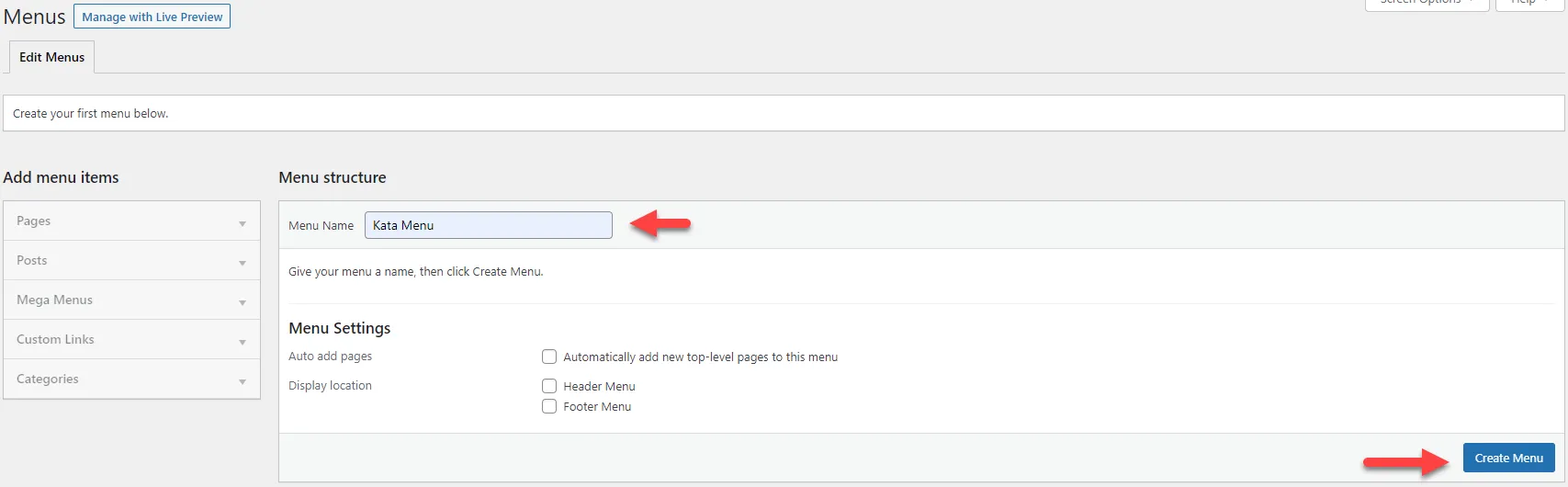
WordPress Menus screen with arrows pointing to the menu name field and Create Menu button

Now choose the pages you have in mind from the Add Menu Items section and click on the Add to Menu button.
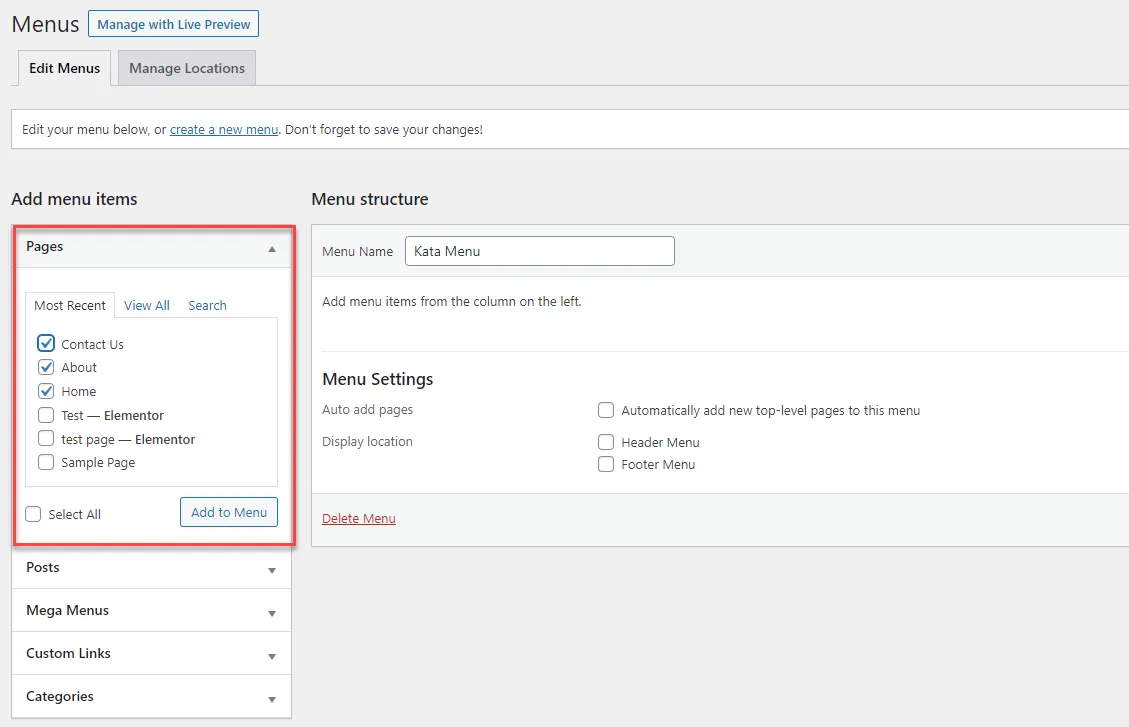
WordPress Menus screen with the Pages box highlighted for adding menu items

Afterward, click on the Save Menu button to save your menu.
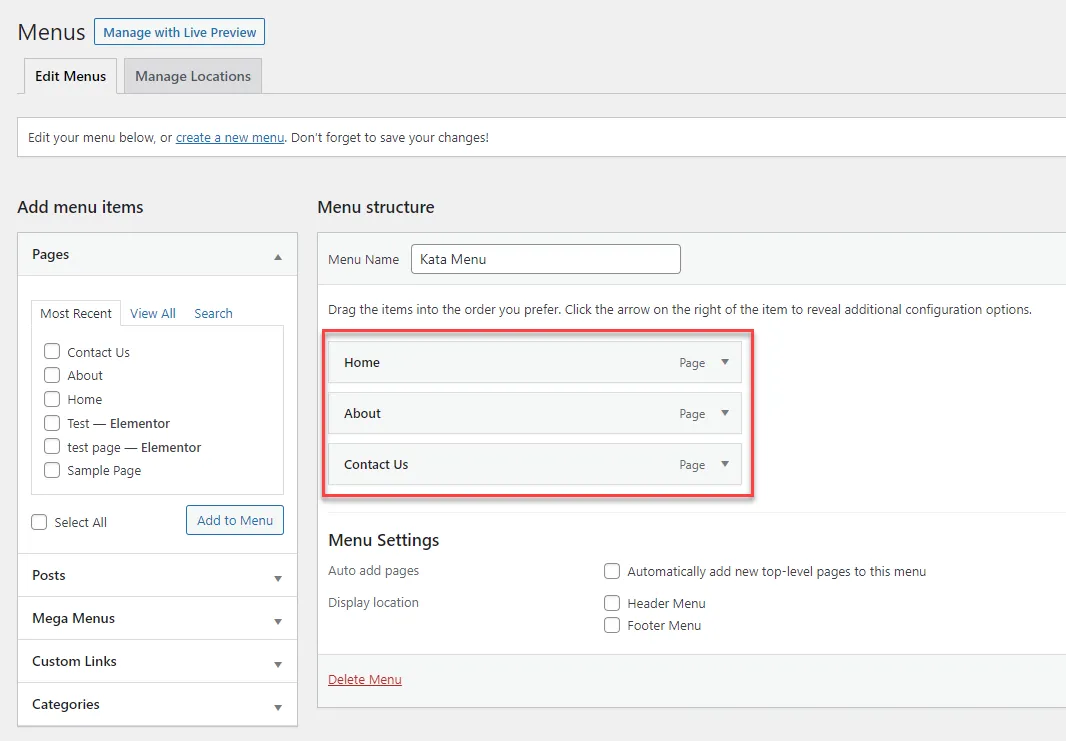
WordPress Menus screen with the menu structure items highlighted

Share this article:

Kata WordPress Theme Helpdesk

Need Assistance? We can help!

Our responsive customer support team boasts a high customer satisfaction rating. Should you have any issues with the plugin, do not hesitate to contact us and remember we are always here to help.