


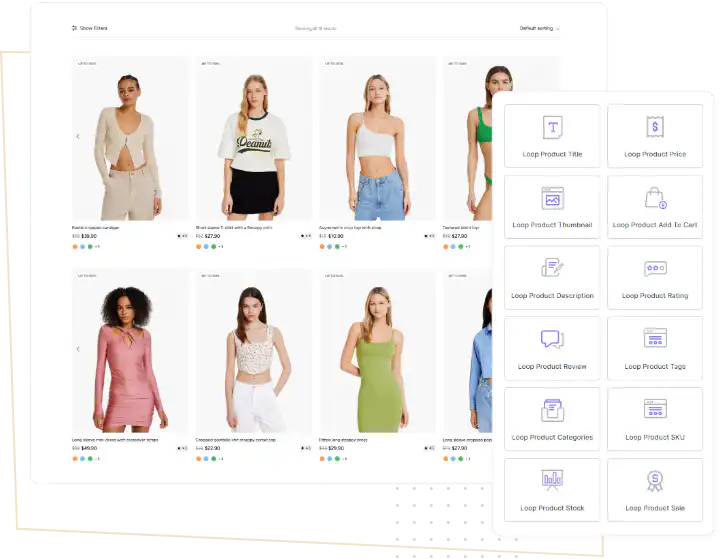

You can customize every WooCommerce pages using Elementor page builder
ShopPress Builder offers this option and it allows your users to simply filter products by Category, Brand, Color, Rating, Tag, Size and Price, and find what they are looking for in a matter of seconds.
Off-Canvas panel widget is a fly-out content panel for showcasing contents like WooCommerce Filter, Wishlist, Cart etc. This panel can be in various formats like, Drop-Down, Popup and Slide-in.
With an Archive Builder, you can effortlessly structure and present your content in a user-friendly, organized manner. It provides the means to design elegant and user-centric archives for various post types, such as WooCommerce categories, tags, or any other WooCommerce-related content on your website.

With ShopPress, users can easily tailor the Archive pages to suit their needs without the need for coding or technical expertise. This plugin enhances the user experience by providing a user-friendly interface that simplifies the page customization process.
The option to design a custom look for your Archive page is available to you. ShopPress provides a variety of useful tools that you can incorporate to give your Archive page a fresh and unique appearance. These tools can be leveraged to create a distinctive look and feel for your page that sets it apart from other pages.
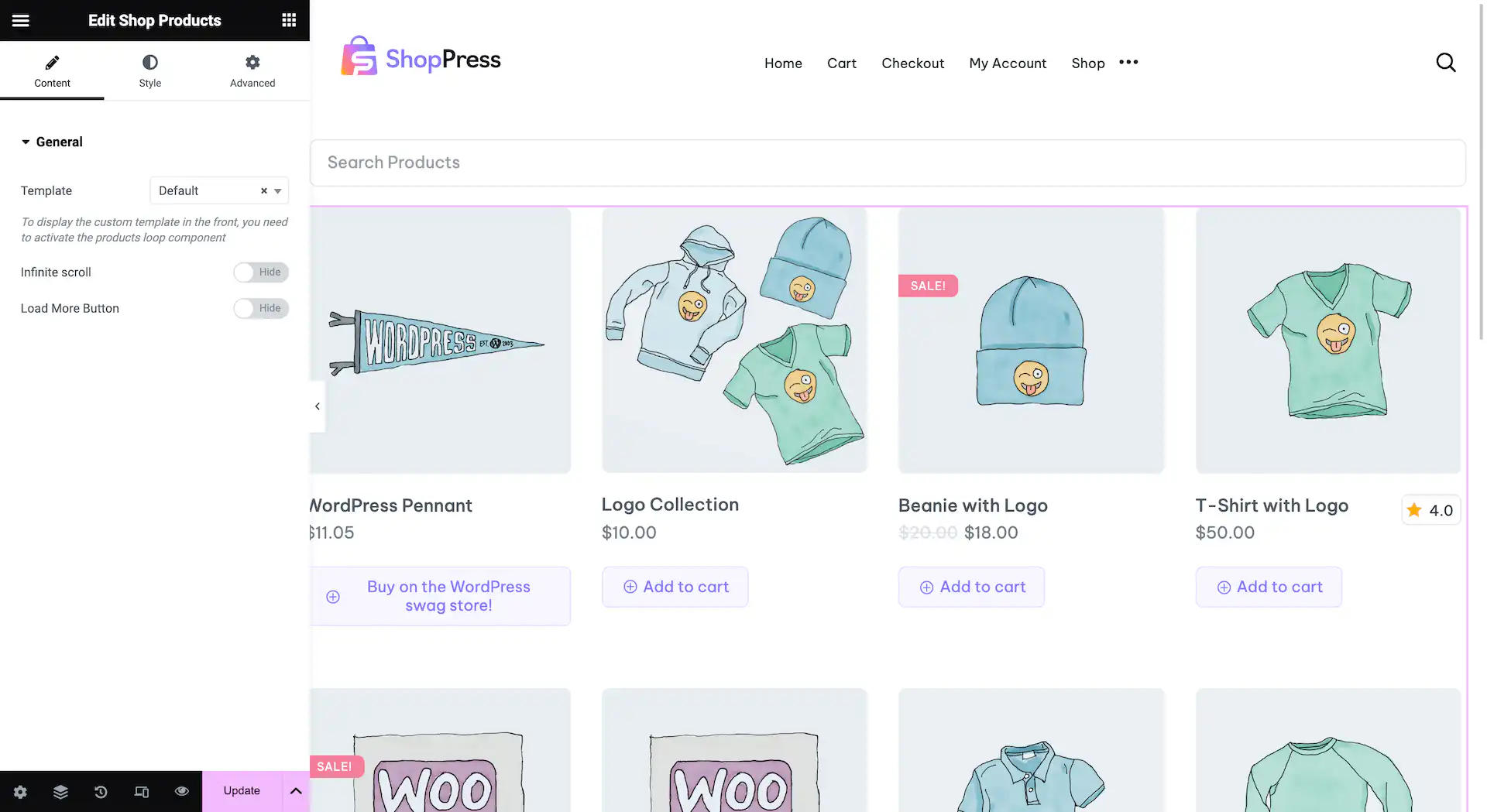
The ShopPress Archive Builder lets you design WooCommerce product category, tag and other archive pages in Elementor. You add the Shop Products widget, with your own product card template and infinite scroll or a Load More button, and the Product Filters widget, then style them with Styler. The Archive Page Builder is included in both ShopPress Free and ShopPress Pro.
| Widget or option | What it does |
|---|---|
| Shop Products | Lists the products, using a Loop Builder card template or the default WooCommerce style |
| Infinite Scroll / Load More | Choose how more products load and style the Load More button |
| Product Filters | Filtering for archive pages, optionally in a drawer with its own button, icon, position and title |
| Multiple templates | Create several archive templates |
Full guide: read the documentation →
Yes. It is included in ShopPress Free and ShopPress Pro.
Yes. It replaces the default WooCommerce archive layout used by category and tag pages.
Yes. Add the Product Filters widget to the archive template.
The Shop Builder designs the main shop page; the Archive Builder designs category, tag and other archive pages.
Last updated: November 2026

ShopPress fully compatible with most of the popular WooCommerce themes and plugins, is all you need to run a shop. For more information please refer to ShopPress knowledge-base.
You can also fine-tune every part of your archive layout with the ShopPress visual style editor, including colors, typography, spacing, borders, and responsive settings—without writing custom CSS.

Subscribe to our newsletter and receive our news and promotions
You can unsubscribe at any time