



You can customize every WooCommerce pages using Elementor page builder
ShopPress Builder offers this option and it allows your users to simply filter products by Category, Brand, Color, Rating, Tag, Size and Price, and find what they are looking for in a matter of seconds.
Off-Canvas panel widget is a fly-out content panel for showcasing contents like WooCommerce Filter, Wishlist, Cart etc. This panel can be in various formats like, Drop-Down, Popup and Slide-in.
One of the standout features of your online store is its impeccable attention to detail. Unlike many others that rely on the generic WooCommerce design, your store takes the time to create a unique design for each page that users see.

This not only sets your store apart from the competition but also enhances the overall user experience by providing a more personalized and engaging shopping experience. From the homepage to the checkout page, your store's design is carefully crafted to ensure that every element is visually appealing, easy to navigate, and optimized for conversions.
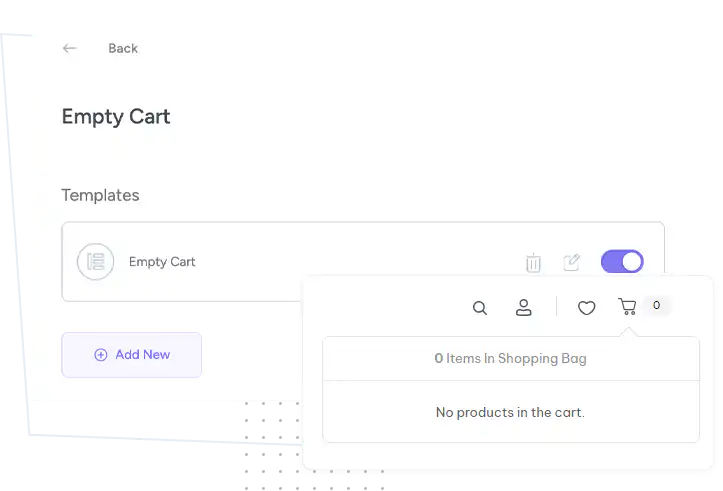
The ShopPress Empty Cart Builder replaces the default WooCommerce empty cart page with a design you build in Elementor. You add a custom empty cart message and a Return to Shop button, style them with Styler, and can create several templates. The Empty Cart Page Builder is included in both ShopPress Free and ShopPress Pro.
| Widget | What it does |
|---|---|
| Cart Empty Message | Shows your own text when the cart is empty |
| Return To Shop | Adds a button that takes shoppers back to the shop |
| Any Elementor content | Add products, offers or links to bring shoppers back |
Full guide: read the documentation →
Yes. It is included in ShopPress Free and ShopPress Pro.
Yes. The Cart Empty Message widget shows your own text.
Yes. Add any Elementor content, such as a product collection.
Yes, with the Cart Builder.
Last updated: November 2026

ShopPress fully compatible with most of the popular WooCommerce themes and plugins, is all you need to run a shop. For more information please refer to ShopPress knowledge-base.

Subscribe to our newsletter and receive our news and promotions
You can unsubscribe at any time