


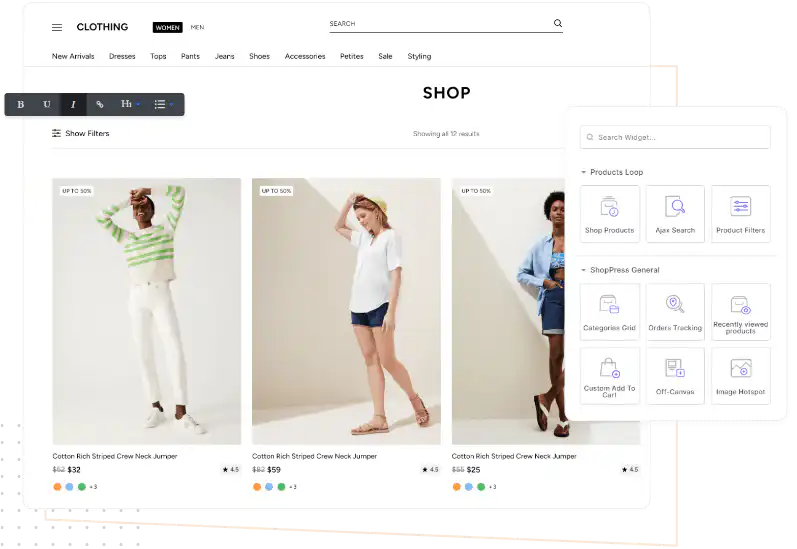

You can customize every WooCommerce pages using Elementor page builder
ShopPress Builder offers this option and it allows your users to simply filter products by Category, Brand, Color, Rating, Tag, Size and Price, and find what they are looking for in a matter of seconds.
Off-Canvas panel widget is a fly-out content panel for showcasing contents like WooCommerce Filter, Wishlist, Cart etc. This panel can be in various formats like, Drop-Down, Popup and Slide-in.
Essentially, the Shop page acts as a virtual storefront for your business, displaying the products you offer to potential customers. With Shop Builder you can apply your preferred design using Elementor features and special widgets on your Shop page.

It goes without saying that the presentation of your products on this page plays a significant role in determining the success of your business. The way you showcase your products can make or break a sale, and the impact it has on the customer should not be underestimated.
A well-designed and organized shop page can be a powerful tool in attracting and retaining customers, while a poorly executed one can lead to confusion and frustration, ultimately resulting in missed opportunities and lost sales.
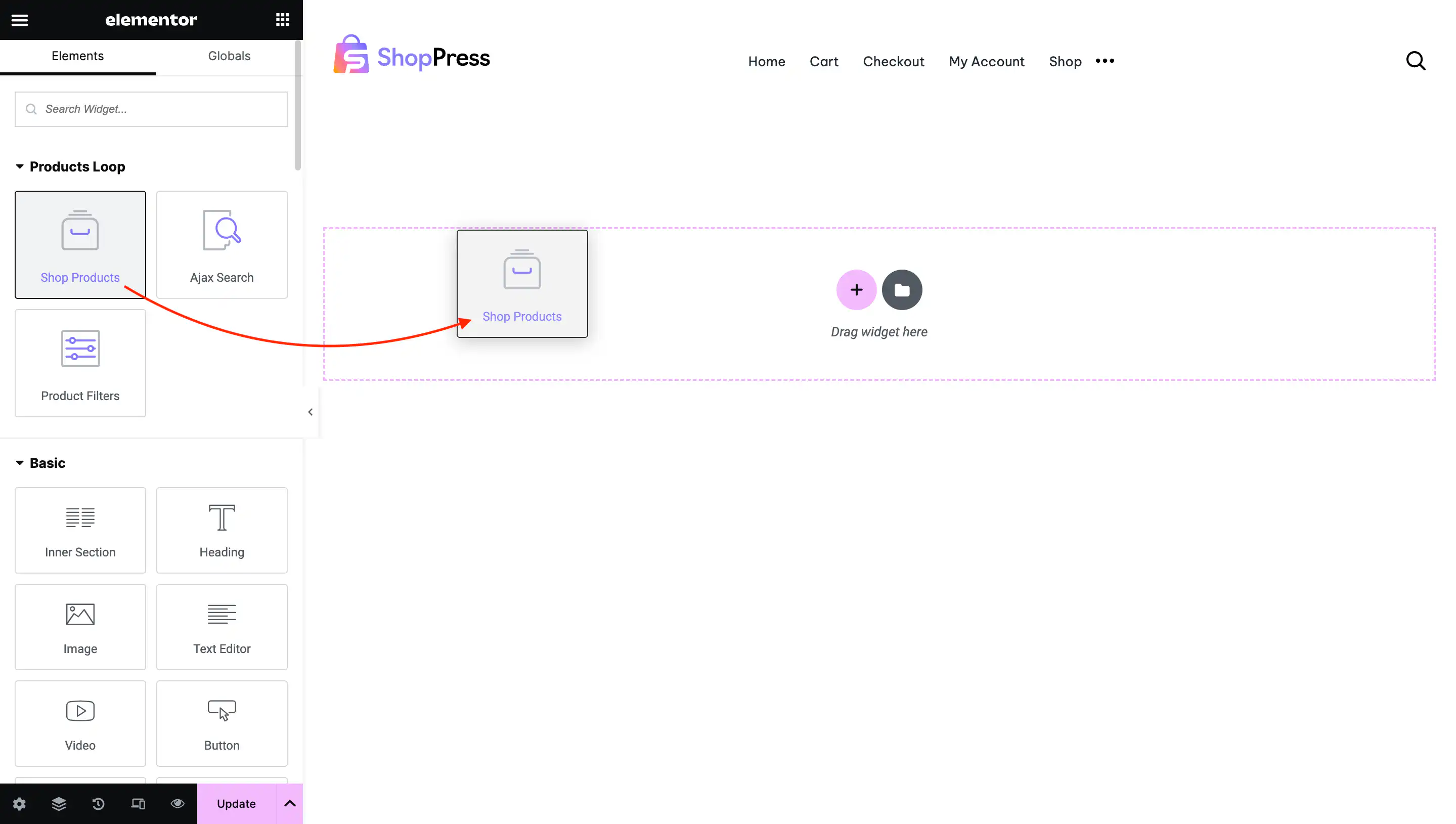
The ShopPress Shop Builder lets you replace the default WooCommerce shop page with a layout you design in Elementor. You place the Shop Products widget (with your own product card template, infinite scroll or a Load More button) and the Product Filters widget, then style everything with Styler. The Shop Page Builder is included in both ShopPress Free and ShopPress Pro.
| Widget or option | What it does |
|---|---|
| Shop Products | Displays your products, using a product card template made with the Loop Builder or the default WooCommerce style |
| Infinite Scroll / Load More | Choose how more products load, and style the Load More button as icon, text or both |
| Product Filters | Filter products on the shop page, optionally inside a drawer with its own button, icon, position and title |
| Multiple templates | Create several shop templates and assign them generally or specifically |
| Styler | Style every widget visually from its Style tab |
Full guide: read the documentation →
Yes. The Shop Page Builder is included in ShopPress Free and ShopPress Pro.
Yes. The Product Filters widget adds filtering to the shop page and can open in a drawer.
Yes. In the Shop Products widget you can choose infinite scroll or a Load More button.
Yes. Create a card template with the Product Loop Builder and select it in the Shop Products widget.
Last updated: November 2026

ShopPress fully compatible with most of the popular WooCommerce themes and plugins, is all you need to run a shop. For more information please refer to ShopPress knowledge-base.

Subscribe to our newsletter and receive our news and promotions
You can unsubscribe at any time