


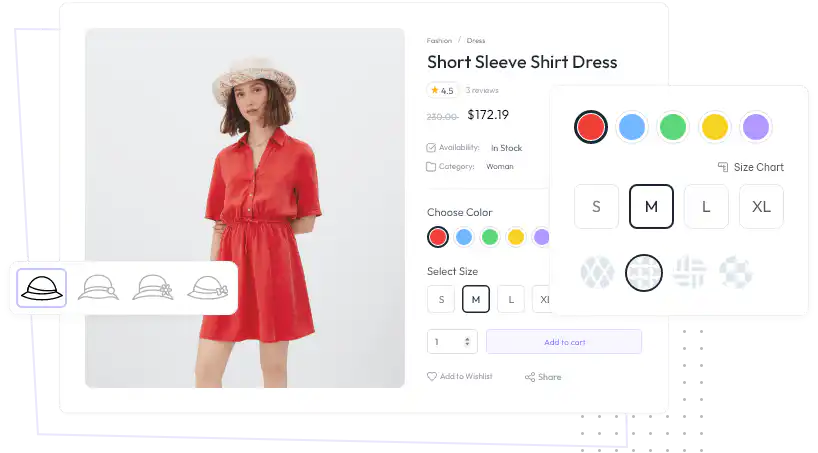

You can customize every WooCommerce pages using Elementor page builder
ShopPress Builder offers this option and it allows your users to simply filter products by Category, Brand, Color, Rating, Tag, Size and Price, and find what they are looking for in a matter of seconds.
Off-Canvas panel widget is a fly-out content panel for showcasing contents like WooCommerce Filter, Wishlist, Cart etc. This panel can be in various formats like, Drop-Down, Popup and Slide-in.
Extends displaying product variations, using quick view, direct variation link and image based variation swatches with an elegant design with ShopPress Variation Swatches module.

The purpose of intuitive variation swatches is to enhance the user experience by displaying product variants, colors, buttons, and photos. Instead of the regular Woocommerce swatch styles, you can add a beautiful style for your swatches that displays all the variants in an appropriate way next to each other.
The WooCommerce Variation Swatches feature is straightforward and excellent. It creates lovely swatches out of the product attribute choose dropdown. It denotes that you may change the dropdown menu used to choose a product variant into color, button, and image swatches.
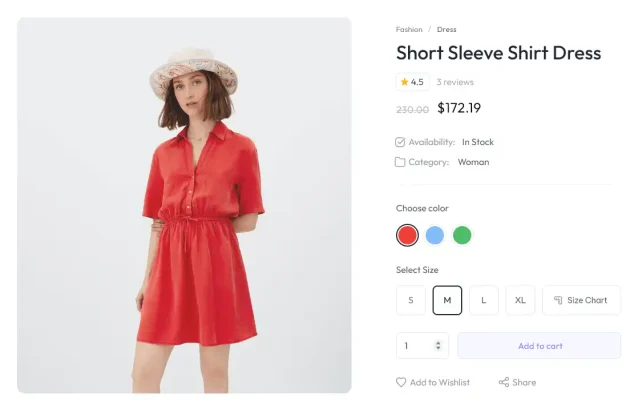
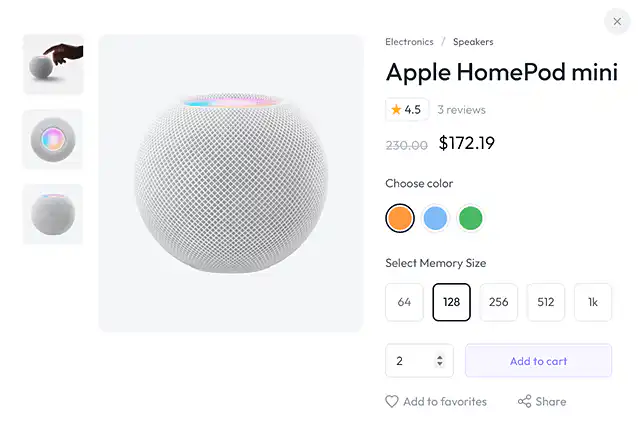
The variation Swatch feature can also be displayed in the Quick view lightbox popup in addition to the single product page.
You can post your particular individual swatch link on social media or send it to your customers for a speedy purchase using this feature.
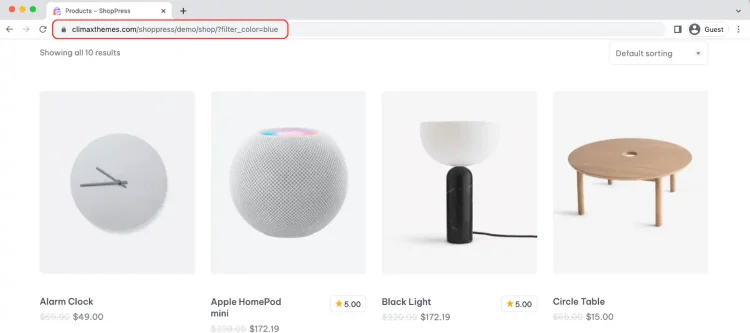
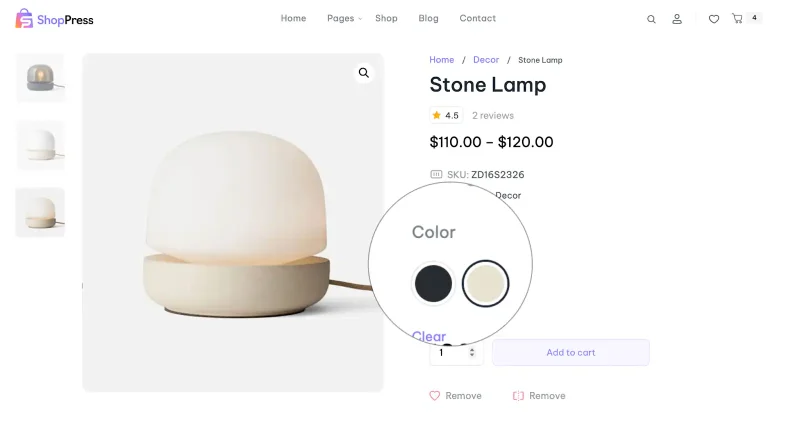
The setting changes the drop-down menus for product selection into color swatches. It fits changeable items with many colors.
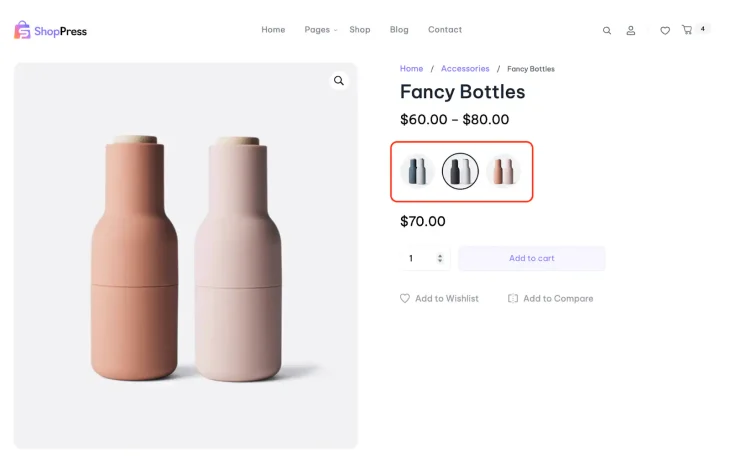
This option is helpful and quite interesting when it comes to showing images as product variations.
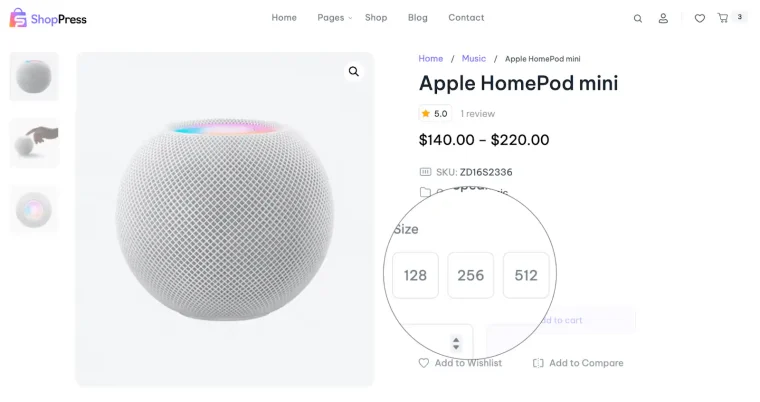
Button/label swatches significantly increase conversion when it comes to displaying possible product size, quantity, and other variation-related information. It enables clients to rapidly choose the product variety they want.
ShopPress Variation Swatches replace WooCommerce's variation dropdowns with color, image and button/label swatches, so shoppers see every option at a glance. You can convert all dropdowns to label swatches at once, show tooltips and variation labels, and display swatches in the product loop and in Quick View. Variation Swatches are included in both ShopPress Free and ShopPress Pro.
| Option | What it does | Free | Pro |
|---|---|---|---|
| Color swatches | Show each color as a swatch, set by HEX code | ✓ | ✓ |
| Image swatches | Use an image for each variation value | ✓ | ✓ |
| Button / label swatches | Show sizes or other values as buttons | ✓ | ✓ |
| Convert dropdown to label swatches | Turn all variation dropdowns into labels at once | ✓ | ✓ |
| Tooltips and variation label | Show the selected value and a tooltip on hover | ✓ | ✓ |
| Swatches in the product loop and Quick View | Pick variations from the shop grid or the quick view popup | ✓ | ✓ |
Full guide: read the documentation →
Yes. Color, image and button swatches are included in ShopPress Free and ShopPress Pro.
Yes. Open each variation on the product edit page to set its own price, image and description.
Yes. Enable the Convert Dropdown to Label Swatches option in the module settings.
Set that variation's inventory to Out of stock; shoppers can no longer order it.
Last updated: November 2026

ShopPress fully compatible with most of the popular WooCommerce themes and plugins, is all you need to run a shop. For more information please refer to ShopPress knowledge-base.

Subscribe to our newsletter and receive our news and promotions
You can unsubscribe at any time