



You can customize every WooCommerce pages using Elementor page builder
ShopPress Builder offers this option and it allows your users to simply filter products by Category, Brand, Color, Rating, Tag, Size and Price, and find what they are looking for in a matter of seconds.
Off-Canvas panel widget is a fly-out content panel for showcasing contents like WooCommerce Filter, Wishlist, Cart etc. This panel can be in various formats like, Drop-Down, Popup and Slide-in.
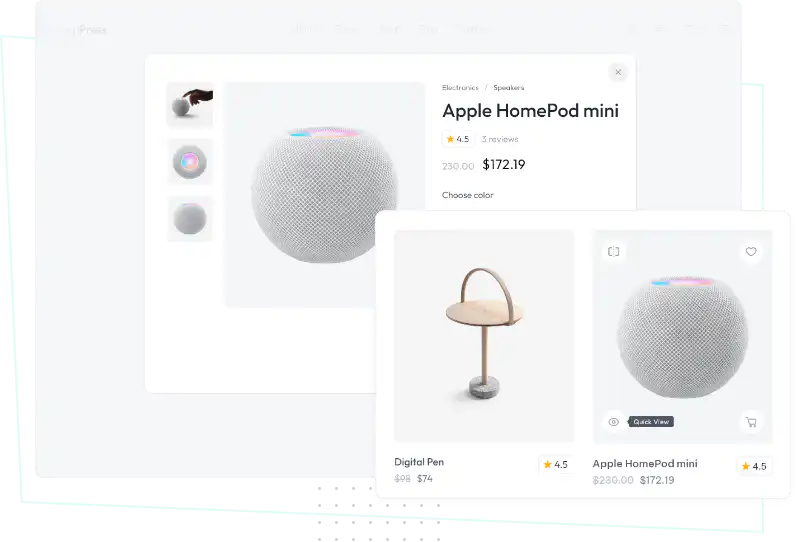
With Quick View for WooCommerce, visitors can quickly view product information (using AJAX) in a pretty pop-up without having to open the product page. Customers can easily add items to their carts from the modal and also, the Quick View is super easy to customize.

Many eCommerce business owners assert that this rapid product view option gives users a better experience and has an impact on the rate of sales growth. With the Quick View for WooCommerce module, your customers can quickly peek at any product they want without switching to another page.
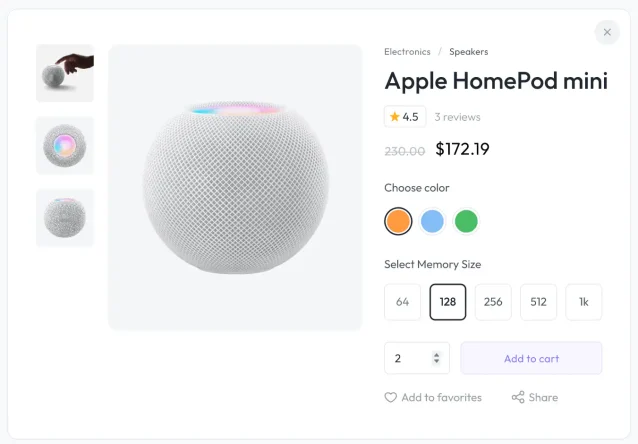
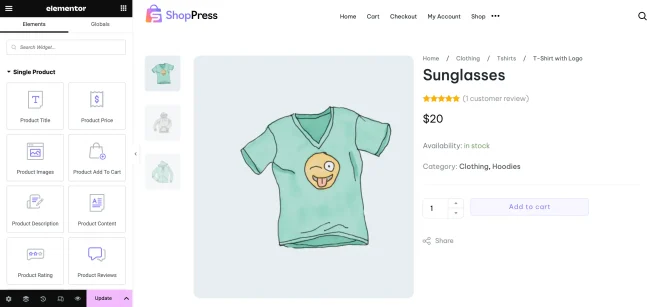
ShopPress Quick View lets shoppers open a product in a popup from the shop or archive page, without leaving the page. You design the popup in Elementor with widgets such as product thumbnail, title, price and description, and choose where the Quick View button appears on product cards. Quick View is included in both ShopPress Free and ShopPress Pro.
| Option | Free | Pro |
|---|---|---|
| Quick View popup | ✓ | ✓ |
| Custom button position on the product loop | ✓ | ✓ |
| Design the popup content in Elementor | ✓ | ✓ |
| Variation swatches inside Quick View | ✓ | ✓ |
Full guide: read the documentation →
Yes. It is included in ShopPress Free and ShopPress Pro.
Yes. Build it in Elementor with product widgets.
Yes. Variation Swatches support Quick View.
Yes. Choose a position on the product loop.
Last updated: November 2026

ShopPress fully compatible with most of the popular WooCommerce themes and plugins, is all you need to run a shop. For more information please refer to ShopPress knowledge-base.

Subscribe to our newsletter and receive our news and promotions
You can unsubscribe at any time