



You can customize every WooCommerce pages using Elementor page builder
ShopPress Builder offers this option and it allows your users to simply filter products by Category, Brand, Color, Rating, Tag, Size and Price, and find what they are looking for in a matter of seconds.
Off-Canvas panel widget is a fly-out content panel for showcasing contents like WooCommerce Filter, Wishlist, Cart etc. This panel can be in various formats like, Drop-Down, Popup and Slide-in.
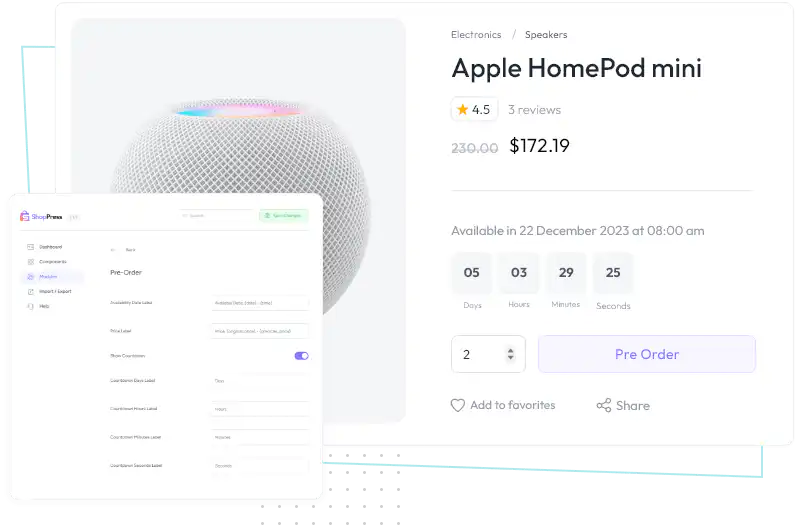
Changes the add to cart button into pre order button and displays a customizable countdown to attract buyers and create a sence of urgency.

By allowing customers to order products ahead of time, even before they are officially available, you can create a sense of urgency that can attract and engage customers with your brand.
This strategy can help you not only fund production, but also advertising or marketing campaigns to promote your products. With the WooCommerce pre-order functionality, you have the flexibility to either automatically or manually release and fill orders, leaving the rest to the module. This can save you time and effort while giving your customers a seamless shopping experience.
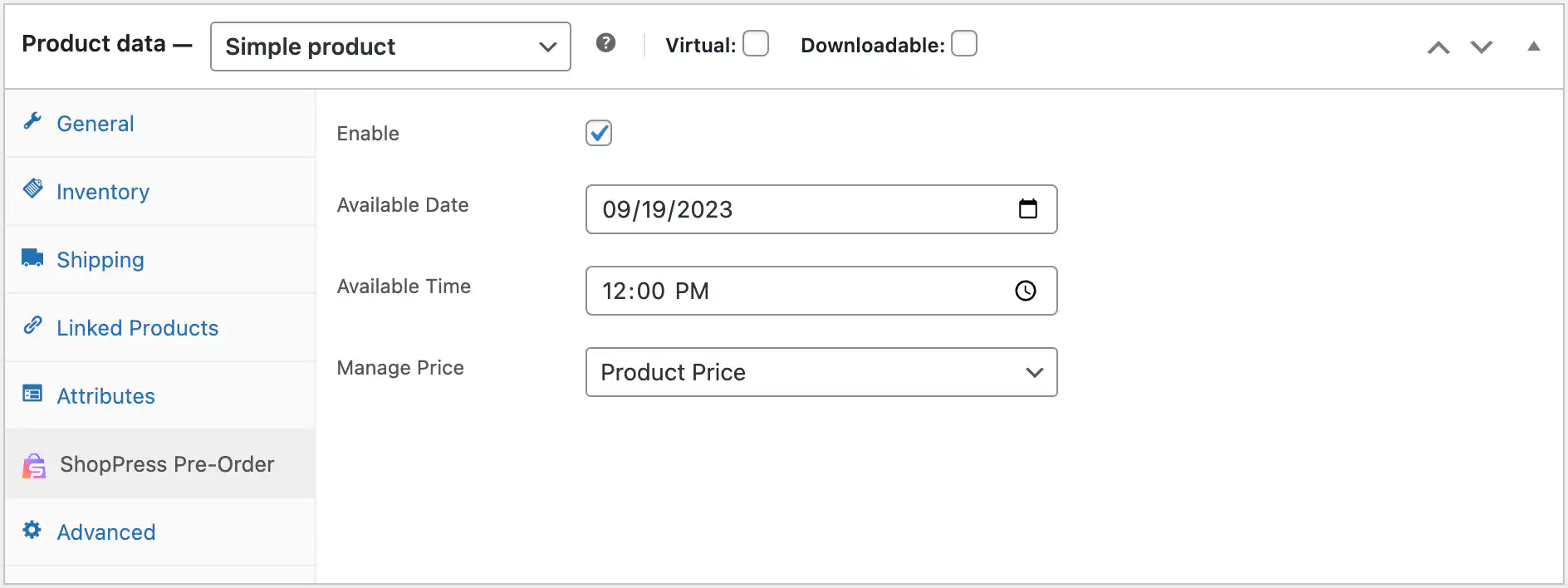
ShopPress Pre-Orders lets WooCommerce customers order products before they are released. The add to cart button becomes a pre-order button, a countdown to the release date appears on the product page, and you can set a separate pre-order price. You can rename all pre-order labels, including the countdown, price and cart text. Pre-Orders is a ShopPress Pro feature.
| Setting | What it does |
|---|---|
| Release date and time | When the product becomes available, set per product |
| Countdown | Shows the time left until release on the product page |
| Pre-order price | Set the price customers pay for the pre-order |
| Add to cart text | Custom button text for pre-order products |
| Labels | Custom availability date and price labels |
Full guide: read the documentation →
No. Pre-Orders is part of ShopPress Pro.
Yes. Set the pre-order price in the product's ShopPress Pre-Order tab.
Yes. A countdown to the release date and time appears on the product page.
Pre-orders are for products not released yet. For products that are temporarily out of stock, use the Backorder module.
Last updated: November 2026

ShopPress fully compatible with most of the popular WooCommerce themes and plugins, is all you need to run a shop. For more information please refer to ShopPress knowledge-base.

Subscribe to our newsletter and receive our news and promotions
You can unsubscribe at any time