



You can customize every WooCommerce pages using Elementor page builder
ShopPress Builder offers this option and it allows your users to simply filter products by Category, Brand, Color, Rating, Tag, Size and Price, and find what they are looking for in a matter of seconds.
Off-Canvas panel widget is a fly-out content panel for showcasing contents like WooCommerce Filter, Wishlist, Cart etc. This panel can be in various formats like, Drop-Down, Popup and Slide-in.
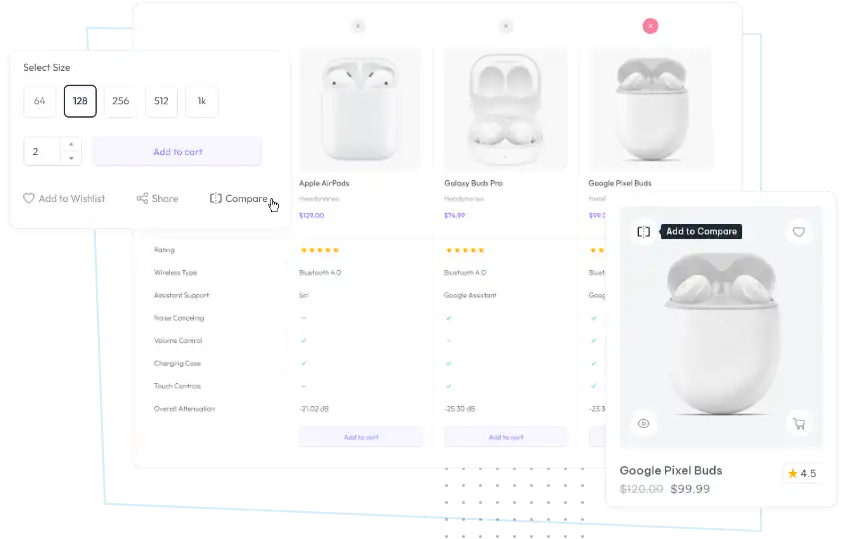
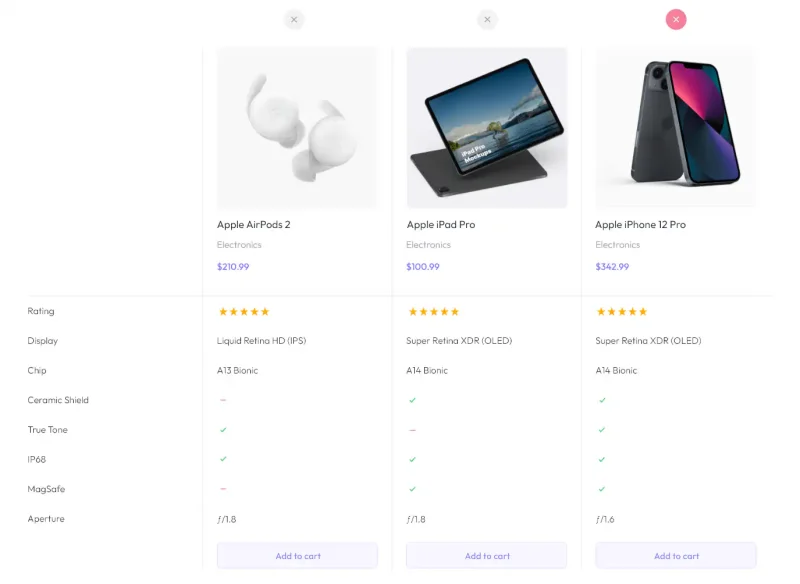
Compare Builder enables the customers to compare products side by side, and even using a detailed comparison table. The comparison table is fully customizable, and you can simply choose your desired template and start editing it right away.

With ShopPress plugin, your customers will be able to quickly and easily compare the products you have for sale in your shop, analyse their key features in a single table, and determine which option is best for them without having to go through each individual product page in search of the details they need. Making the shopping process quicker and easier implies encouraging your clients to make a purchase as soon as feasible.
Most customers evaluate products online before visiting a shop. With ShopPress, it is now simple to add a product comparison feature to WooCommerce. Additionally, before making a purchase, your customers may compare various goods simultaneously.
With just a few clicks, you can activate your compare page and design whole elements with Elementor page builder to match your website design.
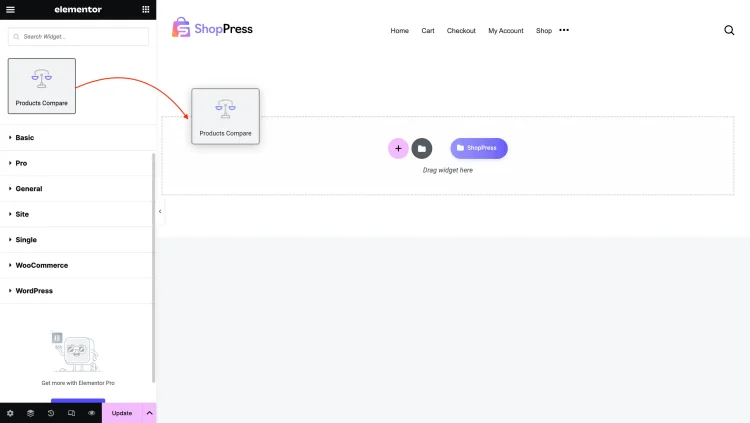
We have prepared a Compare Widget for Elementor so users can easily make changes to their compare page with the drag and drop feature.
Also, every element on the page can be simply modified visually without any complexity and a single line of code writing with using ShopPress Compare Widget.
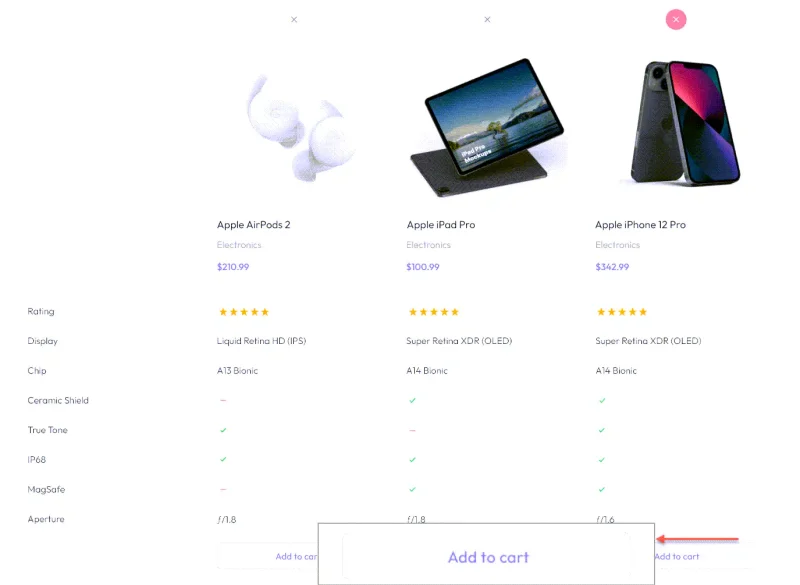
Through the compare table, customers will be able to add products directly to their shopping carts.
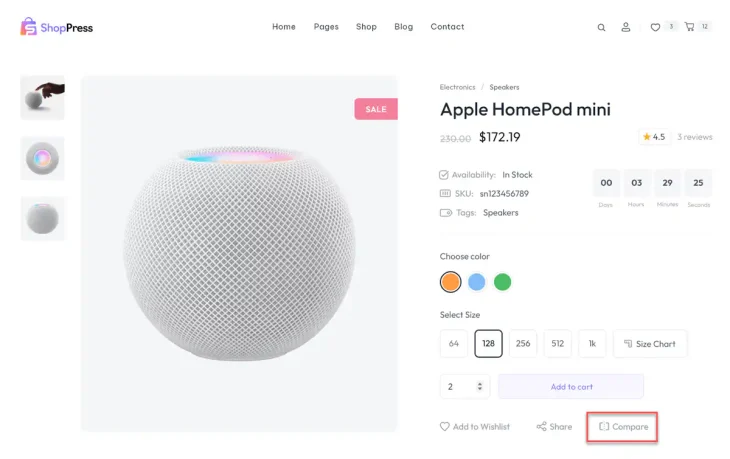
Using Compare widget on the single product page allows customers to add their preferred products to the comparison table directly from the single product page.
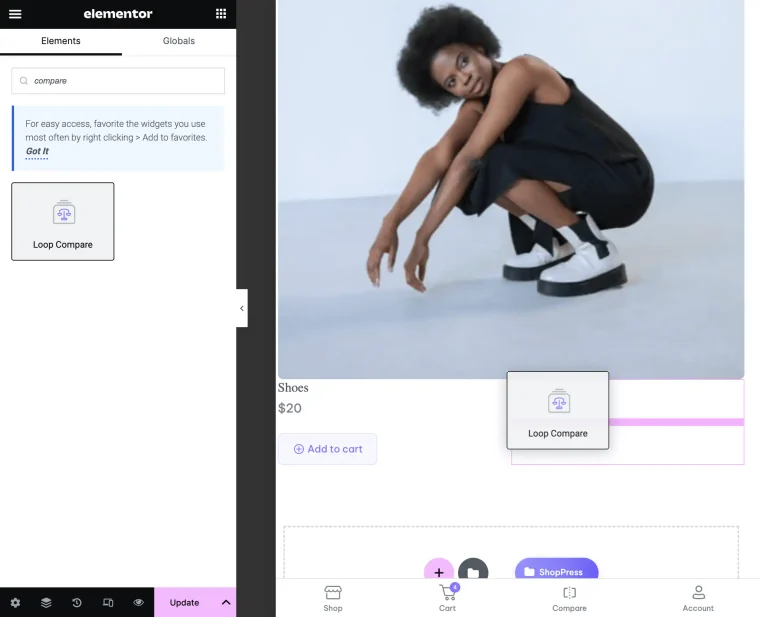
With the help of the Loop Compare widget, you can easily add the compare button to your Product Loops such as Shop, Archive, Recent Products, etc.
Also, it is possible to modify the style of all elements in Loop Compare Widget with Elementor such as icon and label.
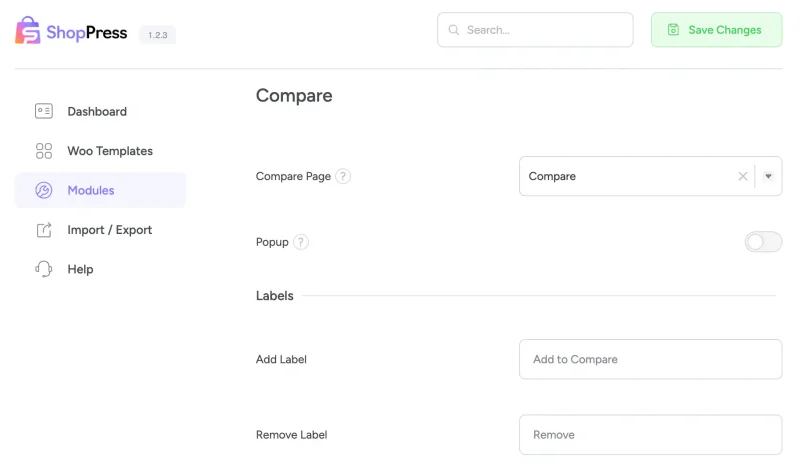
ShopPress Compare lets shoppers compare WooCommerce products side by side, and lets you design the comparison page in Elementor. You can show the comparison in a popup, choose where the compare button appears, rename the add and remove labels, and style the table with the Products Compare widget. Compare is included in both ShopPress Free and ShopPress Pro.
| Feature | Free | Pro |
|---|---|---|
| Product comparison | ✓ | ✓ |
| Display compare in a popup | ✓ | ✓ |
| Custom compare button position | ✓ | ✓ |
| Custom add and remove labels | ✓ | ✓ |
| Design the compare page in Elementor | ✓ | ✓ |
Full guide: read the documentation →
Yes. It is included in ShopPress Free and ShopPress Pro.
Yes. You can display the compare table in a popup.
Yes. You can set custom labels for adding and removing products.
Yes. ShopPress also includes a Wishlist.
Last updated: November 2026

ShopPress fully compatible with most of the popular WooCommerce themes and plugins, is all you need to run a shop. For more information please refer to ShopPress knowledge-base.

Subscribe to our newsletter and receive our news and promotions
You can unsubscribe at any time