



You can customize every WooCommerce pages using Elementor page builder
ShopPress Builder offers this option and it allows your users to simply filter products by Category, Brand, Color, Rating, Tag, Size and Price, and find what they are looking for in a matter of seconds.
Off-Canvas panel widget is a fly-out content panel for showcasing contents like WooCommerce Filter, Wishlist, Cart etc. This panel can be in various formats like, Drop-Down, Popup and Slide-in.
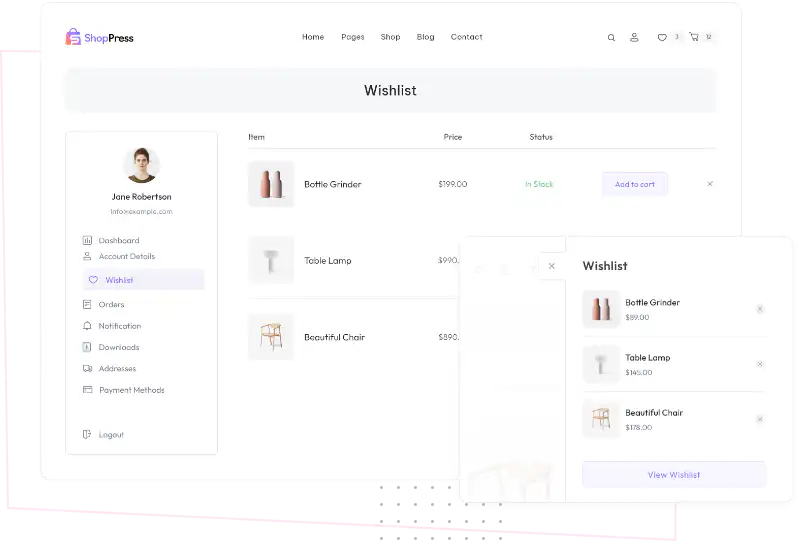
Using Wishlist Builder enhance user satisfaction and encourage return visits with Wishlist functionality. Design your Wishlist page effortlessly using ShopPress Elementor's versatile widgets.

The wishlist for Woocommerce is an essential feature for users to have a better experience on any e-Commerce website. The Wishlist Module enables clients to indicate interest without having the intention to purchase right away, by allowing them to store preferred goods on their user profiles. It makes it simple for customers to identify products they might want to buy in the future. It is an effective tool for online shops.
Customers can simply keep track of all their favorite things in one easy place with a beautiful design, whether they are exploring the website on their own or gathering a wishlist for someone else. Additionally, a lot of e-commerce sites provide unique discounts and promotions for wishlist items, which can increase sales for merchants.
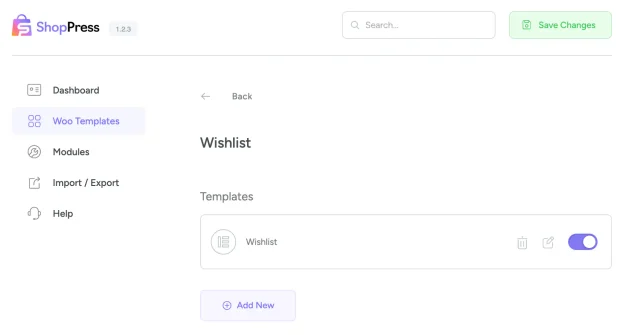
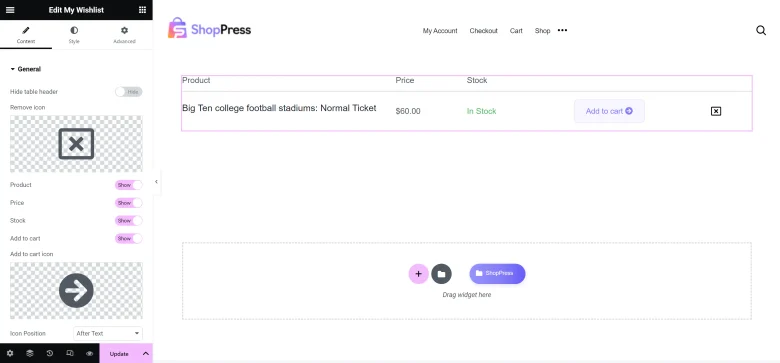
You can design your wishlist page with the popular Elementor plugin using ShopPress amazing widgets. Also, you can customize every widget to match your theme style.
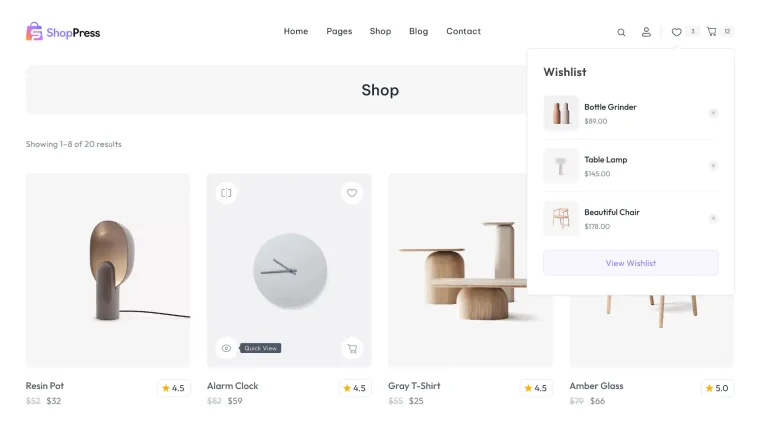
Use the header wishlist widget to display the product that has been added to the wishlist.
You can simply add the wishlist widget to the header of your website to facilitate the user experience. Also, the Wishlist widget is fully customizable and you can easily edit this widget with Elementor to match your theme style.
ShopPress Wishlist lets shoppers save products for later, for both logged-in and guest users, and lets you design the wishlist page in Elementor. You can add the wishlist to the My Account page and to any menu, show it as a dropdown or drawer, and position the wishlist button on product pages and in the product loop. The wishlist is included in ShopPress Free; multi-wishlist and social sharing are ShopPress Pro features.
| Feature | Free | Pro |
|---|---|---|
| Wishlist for logged-in and guest users | ✓ | ✓ |
| Add wishlist to My Account and to a menu | ✓ | ✓ |
| Display wishlist as dropdown or drawer | ✓ | ✓ |
| Custom button labels and positions (product page and loop) | ✓ | ✓ |
| Design the My Wishlist page in Elementor | ✓ | ✓ |
| Multi-wishlist | ✕ | ✓ |
| Social share wishlist | ✕ | ✓ |
| Show wishlist items in a loop view | ✕ | ✓ |
Full guide: read the documentation →
Yes. The wishlist is included in ShopPress Free. Multi-wishlist, social sharing and the loop view need ShopPress Pro.
Yes. The wishlist works for both logged-in and guest users.
Yes. Enable the menu option and pick any menu; it can open as a dropdown or a drawer.
Yes, with ShopPress Pro, which adds multi-wishlist for logged-in and guest users.
Last updated: November 2026

ShopPress fully compatible with most of the popular WooCommerce themes and plugins, is all you need to run a shop. For more information please refer to ShopPress knowledge-base.

Subscribe to our newsletter and receive our news and promotions
You can unsubscribe at any time