


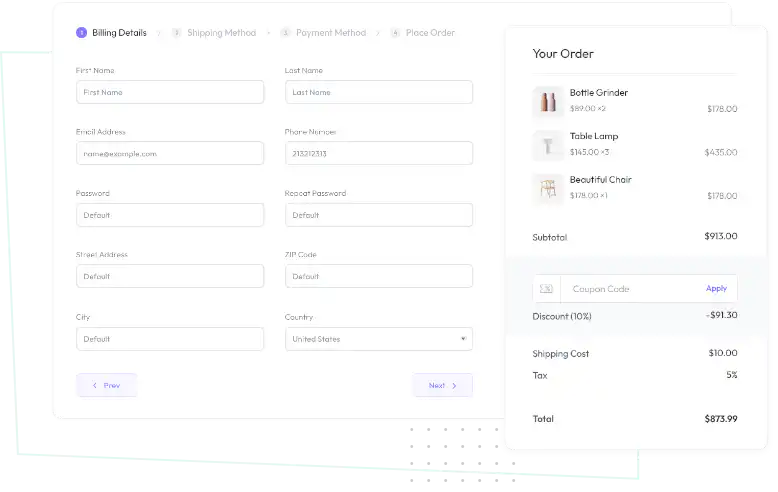

You can customize every WooCommerce pages using Elementor page builder
ShopPress Builder offers this option and it allows your users to simply filter products by Category, Brand, Color, Rating, Tag, Size and Price, and find what they are looking for in a matter of seconds.
Off-Canvas panel widget is a fly-out content panel for showcasing contents like WooCommerce Filter, Wishlist, Cart etc. This panel can be in various formats like, Drop-Down, Popup and Slide-in.
Elevate user experience with a visually appealing and streamlined checkout page using ShopPress checkout builder. Design effortlessly using the reliable WooCommerce checkout builder for a sleek and attractive purchase experience that boosts satisfaction and conversions.

You can add, update, or delete fields from the checkout form using the custom checkout page. You can also create your own sections and alter the order of the fields using Elementor. Even more, you can utilize a custom checkout page to provide your customers with a totally unique checkout experience.
Checkout Builder for WooCommerce offers many useful widgets to facilitate designing a unique checkout page on your website.
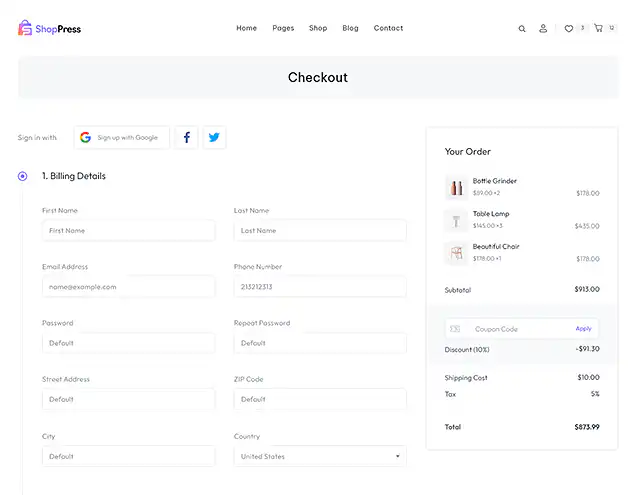
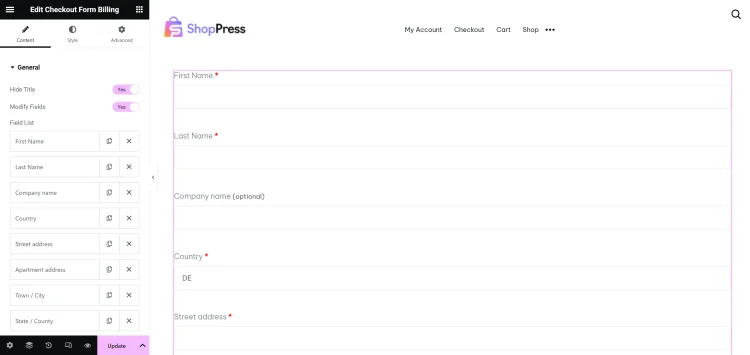
By including new fields on your WooCommerce checkout page, you can collect the necessary data from the customers. Both the custom and the default fields can be changed, removed, and rearranged as necessary.
You also have a number of modification options for the WooCommerce standard and custom fields with the Checkout Field Editor plugin. Changes to the label name, field descriptions, placeholders, validations, label classes, input classes, and many other options are all possible.
Change the standard WooCommerce checkout with one that is intended to boost conversions.
Reduce the number of extra fields that aren't essential to streamline your checkout procedure.
By eliminating distractions from your checkout page, you may lower cart abandonment.
With the help of the powerful Elementor page builder, you can easily customize, add, or delete any fields from the checkout page and also, change the styling of all the elements to match your theme style.
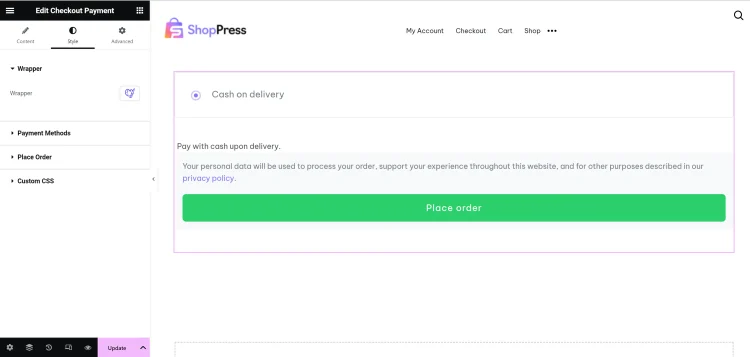
We have prepared many Elementor widgets to customize any elements on the checkout page. These features allow users to modify any widget individually. You can see all the possible widgets to edit in the screenshot below.
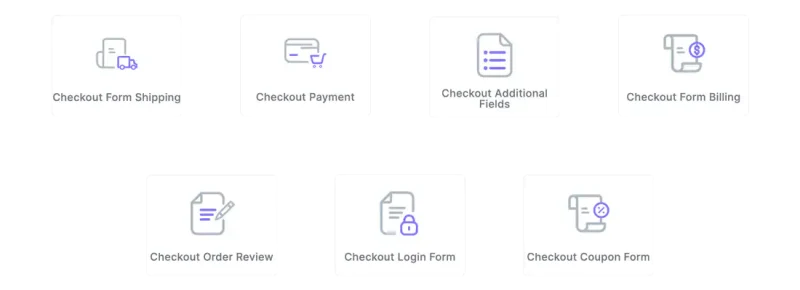
The ShopPress Checkout Builder lets you design a custom WooCommerce checkout page in Elementor instead of using the fixed default layout. You build the page from checkout widgets (billing and shipping forms, payment, coupon, login and order review) and edit each checkout field's label, placeholder, default value, validation and required status. The Checkout Page Builder is included in both ShopPress Free and ShopPress Pro.
| Widget | What it does |
|---|---|
| Checkout Form Billing | Edit every billing field: name, label, placeholder, default value, validation type, CSS class and required status |
| Checkout Form Shipping | The same field controls for the shipping form |
| Checkout Additional Field | Edit the Additional Information field |
| Checkout Payment | Style the payment methods and show or hide the method and policy descriptions |
| Checkout Coupon Form | Customize the coupon form on the checkout page |
| Checkout Login Form | Show and style a login form for returning customers |
| Checkout Order Review | Build the order review table shoppers see before paying |
Full guide: read the documentation →
Yes. The Checkout Page Builder is included in ShopPress Free and ShopPress Pro.
Yes. In the billing and shipping form widgets you can change each field's label, placeholder, default value, validation and CSS class, and mark it as required.
Yes. Add the Checkout Login Form widget to let returning customers sign in before they pay.
Yes. The Shopify-Style Checkout module gives you a multi-step checkout with a custom logo and step navigation, without designing it yourself.
Last updated: November 2026

ShopPress fully compatible with most of the popular WooCommerce themes and plugins, is all you need to run a shop. For more information please refer to ShopPress knowledge-base.

Subscribe to our newsletter and receive our news and promotions
You can unsubscribe at any time