



You can customize every WooCommerce pages using Elementor page builder
ShopPress Builder offers this option and it allows your users to simply filter products by Category, Brand, Color, Rating, Tag, Size and Price, and find what they are looking for in a matter of seconds.
Off-Canvas panel widget is a fly-out content panel for showcasing contents like WooCommerce Filter, Wishlist, Cart etc. This panel can be in various formats like, Drop-Down, Popup and Slide-in.
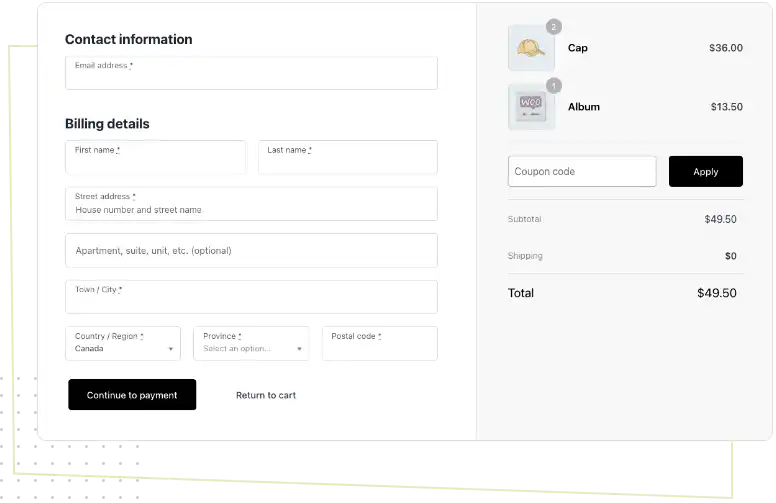
Have you ever wished to customize your eCommerce checkout page just like the Shopify Style Checkout Page? Now, with this amazing feature, you can easily modify the appearance and layout of your checkout page.

With our platform, you have the ability to modify everything from the color scheme to the fields displayed on the page. This level of customization empowers you to create a checkout experience that is tailored to your customers' needs and aligns perfectly with your brand's identity.
By offering a seamless and personalized checkout experience, you can increase customer satisfaction and drive sales growth for your business.
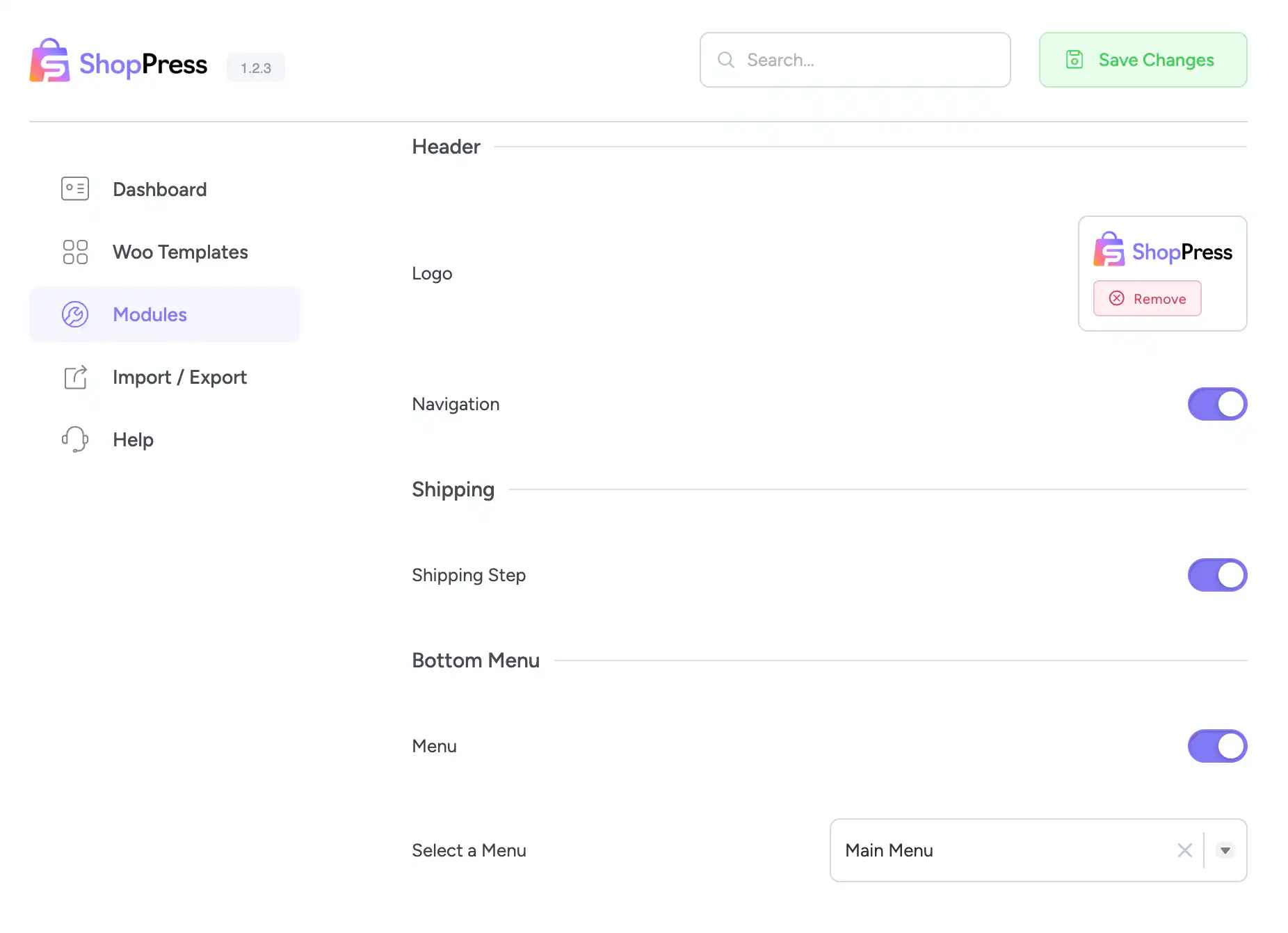
ShopPress Shopify-Style Checkout gives your WooCommerce store a clean, multi-step checkout page similar to Shopify’s. You can add your own logo, show step navigation, add a custom bottom menu, skip the shipping step, and turn the phone and company fields on or off. Shopify-Style Checkout is included in both ShopPress Free and ShopPress Pro.
| Setting | What it does |
|---|---|
| Logo | Your own logo on the checkout page |
| Navigation | Step navigation between checkout steps |
| Shipping step | Disable it for stores that do not ship |
| Bottom menu | A custom menu below the checkout |
| Phone number field | Turn the phone field on or off |
| Company name field | Turn the company field on or off |
Full guide: read the documentation →
Yes. It is included in ShopPress Free and ShopPress Pro.
Yes, with optional navigation between steps.
Yes. Disable it in the settings.
Yes, with the Checkout Builder.
Last updated: November 2026

ShopPress fully compatible with most of the popular WooCommerce themes and plugins, is all you need to run a shop. For more information please refer to ShopPress knowledge-base.

Subscribe to our newsletter and receive our news and promotions
You can unsubscribe at any time