



You can customize every WooCommerce pages using Elementor page builder
ShopPress Builder offers this option and it allows your users to simply filter products by Category, Brand, Color, Rating, Tag, Size and Price, and find what they are looking for in a matter of seconds.
Off-Canvas panel widget is a fly-out content panel for showcasing contents like WooCommerce Filter, Wishlist, Cart etc. This panel can be in various formats like, Drop-Down, Popup and Slide-in.
We all have to acknowledge the impact of brands on our lives. They represent quality and product recognition among customers. Partnering with reliable brands is crucial to boost sales and establish trust on your e-commerce platform.

Fortunately, the ShopPress Brands Module offers an easy solution for adding and customizing product brands on your WooCommerce site. With this module, you can enhance your online store and meet your unique business needs. Let's take advantage of this amazing opportunity to create a more successful and customer-friendly online business.
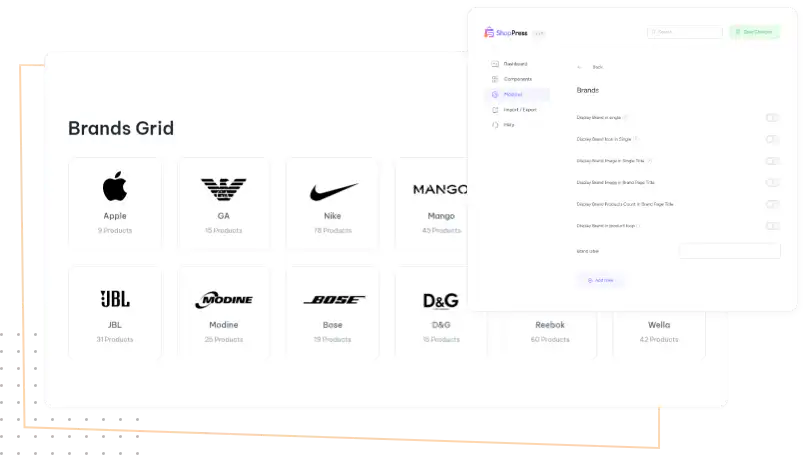
We are thrilled to introduce the ShopPress Brands Module - your ultimate solution for showcasing your brands in a clear and attractive way on both your single product page and shop archive page. With just a few clicks, you can easily display your brand logos or labels, allowing your customers to identify which brand they are purchasing quickly.
Our user-friendly interface ensures that your brand's page is not only functional but also enhances the overall shopping experience. Trust us to provide you with a fast, easy, and efficient solution that will take your e-commerce shop to the next level.
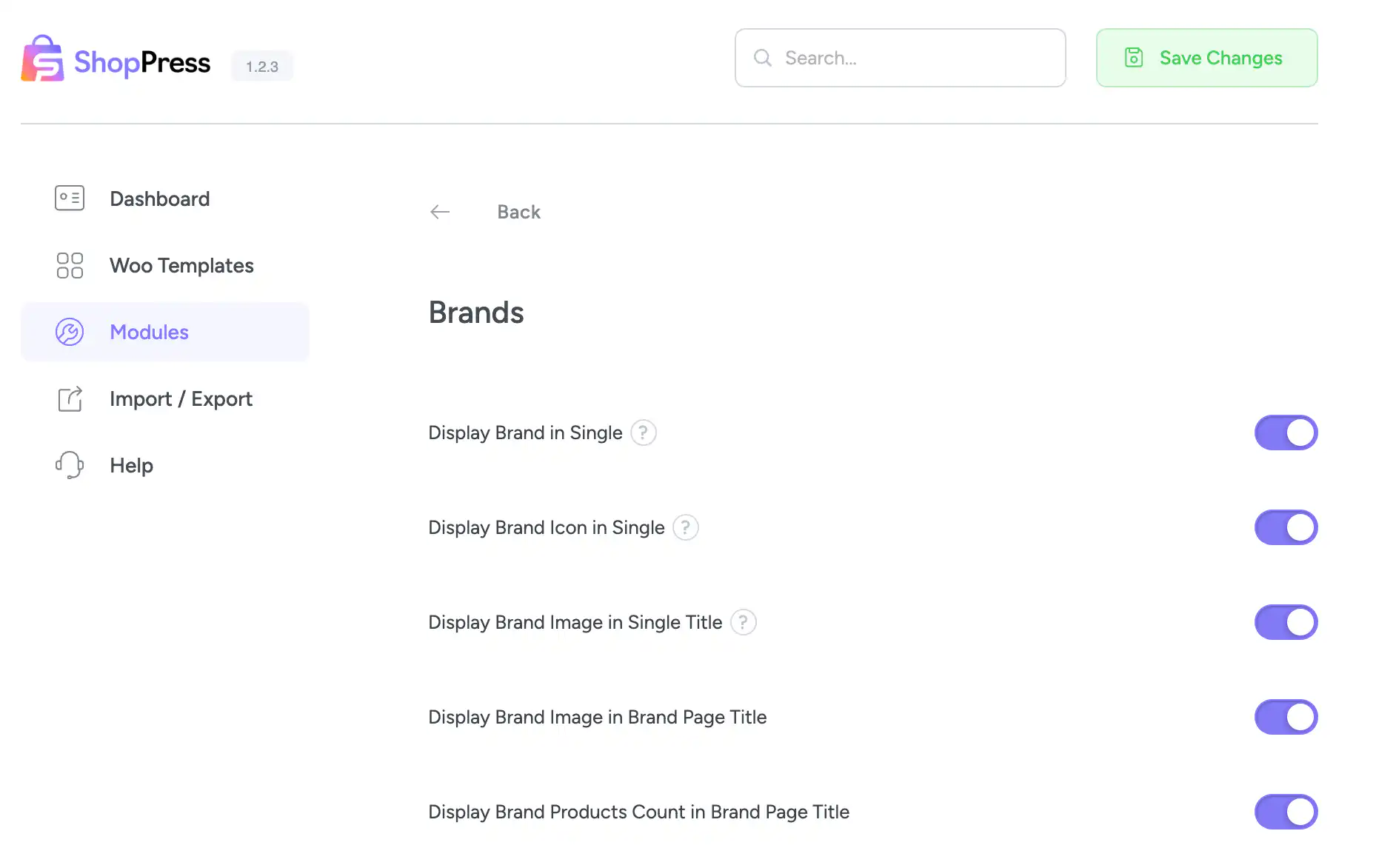
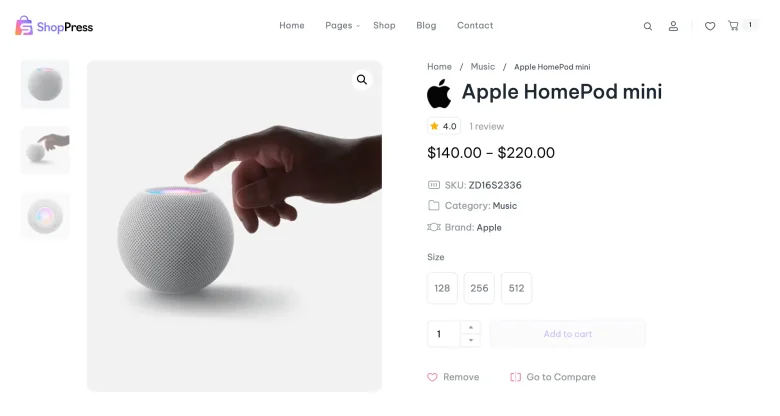
ShopPress Brands adds a brand taxonomy to WooCommerce, so you can assign brands to products and show them across your store. You can display the brand name and logo on product pages and in the product loop, show the brand logo and product count on brand pages, and rename the brand label. Brands is a ShopPress Pro feature.
| Option | What it does |
|---|---|
| Brand on product page | Shows the brand name, icon or logo on the single product page |
| Brand logo before product title | Shows the brand logo before the product title |
| Brand page title | Shows the brand logo and product count on the brand page |
| Brand in product loop | Shows the brand name on product cards |
| Separator and label | Separate multiple brands and rename the brand label |
Full guide: read the documentation →
No. Brands is part of ShopPress Pro.
Yes, on product pages, before the product title and on brand pages.
Yes. Use the brand separator to display multiple brands.
Yes. The ShopPress Product Filter can filter products by brand.
Last updated: November 2026

ShopPress fully compatible with most of the popular WooCommerce themes and plugins, is all you need to run a shop. For more information please refer to ShopPress knowledge-base.

Subscribe to our newsletter and receive our news and promotions
You can unsubscribe at any time