



You can customize every WooCommerce pages using Elementor page builder
ShopPress Builder offers this option and it allows your users to simply filter products by Category, Brand, Color, Rating, Tag, Size and Price, and find what they are looking for in a matter of seconds.
Off-Canvas panel widget is a fly-out content panel for showcasing contents like WooCommerce Filter, Wishlist, Cart etc. This panel can be in various formats like, Drop-Down, Popup and Slide-in.
Cross-sell Products is a sales strategy where a product is recommended to a customer based on their current purchase, often complementing or enhancing the chosen item.

WooCommerce Cross-sell Products is a retail strategy that involves offering additional complementary items for sale alongside the primary purchase. When implemented strategically, it can prove to be one of the most effective methods of generating supplemental revenue on WooCommerce by encouraging customers to purchase other useful products.
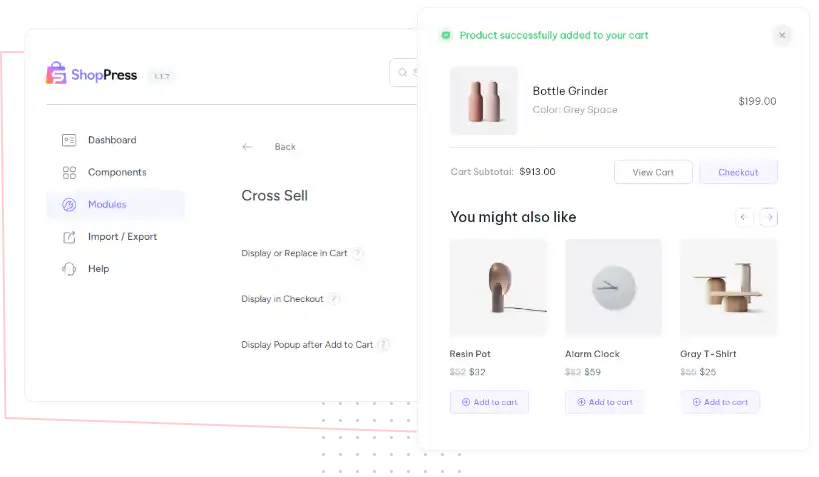
The Cross Sell Product module is specifically designed for the Cart page template, but in ShopPress, it's also available at Checkout and as a Popup after adding a product to your cart. This feature gives customers the opportunity to view and purchase related products while they're still in the buying mindset, increasing the chances of making multiple sales and generating more revenue for your business.
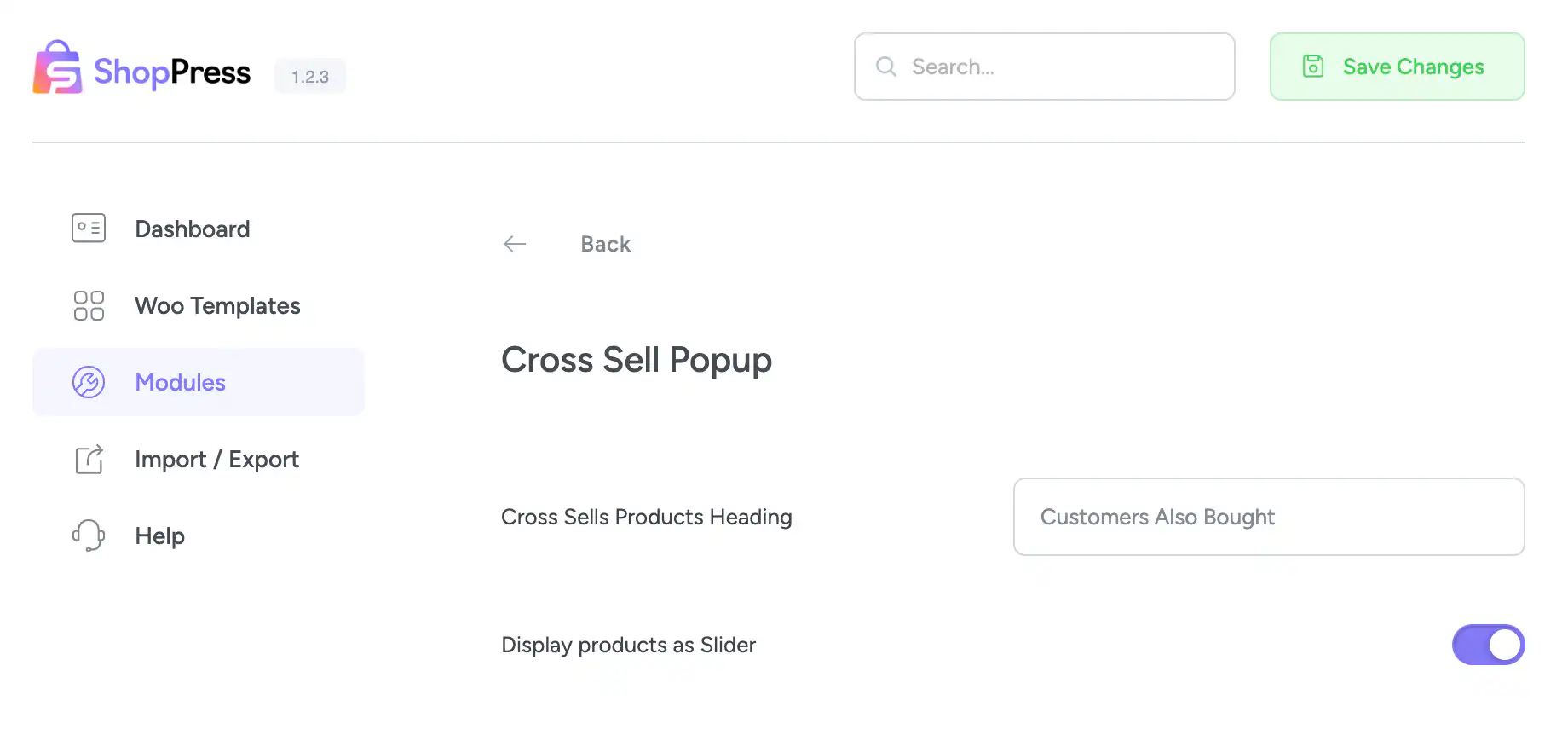
ShopPress Cross-sell Products recommends complementary items alongside the product a customer is buying. Beyond the cart page, ShopPress can show cross-sells at checkout and in a popup right after a product is added to the cart, and the Cross-sell Products widget can display them on any page. The cross-sell loop builder is in ShopPress Free; the cross-sell popup is a ShopPress Pro feature.
| Option | Free | Pro |
|---|---|---|
| Cross-sell loop builder (design the product cards) | ✓ | ✓ |
| Cross-sell Products Elementor widget | ✓ | ✓ |
| Popup after add to cart | ✕ | ✓ |
| Custom heading for cross-sell products | ✕ | ✓ |
| Show cross-sells as a slider | ✕ | ✓ |
Full guide: read the documentation →
The cross-sell loop builder is free. The popup after add to cart and its options are part of ShopPress Pro.
On the cart page, at checkout (in static mode with multi-step checkout), in a popup after add to cart, and anywhere through the Elementor widget.
In each product’s Linked Products settings.
An Order Bump is a single offer on the checkout page; cross-sells recommend related products.
Last updated: November 2026

ShopPress fully compatible with most of the popular WooCommerce themes and plugins, is all you need to run a shop. For more information please refer to ShopPress knowledge-base.

Subscribe to our newsletter and receive our news and promotions
You can unsubscribe at any time