



You can customize every WooCommerce pages using Elementor page builder
ShopPress Builder offers this option and it allows your users to simply filter products by Category, Brand, Color, Rating, Tag, Size and Price, and find what they are looking for in a matter of seconds.
Off-Canvas panel widget is a fly-out content panel for showcasing contents like WooCommerce Filter, Wishlist, Cart etc. This panel can be in various formats like, Drop-Down, Popup and Slide-in.
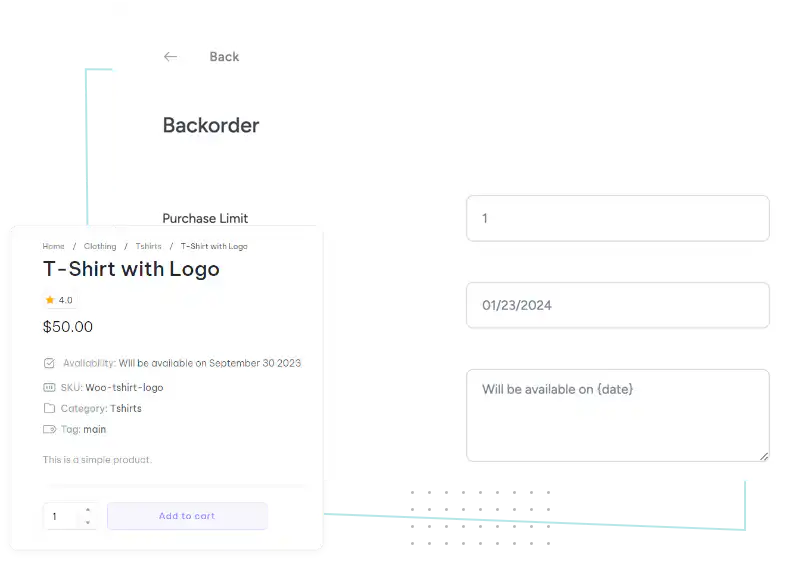
Prevents losing sales due to product unavailability. Backorder enables the customers to purchase a product with out-of-stock status.

ShopPress Backorder is the ultimate e-commerce solution that enables you to offer customers the ability to order products that are currently out of stock but will become available soon. This powerful functionality ensures you never miss a sale again.
ShopPress Backorder offers purchase limit control, availability date specification, custom messages, product-level configuration, and an intuitive interface. To configure individual products for Backorder, one needs to configure general settings, select specific products, navigate to the inventory section, and enable the Backorder option.
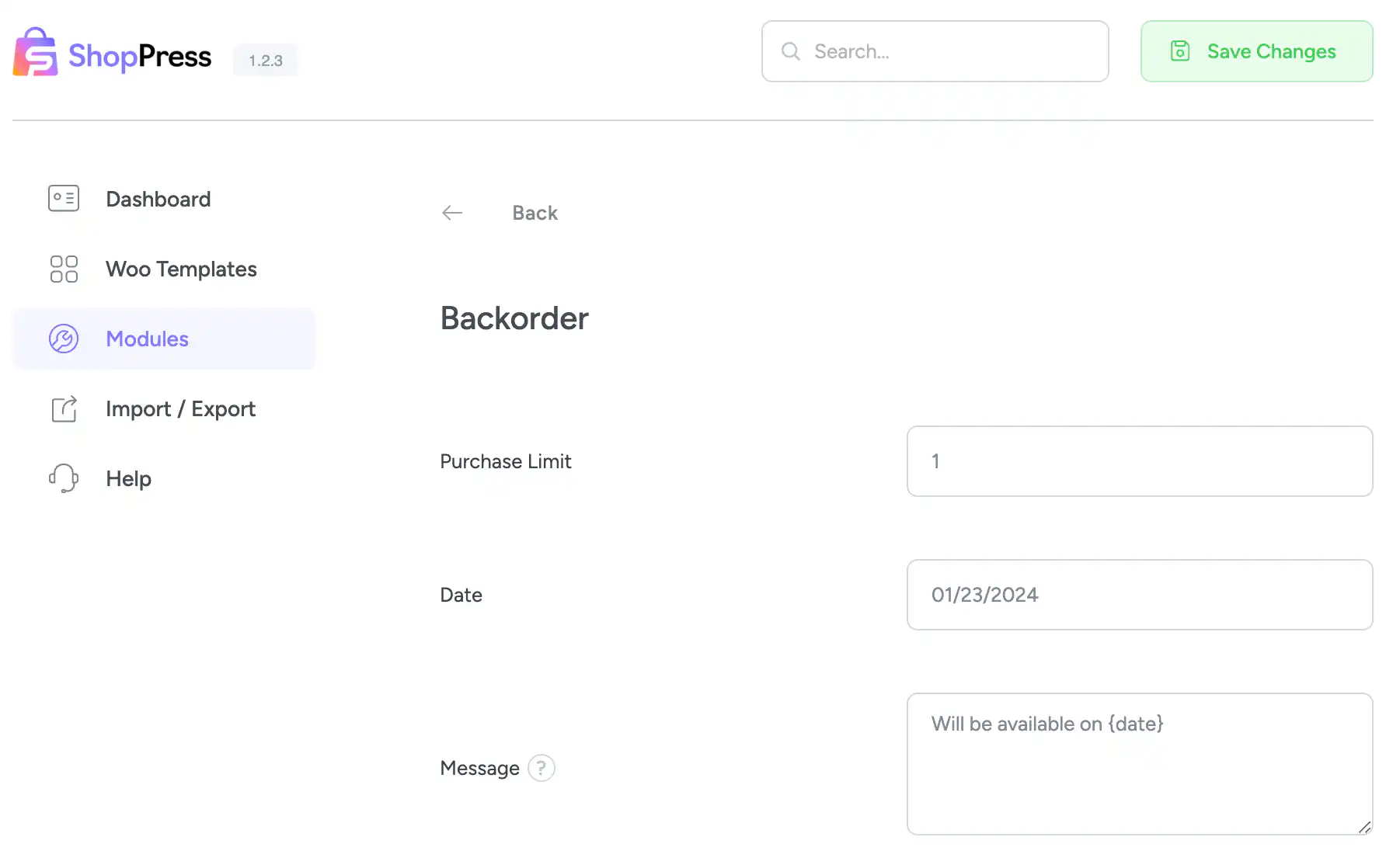
ShopPress Backorder lets WooCommerce customers buy products that are out of stock but will be available soon. You set a purchase limit, an expected availability date and a custom message, and shoppers see that message on the product page instead of losing the sale. Backorder is included in both ShopPress Free and ShopPress Pro.
| Setting | What it does | Free | Pro |
|---|---|---|---|
| Purchase limit | Maximum quantity a customer can order on backorder | ✓ | ✓ |
| Available date | The date the product will be available and shipped | ✓ | ✓ |
| Available message | Custom message shown on the product page | ✓ | ✓ |
| Purchase limit counter | Customize how the remaining backorder quantity is shown | ✓ | ✓ |
| Per-product settings | Override the limit and date for each product | ✓ | ✓ |
Full guide: WooCommerce Backorder documentation →
Yes. Backorder is included in ShopPress Free, and also in ShopPress Pro.
Yes. The Purchase Limit setting caps the quantity that can be ordered on backorder, and you can override it per product.
Yes. Set a global date in the module settings, then customize the date on individual products.
Backorders are for products that are temporarily out of stock. Pre-orders are for products that have not been released yet. ShopPress has a separate Pre-Orders module for that case.
Last updated: November 2026

ShopPress fully compatible with most of the popular WooCommerce themes and plugins, is all you need to run a shop. For more information please refer to ShopPress knowledge-base.

Subscribe to our newsletter and receive our news and promotions
You can unsubscribe at any time